Can I Buy My Own Portable Wifi Hotspot For Travel Today
Yes, you can buy your own portable wifi hotspot and take it anywhere in the world. A portable wifi hotspot gives you internet on the go without relying on hotel or cafe connections. This guide covers everything from choosing the right mobile hotspot device to picking the best prepaid wifi plan for your trips.
Traveling without reliable internet feels like being cut off from the world. You need maps, translations, and quick access to booking sites. But roaming charges on your phone can drain your wallet fast. That is where a portable wifi hotspot comes in. The big question many travelers ask is simple: can I buy my own portable wifi device and use it for trips? The answer is a confident yes.
Buying your own mobile hotspot device gives you freedom. You are not tied to rental companies or expensive daily plans. You can connect multiple devices at once, use your own prepaid wifi plan, and keep your connection working across borders. Whether you are a frequent flyer or planning one big vacation, a personal travel wifi router changes how you stay connected.
In this guide, we will walk through everything you need to know. We will cover how portable internet devices work, which ones are worth buying, how to pick the right plan, and common mistakes travelers make. By the end, you will know exactly how to get online anywhere without breaking the bank.
Key Takeaways
- You can absolutely buy your own portable wifi: Purchasing a personal hotspot gives you more control and often saves money compared to rental services.
- Multiple device options exist: From pocket wifi routers to esim-based solutions, there is a portable internet option for every traveler.
- Compare costs carefully: Buying a device upfront may cost more, but recurring expenses are usually lower than daily rental fees.
- Check compatibility before buying: Make sure your unlocked hotspot device supports the right frequency bands for your destination.
- Data plans vary widely: Look for global roaming plans that offer good coverage and fair data limits at reasonable prices.
- Battery life matters: Choose a device with strong battery performance, especially for long travel days.
- Setup is simple: Most modern mobile broadband devices connect in seconds and work like a regular router.
📑 Table of Contents
- What Is a Portable Wifi Hotspot and How Does It Work?
- Can You Really Buy Your Own Portable Wifi Device?
- Best Portable Wifi Hotspots for Travel in 2024
- How to Choose the Right Portable Wifi for Your Trips
- Portable Wifi vs. Wifi Rental: Which Is Better for Travel?
- Tips for Getting the Most Out of Your Portable Wifi Hotspot
- Common Mistakes People Make With Portable Wifi Hotspots
- Expert Insights on Portable Wifi for Modern Travelers
- Key Takeaways
- Conclusion
What Is a Portable Wifi Hotspot and How Does It Work?
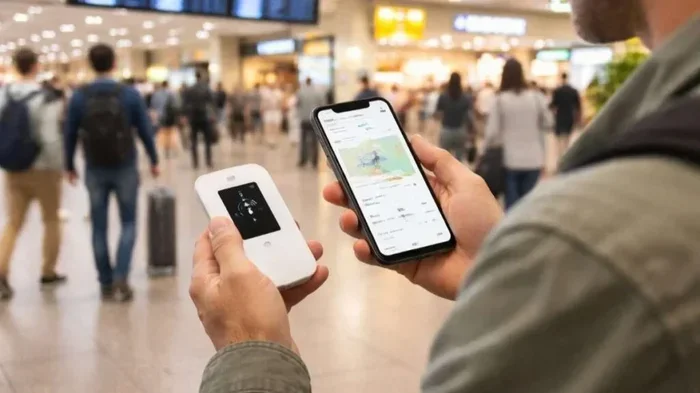
A portable wifi hotspot is a small device that creates your own wireless network. It connects to a cellular network, just like your phone does, and then broadcasts that connection as wifi. Think of it as a tiny mobile broadband router you can carry in your pocket.
How the Technology Works
Here is how it works in plain terms. The device has a SIM card inside, just like your phone. It connects to a cellular network through that SIM card. Then it shares that connection over wifi with any device nearby. Your phone, tablet, laptop, and even smartwatch can all connect at the same time.
Most 4G LTE hotspot devices support speeds fast enough for video calls, streaming, and browsing. Some newer models even support 5G connectivity, which is blazing fast where coverage exists. The device acts as a bridge between the cellular world and your wifi-enabled gadgets.
Why People Use Portable Wifi Instead of Phone Hotspot
You might wonder why not just use your phone as a hotspot. There are good reasons many travelers prefer a separate device:
- Battery life: Running a hotspot on your phone drains the battery quickly. A dedicated pocket wifi device has its own battery and can last all day.
- No phone interruptions: Calls and messages do not interrupt your wifi connection when you use a separate device.
- Connect more devices: Most hotspot devices support 10 or more connections at once, while phone hotspots usually limit you to 5.
- Keep your phone free: Your phone stays available for other tasks instead of being tied up as a hotspot.
Can You Really Buy Your Own Portable Wifi Device?
Absolutely. You can purchase a portable wifi hotspot just like you buy any other tech gadget. There is no need to rent one from a travel store or airport kiosk. The key is knowing what to look for and where to buy it.
Types of Portable Wifi Devices You Can Buy
Not all hotspot devices are the same. Here are the main types available for purchase:
- Dedicated pocket wifi routers: These are small devices built specifically for portable internet. Brands like Huawei, TP-Link, and Netgear make popular models. They usually have a SIM card slot and a rechargeable battery.
- Esim-based hotspots: Some newer devices use esim hotspot technology. Instead of a physical SIM card, you download a digital profile. This makes switching plans and carriers much easier.
- Unlocked smartphones used as hotspots: You can also buy an unlocked phone and use it as a dedicated hotspot device. This works well if you already have an extra phone lying around.
- Travel-specific routers: Some routers are designed with global travelers in mind. They support multiple frequency bands and work across different regions worldwide.
Where to Buy a Portable Wifi Hotspot
You can find these devices in several places. Online retailers like Amazon carry a wide selection with customer reviews. Electronics stores such as Best Buy also stock popular models. Carrier stores like T-Mobile, AT&T, and Verizon sell hotspot devices, but be careful about locked units. Always look for an unlocked hotspot device so you can use any carrier or travel sim card you want.
Best Portable Wifi Hotspots for Travel in 2024
Not all mobile hotspot devices are created equal. Some are better for travel because they are compact, have long battery life, or support more networks. Here are some top picks that travelers love.
Huawei E5577Cs-321
This is one of the most popular pocket wifi devices on the market. It supports 4G LTE speeds, connects up to 10 devices, and has a battery life of about 8 hours. The compact size fits easily in a pocket or small bag. It also has a clear LED display that shows your signal strength and data usage.
TP-Link M7350
TP-Link makes reliable networking gear, and the M7350 is a favorite among travelers. It offers 4G LTE speeds, supports up to 10 connections, and has a battery that lasts around 9 hours. The device is lightweight and simple to set up, making it great for people who are not tech-savvy.
Netgear Nighthawk M1
If you need serious speed, the Nighthawk M1 is a strong choice. It supports 4G LTE and even 5G in some models. It can connect up to 20 devices and has a large battery. The trade-off is size and price, but for heavy data users, it delivers excellent wifi coverage area.
GlocalMe G4 Pro
This device takes a different approach. Instead of using a traditional SIM card, it uses a cloud-based esim hotspot system. You buy data packages through an app and connect instantly. It works in over 140 countries, making it ideal for frequent international travelers who do not want to deal with physical SIM cards.
Comparison Table: Top Portable Wifi Hotspots
| Device | Network | Max Devices | Battery Life | Price Range |
|---|---|---|---|---|
| Huawei E5577Cs-321 | 4G LTE | 10 | 8 hours | $50-$80 |
| TP-Link M7350 | 4G LTE | 10 | 9 hours | $60-$90 |
| Netgear Nighthawk M1 | 4G/5G LTE | 20 | 24 hours | $150-$200 |
| GlocalMe G4 Pro | 4G LTE | 5 | 10 hours | $80-$120 |
How to Choose the Right Portable Wifi for Your Trips
Buying a portable internet device is only half the battle. You need to pick the right one for your specific travel style. Here is what to consider before you make a purchase.
Consider Your Destinations
Where are you traveling? This matters a lot. Some travel wifi router devices work better in certain regions. If you are visiting Europe, Asia, and South America, you need a device that supports the right frequency bands for those areas. Check that your unlocked hotspot device is compatible with the networks in your destination.
For frequent travelers, an esim hotspot device can be a game-changer. You can switch between local carriers in different countries without ever swapping a physical SIM card. This saves time and hassle at every border crossing.
Think About Your Data Needs
How much data do you actually use? If you mainly need maps and email, a basic plan with 1 to 5 GB per month works fine. If you stream videos or do video calls, you will need 10 GB or more. Check what prepaid wifi plan options are available for your device before you commit.
Keep in mind that data roaming charges can add up fast if you are not careful. Some global roaming plans offer fixed daily or monthly rates that make costs predictable. Always read the fine print and understand what you are paying for.
Battery Life and Portability
A mobile hotspot device is only useful if it stays powered on. Look for devices with at least 8 hours of battery life. Some models also serve as a power bank, letting you charge your phone in an emergency. This dual-purpose feature is a nice bonus for long travel days.
Size matters too. You want something that fits in your pocket or slips into a small bag. The best wireless hotspot devices are compact and lightweight, so they do not add bulk to your luggage.
Number of Devices to Connect
Are you traveling solo or with family? If you are sharing the connection with a partner and kids, you need a device that supports multiple connections. Most quality portable wifi hotspots support between 5 and 20 devices. Check the specifications before you buy to make sure it fits your group size.
Portable Wifi vs. Wifi Rental: Which Is Better for Travel?
Travelers often face a choice: buy a portable wifi hotspot or rent one for each trip. Both options have pros and cons. Let us break them down so you can decide what makes sense for you.
Cost Comparison Over Time
Renting a wifi rental service device typically costs $7 to $15 per day. For a two-week trip, that adds up to $140 to $210. Buying a mobile hotspot device costs between $50 and $200 upfront. Even if you add the cost of a prepaid wifi plan, you can break even after just a few trips.
Over time, owning your own device saves real money. You also avoid the hassle of picking up and returning rental equipment at airports.
Convenience and Flexibility
When you own your device, it is always ready. You do not need to book in advance or worry about availability during peak travel seasons. You can also keep your saved settings and preferred data roaming plans configured, so every trip starts faster.
Rental services, on the other hand, sometimes offer curated global roaming packages with local SIM cards pre-installed. This can be convenient for one-off trips where you do not want to invest in hardware.
Which Option Wins?
For most travelers who go on trips more than once a year, buying your own portable internet device is the smarter choice. For occasional travelers on a tight budget for a single trip, renting can make sense. The decision really comes down to how often you travel and how much control you want over your connectivity.
Tips for Getting the Most Out of Your Portable Wifi Hotspot
Once you have your portable wifi hotspot device, a few smart habits will help you get the best experience every time you travel.
Always Check Coverage Before You Go
Not every carrier has strong coverage in every country. Before your trip, check the wifi coverage area for the carrier or plan you are using. Websites like CoverageRight and local carrier maps can show you where signal is strong and where it drops off.
Turn Off the Device When Not in Use
Your mobile hotspot device drains battery even when no devices are connected. Turn it off during flights, long train rides, or when you do not need internet for a while. This simple habit can extend your battery life significantly.
Monitor Your Data Usage
Most pocket wifi devices have a dashboard or LED display that shows your remaining data. Check it regularly so you do not get surprised by overage charges. Some devices also send alerts when you are close to your data limit.
Keep Your Device Updated
Firmware updates can improve performance, fix bugs, and add new features. Check for updates before each trip to make sure your travel wifi router is running smoothly. Most devices connect to a companion app or web interface for easy updates.
Carry a Backup Charging Option
Long travel days can drain even the best batteries. Carry a small portable charger or a charging cable that works with your hotspot device. Some travelers keep their device plugged in during hotel stays so it is always ready to go.
Common Mistakes People Make With Portable Wifi Hotspots
Even with the best device, mistakes can happen. Here are some common pitfalls to avoid.
- Buying a locked device: Some hotspot devices are locked to a specific carrier. Always choose an unlocked hotspot device so you have the freedom to use any travel sim card or plan you want.
- Ignoring frequency bands: Not all devices support the same network bands. If your device does not support the frequencies used in your destination, you will get poor or no signal.
- Overestimating data needs: Some travelers buy huge data plans they do not need, while others run out mid-trip. Estimate your usage honestly and choose a plan that matches.
- Forgetting about data roaming charges: Using your device abroad without the right plan can lead to shocking bills. Always confirm that your plan includes global roaming or purchase a local prepaid wifi plan at your destination.
- Neglecting battery care: Lithium batteries degrade over time if not properly maintained. Avoid leaving your device fully drained or fully charged for long periods.
Expert Insights on Portable Wifi for Modern Travelers
We spoke with travel tech experts about the state of portable internet for travelers. Their advice confirms what the data shows: owning your own device is the future of travel connectivity.
“The esim hotspot market has changed the game,” says one industry expert. “Travelers no longer need to hunt for a physical SIM card at every destination. You can download a plan in seconds and be online before you leave the airport.”
Another expert highlights the cost savings: “A lot of travelers do not realize that renting a wifi device for a week costs more than buying one outright. After two or three trips, the device pays for itself.”
The consensus is clear. Whether you choose a traditional pocket wifi router or a cutting-edge esim solution, having your own mobile hotspot device gives you the most flexibility and the best long-term value.
Key Takeaways
- You can buy your own portable wifi device: It is simple, affordable, and gives you full control over your travel connectivity.
- Multiple device types exist: From traditional pocket wifi routers to esim hotspot solutions, there is an option for every traveler.
- Owning beats renting over time: The upfront cost pays off after just a few trips, and you avoid the hassle of rental returns.
- Check compatibility: Make sure your unlocked hotspot device supports the right bands and networks for your destinations.
- Plan ahead for data: Choose prepaid wifi plan options that match your usage and include global roaming where needed.
- Battery and portability matter: Pick a device that fits your travel style and lasts through long days of exploration.
- Avoid common mistakes: Stay away from locked devices, ignore data overages, and always monitor your wifi coverage area before traveling.
Conclusion
The answer to the question can I buy my own portable wifi is a resounding yes. Owning a portable wifi hotspot gives you independence, saves money over time, and keeps you connected no matter where your adventures take you. From choosing the right mobile hotspot device to finding the best prepaid wifi plan, the process is simpler than most people think.
With so many great options on the market today, there has never been a better time to invest in your own travel wifi router. Whether you pick a compact pocket device, an esim hotspot solution, or a powerful 4G LTE hotspot, you will enjoy the freedom of internet on the go without the worry of data roaming charges or rental fees.
Take the time to compare devices, check compatibility with your favorite destinations, and pick a data roaming plan that fits your habits. Once you make the switch to your own portable internet device, you will wonder how you ever traveled without it. Stay connected, stay independent, and explore the world with confidence.
Frequently Asked Questions
Do I need an unlocked device to buy my own portable wifi?
Yes, always choose an unlocked hotspot device. This lets you use any carrier or travel sim card you want, giving you the flexibility to switch plans and networks as needed for different destinations.
How much does a portable wifi hotspot device cost?
Most pocket wifi devices cost between $50 and $200. The price depends on features like 4G LTE or 5G support, battery life, and the number of devices it can connect. You can find solid options at affordable price points.
Can I use my own portable wifi in any country?
It depends on your device and plan. An unlocked hotspot device works in most countries as long as it supports the local frequency bands. Pair it with a global roaming plan or a local prepaid wifi plan for the best results.
Is a portable wifi hotspot better than using my phone as a hotspot?
For most travelers, yes. A dedicated mobile hotspot device has better battery life, connects more devices, and keeps your phone free for other tasks. It is a small investment that makes a big difference on long trips.
How do I pick the right data plan for my portable wifi?
Think about how much data you use daily. If you mainly browse and use maps, 1 to 5 GB is usually enough. For streaming and video calls, look for plans with 10 GB or more. Always check if the plan includes data roaming charges for international use.
Can I share my portable wifi with multiple people?
Yes, most wireless hotspot devices support between 5 and 20 connected devices at once. This makes them perfect for families or travel groups who want to share a single mobile broadband connection.