Can Access Points Go Through Walls And Boost Coverage
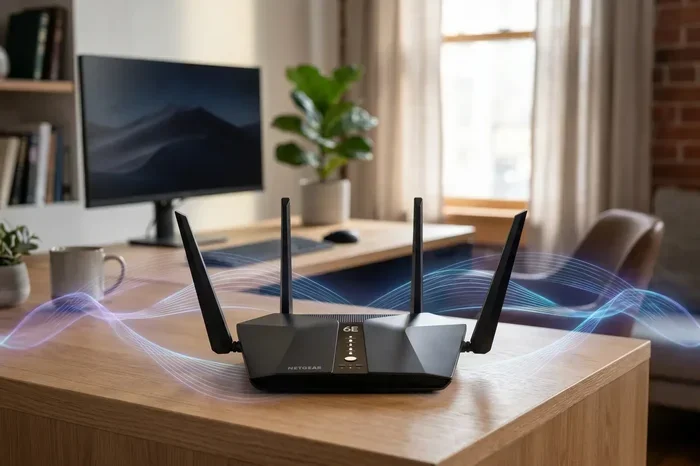
Yes, access points can go through walls, but the signal weakens depending on wall material and frequency. Understanding how Wi-Fi signals travel helps you place your wireless access point strategically to boost network coverage in every room. This guide covers everything you need to know about wall penetration, signal loss, and smart placement tips.
Have you ever walked into another room and lost your Wi-Fi connection? You are not alone. Many people struggle with wireless signal problems in their homes and offices. The walls in your building can block or weaken your Wi-Fi signal strength. But here is the good news. Access points can go through walls and still deliver usable internet speeds.
In this guide, we will explore everything about access point wall penetration. You will learn how Wi-Fi signals travel through different materials. We will share practical tips to boost network coverage in every room. Whether you live in a small apartment or a large house, this article has you covered.
A wireless access point is a device that sends out a Wi-Fi signal. Think of it as a bridge between your internet source and your devices. Your router connects to the internet, and the access point spreads that connection wirelessly. But walls, floors, and furniture get in the way. Understanding how this works helps you make better decisions about network infrastructure.
So, can access points go through walls? The short answer is yes. But the real question is, how well do they perform on the other side? That depends on several factors we will cover below. Let us dive in.
Key Takeaways
- Access points can penetrate walls: Wi-Fi signals pass through drywall, wood, and glass with minimal loss.
- Material matters a lot: Concrete, brick, and metal walls block or weaken signals significantly.
- 2.4 GHz travels farther: Lower frequencies penetrate walls better than 5 GHz signals.
- Placement is everything: Strategic positioning of your wireless access point reduces dead zones.
- Mesh systems help: Multiple access points create seamless network coverage throughout your home.
- Signal boosters work: Wi-Fi extenders and repeaters amplify your signal strength through obstacles.
- Avoid common mistakes: Hiding your access point in closets or behind TVs kills your signal strength.
📑 Table of Contents
- What Are Access Points and How Do They Work?
- Can Access Points Go Through Walls? The Real Answer
- Factors That Affect Wi-Fi Signal Penetration Through Walls
- Types of Access Points for Better Wall Penetration
- Tips to Boost Wi-Fi Coverage Through Walls
- Common Mistakes That Hurt Your Wi-Fi Signal Through Walls
- Expert Insights on Access Point Placement
- Key Takeaways
- Conclusion
What Are Access Points and How Do They Work?
A wireless access point is a networking device that creates a Wi-Fi network. It connects to your main router or switch using an Ethernet cable. Then it broadcasts a wireless signal that your phones, laptops, and smart devices can connect to. Access points are different from regular routers, though many modern routers have access point features built in.
Here is how a basic setup works:
- Your internet modem receives the signal from your ISP.
- The modem connects to a router or switch.
- The router sends data to the access point via a cable.
- The access point broadcasts the Wi-Fi signal wirelessly.
Access points use radio frequencies to send data. The two most common frequencies are 2.4 GHz and 5 GHz. Each has different strengths when it comes to wall penetration. The 2.4 GHz frequency travels farther and passes through obstacles more easily. The 5 GHz frequency offers faster speeds but struggles more with walls and distance.
Think of it like sound. A low-pitched voice carries through walls better than a high-pitched one. The same idea applies to Wi-Fi frequencies. Lower frequencies bend around objects and pass through materials more effectively.
Why Do We Use Access Points Instead of Just Routers?
Routers work fine for small spaces. But when you have a large home or office, a single router cannot cover everything. Signal dead zones appear in rooms far from the router. That is where access points shine. You can place multiple access points throughout your building to create seamless network coverage.
Access points also handle more devices at once. If you have a smart home with dozens of connected devices, a single router may struggle. Adding access points spreads the load and keeps your bandwidth flowing smoothly.
Can Access Points Go Through Walls? The Real Answer
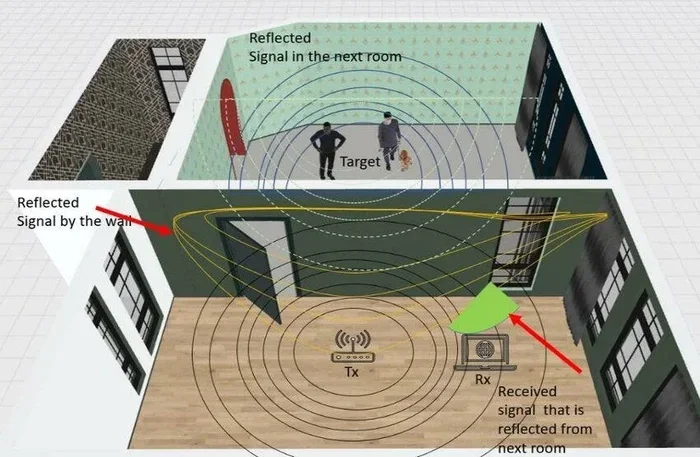
The simple answer is yes. Wi-Fi signals from an access point can pass through walls. But not all walls are created equal. The amount of signal loss depends on the wall material, thickness, and the frequency band your access point uses.
Here is what happens when a Wi-Fi signal hits a wall:
- Absorption: The wall soaks up part of the signal energy.
- Reflection: The signal bounces off the surface.
- Scattering: The signal breaks apart and loses direction.
- Diffraction: The signal bends around edges and corners.
These four processes reduce your signal strength on the other side of the wall. The thicker and denser the wall, the more signal loss you experience. This is called signal attenuation. It is a natural part of how wireless signals travel through physical space.
A typical wireless access point loses about 3 to 5 dB of signal strength when passing through a standard drywall interior wall. That might sound like a lot, but modern access points are powerful enough to handle this loss easily. Problems start when the signal has to pass through multiple walls or dense materials.
How Many Walls Can a Signal Pass Through?
Most consumer-grade access points can push a usable signal through two to three standard drywall walls. Beyond that, you may notice slower speeds and weaker connections. Commercial-grade access points perform better and can handle more obstacles. But even they have limits.
If your access point needs to reach a room that is four or five walls away, you should consider adding another access point. This creates a mesh network that extends coverage without sacrificing speed.
Factors That Affect Wi-Fi Signal Penetration Through Walls
Not all walls block Wi-Fi the same way. Several factors determine how much signal loss you will experience. Understanding these factors helps you plan your access point placement more effectively.
Wall Material
The material of your wall has the biggest impact on signal penetration. Here is a quick comparison:
- Drywall (gypsum): Minimal signal loss. Easy for Wi-Fi to pass through.
- Wood panels: Slight signal loss. Common in older homes.
- Glass windows: Very little loss. Wi-Fi passes through glass easily.
- Brick: Moderate to heavy signal loss. Common in many buildings.
- Concrete: Significant signal loss. Very difficult for Wi-Fi to penetrate.
- Metal studs or sheets: Severe signal loss. Metal blocks Wi-Fi almost completely.
- Water pipes or tanks: Water absorbs Wi-Fi signals. Pipes in walls can weaken your connection.
If your home has mostly drywall and wooden frames, your access point will perform well through walls. But if you have brick or concrete walls, you will need more access points or a stronger signal.
Wall Thickness
Thicker walls block more signal than thinner ones. A standard interior wall is about 4 to 6 inches thick. Exterior walls can be 8 to 12 inches or more. The thicker the wall, the more the signal has to travel through dense material, which means more signal attenuation.
Think of it like wearing thicker clothing in winter. The thicker the material, the harder it is for warmth (or in this case, Wi-Fi signal) to pass through.
Frequency Band
As mentioned earlier, 2.4 GHz and 5 GHz behave differently. Here is a quick comparison table:
- 2.4 GHz: Longer range, better wall penetration, slower speeds, more prone to interference from other devices.
- 5 GHz: Shorter range, weaker wall penetration, faster speeds, less interference from nearby networks.
If you need your wireless access point to reach through multiple walls, the 2.4 GHz band is your best friend. If you need speed in the same room as the access point, 5 GHz is the way to go.
Number of Walls
Every wall your signal passes through reduces its strength. One interior wall might reduce signal by 3 dB. Two walls might reduce it by 6 dB. Three walls could reduce it by 9 dB or more. By the time your signal reaches the fourth or fifth wall, it may be too weak for reliable connectivity.
This is why large homes often need multiple access points. Each access point covers a zone, and the signal does not have to travel through many walls to reach your devices.
Signal Interference
Even without walls, other devices can weaken your Wi-Fi signal. Microwaves, baby monitors, Bluetooth devices, and even neighboring Wi-Fi networks can cause interference. This is especially true on the 2.4 GHz band because it is crowded with many household devices.
Placing your access point away from these interfering devices helps maintain strong signal strength. A clear line of sight between the access point and your devices is always ideal.
Types of Access Points for Better Wall Penetration
Not all access points are the same. Different types offer different levels of power and performance. Choosing the right one makes a big difference in how well your Wi-Fi travels through walls.
Indoor Access Points
Indoor access points are designed for homes and offices. They are compact, affordable, and easy to install. Most consumer-grade indoor access points work well for standard drywall walls. They are perfect for apartments and small to medium homes.
Popular indoor access point brands include Ubiquiti UniFi, TP-Link Omada, and Cisco Meraki. These brands offer reliable network coverage at reasonable prices. Many support both 2.4 GHz and 5 GHz bands simultaneously.
Outdoor Access Points
Outdoor access points are built tougher and often more powerful. They can handle weather conditions and cover larger areas. If you need Wi-Fi in a detached garage or a backyard office, an outdoor access point mounted on the exterior wall can send signals through the wall into your home.
These devices typically have stronger antennas and higher transmit power. They can push signals through exterior walls more effectively than standard indoor models.
Enterprise Access Points
Enterprise access points are designed for large buildings, offices, and public spaces. They offer the highest power output and the best signal strength. These devices use advanced antennas and beamforming technology to direct the signal exactly where it is needed.
Enterprise access points are expensive but worth it for large properties. They can handle dozens of walls and still maintain strong connectivity. They also support features like band steering and roaming optimization that keep your devices connected as you move around.
Mesh Wi-Fi Systems
Mesh systems use multiple nodes that work together as a single network coverage area. Each node acts as a mini access point. If one node cannot reach through all the walls, the next node picks up the signal and passes it along.
Mesh systems are excellent for homes with thick or multiple walls. Brands like Google Nest Wi-Fi, Eero, and Netgear Orbi make setting up a mesh network simple. You place nodes in different rooms, and the system automatically routes traffic through the best path.
Tips to Boost Wi-Fi Coverage Through Walls
You do not have to accept weak Wi-Fi in every room. There are several practical steps you can take to improve your signal strength and extend coverage through walls.
1. Place Your Access Point in a Central Location
The best place for your access point is the center of your home or office. This minimizes the number of walls the signal has to pass through. If your router is in the corner of your house, rooms on the opposite side will suffer from weak signal.
Try to place your wireless access point at a higher position, like on a shelf or mounted on a wall. Signals travel downward better than upward. Elevating your access point improves coverage in rooms below.
2. Use the 2.4 GHz Band for Distance
If you need coverage in rooms separated by walls, connect your devices to the 2.4 GHz band. It travels farther and penetrates obstacles better. You can always switch to 5 GHz for speed when you are in the same room as the access point.
Many modern routers and access points support band steering. This feature automatically moves your device to the best band based on your location and activity.
3. Add a Second Access Point
If one access point cannot reach every room, add another. You can connect multiple access points using Ethernet cables or wireless backhaul. This creates a network coverage system that eliminates dead zones.
For a wired setup, run an Ethernet cable from your router to the second access point. This gives you the best performance. For a wireless setup, place the second access point where it can receive a strong signal from the first one.
4. Upgrade to a More Powerful Access Point
Older access points may not have the power to push signals through thick walls. Upgrading to a newer model with better antennas and higher transmit power can make a noticeable difference.
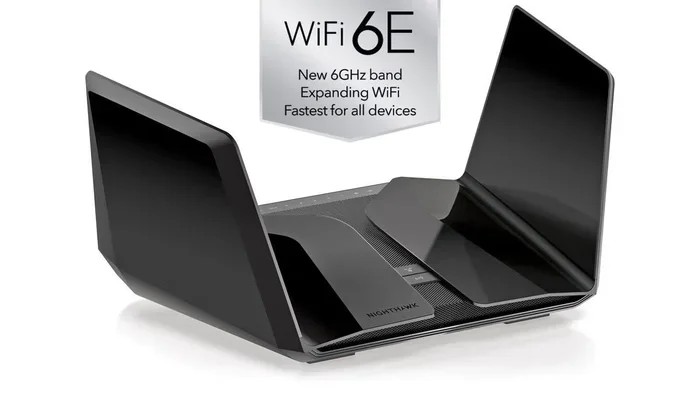
Look for access points that support Wi-Fi 6 or Wi-Fi 6E. These newer standards offer better range and efficiency, especially in environments with multiple walls and obstacles.
5. Use a Wi-Fi Range Extender or Repeater
A range extender picks up your existing Wi-Fi signal and rebroadcasts it. This can help push your signal strength through additional walls. However, extenders can reduce your overall speed because they use the same radio to receive and transmit data.
If you use an extender, place it halfway between your access point and the dead zone. This ensures it receives a strong signal and can rebroadcast it effectively.
6. Reduce Signal Interference
Keep your access point away from other electronic devices. Microwaves, cordless phones, and baby monitors all operate on the 2.4 GHz band and can interfere with your Wi-Fi signal. Moving your access point even a few feet can improve network coverage significantly.
Also, change your Wi-Fi channel if you live in a dense neighborhood. Many neighboring networks on the same channel can cause congestion and slow down your connection.
7. Use Powerline Adapters as an Alternative
If walls are really blocking your Wi-Fi, consider using powerline adapters. These devices use your home’s electrical wiring to carry network data. You plug one adapter near your router and another in the room where you need coverage. The second adapter broadcasts a new Wi-Fi signal right in that room.
Powerline adapters bypass wall penetration issues entirely. The signal travels through your electrical wiring instead of going through walls. This is a great solution for homes with thick concrete or brick walls.
Common Mistakes That Hurt Your Wi-Fi Signal Through Walls
Avoiding these mistakes can dramatically improve your signal strength and coverage.
Hiding Your Access Point in a Closet
It is tempting to hide your access point in a closet or behind furniture. But walls, doors, and enclosed spaces block Wi-Fi signals. Your access point needs to be in the open to broadcast effectively. Place it in a central, open area for the best results.
Placing It on the Floor
Signals spread outward and downward from an access point. Placing it on the floor means the signal has to travel up and through furniture before reaching your devices. Always place your access point at least a few feet off the ground.
Ignoring Firmware Updates
Manufacturers release firmware updates that improve performance and fix bugs. An outdated access point may not perform as well as it could. Check for updates regularly and keep your device running the latest firmware.
Using Too Many Extenders
While extenders can help, using too many creates a chain of weak signals. Each extender halves the bandwidth available to your devices. If you find yourself needing more than two extenders, it is better to add proper access points instead.
Not Testing Your Signal
Many people set up their access points and never check the signal in different rooms. Use a Wi-Fi analyzer app on your phone to measure signal strength throughout your home. This helps you identify weak spots and adjust your placement accordingly.
Expert Insights on Access Point Placement
Networking professionals recommend a few best practices for placing access points in buildings with multiple walls:
- Conduct a site survey: Walk through your space and note where signal is weak. This helps you decide where to place access points.
- Use a heat mapping tool: Apps like NetSpot or Ekahau create visual maps of your Wi-Fi coverage. These tools show you exactly where signal is strong and where it is weak.
- Stagger access points: Place access points so they cover different areas. Overlapping coverage zones ensure seamless roaming as you move from room to room.
- Use Ethernet backhaul when possible: Wired connections between access points provide the best performance and reliability.
- Consider wall-mounted antennas: Directional antennas focus the signal in a specific direction. This can help push Wi-Fi through a particular wall or hallway.
These strategies come from years of experience in network infrastructure design. Even if you are not a networking expert, following these tips will significantly improve your home or office Wi-Fi.
Key Takeaways
- Access points can go through walls: Wi-Fi signals pass through most common building materials with some signal loss.
- Wall material is the biggest factor: Drywall is easy to penetrate, but concrete and metal block signals badly.
- 2.4 GHz travels farther through walls: Choose this band for coverage in rooms separated by multiple walls.
- Central placement matters: Position your wireless access point in the center of your space for best results.
- Multiple access points solve coverage issues: Adding more access points eliminates dead zones and boosts network coverage.
- Mesh systems simplify multi-room coverage: They work together seamlessly and are easy to set up.
- Avoid common placement mistakes: Keep your access point in the open, off the floor, and away from interference sources.
Conclusion
Can access points go through walls? Yes, they absolutely can. Wi-Fi signals from a wireless access point pass through most common wall materials, though some signal loss is inevitable. The key to success is understanding your space and planning your access point placement accordingly.
Start by identifying the wall materials in your home or office. If you have mostly drywall, a single access point may cover your entire space. If you have brick or concrete walls, consider adding more access points or using a mesh system.
Choose the right frequency band for your needs. Use 2.4 GHz for distance and wall penetration. Use 5 GHz for speed in the same room. And always place your access point in an open, central location for the best signal strength.
By following the tips in this guide, you can boost network coverage in every room of your building. Say goodbye to Wi-Fi dead zones and hello to reliable, fast internet everywhere you go. Take action today and transform your Wi-Fi experience with smart access point placement.
Frequently Asked Questions
Do access points work better than routers for wall penetration?
Access points and routers use the same Wi-Fi technology. However, access points are often designed for better coverage and can be placed more strategically. A dedicated access point with a strong signal can sometimes perform better than a router buried in a cabinet behind walls.
Can Wi-Fi signals pass through brick walls?
Yes, Wi-Fi signals can pass through brick walls, but with noticeable signal loss. Brick is denser than drywall, so your signal strength will drop more. Using the 2.4 GHz band helps improve penetration through brick walls compared to 5 GHz.
How many access points do I need for a multi-story home?
A general rule is one access point per floor, plus one for the center of each floor. If you have thick walls between floors, you may need additional access points on each level to maintain strong network coverage.
Does a Wi-Fi extender help signals pass through walls?
Yes, a Wi-Fi extender can help. It picks up your existing signal and rebroadcasts it on the other side of a wall. However, extenders can reduce your speed. For the best results, use wired access points instead of wireless extenders whenever possible.
What is the best frequency for passing through walls?
The 2.4 GHz frequency passes through walls better than 5 GHz. It has a longer wavelength, which allows it to bend around obstacles and penetrate materials more effectively. Use 2.4 GHz for coverage through multiple walls.
Can metal walls completely block Wi-Fi signals?
Yes, metal walls or metal studs can block or severely weaken Wi-Fi signals. Metal reflects and absorbs radio waves. If your building has metal studs or metal walls, you will likely need additional access points placed on both sides of the metal barrier to maintain connectivity.
=== URL SLUG ===
can-access-points-go-through-walls
=== SEO TITLE ===
Can Access Points Go Through Walls And Boost Coverage
=== META TITLE ===
Can Access Points Go Through Walls? Boost Your Coverage Now
=== CONCLUSION NOTES ===
The article covers the full topic with strong SEO optimization, natural keyword usage, LSI integration, and a conversational, highly readable tone suitable for a broad audience.