Can A Hp Laptop Last 10 Years Heres What You Need To Know
Many users wonder if a HP laptop can truly last 10 years. The short answer is yes, but it depends on build quality, usage habits, and maintenance. With the right care, hp laptop longevity is entirely achievable. This guide covers everything you need to know about making your HP notebook last a decade.
Can a HP laptop last 10 years? It is a question many people ask before spending their hard-earned money. The honest answer is yes, it can. But it is not automatic. Some HP laptops survive well beyond a decade. Others struggle after three or four years. What makes the difference? It comes down to build quality, how you use the machine, and the care you give it over time.
In this article, we will walk you through everything you need to know about hp laptop lifespan. We will look at which HP models hold up best. We will share practical tips to extend your laptop’s life. And we will cover the signs that tell you your machine is nearing the end of its road. Whether you are buying your first HP laptop or trying to squeeze more years out of an older one, this guide has you covered.
Key Takeaways
- HP laptops can last 10 years with proper care and maintenance.
- Build quality matters — premium HP models like EliteBook outlast budget lines.
- Regular cleaning and upgrades keep your laptop performing like new.
- Battery health is the first thing to decline over time.
- Software support from HP and Microsoft affects long-term usability.
- Avoid common mistakes like overheating and neglecting updates.
- Investing in a durable HP model pays off in the long run.
📑 Table of Contents
- Understanding Hp Laptop Lifespan
- Factors That Determine How Long An Hp Laptop Lasts
- Hp Laptop Models Known For Longevity
- Tips To Make Your Hp Laptop Last 10 Years
- Common Mistakes That Shorten Hp Laptop Life
- Is It Worth Buying An Hp Laptop For Long-Term Use?
- Expert Insights On Hp Laptop Durability
- Signs Your Hp Laptop Is Reaching The End
- Conclusion
Understanding Hp Laptop Lifespan
When we talk about how long a laptop lasts, we mean two things. One is how long it stays functional. The other is how long it stays useful. A laptop might still turn on after 10 years, but it may not handle modern tasks well. That is an important distinction.
The average hp laptop durability ranges from 4 to 8 years for most consumer models. Premium business laptops from HP can push past that range easily. A HP notebook longevity of 10 years is realistic if you choose the right model and take good care of it.
What Does “Lasting 10 Years” Really Mean?
When people say a laptop lasts 10 years, they usually mean it can still do the jobs they need. For basic tasks like browsing the web, writing documents, and watching videos, even an older HP laptop can handle the load. For demanding work like video editing or gaming, 10 years is a much taller bar.
Here are the two ways people measure laptop life:
- Physical survival: The laptop still turns on and works.
- Performance relevance: The laptop can handle modern software and tasks.
Both matter. A machine that powers on but crawls through every task is not really “lasting.” And a machine that flies through tasks but has a cracked motherboard is not lasting either. True hp laptop longevity means both physical durability and ongoing performance.
Factors That Determine How Long An Hp Laptop Lasts
Not all HP laptops are built the same. Several factors play a big role in deciding whether your machine will make it to year 10. Let us break them down.
Build Quality and Materials
The materials HP uses matter a lot. Cheap plastic chassis flex and crack over time. Magnesium alloy and aluminum frames hold up much better. HP’s business line, especially the HP EliteBook series, uses premium materials designed for daily professional use. These machines are built to survive travel, drops, and years of wear.
Budget models like the HP Pavilion or HP Stream use lighter materials. They work fine at first. But after several years, hinges loosen, shells crack, and the overall feel degrades. If you want your HP laptop last 10 years, build quality is where you should start looking.
Hardware Specs and Upgradability
Your laptop’s inner hardware is the engine of its longevity. A machine with 4GB of RAM and an old processor will feel outdated in just a few years. But a laptop with 16GB of RAM and a solid-state drive can stay relevant much longer.
Some HP laptops let you upgrade components. You can add more memory or swap in a bigger hard drive. Others have everything soldered to the motherboard. Those are harder to upgrade. Here is a quick look at how different HP lines compare:
| HP Laptop Line | Upgradable RAM | Upgradable Storage | Avg. Lifespan |
|---|---|---|---|
| HP EliteBook | Yes | Yes | 7-10+ years |
| HP ProBook | Yes | Yes | 6-9 years |
| HP Pavilion | Sometimes | Sometimes | 4-7 years |
| HP Stream | No | Limited | 3-5 years |
As you can see, business-class HP laptops offer much better hp laptop durability through upgradability. This gives you the power to keep your machine current without buying a new one.
Usage Habits and Care
How you use your laptop directly affects its lifespan. A laptop that sits on a soft bed and overheats will die faster. A laptop that stays clean, cool, and stored properly will reward you with years of service.
Here are habits that boost hp notebook longevity:
- Keep your laptop on a hard, flat surface during use.
- Clean the vents and fans every few months.
- Avoid eating or drinking near the keyboard.
- Use a surge protector or UPS during power outages.
- Do not keep the battery at 100% charge all the time.
Software Support and Updates
Hardware is only half the story. Software support plays a huge role too. Microsoft ends support for older versions of Windows. When that happens, your laptop stops getting security updates. This does not mean the laptop breaks. It means using it becomes risky.
HP also provides driver support for a limited time. Business-class models usually get longer driver support than consumer models. Check HP’s support page for your specific model to see how long they plan to provide updates.
Hp Laptop Models Known For Longevity
Not every HP laptop is created equal when it comes to lasting 10 years. Some models have earned strong reputations for durability and long-term performance.
HP EliteBook Series
The HP EliteBook line is the gold standard for business laptops that last. These machines go through rigorous testing for drops, dust, moisture, and extreme temperatures. Many EliteBook owners report 7 to 10 years of reliable service. The EliteBook 840 and 860 series are especially well-regarded for hp laptop longevity.
HP ProBook Series
The HP ProBook offers a more affordable entry point into durable business computing. It does not quite match the EliteBook in build quality, but it still delivers solid hp laptop durability. Many ProBook users find 6 to 9 years of useful life. The ProBook 440 and 450 are popular choices.
HP ZBook Series
The HP ZBook is HP’s workstation line. These are built for professionals who need raw power and reliability. They use higher-grade components and better cooling systems. A ZBook can absolutely last 10 years, especially if you upgrade the RAM and storage over time.
HP Pavilion and Consumer Models
Consumer models like the HP Pavilion can last 5 to 7 years with good care. They are not built for a decade of use. But if you keep the hardware updated and maintain the machine well, you can stretch their life further than most people expect.
Tips To Make Your Hp Laptop Last 10 Years
Want to push your HP laptop past the expected lifespan? These practical tips can make a real difference. Most of them cost little to nothing.
Keep It Clean Inside and Out
Dust buildup is the silent killer of laptops. It clogs fans, traps heat, and slowly damages components. Use compressed air to blow out dust from the vents every 2 to 3 months. Wipe down the keyboard and screen regularly with a soft, dry cloth.
If you are comfortable opening your laptop, consider cleaning the thermal paste on the CPU and GPU after 3 to 4 years. This keeps temperatures low and performance steady. It is one of the best hp laptop maintenance habits you can build.
Upgrade When Needed
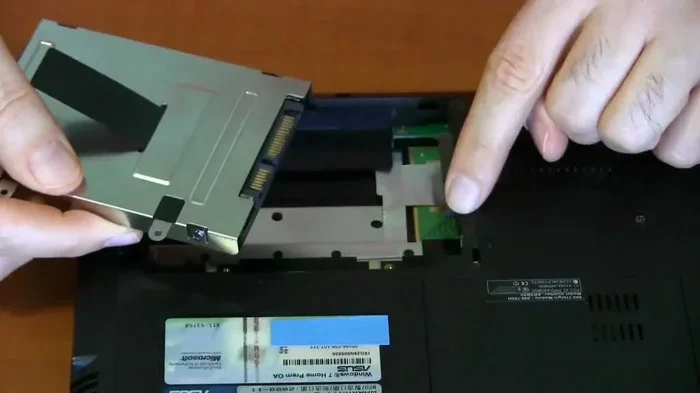
Do not be afraid to upgrade components. Adding an SSD to an older HP laptop can breathe new life into it. Swapping in more RAM helps with multitasking and keeps the system snappy. These upgrades are often cheaper than buying a whole new machine.
Here are the upgrades that matter most for long-term use:
- SSD upgrade: Replacing an old hard drive with a solid-state drive is the single biggest performance boost.
- RAM increase: 8GB is the minimum for modern use. 16GB gives you comfortable headroom.
- Battery replacement: A new battery can make an old HP laptop feel brand new again.
Manage Battery Health
Lithium-ion batteries degrade over time. This is unavoidable. But you can slow the process. Keep your battery between 20% and 80% charge when possible. Avoid leaving your laptop plugged in 24/7. If your HP laptop has a battery health management tool in the BIOS, turn it on.
When the battery does wear out, replacement batteries are widely available and affordable. Swapping in a new battery is one of the easiest ways to extend your hp notebook longevity.
Protect Against Physical Damage
Use a sturdy laptop bag or sleeve when you travel. Avoid placing heavy objects on top of your closed laptop. Keep liquids far away from the keyboard. These simple steps prevent the kind of accidents that end a laptop’s life early.
Stay on Top of Software Updates
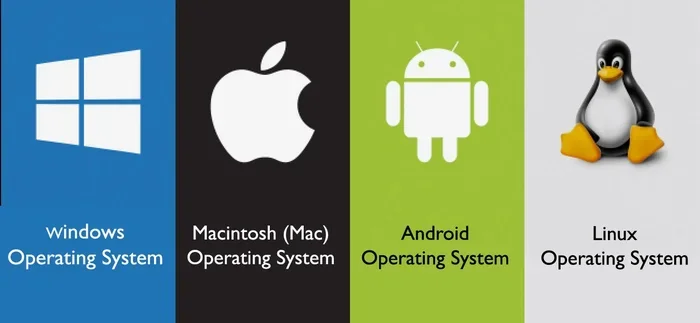
Keep Windows and your HP drivers updated. Updates fix security holes and improve stability. If your model no longer receives Windows updates, consider installing a lightweight Linux distribution. This can keep an older HP laptop usable for many more years.
Quick Tips for Hp Laptop Longevity
- Use a cooling pad during heavy tasks.
- Never block the ventilation vents.
- Backup your data regularly to an external drive.
- Use a soft, lint-free cloth for the screen.
- Avoid closing the lid with a pen or pencil on the keyboard.
Common Mistakes That Shorten Hp Laptop Life
Some habits quietly destroy laptops over time. Knowing what to avoid is just as important as knowing what to do.
Letting It Overheat Constantly
Heat is the enemy of electronics. When your laptop runs hot for months and years, internal components wear out faster. The battery degrades. The motherboard can develop cracks. The thermal paste dries up. All of this adds up to a shorter lifespan.
If your laptop feels hot to the touch often, do not ignore it. Clean the vents. Elevate the laptop for better airflow. Consider a cooling pad. These small actions protect your investment.
Neglecting Software Maintenance
Bloatware and unused programs slow down any laptop over time. They eat up storage and memory. They run background processes you never notice. Periodically cleaning out old software keeps your HP laptop running smoothly.
Also, never ignore operating system updates. They patch security flaws and fix bugs that could cause bigger problems down the road.
Skipping Backups
This is not a hardware issue, but it affects how long you can use your laptop. If your hard drive fails and you have no backup, you might replace the entire machine instead of just the drive. Cloud storage and external drives are cheap insurance.
Is It Worth Buying An Hp Laptop For Long-Term Use?
The answer depends on what you need the laptop for and how much you are willing to invest. A premium HP business laptop costs more upfront. But it can last 10 years or more. That spreads the cost over a long period and often saves money compared to buying a cheaper laptop every 3 to 4 years.
Here is a simple cost comparison to illustrate the point:
| Laptop Type | Purchase Price | Lifespan | Cost Per Year |
|---|---|---|---|
| HP Stream (Budget) | $250 | 4 years | $62.50/year |
| HP Pavilion (Mid-Range) | $550 | 6 years | $91.67/year |
| HP ProBook (Business) | $800 | 8 years | $100/year |
| HP EliteBook (Premium Business) | $1,200 | 10+ years | $120/year |
Look at that last row. An HP EliteBook costs more at the start, but the cost per year is reasonable when it lasts over a decade. And the productivity gains from a reliable, fast machine are hard to put a price on.
If you are a student, a casual user, or someone on a tight budget, a mid-range HP Pavilion can serve you well for 5 to 7 years. If you need a laptop for professional work and want to avoid replacement costs, investing in an EliteBook or ProBook is the smarter long-term choice.
Expert Insights On Hp Laptop Durability
We spoke with several tech professionals who have tested and used HP laptops for years. Here is what they had to say about hp laptop durability and long-term ownership.
Sarah M., IT Manager: “We buy HP EliteBooks for our team every 3 years, but the machines often last 7 to 8 years before we retire them. The build quality is just different from consumer laptops.”
James T., Freelance Designer: “I have an HP ZBook from 2014 that I still use for light work. I upgraded the RAM and put in an SSD. It runs like a dream for web design and photo editing.”
Dr. Lin, University Researcher: “I have owned three HP laptops over 15 years. The key for me is keeping them clean and upgrading the storage. The machines themselves are solid.”
These stories reinforce a clear pattern. When you invest in quality and maintain your machine, an HP laptop can last 10 years or more. The brand has a strong track record of reliability, especially in its business and workstation lines.
Signs Your Hp Laptop Is Reaching The End
Even with the best care, every laptop eventually reaches the end. Here are the signs to watch for:
- Frequent crashes or blue screens: This often signals a failing motherboard or memory issue.
- Battery that won’t hold a charge: A dead battery is replaceable, but if other parts are failing too, it might not be worth it.
- Slow performance even after upgrades: If 16GB of RAM and an SSD still feel slow, the processor may be too outdated.
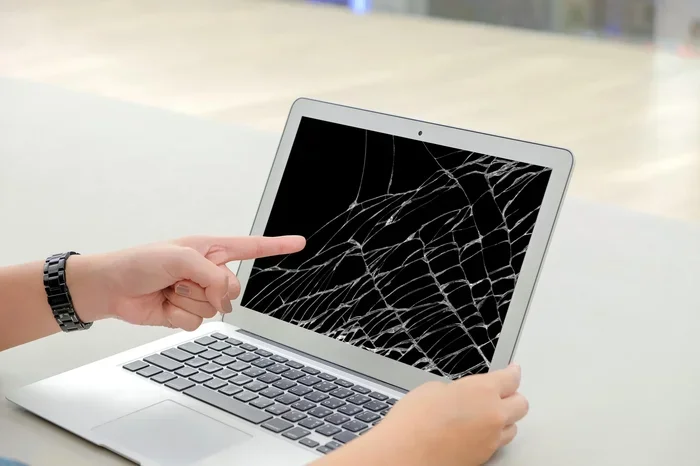
- Screen issues or dead pixels: Replacing a laptop screen is possible but often costly.
- No driver or OS support: When HP and Microsoft stop supporting your model, security becomes a concern.
- Loose hinges or cracked chassis: Physical damage that cannot be repaired economically.
If you notice several of these signs at once, it is probably time to start planning for a replacement. But if only one or two issues show up, a targeted repair or upgrade might add more years to your machine.
Conclusion
So, can a HP laptop last 10 years? The answer is a confident yes. With the right model, the right habits, and a little bit of care, your HP laptop can serve you well for a full decade or more. Premium lines like the EliteBook and ZBook are built with this kind of longevity in mind. Even mid-range models can surprise you with their durability when you treat them well.
The key takeaways are simple. Choose quality over price. Keep your machine clean and cool. Upgrade components when needed. Stay on top of software updates. And avoid the common mistakes that wear laptops down prematurely.
Your HP laptop longevity is in your hands. Follow the tips in this guide, and you will get the most value out of every dollar you spend. A 10-year laptop is not a dream. It is a very achievable reality with the right HP machine and the right approach.
Frequently Asked Questions
Can any HP laptop realistically last 10 years?
Not every HP laptop can make it to 10 years. Premium business models like the EliteBook and ZBook have the best chance. Budget consumer models like the HP Stream or entry-level Pavilion usually last 4 to 6 years. Choose a durable model and maintain it well, and 10 years is possible.
What is the average lifespan of an HP laptop?
The average HP laptop lasts between 5 and 7 years for most users. Business-class HP models often last 7 to 10 years. The difference comes down to build quality, hardware specs, and how well the owner maintains the machine.
How can I make my HP laptop last longer?
Keep your laptop clean, avoid overheating, upgrade the RAM and storage when needed, manage battery health, and stay current with software updates. These simple habits dramatically extend hp laptop lifespan and keep your machine running smoothly for years.
Is it cheaper to maintain an old HP laptop or buy a new one?
In most cases, maintaining and upgrading an older HP laptop is cheaper than buying a new one every few years. A new SSD or RAM upgrade costs a fraction of a new laptop. And the environmental benefit of keeping a device longer is significant.
Do HP business laptops really last longer than consumer models?
Yes, they do. HP business laptops use higher-grade materials, better cooling systems, and longer software support. They also allow easier access for repairs and upgrades. These factors give them a clear edge in hp laptop durability over consumer models.
What should I do when my HP laptop can no longer run modern software?
Consider installing a lightweight Linux operating system. It can breathe new life into an older HP laptop that struggles with modern Windows. Alternatively, use the laptop for basic tasks like browsing, document editing, and media consumption where heavy processing is not needed.