Advantages Disadvantages Of A Proprietary Operating System
A proprietary operating system offers strong security, polished user experiences, and dedicated support, but it also comes with higher costs, limited customization, and vendor lock-in. Whether you are choosing an OS for personal use or business needs, understanding both sides helps you make a smarter decision. This guide breaks down every major advantage and disadvantage of a proprietary operating system so you can weigh your options with confidence.
When you turn on your computer, the operating system is the first thing that comes to life. It manages every app, every file, and every connection you make. But not all operating systems are built the same way. Some are open for anyone to see and change. Others are kept private by the companies that make them. These are known as proprietary operating systems. Understanding the advantages disadvantages of a proprietary operating system is important whether you are a casual user, a student, or a business owner.
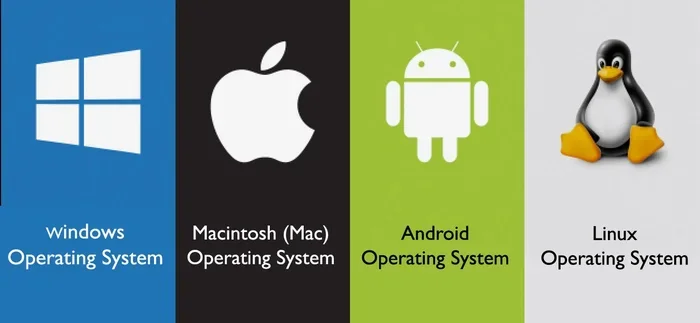
A proprietary operating system is one where the source code is owned and controlled by a single company. You cannot view it, modify it, or redistribute it without permission. The most well-known examples include Microsoft Windows and Apple macOS. These systems power millions of computers around the world every day. They come with built-in advantages that many users love. But they also carry drawbacks that are worth considering before you commit. In this article, we will explore both sides in detail so you can make an informed choice.
Key Takeaways
- Security and Stability: Proprietary operating systems often provide a more controlled and secure environment through closed-source development and regular updates.
- Polished User Experience: These systems are designed with a focus on seamless integration, intuitive interfaces, and consistent performance across devices.
- Higher Costs: Licensing fees and the need for approved hardware can make proprietary operating systems more expensive over time.
- Limited Customization: Users have less freedom to modify or tweak the system compared to open source alternatives.
- Vendor Lock-In: Relying on one company for your operating system can limit your flexibility and increase dependency on a single vendor.
- Strong Support Ecosystem: Dedicated customer service, enterprise-grade tools, and a wide range of compatible software make these systems appealing for businesses.
📑 Table of Contents
- What Is a Proprietary Operating System?
- Advantages of a Proprietary Operating System
- Disadvantages of a Proprietary Operating System
- Popular Proprietary Operating Systems in Use Today
- Proprietary vs Open Source Operating Systems
- How to Decide If a Proprietary Operating System Is Right for You
- Common Mistakes People Make When Choosing an Operating System
- Expert Insights on the Future of Proprietary Operating Systems
- Quick Tips for Getting the Most Out of Your Proprietary Operating System
- Conclusion
What Is a Proprietary Operating System?
A proprietary operating system is software where the creator retains full ownership and control. The source code is kept secret and is not available to the public. Only the company that built it can make changes, fix bugs, and release updates. This closed model has been the dominant approach in the computing world for decades. Companies like Microsoft and Apple invest billions of dollars into developing their operating systems. They do this to maintain quality, security, and a consistent user experience.
The advantages disadvantages of a proprietary operating system are closely tied to this closed model. Because the code is hidden from public view, only the company’s engineers can audit and improve it. This creates a tightly controlled ecosystem. It also means users must trust the company to act in their best interest. Let us now look at why people choose these systems and what makes them appealing.
Advantages of a Proprietary Operating System
Strong Security and Controlled Environment
One of the biggest advantages of a proprietary operating system is its security. Because the source code is not publicly available, fewer people can find and exploit vulnerabilities. Hackers often target open systems where the code is visible to everyone. A closed system makes it harder for them to identify weak points. Companies like Microsoft and Apple release regular security patches and updates to protect their users. This creates a more controlled and safer computing environment.
Additionally, proprietary operating systems come with built-in security features. Windows has Windows Defender, which provides real-time protection. macOS includes Gatekeeper and XProtect, which block malicious software. These tools work together to keep your device safe without requiring extra effort from the user. For businesses that handle sensitive data, this level of built-in protection is a major benefit.
Polished and Consistent User Experience
When a single company controls the entire operating system, the result is a more polished experience. Every feature, every menu, and every notification is designed to work together. Apple is a great example of this. macOS and iOS share a similar look and feel. Switching between an iPhone and a Mac feels natural because the design language is consistent. This kind of seamless experience is hard to achieve with open source alternatives where many different contributors are involved.
Proprietary operating systems also tend to be more user-friendly for beginners. The installation process is straightforward. The interface is intuitive. Updates are handled automatically in most cases. You do not need to be a tech expert to get started. This accessibility is one of the reasons proprietary OS examples like Windows and macOS dominate the market.
Dedicated Customer Support
Another major benefit is access to dedicated support. When something goes wrong with a proprietary operating system, you can contact the company directly. Apple offers Apple Support through chat, phone, and in-store appointments. Microsoft provides live chat, phone support, and extensive online resources. This level of support gives users peace of mind. You know that help is just a call or message away.
For businesses, this is especially valuable. Downtime can cost money. Having a team of experts ready to assist minimizes disruptions. Enterprise customers can also purchase dedicated support plans with faster response times. This kind of professional support is rarely available with community-driven open source projects.
Wide Software Compatibility
Most commercial software is built for proprietary operating systems. Popular applications like Microsoft Office, Adobe Creative Suite, and AutoCAD are designed primarily for Windows and macOS. If you rely on specific software for work or school, a proprietary OS ensures compatibility. You do not have to worry about whether your favorite app will run properly.
This compatibility extends to hardware as well. Major hardware manufacturers optimize their drivers for Windows and macOS. Printers, graphics cards, and peripherals work out of the box in most cases. The proprietary OS ecosystem is built to make sure everything works together smoothly. This is a huge advantage for users who want a hassle-free experience.
Regular Updates and Long-Term Stability
Companies that build proprietary operating systems invest heavily in regular updates. These updates bring new features, performance improvements, and security fixes. Microsoft releases Windows updates on a predictable schedule. Apple rolls out major macOS updates every year. This consistent update cycle keeps the system modern and secure.
Stability is another key advantage. Because the company controls the entire system, updates are thoroughly tested before release. This reduces the risk of bugs and crashes. Users can rely on their system to perform consistently over time. For professionals who need a dependable workflow, this stability is invaluable.
Disadvantages of a Proprietary Operating System
High Licensing Costs
The most obvious drawback of a proprietary operating system is the cost. Windows licenses can be expensive, especially for businesses that need multiple copies. macOS comes pre-installed on Apple hardware, but that hardware itself carries a premium price tag. Over time, these costs add up. For budget-conscious users or small businesses, the proprietary OS cost can be a significant barrier.
Compare this to open source operating systems like Linux, which are completely free. Anyone can download and install Linux without paying a dime. The savings can be substantial, especially in large organizations. When you factor in the advantages disadvantages of a proprietary operating system, the cost difference is one of the most discussed topics.
Limited Customization Options
Because the source code is closed, users cannot modify a proprietary operating system to suit their preferences. You cannot change how the core system works. You cannot remove built-in apps you do not use. You cannot deeply customize the user interface. This lack of flexibility frustrates power users who want full control over their systems.
Open source operating systems, on the other hand, allow extensive customization. You can change the desktop environment, tweak system settings, and even rebuild the OS from scratch. If you value freedom and flexibility, the limitations of a proprietary system can feel restrictive. This is one of the biggest complaints among advanced users.
Vendor Lock-In
Vendor lock-in happens when you become too dependent on one company’s products. With a proprietary operating system, your data, apps, and workflows are tied to that ecosystem. Switching to a different OS can be difficult and expensive. You may need to replace software, retrain employees, or even buy new hardware.
This creates a risky situation. If the company raises prices, changes its policies, or discontinues support, you have limited options. Businesses, in particular, need to think carefully about long-term dependency. The advantages disadvantages of a proprietary operating system often come down to how much control you want versus how much convenience you are willing to trade.
Slower Innovation Due to Closed Development
A closed development model can slow down innovation. Only the company’s internal team decides what features to build and when. If they prioritize profit over progress, users may miss out on useful improvements. Open source communities, by contrast, benefit from thousands of contributors worldwide. Ideas can be tested and implemented much faster in open environments.
Proprietary companies sometimes resist change because it could disrupt their existing business model. For example, Microsoft was slow to embrace mobile computing because it threatened its core Windows business. This kind of hesitation can leave users waiting for features that open source communities already offer. Innovation should serve the user, but closed systems sometimes put company interests first.
Privacy Concerns
Because you cannot see the source code of a proprietary operating system, you cannot be sure what data it collects. Companies may track usage patterns, collect telemetry data, or share information with third parties. While most companies have privacy policies, the average user does not read or fully understand them. This lack of transparency is a real concern for privacy-conscious individuals.
Open source operating systems offer more transparency in this area. Anyone can inspect the code to see what data is being collected. With a proprietary system, you simply have to trust the company. For users who value digital privacy, this is a significant disadvantage. The advantages disadvantages of a proprietary operating system often come down to how much trust you place in the company behind the software.
Hardware Restrictions
Some proprietary operating systems only run on specific hardware. macOS, for instance, is officially limited to Apple computers. You cannot install it on a custom-built PC or a non-Apple laptop. This limits your choices and forces you to buy expensive hardware if you want to use the operating system. Windows is more flexible, but even it has hardware compatibility requirements that can be limiting.
Open source operating systems, on the other hand, can run on almost any hardware. Linux supports a vast range of devices, from old laptops to powerful servers. If you like to build or upgrade your own systems, a proprietary OS can feel like a cage. The proprietary OS ecosystem is designed to keep you within its ecosystem, which is great for the company but not always great for the user.
Popular Proprietary Operating Systems in Use Today
Several proprietary operating systems dominate the market. Each has its own strengths and weaknesses. Here are the most widely used ones.
Microsoft Windows is the most popular desktop operating system in the world. It runs on millions of PCs and laptops. Windows offers broad software compatibility and a familiar interface. It is the go-to choice for many businesses and gamers. However, it has faced criticism for bloatware, frequent updates that can be disruptive, and security vulnerabilities.
Apple macOS powers all Mac computers. It is known for its sleek design, seamless integration with Apple devices, and strong security. macOS is popular among creative professionals, developers, and users who value a premium experience. The downside is that you must own Apple hardware to use it, which limits your options and increases costs.
Chrome OS is Google’s lightweight operating system designed primarily for web-based tasks. It runs on Chromebooks and is popular in education and budget computing. Chrome OS is simple, fast, and affordable. However, it is limited in what it can do offline and relies heavily on a Chrome browser and web apps.
Proprietary vs Open Source Operating Systems
The debate between proprietary operating systems and open source alternatives is ongoing. Both approaches have merit. Understanding the differences helps you choose the right path. Here is a quick comparison of key factors.
| Feature | Proprietary OS | Open Source OS |
|---|---|---|
| Source Code Access | Closed, not available to public | Open, available for anyone to view and modify |
| Cost | Licensing fees required | Usually free to download and use |
| Customization | Limited to user settings | Extensive, can modify core system |
| Security | Controlled by the company | Audited by community, but vulnerabilities can be found faster |
| Support | Dedicated customer service | Community forums and documentation |
| Software Availability | Wide range of commercial apps | Growing library, but fewer mainstream apps |
| Hardware Compatibility | Optimized for specific hardware | Runs on a wide variety of devices |
The advantages disadvantages of a proprietary operating system become clearer when you compare them side by side with open source alternatives. Proprietary systems win on polish, support, and commercial software compatibility. Open source systems win on cost, flexibility, and transparency. Your choice depends on what matters most to you.
How to Decide If a Proprietary Operating System Is Right for You
Choosing an operating system is a personal decision. It depends on your needs, budget, and technical skills. Here are some tips to help you decide.
First, consider what software you need. If your work depends on specific commercial applications, a proprietary operating system is likely the safer choice. Most professional software is built for Windows or macOS. Second, think about your budget. If you want to save money, open source options like Linux may be a better fit. Third, evaluate your technical skills. If you are not comfortable troubleshooting issues on your own, the support offered by proprietary systems is a big advantage.
Also, consider your long-term goals. Are you planning to stay within one ecosystem? If so, a proprietary OS can provide a seamless experience. Are you a tinkerer who likes to experiment? Then the flexibility of an open source system might appeal to you more. There is no single right answer. The best operating system is the one that fits your life and work style.
When weighing the advantages disadvantages of a proprietary operating system, remember that no system is perfect. Every choice comes with trade-offs. The key is to understand those trade-offs and make a decision that aligns with your priorities. Take your time, do your research, and choose with confidence.
Common Mistakes People Make When Choosing an Operating System
Many users make avoidable mistakes when selecting an operating system. One common mistake is choosing based on brand loyalty alone. Just because a brand is popular does not mean it is the best fit for you. Another mistake is ignoring long-term costs. The initial price of a computer might seem low, but licensing fees, software subscriptions, and hardware upgrades add up over time.
Some users also underestimate the importance of software compatibility. If you need a specific application for work, make sure it runs on the operating system you choose. Finally, do not overlook the learning curve. Switching from one operating system to another takes time and effort. Factor in the adjustment period when making your decision.
Expert Insights on the Future of Proprietary Operating Systems
Industry experts believe that proprietary operating systems will continue to evolve. Cloud computing and subscription models are changing how users interact with their devices. Companies are also investing heavily in artificial intelligence to make their operating systems smarter. Windows Copilot and Apple Intelligence are examples of this trend. These features aim to make the user experience more intuitive and personalized.
At the same time, the rise of open source alternatives is pushing proprietary companies to innovate faster. Competition benefits users. It drives down costs and improves quality. The advantages disadvantages of a proprietary operating system will likely shift as the computing landscape continues to change. Staying informed and adaptable is the best strategy for any user.
Quick Tips for Getting the Most Out of Your Proprietary Operating System
- Keep your system updated. Regular updates patch security vulnerabilities and improve performance.
- Use built-in security tools. Enable firewalls, antivirus features, and automatic updates.
- Back up your data regularly. Use cloud storage or external drives to protect your files.
- Explore official support resources. Take advantage of help forums, tutorials, and customer service.
- Remove unnecessary software. Uninstall bloatware to keep your system fast and clean.
Conclusion
The advantages disadvantages of a proprietary operating system are clear and worth considering. On one hand, these systems offer strong security, polished user experiences, dedicated support, and wide software compatibility. On the other hand, they come with higher costs, limited customization, vendor lock-in, and privacy concerns. No operating system is perfect for everyone. The right choice depends on your specific needs, budget, and preferences.
If you value convenience, stability, and professional support, a proprietary operating system is a solid choice. If you prioritize cost savings, flexibility, and transparency, you might want to explore open source alternatives. Either way, understanding the full picture empowers you to make the best decision for your computing needs. Take what you have learned from this guide and apply it. Your perfect operating system is out there waiting for you.
Frequently Asked Questions
What is a proprietary operating system?
A proprietary operating system is one where the source code is owned and controlled by a single company. Users cannot view, modify, or redistribute the code without permission. Examples include Microsoft Windows, Apple macOS, and Google Chrome OS.
Are proprietary operating systems more secure than open source ones?
They can be, but it is not guaranteed. The closed nature of a proprietary operating system makes it harder for hackers to find vulnerabilities. However, security also depends on how quickly the company patches issues and how well users follow best practices. No system is completely immune to threats.
Why are proprietary operating systems expensive?
Proprietary operating systems require licensing fees because the company invests significant resources in development, testing, and support. These costs are passed on to the user. In contrast, open source operating systems are typically free because they are built and maintained by communities.
Can I switch from a proprietary OS to an open source one?
Yes, you can. Many users switch from Windows or macOS to Linux. However, the transition may require learning new tools, finding compatible software, and adjusting to a different interface. It takes time and patience, but many users find the switch rewarding.
What are the best proprietary operating systems for business use?
Microsoft Windows and Apple macOS are the most popular choices for businesses. Windows offers broad software compatibility and enterprise-grade management tools. macOS provides a premium experience and strong security. The best choice depends on your industry, budget, and specific business needs.
Do proprietary operating systems collect user data?
Many proprietary operating systems collect telemetry data to improve performance and troubleshoot issues. Companies like Microsoft and Apple have privacy policies that outline what data is collected and how it is used. Privacy-conscious users should review these policies and adjust their settings accordingly.