Can A Laptop Last 15 Years The Truth Revealed Today
Can A Laptop Last 15 Years? Yes, but it depends on how you use and maintain it. Most consumer laptops last 5 to 8 years, but with the right care, some machines can push past the 15-year mark. This guide reveals the real factors that determine laptop longevity and gives you actionable steps to extend your device’s life.
Can A Laptop Last 15 Years? It is a question many people ask, especially if they want to get the most value out of their investment. The short answer is yes. But the longer answer is more interesting. A laptop’s lifespan depends on many factors, from build quality to how well you maintain it. Some laptops die after three years. Others keep running strong well past the decade mark. In this article, we will explore the truth behind laptop longevity. You will learn what really matters, what mistakes to avoid, and how to get every last drop of life from your machine.
Whether you are a student, a professional, or someone who just wants to save money, understanding laptop lifespan helps you make smarter buying decisions. Let us dive into the real-world facts about how long laptops actually last.
Key Takeaways
- Laptops CAN last 15 years with proper care, upgrades, and maintenance.
- Build quality and components are the biggest factors in laptop longevity.
- Regular maintenance like cleaning and SSD upgrades dramatically extends life.
- Battery degradation is the most common reason laptops fail before 15 years.
- Knowing when to upgrade saves money and keeps you productive.
- Business-grade laptops generally outlast consumer models by several years.
- Thermal management plays a critical role in preventing early hardware failure.
📑 Table of Contents
How Long Do Laptops Typically Last?
Most laptops have a laptop lifespan of about 5 to 8 years. This is the general range for consumer-grade machines. But that number varies a lot depending on several factors. A cheap budget laptop from a big-box store might struggle after 3 years. A premium ultrabook from a trusted brand can stay relevant for 7 or more years. And yes, some carefully maintained machines do reach 15 years or beyond.
The key is understanding that “last” means different things to different people. For some, a laptop “lasts” as long as it turns on. For others, it must run modern software smoothly. This distinction matters a lot when we talk about laptop durability and long-term value.
Average Laptop Lifespan by Category
Not all laptops are built the same. Here is a quick look at how long different types of laptops tend to last:
- Budget laptops: 3 to 5 years
- Mid-range laptops: 5 to 8 years
- Premium laptops: 7 to 10+ years
- Business-grade laptops: 8 to 12+ years
- Rugged or enterprise laptops: 10 to 15+ years
As you can see, the laptop hardware lifespan varies widely. Your usage patterns and maintenance habits play a huge role too.
What Determines Laptop Longevity?
Several factors decide whether your machine will survive the 15-year test. Let us break them down so you understand what really matters.
Build Quality and Materials
The materials used in a laptop’s construction matter enormously. A plastic chassis will flex and crack over time. A metal or carbon-fiber body holds up much better. When you are thinking about computer longevity, start with the build. Brands like Lenovo ThinkPad, Apple MacBook, and Dell Latitude are known for using premium materials that resist wear and tear.
Hinges, keyboard durability, and screen quality all contribute to how long a laptop stays functional. A well-built machine simply handles daily use better over many years.
Processor and Component Performance
Your processor determines how long your laptop stays relevant for modern tasks. A laptop with a powerful CPU from the start will remain capable of running newer software for longer. This is called laptop performance over time, and it is a major factor in perceived lifespan.
Here is something many people overlook. A laptop can still turn on after 10 years, but if it cannot run current operating systems or apps, it has effectively died for practical purposes. This is why upgrade laptop capability matters so much.
Thermal Management and Cooling
Heat is the enemy of electronics. Over time, dust accumulates inside the laptop. Thermal paste dries out. Fans wear down. This leads to thermal management laptop problems that shorten component life. A laptop that runs hot will degrade faster than one kept cool.
Regular cleaning and proper ventilation go a long way. Using a laptop on soft surfaces like beds or couches blocks vents and traps heat. This simple mistake can shave years off your machine’s life.
Battery Health and Degradation
The battery is usually the first component to fail. Most lithium-ion batteries last 300 to 500 charge cycles, which translates to about 2 to 4 years of daily use. After that, capacity drops noticeably. Many people think a dying battery means a dead laptop, but that is not true.
You can replace a laptop battery easily in most models. This single laptop repair can add years of life to your device. Some people use their laptops plugged in constantly, which also affects battery health. Balance is key here.
Signs Your Laptop Is Reaching the End
How do you know when your laptop is on its last legs? There are clear warning signs. Recognizing them early helps you plan your next move.
Slow Performance and Freezing
If your laptop takes forever to boot up or apps freeze constantly, the hardware is struggling. This often happens when RAM fills up or the storage drive becomes outdated. Laptop performance over time naturally declines, but severe slowdowns signal deeper problems.
Frequent Overheating
Your laptop shutting down unexpectedly or the fans running at full speed all the time are red flags. This usually means dust buildup or failing thermal components. Ignoring overheating can lead to permanent laptop component lifespan issues.
Screen and Display Problems
A flickering screen, dead pixels, or backlight failure makes a laptop frustrating to use. While these issues can sometimes be repaired, the cost often exceeds the value of the machine. This is a common point where people start asking, “when should I replace my laptop?”
Incompatibility with Modern Software
When your laptop can no longer run updates or modern applications, it has reached its practical end. Operating systems like Windows 11 have minimum hardware requirements. If your machine falls short, it is time to seriously consider an upgrade laptop or replacement.
Tips to Make Your Laptop Last 15 Years
Want to push your laptop past the 15-year mark? It is possible with the right approach. Here are proven strategies that real users and experts swear by.
Keep It Clean Inside and Out
Dust is the silent killer of laptops. Open your machine every 6 to 12 months and clean the interior with compressed air. Wipe down the exterior with a soft cloth. Clean keyboard keys and vents regularly. This simple habit prevents overheating and extends laptop durability significantly.
Upgrade Key Components
You do not need to buy a new laptop every few years. Instead, upgrade laptop components to keep pace with modern demands. The most impactful upgrades include:
- Switching to an SSD: This is the single best upgrade you can make. An SSD breathes new life into an old machine.
- Adding more RAM: 8GB is the minimum today. 16GB ensures your laptop stays relevant longer.
- Replacing the battery: A fresh battery restores portability and confidence.
- Thermal paste replacement: Every 2 to 3 years, replace dried-out thermal paste for better heat transfer.
Use a Cooling Pad
If you use your laptop for demanding tasks, a cooling pad helps maintain safe temperatures. This reduces thermal stress on internal components and supports long-term laptop cooling performance.
Handle With Care
This sounds obvious, but many people rough up their laptops. Avoid dropping them. Use a padded sleeve when traveling. Do not press too hard on the screen. Gentle handling preserves the physical integrity of your machine for years.
Keep Software Updated
Operating system and driver updates often include performance improvements and security patches. Staying current helps your laptop run efficiently. However, if updates eventually stop for your model, that is a sign the hardware has reached its limit.
Common Mistakes That Shorten Laptop Life
Avoiding these mistakes alone can add years to your laptop:
- Never letting the battery discharge below 20%
- Using the laptop on soft surfaces that block vents
- Ignoring warning signs like strange noises or overheating
- Running too many heavy programs simultaneously
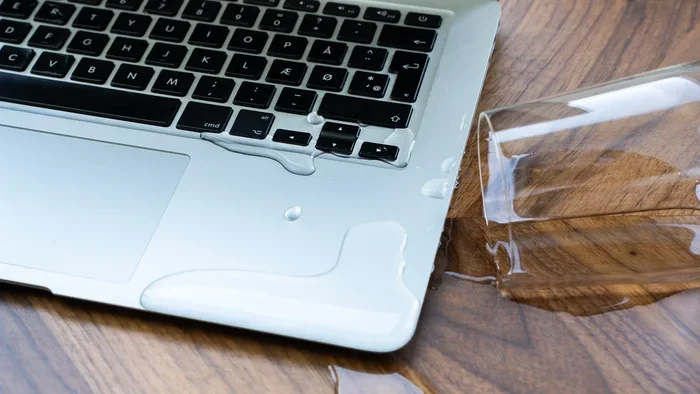
- Spilling liquids on the keyboard without immediate cleanup
- Skipping antivirus software, which can lead to malware-related slowdowns
When Should You Replace Your Laptop?
Knowing when to let go is just as important as knowing how to extend life. Clinging to an old machine too long can cost you productivity and money. Here is when replacement makes sense.
Repair Costs Exceed Half the Price of a New Laptop
If your laptop needs a motherboard replacement or a new screen that costs more than half a new machine, replacement is the smarter choice. Laptop repair costs add up quickly, and sometimes it is better to invest in something new.
No More Software or Security Updates
Security is critical. If your laptop no longer receives updates from the manufacturer, it becomes increasingly vulnerable. This is a hard stop for most users. A machine without security patches is a risk, especially for online banking and shopping.
The Laptop Cannot Handle Your Daily Tasks
If your work or daily activities suffer because the laptop is too slow, it is time for a change. Productivity loss costs more than a new laptop in the long run. Evaluate your needs honestly and invest accordingly.
The Verdict: Can A Laptop Actually Last 15 Years?
So, can a laptop last 15 years? Can A Laptop Last 15 Years is absolutely possible, but it requires effort and smart decisions. Most people will not reach 15 years with a typical consumer laptop. But with a well-built machine, consistent maintenance, strategic upgrades, and reasonable usage, 15 years is within reach.
Think about it this way. A car can last 200,000 miles if you maintain it properly. A laptop works the same way. The base machine sets the ceiling, but your habits determine where you actually land.
If you want the best shot at 15 years, start with a business-grade or premium laptop from a reputable brand. Invest in an SSD right away. Keep the machine clean. Upgrade components when needed. And never ignore warning signs. Follow these principles, and your laptop can easily outlast the average lifespan by several years.
The truth is out. Laptops are built to last much longer than most people think. The question is not really “can a laptop last 15 years.” The real question is, “am I willing to put in the work to make it happen?” For those who are, the answer is a resounding yes.
Frequently Asked Questions
What is the average lifespan of a laptop?
The average laptop lasts between 5 and 8 years for most users. However, this varies based on build quality, usage patterns, and how well you maintain the device. With proper care and upgrades, many laptops can exceed 10 years of useful life.
Is it worth repairing a laptop that is 10 years old?
It depends on the repair cost and what you use the laptop for. If the repair costs less than half the price of a new laptop and the machine still meets your needs, it is usually worth fixing. However, if the repair is expensive and the laptop struggles with modern software, replacement may be the better option.
Can you upgrade an old laptop to make it last longer?
Absolutely. Upgrading to an SSD, adding more RAM, and replacing the battery are the three most impactful upgrades you can make. These changes can transform an aging laptop and extend its useful life by several years. Always check your laptop’s specifications before purchasing upgrades.
Why do some laptops last longer than others?
Build quality, component selection, and brand reputation all play roles. Business-grade laptops like ThinkPads and Dell Latitudes are designed for long-term use. They use higher-quality materials and components that withstand years of daily wear. Consumer laptops often prioritize cost over durability.
How can I tell if my laptop battery needs replacing?
Signs of a failing battery include significantly reduced runtime, swelling, and the laptop only working when plugged in. You can also check your battery health status in your operating system settings. On Windows, use the powercfg /batteryreport command. On Mac, hold the Option key and click the battery icon.
Does using a laptop on a bed shorten its lifespan?
Yes, using a laptop on soft surfaces like beds or couches can block ventilation and cause overheating. Over time, chronic overheating damages internal components and shortens overall laptop lifespan. Always use your laptop on a hard, flat surface or invest in a cooling pad for better airflow.