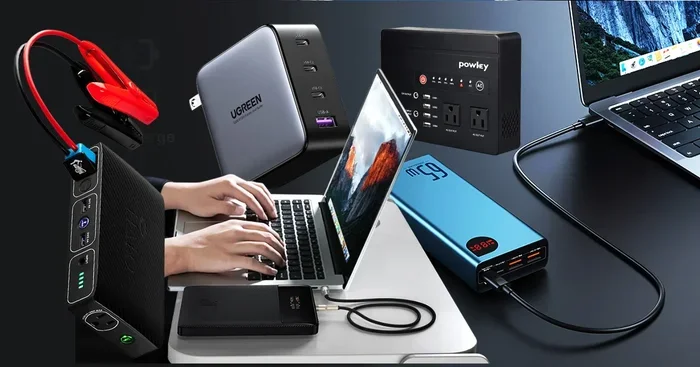
Can Any Portable Charger Charge A Laptop For Travel
Not any portable charger can charge a laptop. You need the right wattage, compatible ports, and sufficient battery capacity. This guide breaks down exactly what makes a portable charger work for laptops, which models to buy, and how to stay powered on the go.
Can any portable charger charge a laptop? The short answer is no. A lot of people assume that any power bank will do the job. But the truth is far more complicated. Your laptop needs specific wattage, the right connector, and enough energy capacity to actually charge up. Using the wrong charger can mean slow charging, no charging at all, or even damage to your battery over time.
This article breaks it all down. You will learn how laptop charging works on the go, what specs really matter, and which portable chargers actually deliver. Whether you are a frequent traveler or just someone who wants backup power, this guide has you covered. Let us get into it.
Key Takeaways
- Wattage matters most: Most laptops need at least 45W to charge properly.
- USB-C PD is the standard: Look for power banks that support USB-C Power Delivery.
- Capacity counts: A 20,000mAh power bank is the minimum for a single laptop charge.
- Not all chargers are equal: Phone chargers usually lack the power needed for laptops.
- GaN chargers are game-changers: They are smaller, lighter, and more efficient than traditional chargers.
- Check compatibility first: Always match your laptop’s charging requirements before buying.
📑 Table of Contents
- What You Need to Know About Portable Chargers and Laptops
- How Laptop Charging Works on the Go
- Not All Power Banks Are Created Equal
- Key Features to Look For in a Laptop Charger
- Best Portable Chargers for Laptops
- Common Mistakes People Make When Charging Laptops on the Go
- Expert Tips for Staying Powered While Traveling
- Conclusion
What You Need to Know About Portable Chargers and Laptops
Charging a laptop is not the same as charging your phone. A phone usually needs around 5 to 10 watts. A laptop can need 45, 65, or even 100 watts depending on the model. That huge gap is why not every portable charger works. You have to match the power output to your laptop’s needs.
Here is the first thing to understand. Portable chargers come in different shapes and sizes. Some are designed for phones only. Others can handle tablets and laptops. The ones that work for laptops have higher wattage outputs and the right ports. USB-C Power Delivery is the most common standard for laptop charging today.
When you shop for a travel charger, look at three main things:
- Wattage output (how much power it sends)
- Battery capacity (measured in mAh or Wh)
- Port type (USB-C PD is essential for most modern laptops)
If you ignore any of these, you risk buying a charger that does not work for your laptop. That is a waste of money and a frustrating experience on the road.
Why Phone Chargers Fail for Laptops
Most phone chargers output 5 to 18 watts. That is fine for a phone. But a laptop needs way more. Think of it like a water hose. A phone charger is a garden hose. A laptop charger is a fire hose. You cannot fill a swimming pool with a garden hose in any reasonable time.
Even if a phone charger has a USB-C port, it likely does not support the power delivery your laptop needs. Some older laptops can trickle charge from a low-wattage source, but it takes forever. And some laptops simply will not charge at all if the wattage is too low.
How Laptop Charging Works on the Go
Understanding how charging works helps you make smarter choices. When you plug your laptop into a wall outlet, the charger converts AC power from the wall into DC power your laptop can use. A portable charger does the same thing, but it draws from its built-in battery instead of the wall.
Here is where it gets interesting. Not all portable chargers convert power the same way. Some lose a lot of energy as heat. Others are highly efficient. The efficiency of your charger affects how much usable power your laptop actually gets.
The Role of USB-C Power Delivery
USB-C Power Delivery (also called USB-C PD) is the technology that makes laptop charging from a portable charger possible. It is a smart charging standard that negotiates the right amount of power between the charger and your device.
Here is how it works in simple terms:
- Your laptop tells the charger what it needs.
- The charger delivers exactly that amount of power.
- Once the battery is full, the power drops to a maintenance level.
This negotiation process is what allows a single charger to work with different devices. A USB-C PD charger can power a phone, a tablet, and a laptop — as long as it meets the wattage requirements of each device.
Wattage Requirements by Laptop Type
Different laptops need different amounts of power. Here is a quick breakdown of common wattage needs:
- Ultrabooks like the MacBook Air or Dell XPS 13 usually need 30 to 65 watts.
- Standard laptops like the ThinkPad or HP Pavilion often need 45 to 65 watts.
- Gaming laptops like the Razer Blade or MSI models can need 100 watts or more.
- Chromebooks typically need 30 to 45 watts.
If your portable charger cannot deliver enough wattage, your laptop may charge very slowly. Or it might not charge at all while you are using it. This is because the laptop is using more power than the charger can provide.
Not All Power Banks Are Created Equal
The power bank market is huge. You can find hundreds of options online. But most of them are designed for phones and tablets. Only a specific category of power banks can reliably charge a laptop. Knowing the difference saves you time and money.
When we talk about laptop charging on the go, we are really talking about high-capacity power banks with USB-C PD support. These are sometimes called “laptop power banks” or “universal chargers.” They look similar to regular power banks but pack much more punch.
Capacity: mAh vs. Watt-Hours
Power bank capacity is measured in two ways: milliampere-hours (mAh) and watt-hours (Wh). Both matter, but watt-hours tell you more about actual usable energy.
Here is why. A power bank might say 20,000mAh. But if it outputs at 5 volts, that is not the same as one that outputs at 20 volts. Watt-hours take voltage into account, giving you a more accurate picture of how much energy you really have.
For laptops, you generally want a power bank with at least 60 to 100 Wh of capacity. That is enough for one full charge of most ultrabooks. Some airlines restrict power banks over 100 Wh, so check that before you fly.
Popular Power Bank Brands for Laptops
A few brands stand out in the laptop power bank space. Anker, RAVPower, Baseus, and UGREEN all make reliable options. These brands focus on fast charging technology and build their products with quality battery cells.
When choosing a brand, look for:
- Clear wattage specifications on the product page
- USB-C PD support with at least 45W output
- Good customer reviews and warranty coverage
- Build quality and safety certifications
Key Features to Look For in a Laptop Charger
Not sure what to look for when shopping? Here are the features that actually matter for charging a laptop from a portable charger.
1. Power Delivery Wattage
This is the most important spec. Your charger must match or exceed your laptop’s wattage requirement. If your laptop needs 65W, get a charger that delivers at least 65W. Some power banks offer adjustable wattage, which is a nice bonus.
2. Number of Ports
Multiple ports let you charge more than one device at a time. A good travel charger might have two USB-C ports and one USB-A port. Just be aware that when you charge multiple devices, the total wattage gets split. So two devices sharing a 65W charger each get less power.
3. Portability and Weight
High-capacity power banks can be heavy. A 20,000mAh unit might weigh around 1 to 1.5 pounds. That is fine for a bag. But if you are trying to minimize weight, look for models that balance capacity with portability. GaN chargers are a great option here. They use gallium nitride technology to deliver high wattage in a smaller, lighter package.
4. Safety Features
A good charger has built-in safety features. Look for overcharge protection, short-circuit protection, and temperature control. These features protect your laptop battery and prevent accidents. Cheap, uncertified chargers often skip these safety measures.
5. Compatibility with Your Charging Adapter
Not all charging adapters work with all laptops. Some laptops use proprietary connectors. Others use standard USB-C. Make sure your portable charger uses the right connector for your device. If your laptop uses a barrel connector, you may need an adapter.
Best Portable Chargers for Laptops
Let us look at some real options. These are popular choices that work well for charging laptops on the go. Prices and availability may vary.
Anker 737 Power Bank (PowerCore)
This is one of the most popular laptop power banks on the market. It offers 140W output through USB-C PD, which is enough for most gaming laptops. It has a capacity of 24,000mAh and supports fast charging for multiple devices at once.
Why it works well:
- High wattage output for demanding laptops
- Large capacity for multiple charges
- Compact design for its size
- Reliable brand with good warranty
RAVPower 26800mAh Power Bank
This is a budget-friendly option with solid performance. It offers 60W USB-C PD output and a huge 26,800mAh capacity. It can charge most ultrabooks at least once, and sometimes twice depending on the model.
Why it works well:
- Excellent capacity for the price
- 60W output covers most standard laptops
- Durable build quality
- Multiple charging ports
UGREEN 100W Laptop Power Bank
UGREEN makes great travel-friendly chargers. Their 100W models are compact and powerful. They support USB-C PD and work with a wide range of laptops. They are a solid choice for people who want something that fits easily in a backpack.
Why it works well:
- 100W output handles gaming laptops too
- Lightweight and travel-friendly
- Fast charging technology built in
- Good value for the features
Quick Comparison Table
Here is a side-by-side look at these three options:
- Anker 737: 24,000mAh, 140W, premium price, best for gaming laptops
- RAVPower 26800mAh: 26,800mAh, 60W, budget-friendly, best for ultrabooks
- UGREEN 100W: Compact design, 100W, balanced choice for most users
Pick the one that matches your laptop’s needs and your travel style. There is no single best option for everyone.
Common Mistakes People Make When Charging Laptops on the Go
Even with the right charger, people make mistakes that cause problems. Here are the most common ones to avoid.
Buying a Charger Based on mAh Alone
Big mAh numbers look impressive. But they do not tell the whole story. A 30,000mAh power bank with only 18W output will not charge a laptop in any useful timeframe. Always check the wattage first, then the capacity.
Ignoring Cable Quality
The cable matters just as much as the charger. A cheap or damaged USB-C cable can limit power delivery. You might have a 100W charger but only get 18W through a bad cable. Always use high-quality, certified USB-C cables that support power delivery.
Charging While Using the Laptop
Some laptops use more power than the charger can provide when you are running demanding apps. If you are gaming or editing video, your laptop might not charge at all. It might even lose battery slowly. For best results, close heavy apps while charging from a portable power bank.
Overlooking Airline Restrictions
Traveling with a high-capacity power bank? Check airline rules. Most airlines allow power banks up to 100Wh in carry-on luggage. Anything above that needs airline approval. Some budget airlines have stricter limits. Always pack your charger in your carry-on, not checked baggage.
Using a Charger Not Designed for Laptops
This is the big one. Not every portable charger can charge a laptop. Using a phone charger for a laptop is like trying to fill a bathtub with an eyedropper. It might eventually work, but it is impractical and frustrating. Always confirm the charger is rated for laptop use before you rely on it.
Expert Tips for Staying Powered While Traveling
Traveling with a laptop means you need reliable power. Here are some tips from people who do this regularly.
First, charge your power bank fully before every trip. Do not leave it sitting at 50% for weeks. A full charge gives you the most usable energy. Second, bring a backup cable. Cables get lost, damaged, or forgotten. Having a spare in your bag saves headaches.
Third, know your laptop’s charging needs. Check the label on your original charger. It will tell you the wattage and voltage. Use this information when choosing a portable charger. Fourth, consider a solar-powered charger for extended trips. These are slower but can be a lifesaver in remote areas.
Finally, invest in a charger with universal compatibility. A good travel power bank works with laptops, phones, tablets, and even some cameras. That way, you carry one charger for everything.
Conclusion
So, can any portable charger charge a laptop? No, but the right one can do the job perfectly. The key is understanding your laptop’s power needs and choosing a charger that meets them. Focus on wattage, port type, and battery capacity. Avoid the common mistakes that trip up most travelers.
A good portable charger gives you freedom on the road. You do not need to hunt for an outlet. You do not need to worry about battery dying mid-flight or during a long work session at a cafe. With the right portable charger for laptop travel, you stay productive and connected wherever you go.
Take the time to research before you buy. Check the specs, read reviews, and make sure the charger is compatible with your device. A small investment in the right charger pays off every single time you travel. Stay powered up and enjoy the freedom of working from anywhere.
Frequently Asked Questions
Can I use a portable charger to charge a MacBook?
Yes, as long as the portable charger supports USB-C Power Delivery and meets the MacBook’s wattage requirement. Most MacBooks need at least 30 to 65 watts. A charger with 60W or higher USB-C PD output will work great for MacBook Air and MacBook Pro models.
How long does a portable charger take to charge a laptop?
It depends on the charger’s wattage and your laptop’s battery size. A 65W charger can charge a typical ultrabook from 0 to 50 percent in about 30 to 45 minutes. A 100W charger is even faster. Higher wattage means faster charging times.
What mAh power bank do I need for a laptop?
For most laptops, look for a power bank with at least 20,000mAh capacity and 45W or higher USB-C PD output. This should give you one full charge for most ultrabooks. Gaming laptops with larger batteries may need 26,000mAh or more.
Can I charge my laptop with a regular phone power bank?
Usually no. Most phone power banks output 5 to 18 watts, which is not enough for laptops. Your laptop might charge extremely slowly or not at all. You need a power bank designed for laptops with higher wattage and USB-C PD support.
Are GaN chargers better for travel?
Yes, GaN chargers are smaller, lighter, and more efficient than traditional silicon-based chargers. They deliver high wattage in a compact size, making them ideal for travel. Many modern GaN chargers support multiple devices through a single unit.
Can I charge two devices at once with a laptop power bank?
Yes, most laptop power banks have multiple ports. You can charge your laptop and phone at the same time. Just keep in mind that the total wattage gets split between devices. Charging two demanding devices at once will slow down the charging speed for each.
=== CONCLUSION ===
Can any portable charger charge a laptop for travel? The answer is clear now. Not just any charger will do. You need the right wattage, the right ports, and enough capacity to actually power your device. USB-C Power Delivery is the key technology that makes it all possible. Choose a charger with at least 45W output, a capacity of 20,000mAh or higher, and solid build quality. Avoid the common mistakes that waste your time and money. With the right portable charger, you can keep your laptop powered up anywhere in the world. Travel smarter, stay productive, and never run out of power when you need it most.