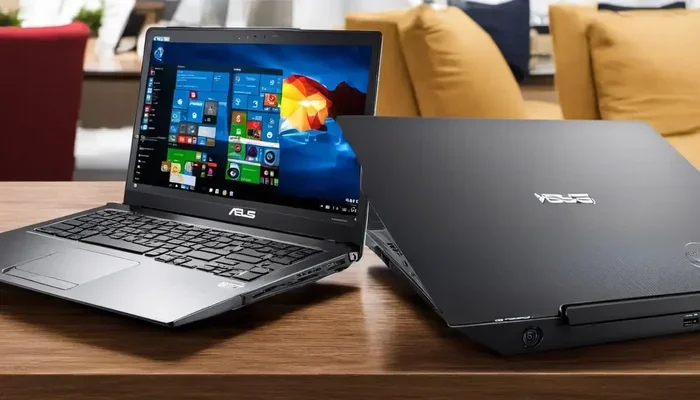
Can A 2 In 1 Replace A Laptop Or Is It Really Worth It
A 2 in 1 laptop can replace a traditional laptop for most users, but it depends on your needs. Convertible laptops offer touchscreen flexibility, tablet mode, and portability that standard laptops lack. However, if you need maximum power or a physical keyboard for heavy typing, a traditional laptop may still be the better choice.
So, can a 2 in 1 replace a laptop? That is the question on a lot of people’s minds right now. With so many convertible laptops hitting the market, it is easy to see why shoppers are curious. A 2 in 1 device promises the best of both worlds. You get a full laptop experience and a tablet too. But does it really deliver?
The short answer is yes, for many people. But not everyone. A 2 in 1 laptop works great for some users and falls short for others. Let us dive deep into what makes these hybrid devices tick and whether they can truly stand in for a traditional laptop. By the end, you will know exactly what to expect.
The world of computing has changed a lot in the last few years. Touchscreens are everywhere now. People want devices that can do it all. A 2 in 1 computer tries to meet that demand. It folds, flips, or detaches to give you a laptop replacement that works in more situations. But is it good enough to replace your current setup? Let us find out.
Key Takeaways
- Flexibility First: A 2 in 1 laptop gives you both a laptop and a tablet in one device, making it a true laptop replacement for many users.
- Performance Trade-Offs: Most 2 in 1 laptops are less powerful than traditional laptops with dedicated processors and GPUs.
- Keyboard Quality Matters: The detachable or fold-back keyboard on a 2 in 1 is often smaller and less comfortable than a full-size laptop keyboard.
- Battery Life Varies: Convertible laptops sometimes have shorter battery life due to the extra hardware and touchscreen power draw.
- Price Point: 2 in 1 laptops can cost more than standard laptops with similar specs.
- Best For Hybrid Users: If you split your time between typing and touch-based tasks, a 2 in 1 is a smart hybrid device choice.
- Know Your Needs: Understanding what you need the device for will help you decide if a 2 in 1 is the right laptop alternative for you.
📑 Table of Contents
- What Exactly Is a 2 In 1 Laptop?
- Can A 2 In 1 Replace A Laptop For Everyday Work?
- 2 In 1 vs Traditional Laptop: Key Differences
- Who Should Choose a 2 In 1 Over a Traditional Laptop?
- Who Should Stick With a Traditional Laptop?
- Common Mistakes People Make When Buying a 2 In 1
- Quick Tips for Getting the Most From Your 2 In 1
- Expert Insights: What the Pros Say About 2 In 1 Laptops
- Final Verdict: Can A 2 In 1 Replace A Laptop?
What Exactly Is a 2 In 1 Laptop?
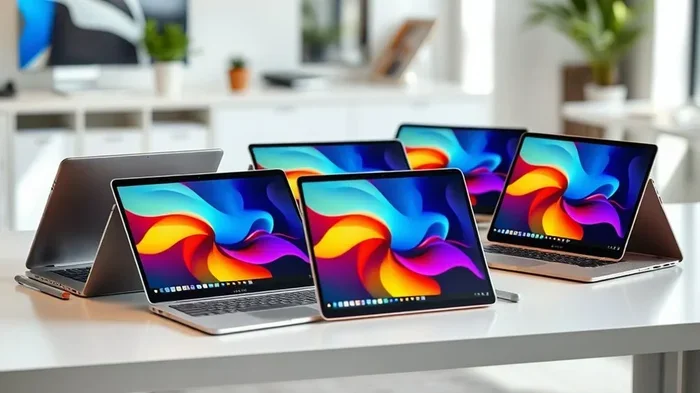
A 2 in 1 laptop is a device that blends laptop and tablet features. You can use it like a regular laptop with a keyboard. You can also fold it back or detach the screen to use it as a tablet. This is why people call them convertible laptops or hybrid devices.
There are two main types of 2 in 1 designs. The first is the convertible laptop. It has a hinge that lets you fold the screen back 360 degrees. The second is the detachable laptop. The keyboard separates from the screen completely. Think of the Microsoft Surface Pro. That is a great laptop alternative that detaches fully.
Most 2 in 1 notebooks run Windows or Chrome OS. Some run full desktop operating systems. Others use lighter mobile operating systems. This gives you a lot of flexibility when choosing a device. You are not locked into one way of working.
Why Are 2 In 1 Devices Growing in Popularity?
More people work from home now. They need devices that can handle multiple roles. A 2 in 1 lets you type an email and then flip into tablet mode for reading or sketching. This kind of versatility is hard to beat. It is no wonder that 2 in 1 sales keep growing every year.
Another reason is the touchscreen. Almost every 2 in 1 laptop now comes with a bright, responsive touch display. This makes navigating the device feel natural. You can tap, swipe, and pinch just like you would on a tablet. It adds a whole new layer of interaction.
Can A 2 In 1 Replace A Laptop For Everyday Work?
This is the big question. Can you really ditch your laptop and switch to a 2 in 1 for daily tasks? Let us look at what a 2 in 1 brings to the table for regular work.
Productivity and Performance
Most 2 in 1 laptops use Intel Core or AMD Ryzen processors. These chips are powerful enough for everyday tasks. You can browse the web, write documents, and join video calls without a hitch. Productivity on a 2 in 1 is totally doable for most users.
However, there is a catch. Many convertible laptops use low-power processors. They are designed for battery life and thin designs, not raw speed. If you run heavy software like video editors or 3D modeling tools, a 2 in 1 may struggle. A traditional laptop with a dedicated GPU will handle those tasks much better.
Here are some tasks a 2 in 1 handles well:
- Email and web browsing
- Word processing and spreadsheets
- Video conferencing and screen sharing
- Light photo editing
- Streaming movies and music
- Reading PDFs and e-books
For these tasks, a 2 in 1 works just as well as a regular laptop. But for heavy-duty work, you may need something more powerful.
Keyboard and Input Experience
One thing to consider is the keyboard. A 2 in 1 keyboard is usually smaller than a full-size laptop keyboard. Some detachable models have keyboards that attach magnetically. They feel a bit different from a traditional laptop keyboard.
That said, many 2 in 1 keyboards have improved a lot. They now offer good key travel and comfortable spacing. Brands like Lenovo and HP have made great strides. Still, if you type for hours every day, you may notice the difference.
The touchscreen is a big plus. It makes navigation faster and more intuitive. You can also use a stylus pen on many models. This is great for note-taking, drawing, and signing documents. A traditional laptop simply cannot do this.
2 In 1 vs Traditional Laptop: Key Differences
Let us compare a 2 in 1 directly with a traditional laptop. This will help you see where each one shines and where it falls short.
| Feature | 2 In 1 Laptop | Traditional Laptop |
|---|---|---|
| Flexibility | Laptop and tablet modes | Laptop only |
| Touchscreen | Yes, almost always | Sometimes, often optional |
| Keyboard | Smaller or detachable | Full-size, comfortable |
| Performance | Good for everyday tasks | Better for heavy workloads |
| Battery Life | Good, sometimes shorter | Usually longer |
| Portability | Very portable, lightweight | Varies, often heavier |
| Price | Often higher | More options at lower prices |
| Stylus Support | Common on many models | Rare |
As you can see, a 2 in 1 wins on flexibility and portability. A traditional laptop wins on performance, keyboard comfort, and value. Your choice depends on what matters most to you.
Portability and Form Factor
2 in 1 laptops are usually thinner and lighter than traditional laptops. Many weigh under 3 pounds. This makes them perfect for travel. You can carry them in a small bag and use them on a plane, in a coffee shop, or on the couch.
The ability to switch to tablet mode is a huge plus. You can hold the device with one hand and scroll with the other. This is much easier than balancing a traditional laptop on your lap in a tight space.
Software and Compatibility
Most 2 in 1 devices run full Windows or Chrome OS. This means they can run the same software as a regular laptop. You are not limited to mobile apps. You can run desktop programs, browser tools, and business software just fine.
One thing to watch out for is touch optimization. Not all Windows apps are designed with touch in mind. Some interfaces are small and hard to tap on a touchscreen. But Microsoft has been improving this a lot in recent versions of Windows.
Who Should Choose a 2 In 1 Over a Traditional Laptop?
A 2 in 1 is not for everyone. But for certain users, it is a game-changer. Here are the people who will benefit most from a convertible laptop.
Students and Learners
Students love 2 in 1 laptops. They can take notes with a stylus in class. Then they can type essays in laptop mode at home. The tablet mode is great for reading textbooks and PDFs. A 2 in 1 truly serves as a laptop replacement for student life.
These devices are also lightweight. Students carry them around all day. A 2 in 1 is much easier to haul than a heavy traditional laptop. The long battery life on many models means they can go through a full day of classes without needing a charge.
Creative Professionals
Artists, designers, and writers benefit from the flexibility of a 2 in 1. Sketching with a stylus feels natural on a touchscreen. Writers can jot down ideas in tablet mode and then switch to a keyboard to draft full documents.
Photographers and video editors also like the touchscreen for quick edits. You can tap to select, pinch to zoom, and swipe through images. It makes the workflow faster and more intuitive. A 2 in 1 is a powerful laptop alternative for creative work.
Business Professionals on the Go
Frequent travelers appreciate the portability of a 2 in 1. It is lighter and easier to carry than most laptops. The touchscreen makes presentations more interactive. You can annotate slides or sign documents with a pen right on the screen.
Many 2 in 1 models also have great webcams and microphones. This makes them perfect for video meetings. You can flip into tablet mode for quick notes during a call. The versatility really shines in a busy workday.
Who Should Stick With a Traditional Laptop?
Now let us look at the other side. A 2 in 1 is not the right choice for everyone. Some users are better off with a traditional laptop.
Power Users and Gamers
If you need serious processing power, stick with a traditional laptop. Most 2 in 1 laptops use energy-efficient chips. They are not designed for gaming, video rendering, or running complex simulations. A traditional laptop with a dedicated graphics card will handle these tasks much better.
Gaming is a big reason to avoid a 2 in 1. The screens often have lower refresh rates. The processors are not built for gaming. And the keyboards are usually too small for comfortable gaming. If you are a gamer, a traditional laptop is the clear winner.
Heavy Typists and Programmers
People who type a lot will notice the difference. A 2 in 1 keyboard is often shallower and smaller. It does not provide the same tactile feedback as a full-size laptop keyboard. Programmers who write code for hours will feel this difference every day.
Also, many 2 in 1 models lack a full numeric keypad. If you work with spreadsheets or data entry, this can be frustrating. A traditional laptop gives you a complete keyboard layout without compromise.
Budget-Conscious Buyers
2 in 1 laptops often cost more than traditional laptops with similar specs. The extra hardware for the touchscreen and hinge adds to the price. If you are on a tight budget, a traditional laptop gives you more bang for your buck.
You can often find a great traditional laptop for $500 or less. A comparable 2 in 1 will likely cost $700 or more. If you do not need the extra flexibility, saving money makes sense.
Common Mistakes People Make When Buying a 2 In 1
Shopping for a 2 in 1 can be tricky. Many buyers make mistakes that lead to disappointment. Here are some common pitfalls to avoid.
Ignoring the Keyboard Quality
Not all 2 in 1 keyboards are created equal. Some have great key travel and backlighting. Others feel mushy and cramped. Always test the keyboard before you buy if possible. If you cannot test it in person, read reviews carefully.
Overlooking Battery Life
2 in 1 laptops sometimes have shorter battery life than traditional laptops. The touchscreen and extra hardware use more power. Do not assume a 2 in 1 will last as long on a single charge as a regular laptop. Check the battery specs and real-world reviews before buying.
Choosing the Wrong Operating System
Some 2 in 1 devices run full Windows. Others run lighter versions like Windows S Mode or Chrome OS. Make sure the operating system supports all the software you need. A 2 in 1 running a limited OS may not be a true laptop replacement for you.
Quick Tips for Getting the Most From Your 2 In 1
If you decide to go with a 2 in 1, here are some tips to get the best experience.
- Invest in a good stylus. A quality pen makes note-taking and drawing much better.
- Use a stand for laptop mode. A foldable stand keeps the screen at a comfortable angle.
- Enable tablet mode. In Windows, this mode makes the interface easier to use with touch.
- Get a protective case. Since a 2 in 1 doubles as a tablet, it needs extra protection.
- Manage your battery. Turn off the touchscreen when you are in laptop mode to save power.
- Use cloud storage. This keeps your files synced across all your devices seamlessly.
Expert Insights: What the Pros Say About 2 In 1 Laptops
Tech experts have mixed feelings about 2 in 1 laptops. Many agree they are great for certain use cases. But most also note they are not perfect replacements for traditional laptops.
According to reviews from major tech outlets, 2 in 1 devices excel in portability and versatility. They are praised for their build quality and touchscreen displays. However, they often fall short in raw performance and keyboard comfort compared to dedicated laptops.
The consensus among experts is that a 2 in 1 is a great secondary device. It works well as a primary device for light to moderate users. But power users should think carefully before making the switch. A 2 in 1 is a tool, and like any tool, it works best when matched to the right job.
Final Verdict: Can A 2 In 1 Replace A Laptop?
So, can a 2 in 1 replace a laptop for you? The answer depends on your needs. If you want flexibility, portability, and a touchscreen, a 2 in 1 is a fantastic choice. It can absolutely serve as a laptop replacement for everyday tasks.
But if you need maximum performance, a great keyboard, or a lower price, a traditional laptop still wins. There is no one-size-fits-all answer. The best device is the one that fits your workflow and budget.
A 2 in 1 laptop is not just a trend. It is a real evolution in computing. More people are discovering the benefits of a hybrid device. As technology improves, 2 in 1 performance will only get better. For now, they are a solid option for anyone looking for a laptop alternative that can do more.
Think about how you use your computer. If your work involves a mix of typing and touch tasks, a 2 in 1 makes a lot of sense. If you mainly type and need raw power, stick with a traditional laptop. Either way, you will be making a smart choice based on your own needs.
Frequently Asked Questions
Is a 2 In 1 laptop as powerful as a regular laptop?
A 2 in 1 laptop can be just as powerful as a regular laptop, but it depends on the model. High-end 2 in 1 devices with Intel Core i7 or AMD Ryzen processors offer strong performance. However, many 2 in 1 laptops use lower-power chips to save battery and stay thin. If you need heavy processing power for tasks like video editing or gaming, a traditional laptop with a dedicated GPU is usually the better choice.
Can I use a 2 In 1 laptop without the keyboard?
Yes, absolutely. Most 2 in 1 laptops can switch to tablet mode. You can detach the keyboard on some models or fold it back on others. This gives you a full tablet experience with touchscreen navigation. It is one of the biggest advantages of a 2 in 1 device over a traditional laptop.
Are 2 In 1 laptops worth the extra cost?
They can be worth it if you value flexibility and portability. The ability to use a device as both a laptop and a tablet adds real convenience. However, if you do not need touchscreen or tablet features, a traditional laptop will give you better value for your money. Consider your daily tasks before deciding.
Do 2 In 1 laptops have good battery life?
Battery life varies widely among 2 in 1 laptops. Some models offer excellent battery life of 10 hours or more. Others have shorter battery life because of the touchscreen and extra hardware. Generally, 2 in 1 laptops use power-efficient processors, but the touchscreen can drain the battery faster when used in tablet mode.
Can a 2 In 1 laptop run professional software?
Yes, most 2 in 1 laptops run full Windows operating systems. This means they can run professional software like Microsoft Office, Adobe Creative Cloud, and many business tools. However, very resource-heavy software may run slower on a 2 in 1 compared to a traditional laptop with a dedicated graphics card and more RAM.
What is the difference between a convertible laptop and a detachable 2 In 1?
A convertible laptop has a hinge that lets you fold the screen back 360 degrees. The keyboard stays attached. A detachable 2 in 1 lets you completely remove the keyboard from the screen. Detachable models offer a purer tablet experience. Convertible models feel more like a traditional laptop when in laptop mode.
=== CONCLUSION ===
A 2 in 1 laptop can definitely replace a traditional laptop for many users. It offers flexibility, portability, and a touchscreen that a regular laptop simply cannot match. Whether you are a student, a creative professional, or a business traveler, a 2 in 1 can handle your daily tasks with ease.
But it is not a perfect fit for everyone. Power users, heavy typists, and budget shoppers may find that a traditional laptop better suits their needs. The key is to understand what you need from your device. If you want a laptop replacement that does it all, a 2 in 1 is absolutely worth considering.
Take some time to compare models, read reviews, and think about your workflow. The right device is out there for you. And a 2 in 1 might just be the perfect match.