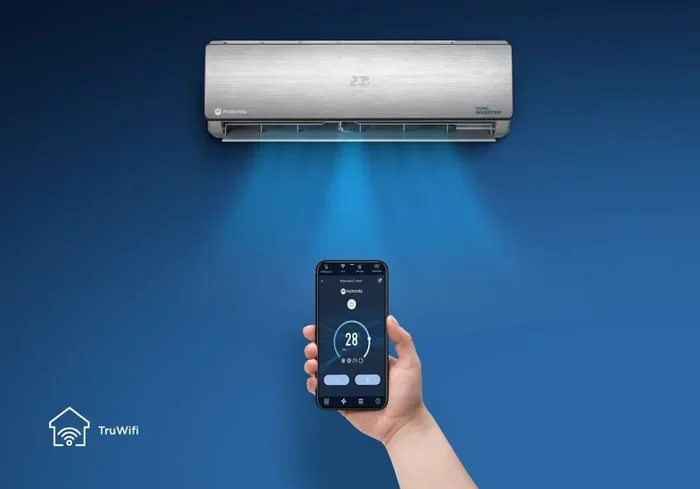
Can I Connect My Air Conditioner To Wifi With This Guide
Yes, you can connect your air conditioner to wifi and turn it into a smart cooling device. This guide walks you through every method, from built-in wifi to wifi adapters and smart plugs. You will learn setup steps, troubleshooting tips, and how to control your AC from anywhere using your phone.
Have you ever walked into your house after a long day and wished your air conditioner could turn on before you arrive? Or maybe you want to save money on your electricity bill without sacrificing comfort. The good news is that you can absolutely connect your air conditioner to wifi. And the best part? You do not need to be a tech expert to make it happen.
Connecting your AC to wifi opens up a world of convenience. You can control the temperature from your couch, your office, or even your vacation spot. This guide covers everything you need to know. From checking if your unit supports wifi to setting up smart home integration, we have you covered. Let us dive right in.
Key Takeaways
- Multiple Connection Methods: You can connect your AC to wifi using built-in smart features, external wifi adapters, or smart plugs depending on your unit type.
- Easy Setup Process: Most wifi-enabled AC units follow a simple app-based setup that takes just a few minutes.
- Remote Control Benefits: Wifi connectivity lets you turn your AC on or off from anywhere using your smartphone.
- Energy Savings: Smart AC controls help you manage cooling schedules and reduce electricity bills significantly.
- Common Issues Have Simple Fixes: Most wifi connection problems with AC units are easy to solve with basic troubleshooting.
- Compatibility Matters: Not all AC models support wifi, so checking compatibility before buying an adapter is essential.
- Voice Control Works Too: Once connected, you can use Alexa or Google Assistant to control your air conditioner hands-free.
📑 Table of Contents
- Can I Connect My Air Conditioner To Wifi?
- How To Connect Your Air Conditioner To Wifi
- Benefits of Connecting Your AC to Wifi
- Types of Air Conditioners That Support Wifi
- Common Problems and How To Fix Them
- Expert Tips for a Smooth AC Wifi Setup
- Is It Worth Connecting Your AC to Wifi?
- Final Thoughts on Connecting Your Air Conditioner to Wifi
Can I Connect My Air Conditioner To Wifi?
The short answer is yes. Most modern air conditioners come with built-in wifi capabilities. But what if your AC is older? Do not worry. There are still several ways to make it wifi-enabled. Let us look at the different options available to you.
Built-In Wifi Air Conditioners
Many newer AC units come with wifi built right into the system. Brands like LG, Samsung, Daikin, and Mitsubishi offer models with native wifi support. These units connect directly to your home network without any extra hardware. You just download the manufacturer’s app, follow a few prompts, and you are done.
If you are shopping for a new AC, look for labels like smart AC or wifi enabled. These units often come with features like scheduling, energy monitoring, and filter change reminders. They make your life much easier and your home more comfortable.
Wifi Adapters for Older AC Units
What if your AC works perfectly fine but does not have wifi? You are not out of luck. A wifi adapter for AC is a small device that bridges the gap. It plugs into your AC’s infrared port and connects to your home wifi network. Popular options include the Broadlink RM4 Pro and the Tuya Smart IR Controller.
These adapters cost between $15 and $40. They are a great budget-friendly option. You get all the benefits of smart control without buying a whole new unit. Just make sure your AC uses infrared signals, which most do.
Smart Plugs and Smart Thermostats
Another option is using a smart plug with your AC. Smart plugs like the TP-Link Kasa or Amazon Smart Plug let you turn your AC on and off remotely. However, they do not control the temperature. You will still need the original remote for that.
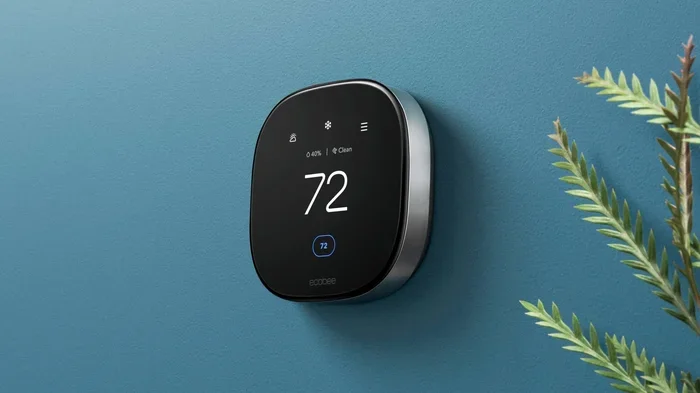
A smart thermostat is a more advanced solution. Devices like Nest or Ecobee work with certain AC systems. They learn your habits and adjust the temperature automatically. This option works best with central air systems or window units that support it.
How To Connect Your Air Conditioner To Wifi
Now that you know your options, let us walk through the actual setup process. The steps vary slightly depending on your AC brand and model. But the general process is quite similar across the board.
Step 1: Check Compatibility
Before you start, check if your AC supports wifi. Look at the user manual or the manufacturer’s website. If you have a built-in smart AC, you will find a wifi symbol on the remote or the unit itself. For older units, you will need a third-party adapter.
Also, check your wifi router. Make sure it supports a 2.4GHz connection. Most AC units and smart devices work on 2.4GHz, not 5GHz. If your router only broadcasts on 5GHz, you may need to adjust settings or use a dual-band router.
Step 2: Download the Right App
Once you confirm compatibility, download the appropriate app. For branded smart ACs, use the manufacturer’s app like LG ThinQ, Samsung SmartThings, or Daikin Online Controller. For third-party adapters, use the adapter’s app like the Broadlink iHost or Tuya Smart app.
Make sure your phone is connected to the same wifi network as your AC. This is important. The app needs to find your AC on the local network to pair them together.
Step 3: Put Your AC in Pairing Mode
Most AC units have a specific pairing mode. For smart ACs, you usually hold the wifi button on the remote for three to five seconds. The indicator light will start blinking, which means it is ready to connect.
For adapter-based setups, follow the adapter’s instructions. Typically, you point your AC remote at the adapter and hold the power button. The adapter will learn the signal and then connect to your wifi network through the app.
Step 4: Complete the Setup in the App
Open the app and follow the on-screen instructions. You will be asked to enter your wifi password. The app will search for your AC and pair the two devices. This usually takes less than two minutes.
Once paired, you can name your AC and assign it to a room. You can now control it from your phone. Try turning it on and off to make sure everything works correctly.
Benefits of Connecting Your AC to Wifi
Why should you bother connecting your air conditioner to wifi? The benefits go far beyond just turning it on with your phone. Let us explore the real advantages.
Remote Control From Anywhere
The biggest perk is remote access. Imagine you are coming home on a hot summer day. You can turn on your AC from your car or office. By the time you walk through the door, your home is cool and comfortable. No more waiting around for the AC to cool down.
You can also check your AC status while on vacation. Did you accidentally leave it on? Just open the app and turn it off. This peace of mind alone is worth the setup effort.
Energy Savings and Cost Reduction
Wifi-connected AC units help you save energy and money. Most smart AC apps let you set schedules. You can program the AC to turn off when you leave for work and turn on before you return. This prevents wasteful cooling of an empty house.
Some apps also show your energy usage over time. You can see which settings cost the most and adjust accordingly. Many users report saving 10 to 20 percent on their electricity bills after switching to smart AC controls.
Voice Control Integration
Once your AC is connected to wifi, you can link it to voice assistants like Amazon Alexa, Google Assistant, or Apple HomeKit. This means you can control your AC with just your voice.
Say something like, “Hey Google, set the AC to 72 degrees.” Or tell Alexa to turn off the bedroom AC when you are ready for bed. It is a small convenience that adds up to a big quality-of-life improvement.
Smart Scheduling and Automation
Smart AC systems allow you to create custom cooling schedules. You can set different temperatures for different times of the day. For example, you might want the AC cooler at night and warmer during the day when you are at work.
Some advanced systems use geofencing. This means the AC detects when your phone is near home and adjusts the temperature automatically. It is like having a personal assistant for your cooling needs.
Types of Air Conditioners That Support Wifi
Not all AC units are created equal when it comes to wifi support. Let us break down the types that work best with wireless connectivity.
| AC Type | Wifi Support | Setup Difficulty | Best For |
|---|---|---|---|
| Window AC | Built-in or adapter | Easy | Single rooms, apartments |
| Split AC | Built-in in most models | Easy to moderate | Multiple rooms, homes |
| Portable AC | Adapter usually needed | Easy | Renters, temporary setups |
| Central AC | Smart thermostat required | Moderate | Whole-house cooling |
| Mini Split | Built-in in smart models | Easy | Zoned cooling |
As you can see, most AC types can work with wifi. The method just varies. Window and split units are the easiest to connect. Central AC systems need a smart thermostat. Portable units often require an adapter.
Common Problems and How To Fix Them
Even with the best setup, you might run into issues. Here are the most common problems people face when setting up AC wifi connection and how to solve them.
AC Not Showing Up in the App
This is the most common issue. Usually, it happens because your phone is on a 5GHz network. Switch your phone to 2.4GHz and try again. Also, make sure you are within range of your wifi router. Thick walls and long distances can weaken the signal.
Another fix is to restart both your AC and your router. Sometimes a simple reboot solves everything. Wait about 30 seconds after unplugging before plugging back in.
Connection Keeps Dropping
If your AC wifi connection keeps dropping, your signal might be weak. Consider moving your router closer to the AC unit. You can also try a wifi extender to boost the signal in that room.
Check for interference too. Microwaves, baby monitors, and other wireless devices can disrupt the 2.4GHz signal. Switching to a less crowded channel on your router can also help.
App Freezes or Won Respond
Make sure your app is updated to the latest version. Developers release updates frequently to fix bugs and improve performance. Clear the app cache on your phone and restart it.
If the problem persists, try uninstalling and reinstalling the app. This resets the connection and often fixes stubborn issues. Just make you remember your login details before deleting.
Wrong Temperature or Response Delays
Sometimes the AC responds slowly or shows the wrong temperature. This is often a sync issue between the remote and the adapter. Re-pair the remote with the adapter following the setup instructions.
Also check your internet speed. A slow connection can cause delays. Most AC control apps work fine with basic broadband speeds, but very slow connections may cause lag.
Expert Tips for a Smooth AC Wifi Setup
Want to make your setup experience even smoother? Here are some expert-backed tips that will save you time and frustration.
- Use a strong wifi password. Write it down before you start setup so you do not forget it mid-process.
- Keep your phone close to the AC during pairing for the best signal strength.
- Update your router firmware before setting up new smart devices. This prevents compatibility issues.
- Label your smart devices in the app with clear names like “Bedroom AC” or “Living Room AC.”
- Set up schedules right away after connecting. This ensures you start saving energy from day one.
- Enable notifications in the app. You will get alerts if the AC malfunctions or if the connection drops.
- Secure your network. Use WPA3 encryption if your router supports it. This keeps your smart home devices safe from hackers.
Is It Worth Connecting Your AC to Wifi?
Let us address the big question. Is connecting your air conditioner to wifi really worth it? The answer depends on your lifestyle and budget.
If you are someone who travels often or works from home, wifi-enabled AC control is a game changer. You can adjust the temperature to match your schedule perfectly. You never come home to a stuffy house or waste energy cooling an empty room.
For families, the benefits multiply. Different family members can adjust the temperature from their own phones. Parents can cool down a child’s room before bedtime without leaving their own room. It is a small convenience that makes a big difference in daily life.
The cost is also reasonable. A wifi adapter costs less than $40. Built-in smart ACs are slightly more expensive but offer far more features. When you factor in the energy savings over time, the investment pays for itself within a few months.
Final Thoughts on Connecting Your Air Conditioner to Wifi
Connecting your air conditioner to wifi is one of the smartest upgrades you can make for your home. Whether you have a brand new smart AC or an older unit that needs a wifi adapter, the process is straightforward and rewarding. You gain remote control, energy savings, voice commands, and total peace of mind.
Start with the basics. Check your AC compatibility, grab the right adapter if needed, and follow the setup steps in this guide. Within 15 minutes, you will be controlling your cooling from your phone. The convenience alone will make you wonder why you did not do it sooner.
Take action today. Your future self, coming home to a perfectly cooled house on a scorching day, will thank you. Connecting your AC to wifi is simple, affordable, and incredibly useful. Do not wait another summer without it.
Frequently Asked Questions
Can I Connect My Air Conditioner To Wifi Without A Smart AC Unit?
Yes, you can. You just need a wifi adapter or a smart plug. These devices bridge the gap between your older AC and your home wifi network. They are affordable and easy to set up.
What App Do I Need To Control My AC Remotely?
It depends on your AC brand. Smart ACs usually have a dedicated app like LG ThinQ or Samsung SmartThings. Third-party adapters work with apps like Tuya Smart or Broadlink. Check your unit or adapter manual for the correct app name.
Does Connecting My AC To Wifi Increase My Electricity Bill?
No, it actually helps reduce your bill. Smart controls let you set schedules and avoid cooling empty rooms. Many users save 10 to 20 percent on their cooling costs after connecting to wifi.
Is It Safe To Connect My Air Conditioner To My Home Wifi Network?
Yes, it is generally safe. Just use a strong wifi password and keep your devices updated. Most smart AC apps use encrypted connections. Avoid using public wifi for remote control to keep your system secure.
Can I Connect Multiple AC Units To The Same Wifi Network?
Absolutely. You can connect several AC units to one network. Just make sure each unit has a unique name in the app. Most smart home apps let you organize multiple devices easily.
What Happens If My Wifi Goes Down Will My AC Still Work?
Yes, your AC will continue to work normally. The wifi connection only affects remote and smart features. You can still use your regular remote or the AC’s built-in controls if the internet goes out.