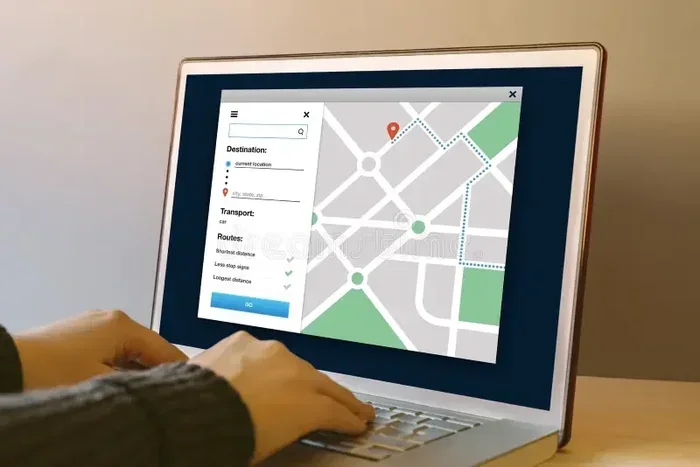
Can Hp Laptops Be Tracked Here Is What You Must Know
Can Hp Laptops Be Tracked? Yes, hp laptops can be tracked using built-in features, Microsoft accounts, and third-party software. You can locate your device, lock it remotely, and recover it with the right tools. This guide covers every method, step, and tip to protect your hp laptop.
Losing an hp laptop feels like losing a piece of your life. But here’s the good news: Can Hp Laptops Be Tracked? The short answer is yes. Modern hp laptops come with built-in tracking features, and you can pair them with powerful software to locate your device. Whether it’s misplaced at a coffee shop or stolen from your car, you have options. This guide walks you through every method, tool, and tip to track down your hp laptop and keep your data safe.
Many people don’t realize that hp laptop tracking starts before you ever lose the device. Setting up HP ProtectTools, linking your Microsoft account, and enabling location services take just a few minutes. Without these steps, tracking becomes much harder. So it’s smart to prepare now. In this article, you’ll learn exactly how hp laptop tracking works, what information you can get, and what to do if your device goes missing.
Key Takeaways
- Hp Laptops Can Be Tracked: Built-in tools like HP ProtectTools and Microsoft Find My Device let you locate a lost hp laptop.
- Tracking Works Offline Too: Some methods store location data that syncs when the device reconnects to Wi-Fi.
- Third-Party Software Adds Power: Apps like Prey and Cerberus offer GPS tracking, remote lock, and photo capture.
- Factory Reset Doesn’t Erase Tracking: A thief can’t remove tracking if the device has an active internet connection and tracking agent.
- You Need the Right Account: Tracking relies on being logged into your Microsoft account or HP account beforehand.
- Prevention Is Best: Use strong passwords, BIOS locks, and physical cables to deter theft in the first place.
📑 Table of Contents
How Hp Laptops Can Be Tracked Using Built-In Tools
Hp laptops ship with several built-in security features that help you locate hp laptop devices. These tools are free and ready to use, but you must set them up in advance. The main built-in options come from HP itself and from Microsoft Windows.
HP ProtectTools and HP Device Tracking
HP ProtectTools is a suite of security features included on many hp laptops. It offers hp device tracking capabilities, especially on business and premium models. You can activate the tracking agent through the HP Command Center or the ProtectTools settings. Once enabled, the tool runs silently in the background. If your laptop is lost, you can log into the HP Tracking portal from any browser. There, you can see the last known hp laptop location, lock the screen, or even sound an alarm. The tool works best when the laptop has an active internet connection. Even if the thief disconnects it, the last recorded location can still be valuable for recovery.
Microsoft Find My Device for Hp Laptops
Windows 10 and 11 include a feature called Find My Device. This Microsoft service tracks any Windows pc, including hp laptops. To use it, you need a Microsoft account linked to your hp laptop. Go to Settings > Update & Security > Find My Device and turn it on. The service periodically records the hp laptop location using Wi-Fi and IP data. If your laptop goes missing, sign in to your Microsoft account on another device and select Find My Device. You’ll see a map with the last known position. You can also choose to lock the device or sign out of your account remotely. This is one of the easiest ways to find my hp laptop without installing extra software.
Comparison: Built-In Hp Laptop Tracking Methods
| Feature | HP ProtectTools | Microsoft Find My Device |
|---|---|---|
| Availability | Most HP laptops (especially business models) | All Windows 10/11 PCs |
| Setup Required | Yes, via HP Command Center | Yes, via Windows Settings |
| Location Accuracy | High with GPS (if equipped) | Wi-Fi and IP-based |
| Remote Lock | Yes | Yes |
| Alarm Sound | Yes | No |
| Cost | Free (included) | Free |
Both methods are free and effective. For the best protection, enable both hp device tracking tools. They complement each other and cover different scenarios.
What Information Can You Get From Hp Laptop Tracking?
When you track an hp laptop, you can gather more than just a map pin. The type of data depends on the tracking method and how long the device has been offline. Here’s what you can typically expect.
Location Data and History
Tracking tools store a history of hp laptop location pings. This history can show where the device was at specific times. For example, you might see that your laptop connected to Wi-Fi at a café at 2 p.m. and then moved to a residential address. This timeline helps you and law enforcement understand the thief’s movements. Some tools update the location every few minutes when online, while others only save the last known spot. The more frequent the updates, the better your chances of recovery.
Device Activity and Usage Details
Advanced tracking software can report more than location. It may show when the laptop was powered on or off, which apps were opened, and even capture screenshots or webcam images. This is especially useful if you suspect insider theft or if you want to gather evidence. Hp laptop tracking apps like Prey and Cerberus can take photos of the person using the laptop and send them to your dashboard. These details can help you identify the thief and support a police report.
Quick Tips: What to Do Right After Losing Your Hp Laptop
- Stay calm. Panicking makes it harder to think clearly.
- Log into your tracking account from another device immediately.
- Lock the laptop and display a contact message on the screen.
- Note the last known location and share it with the police.
- Change your passwords for important accounts accessed from that laptop.
How To Track Your Hp Laptop Step by Step
If you’re reading this because your hp laptop is already missing, don’t worry. Follow these steps to maximize your chances of recovery. I’ll walk you through the process using both built-in and third-party tools.
Step 1: Check Your Microsoft Account
Sign in to your Microsoft account on a phone or another computer. Go to the Find My Device portal. Select your hp laptop from the list of devices. The map will show the last recorded hp laptop location. If the laptop is online, you can click “Manage” and choose to lock it or ring it. Locking the device prevents anyone from accessing your files. The ring feature makes the laptop play a sound, which helps if it’s nearby under a pile of clothes.
Step 2: Use HP ProtectTools (If Available)
If your hp laptop has HP ProtectTools, visit the HP Tracking website. Log in with your HP account credentials. You can view the device’s last known hp laptop location and see its status. ProtectTools also lets you set a custom message on the lock screen. This message can include a reward offer or a way for an honest finder to contact you. Some versions of ProtectTools allow you to take a snapshot of the user via the webcam. This is a powerful anti-theft feature.
Step 3: Install and Use Third-Party Tracking Software
If you didn’t set up built-in tools before losing the laptop, third-party software might still help. Apps like Prey Anti-Theft, Cerberus, and Absolute Computrace work in the background. They can track the hp laptop location even after a factory reset in some cases. Prey is free for up to three devices and offers a web dashboard. You can mark the device as missing, and Prey will start recording location, photos, and Wi-Fi networks when it connects to the internet. Cerberus offers more advanced features like remote audio recording and SIM card change alerts. These tools are especially useful for hp laptop recovery after a theft.
Common Mistakes When Trying to Track a Lost Hp Laptop
- Waiting too long. The longer you wait, the more the thief can disconnect the device or wipe it.
- Not having a Microsoft account linked. Without this, Find My Device won’t work.
- Ignoring location history. Even if the laptop is offline, the last ping can give you a starting point for police.
- Trying to confront the thief alone. Always let law enforcement handle recovery.
- Forgetting to back up data. Tracking is about the device, but your files should already be in the cloud.
Can Hp Laptops Be Tracked After a Factory Reset?
This is one of the most common questions people ask. A factory reset wipes your personal data and settings, but it doesn’t necessarily remove all tracking mechanisms. The answer depends on the tracking software installed and whether the device has an active internet connection after the reset.
Tracking Without Internet
If the thief wipes the laptop and keeps it offline, tracking becomes very difficult. Built-in tools like Microsoft Find My Device rely on an internet connection to report location. Without Wi-Fi or mobile data, the laptop won’t send its hp laptop location. However, some advanced tracking agents store the last known location and a record of the network they were connected to. When the device eventually goes online, that data can be sent to you. So even after a reset, there’s a small window of hope if the thief ever connects the laptop to the internet.
Recovery Key and Serial Number Tracking
Hp laptops have a unique serial number and often a BIOS-level tracking feature. HP’s Absolute Computrace (also called HP Track and Trace) is embedded in the BIOS on many business-class hp laptops. This chip survives a factory reset and even hard drive replacement. It can report the hp laptop location whenever the device connects to the internet. Absolute Computrace works silently and is used by many corporations. If your hp laptop has this feature, you can report the theft to HP and law enforcement. They can use the serial number and Computrace ID to help identify the device if it’s ever used online again. This is a powerful form of hp laptop tracking that most consumers don’t know about.
Expert Insight: Why BIOS-Level Tracking Matters
“Many people think a factory reset makes their laptop untraceable. That’s not true for devices with BIOS-level agents like Absolute Computrace,” says a cybersecurity expert. “These tools are designed to survive OS-level wipes. If you have a business hp laptop, check with your IT department to confirm if Computrace is active.”
Privacy and Security When Tracking Hp Laptops
Tracking tools are powerful, but they also raise privacy questions. You want to recover your device, not spy on others. It’s important to understand how these tools work and what boundaries they have.
Tracking Without Consent
In most countries, tracking someone else’s device without their knowledge is illegal. You can only track an hp laptop that belongs to you or that you have authorized. If you share your hp laptop with family members, you might have a legitimate reason to monitor it, but transparency is best. Using tracking software to stalk or harass someone is a serious crime. Always respect the privacy of others and use these tools responsibly.
Protecting Your Hp Laptop From Unauthorized Tracking
On the flip side, you don’t want someone else tracking your hp laptop. Strong passwords and two-factor authentication are your first line of defense. Make sure your Microsoft account uses a strong, unique password. Enable two-factor authentication so that even if someone has your password, they can’t access Find My Device. Also, be cautious about installing third-party tracking apps from untrusted sources. Some fake security apps are actually malware that steals your data. Only download tracking software from official websites like HP’s support page or the Microsoft Store.
Quick Tips: Keeping Your Hp Laptop Secure
- Use a strong Windows login password and a BIOS password.
- Enable two-factor authentication on your Microsoft and HP accounts.
- Keep your tracking software up to date.
- Never share your tracking account credentials with strangers.
- Regularly back up important files to the cloud or an external drive.
Expert Tips to Prevent Hp Laptop Theft
The best way to deal with a stolen hp laptop is to prevent the theft in the first place. A few simple habits can make your device much harder to steal and easier to recover if it does go missing.
Physical Security Measures
- Use a laptop lock. A Kensington lock secures your hp laptop to a desk in a café or office. Thieves rarely have the time to cut through it.
- Never leave your laptop unattended. Even for a minute, an unattended laptop is an easy target.
- Use a nondescript bag. A plain backpack or messenger bag doesn’t advertise that you’re carrying an expensive hp laptop.
- Keep it in sight during travel. In airports and hotels, use a laptop safe or keep the bag with you at all times.
Software Safeguards
- Enable full-disk encryption. Windows BitLocker protects your data even if the laptop is stolen. Without the decryption key, the thief can’t read your files.
- Set up a BIOS password. This prevents the thief from booting from a USB drive or resetting the BIOS to bypass security.
- Use HP Sure Start. This HP feature protects the BIOS from malware and helps maintain tracking integrity.
- Install a tracking app. Even if you don’t think you’ll need it, having Prey or Cerberus running gives you a safety net.
Expert Insight: The Power of Preparation
“The best hp laptop tracking system is the one you set up before you need it,” says a tech security specialist. “Take 10 minutes today to enable Find My Device, set a BIOS password, and install Prey. That small effort could save you thousands of dollars and countless hours of stress.”
In conclusion, Can Hp Laptops Be Tracked is a question with a reassuring answer. Yes, hp laptops can be tracked using built-in tools, Microsoft accounts, and third-party software. You can locate hp laptop devices, lock them remotely, and even recover them after a theft. The key is to set up these features before you ever need them. Enable hp laptop tracking today, keep your account information safe, and follow the prevention tips in this guide. With the right preparation, you can protect your hp laptop and your peace of mind.
Frequently Asked Questions
Can Hp Laptops Be Tracked Without Internet?
Built-in tools need an internet connection to send live location. However, some tracking agents store the last known hp laptop location and send it when the device reconnects. BIOS-level tools like Absolute Computrace also wait for an online moment to report.
Is It Legal to Track an Hp Laptop?
Yes, tracking your own hp laptop is legal. You can also track a device you own and have authorized someone else to use. Tracking someone else’s laptop without consent is illegal in most places and can lead to serious penalties.
What Should I Do Immediately After My Hp Laptop Is Stolen?
First, log into your Microsoft account and lock the device using Find My Device. Then, check the last known hp laptop location and share it with the police. Change your important passwords and notify your bank if you stored financial data on the laptop.
Does a Factory Reset Remove Hp Laptop Tracking?
Not always. A factory reset removes your personal data, but BIOS-level tracking agents like HP Track and Trace survive the reset. These tools can still report the hp laptop location when the device goes online again.
Which Third-Party App Is Best for Hp Laptop Tracking?
Prey Anti-Theft is a great free option for up to three devices. Cerberus offers more advanced features like remote audio recording. Absolute Computrace is ideal for business hp laptops with BIOS-level support. Choose based on your needs and budget.
Can I Track My Hp Laptop Using the Serial Number?
You can report the serial number to HP and law enforcement, but it won’t give you live tracking. HP can flag the device if it’s ever registered online or serviced. Combined with BIOS tracking tools, the serial number becomes a powerful piece of the recovery puzzle.