Can I Carry My Laptop Without A Sleeve And Ruin It
Can you carry your laptop without a sleeve? The short answer is yes, but it comes with real risks. Laptop protection matters more than most people think, and skipping a laptop sleeve can lead to scratches, screen damage, and even internal hardware failure. This guide covers the dangers, real-world scenarios, and safe alternatives for carrying your laptop without extra bulk.
You just bought a new laptop. It looks sleek, feels fast, and you want to carry it everywhere. But then the question hits you. Can I carry my laptop without a sleeve and still keep it safe? It is a question many laptop users ask every day. Some people love the minimalist feel of tossing their device straight into a bag. Others simply forget the sleeve at home. Whatever your reason, this guide covers everything you need to know about carrying your laptop without a sleeve and whether it is worth the risk.
The truth is, a laptop is not indestructible. It has a screen that cracks easily, a body that dents on impact, and internal parts that hate sudden jolts. A laptop sleeve acts as a first line of defense. But does skipping it really mean disaster? Let us break it all down.
Key Takeaways
- Carrying a laptop without a sleeve increases the risk of scratches, dents, and screen damage. Even minor bumps can cause costly repairs over time.
- Internal components are vulnerable too. Hard drives and motherboards can suffer from repeated small impacts that add up.
- Laptop warranty may not cover accidental damage. Most manufacturers exclude drops and bumps from their coverage plans.
- There are safe ways to carry your laptop without a sleeve. Using a padded bag, keeping it in a dedicated compartment, or wrapping it in a soft cloth all help.
- A laptop sleeve is cheap insurance. Most sleeves cost between $10 and $30 and can save hundreds in repair bills.
- Traveling with an unprotected laptop is especially risky. Airport security, crowded trains, and car trunks create multiple hazard zones.
- Your usage environment matters. Office commutes are lower risk than outdoor travel or construction sites.
📑 Table of Contents
- What Happens When You Carry a Laptop Without a Sleeve
- The Risks of Traveling With an Unprotected Laptop
- Real-Life Scenarios: Laptops Damaged Without Sleeves
- How to Safely Carry Your Laptop Without a Sleeve
- When Is It Okay to Skip the Laptop Sleeve
- Expert Tips for Laptop Protection on the Go
- Key Takeaways
- Conclusion
What Happens When You Carry a Laptop Without a Sleeve
Many people think a laptop is tough enough to handle daily wear and tear. But the reality is different. A laptop without a laptop case or sleeve is exposed to all kinds of hazards every single day. Let us look at what can actually go wrong.
Scratches and Surface Damage
Even a small grain of sand inside your bag can scratch your laptop lid. Over time, these scratches add up and make your device look worn out. The aluminum or plastic body of most laptops is not designed to take direct friction against keys, pens, or other hard objects. Laptop scratches might seem cosmetic, but they reduce resale value and can weaken the outer shell over time.
Dents and Dings
Dropping your bag or bumping it against a wall can dent the corners of your laptop. These dents might not affect performance right away, but they can compromise the structural integrity of the device. A hard shell case prevents this kind of damage by absorbing the impact before it reaches the laptop body.
Screen Cracks and Damage
This is the big one. Your laptop screen is one of the most fragile parts of the entire device. When you carry on without any padding, the screen is left unprotected against bumps and pressure. Even pressing a water bottle against the screen in your bag can cause damage. A cracked screen repair can cost anywhere from $100 to $500 or more, depending on the model.
Internal Hardware Issues
Here is something most people do not think about. Laptop damage is not always visible on the outside. Repeated small impacts can loosen internal connections, damage the hard drive, or even harm the motherboard. Shock absorption from a good sleeve or padded bag reduces these micro-impacts significantly. Over months and years, this protection really adds up.
The Risks of Traveling With an Unprotected Laptop
Traveling with a portable computer without any sleeve or protection is like driving a car without a seatbelt. You might be fine most of the time, but when something goes wrong, the consequences are severe. Let us explore the specific risks you face when you travel with laptop gear without proper protection.
Airport Security and Crowded Spaces
When you go through airport security, you place your laptop in a bin and watch it get tossed around by conveyor belts and TSA agents. Without a laptop cover, your device is bouncing against other bins, bins, and plastic trays. This is one of the highest-risk moments for your laptop every single trip.
Car Trunks and Car Rides
Throwing your laptop into a car trunk without any device protection is a bad idea. Trunks get hot, items shift during driving, and things fall. A laptop sliding around in a trunk can easily get knocked against spare tires, tools, or other hard objects. Even a short ride can cause damage.
Public Transportation and Commutes
Buses, trains, and subways are crowded and unpredictable. Someone might bump into you, your bag might fall, or you might accidentally drop it. In these environments, laptop safety depends entirely on what is between your device and the outside world. A soft cloth or a basic sleeve makes a huge difference here.
Weather and Spills
Rain, coffee spills, and snow are real threats when you carry your laptop unprotected. A laptop bag with water-resistant lining adds a layer of defense that a bare laptop simply does not have. Even a small amount of moisture inside your device can cause short circuits and permanent damage.
Real-Life Scenarios: Laptops Damaged Without Sleeves
Theoretical risks are one thing, but real stories make the case stronger. Here are common scenarios where laptop damage happened because someone chose not to use a laptop sleeve.
The Commuter Who Dropped His Bag
A college student carried his laptop loose in a backpack next to textbooks and a water bottle. One day, he tripped on a stairwell. The laptop hit the ground directly through the backpack bottom. The screen cracked from corner to corner. Repair cost: $350. A simple laptop protection sleeve could have absorbed the shock and saved the screen.
The Business Traveler and the Overhead Bin
A professional placed his laptop in an overhead bin on a flight without any padding. During turbulence, the bin popped open and several items fell out. The laptop slid across the bin floor and picked up deep scratches on the lid and a small dent on the hinge. The computer protection cost of a sleeve would have been a fraction of the cosmetic repair bill.
The Coffee Shop Accident
A freelancer set her laptop on the café table next to a full coffee cup. The cup tipped over and spilled directly onto the exposed laptop. Without any laptop case or cover, the liquid seeped into the keyboard and shorted out the motherboard. Total loss: the laptop had to be replaced.
Construction Site Visit
A consultant visited a construction site and carried his laptop in a soft bag with no padding. Fine dust and debris got into the vents and ports. The particles accumulated over time and caused overheating issues. The laptop warranty did not cover this because it was classified as environmental damage.
How to Safely Carry Your Laptop Without a Sleeve
Maybe you do not want to buy a sleeve. Maybe you already have your laptop in a bag and do not want to double up on padding. That is fine. There are still ways to carry your laptop safely without a dedicated laptop sleeve. Here are the best approaches.
Use a Padded Laptop Compartment
Many modern backpacks and messenger bags come with a padded laptop compartment. These compartments are designed specifically to hold laptops securely and protect them from bumps. If your bag has this feature, you might not need a separate sleeve at all. Look for bags with thick foam padding and a soft interior lining.
Wrap It in a Soft Cloth
This is an old-school trick that still works. Wrapping your laptop in a soft microfiber cloth or a clean t-shirt provides a thin layer of cushioning against minor bumps. It is not as good as a dedicated sleeve, but it is far better than nothing. Keep a cloth in your bag at all times for this purpose.
Keep It in a Dedicated Spot
Where you place your laptop inside your bag matters a lot. Always put it in the center of the bag, surrounded by soft items like clothes or towels. Avoid placing it near the edges where it can hit the bag walls. Laptop safety improves dramatically when the device is snug and surrounded by soft materials.
Avoid Overpacking
Stuffing your bag too full creates pressure points. Your laptop ends up squeezed between hard objects like books, water bottles, and chargers. This kind of constant pressure can damage the screen and body over time. Keep your bag reasonably packed and give your laptop room to sit comfortably.
Use a Hard Shell Case Instead
If you do not like sleeves, consider a hard shell case. These rigid cases snap onto the laptop and provide excellent protection against drops and impacts. They are bulkier than sleeves, but they offer superior shock absorption. Many people prefer them for travel or daily use in rough environments.
| Protection Method | Scratch Protection | Drop Protection | Spill Protection | Bulk Level | Cost Range |
|---|---|---|---|---|---|
| No Protection | None | None | None | Zero | $0 |
| Soft Cloth Wrap | Low | Very Low | Low | Minimal | $0-$5 |
| Laptop Sleeve | Medium | Medium | Low | Low | $10-$30 |
| Padded Bag Compartment | Medium | Medium-High | Low-Medium | Medium | Built into bag |
| Hard Shell Case | High | High | Medium | High | $30-$80 |
When Is It Okay to Skip the Laptop Sleeve
Not every situation requires a laptop sleeve. Understanding when the risk is low can help you make smart decisions about laptop protection without carrying extra accessories.
Short Office Commutes
If you work in an office and carry your laptop from your car to your desk, the risk is relatively low. Your bag probably stays with you at all times. The walking distance is short. In this scenario, a padded bag compartment might be enough protection.
Home Use Only
If your laptop stays at home most of the time and you only carry it to a nearby desk or couch, you do not need a sleeve. The risk of damage in a controlled home environment is minimal.
Using a Premium Laptop Bag
Some high-end laptop bags are designed with built-in protection that rivals dedicated sleeves. If you invest in a quality bag with thick padding and a secure laptop pocket, you can skip the extra sleeve without much risk.
Very Short Trips
Running a quick errand or grabbing coffee? A short trip with minimal movement might not require a sleeve. Just make sure your laptop is in a secure, padded spot in your bag and nothing heavy sits on top of it.
Expert Tips for Laptop Protection on the Go
Even if you choose to carry your laptop without a sleeve, following these expert tips will significantly reduce your risk of laptop damage.
Always Use Two Hands
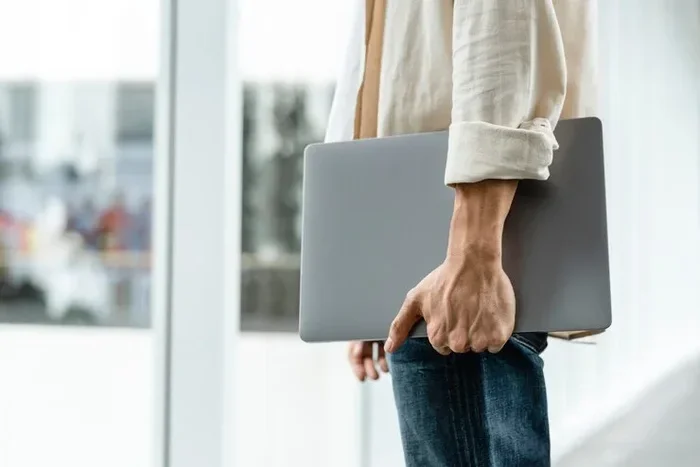
Carrying your laptop with two hands reduces the chance of dropping it. This sounds obvious, but many people carry their laptops under one arm and trip or stumble. Two hands give you better control and balance.
Keep Liquids Far Away
Never place your laptop next to drinks or food in your bag. A single spill can destroy a laptop permanently. Use a separate side pocket for bottles and keep your laptop in the center or a dedicated compartment.
Clean Your Laptop Regularly
Dust and debris can accumulate in the vents and ports, especially when you carry on without a protective cover. Use compressed air to clean the vents every few weeks. This prevents overheating and extends the life of your device.
Check Your Warranty Coverage
Before you decide to skip a sleeve, check your laptop warranty terms. Most warranties do not cover accidental damage like drops, spills, or scratches. If your laptop is not covered by an extended protection plan, a sleeve is a small price for peace of mind.
Consider a Screen Protector
If you carry your laptop without a sleeve, at least add a screen protector. A thin film on the display can prevent scratches and minor cracks. It is inexpensive and easy to apply. This is one of the best low-cost computer protection upgrades you can make.
Inspect Your Bag Regularly
Check your bag for sharp objects, loose zippers, and worn-out padding. A torn bag lining offers much less protection than an intact one. Keeping your bag in good condition is part of keeping your laptop safe.
Key Takeaways
- Carrying a laptop without a sleeve increases the risk of scratches, dents, and screen damage. Even minor bumps can cause costly repairs over time.
- Internal components are vulnerable too. Hard drives and motherboards can suffer from repeated small impacts that add up.
- Laptop warranty may not cover accidental damage. Most manufacturers exclude drops and bumps from their coverage plans.
- There are safe ways to carry your laptop without a sleeve. Using a padded bag, keeping it in a dedicated compartment, or wrapping it in a soft cloth all help.
- A laptop sleeve is cheap insurance. Most sleeves cost between $10 and $30 and can save hundreds in repair bills.
- Traveling with an unprotected laptop is especially risky. Airport security, crowded trains, and car trunks create multiple hazard zones.
- Your usage environment matters. Office commutes are lower risk than outdoor travel or construction sites.
Conclusion
So, can I carry my laptop without a sleeve and still keep it safe? Yes, but only if you take the right precautions. A laptop sleeve is one of the simplest and cheapest ways to protect your investment. It costs very little and prevents a wide range of damage that can add up to hundreds or even thousands of dollars in repairs.
That said, not every situation demands a sleeve. If you use a padded bag, keep your laptop in a safe spot, and avoid risky environments, you can get by without one. The key is awareness. Know the risks and make informed choices about laptop protection every day.
Your laptop is a valuable tool. It holds your work, your memories, and your personal data. Taking a few simple steps to protect it is always worth the effort. Whether you use a laptop sleeve, a hard shell case, or just a soft cloth, the goal is the same. Keep your device safe so it can keep up with your life.
Do not wait for damage to happen. Start protecting your laptop today, even if it is just a small change in how you carry your laptop every day. Your future self will thank you when your device still looks and works great years from now.
Frequently Asked Questions
Will my laptop warranty cover damage from not using a sleeve?
Most laptop warranties do not cover accidental damage. Drops, scratches, and spills caused by not using a sleeve are typically considered user damage. Check your specific warranty terms, but do not rely on it for protection against everyday bumps and impacts.
Can I use a hoodie or T-shirt as a laptop sleeve?
Yes, in a pinch, wrapping your laptop in a soft hoodie or T-shirt provides basic scratch and minor bump protection. It is not as effective as a dedicated sleeve, but it is far better than carrying your laptop completely bare inside a bag.
What is the best material for a laptop sleeve?
Neoprene is the most popular material for laptop sleeves because it offers good shock absorption and water resistance. Felt sleeves work well for scratch protection, and leather sleeves look great but offer less padding. Choose based on your needs and budget.
How much does a laptop sleeve cost?
Most quality laptop sleeves cost between $10 and $30. Premium sleeves with extra padding or waterproof materials can go up to $50. Compared to the cost of repairing a cracked screen or replacing a damaged laptop, a sleeve is a very small investment.
Can a laptop sleeve prevent all damage?
No sleeve can prevent all damage. A sleeve helps with scratches, minor bumps, and small drops, but it will not save your laptop from a major fall or a direct heavy impact. For maximum protection, combine a sleeve with a padded bag.
Is it better to use a laptop bag or a sleeve?
A laptop bag with built-in padding can replace a sleeve in many cases. The key is that the bag has a dedicated, well-padded compartment for your laptop. If your bag does not offer this, a sleeve is the better choice for laptop safety.