Can HDMI 20 Output 4K Resolution and Why It Matters
Yes, HDMI 2.0 can output 4K resolution at 60 frames per second, making it a major upgrade over older HDMI versions. This standard supports High Dynamic Range, 18 Gbps bandwidth, and HDCP 2.2 protection. Understanding HDMI 2.0 helps you get the best picture quality from your 4K TV, gaming console, or streaming device.
Can HDMI 2.0 output 4K? The short answer is yes. HDMI 2.0 was specifically designed to handle 4K resolution at 60 frames per second. This makes it a big step forward from the older HDMI 1.4 standard. If you own a 4K TV, a gaming console, or a Blu-ray player, understanding HDMI 2.0 can make a huge difference in your viewing experience.
In this guide, we will walk through everything you need to know about HDMI 2.0 and 4K output. We will cover what HDMI 2.0 is, how it compares to older versions, and what you need to get the best picture quality. By the end, you will know exactly whether your setup can handle 4K resolution and what to do if it cannot.
Let us dive right in and break down the world of HDMI 2.0 and 4K video in simple terms.
Key Takeaways
- HDMI 2.0 fully supports 4K output at 60Hz: This is the standard for smooth, fluid Ultra HD content on modern TVs and monitors.
- HDMI 2.0 doubles the bandwidth of HDMI 1.4: With 18 Gbps, it carries more data for richer colors and higher resolution.
- HDR support is built into HDMI 2.0: This means better contrast, deeper blacks, and more vivid colors in your 4K content.
- HDCP 2.2 is required for 4K playback: Make sure all devices in your chain support this copy protection standard.
- HDMI 2.0 is not the same as HDMI 2.1: HDMI 2.1 supports 4K at 120Hz and 8K, but HDMI 2.0 handles 4K at 60Hz perfectly for most users.
- Using the right HDMI cable matters: A Premium High Speed or Ultra High Speed cable ensures you get the full benefit of HDMI 2.0.
- HDMI 2.0 is still widely used and relevant: Most 4K devices today rely on HDMI 2.0, and it will remain a solid standard for years to come.
📑 Table of Contents
What Is HDMI 2.0?
HDMI 2.0 stands for High-Definition Multimedia Interface version 2.0. It is a standard for transmitting audio and video through a single cable. Think of it as a highway that carries both sound and picture from your source device to your display. The HDMI 2.0 standard was released in 2013, and it brought major improvements over the previous version.
The biggest upgrade in HDMI 2.0 was bandwidth. HDMI 2.0 supports up to 18 gigabits per second, or 18 Gbps. This is double the bandwidth of HDMI 1.4, which maxed out at 10.2 Gbps. Why does bandwidth matter? More bandwidth means more data can travel through the cable each second. This is what allows HDMI 2.0 to carry uncompressed 4K video. With HDMI 1.4, you could only get 4K at 30Hz, which looks choppy. HDMI 2.0 pushes that to 60Hz, giving you smooth, fluid motion.
Key Features of HDMI 2.0
- 4K resolution support at 60 frames per second
- High Dynamic Range (HDR) for better color and contrast
- 32 audio channels for immersive sound
- Dual audio streams so two people can listen to different audio
- HDCP 2.2 protection for copyrighted content
- Expanded color depth for richer, more lifelike images
- Enhanced color depth supporting 10-bit per channel
- Improved frame rate handling for smoother motion
These features are what make HDMI 2.0 a game-changer for home entertainment. Whether you are watching movies, playing games, or streaming content, HDMI 2.0 delivers a much better experience than older standards.
Can HDMI 2.0 Output 4K?
Yes, HDMI 2.0 can output 4K resolution. In fact, that is one of its main selling points. HDMI 2.0 was built from the ground up to support Ultra HD content at 3840 by 2160 pixels. This is four times the resolution of standard Full HD. The increased bandwidth of 18 Gbps is what makes this possible without compression artifacts or lag.
But here is the important part. HDMI 2.0 does not just output 4K at any frame rate. It specifically supports 4K at 60Hz, which means 60 frames per second. This is what makes motion look smooth and natural. If you have ever watched 4K content that looks stuttery, it might be because the device is using an older HDMI standard that limits the refresh rate.
What About 4K at 120Hz?
Some people ask, “Can HDMI 2.0 do 4K at 120Hz?” The honest answer is no. HDMI 2.0 maxes out at 4K 60Hz. If you want 4K at 120Hz, you need HDMI 2.1. That is the next generation standard. HDMI 2.1 supports up to 48 Gbps of bandwidth, which is enough for 4K at 120Hz and even 8K at 60Hz.
For most people, though, 4K at 60Hz is more than enough. It covers everything from sports and action movies to most video games. HDMI 2.0 handles all of these beautifully. You only need HDMI 2.1 if you are a hardcore gamer who wants the smoothest possible motion on a high-refresh-rate display.
Does HDMI 2.0 Support HDR?
Yes, HDMI 2.0 supports High Dynamic Range, or HDR. HDR expands the range of colors and brightness levels your display can show. This means deeper blacks, brighter highlights, and more vivid colors overall. Without HDR, even a 4K picture can look flat and lifeless. With HDR enabled through HDMI 2.0, the image comes alive with stunning detail.
There are different types of HDR formats. The most common ones are HDR10, HDR10+, and Dolby Vision. HDMI 2.0 can carry all of these formats. This is another reason why HDMI 2.0 is so important for modern 4K setups. When you pair a 4K TV with HDR content over an HDMI 2.0 connection, the results are truly impressive.
HDMI 2.0 vs HDMI 1.4: Key Differences
To understand why HDMI 2.0 matters, it helps to compare it with the older HDMI 1.4 standard. Many TVs and devices still use HDMI 1.4, and that can cause real problems with 4K content. Let us look at the differences side by side.
Side-by-Side Comparison Table
| Feature | HDMI 1.4 | HDMI 2.0 |
|---|---|---|
| Max Bandwidth | 10.2 Gbps | 18 Gbps |
| 4K Resolution | Yes, at 30Hz only | Yes, at 60Hz |
| HDR Support | No | Yes |
| Audio Channels | 8 channels | 32 channels |
| Dual Audio Streams | No | Yes |
| HDCP Version | HDCP 1.4 | HDCP 2.2 |
| Color Depth | 8-bit per channel | 10-bit per channel |
| Release Year | 2009 | 2013 |
| Pixel count support | Limited for 4K | Full 4K Ultra HD |
| Audio return channel | Basic ARC | Enhanced ARC support |
The table above shows a clear gap between the two standards. HDMI 2.0 is simply a much better option for anyone who wants to enjoy 4K video. The jump from 30Hz to 60Hz alone makes a massive difference in how smooth motion looks on screen. You will notice it immediately when watching fast-paced action scenes or playing competitive games.
If you are shopping for a new TV, soundbar, or streaming device, always check which HDMI version it supports. Choosing HDMI 2.0 over 1.4 is one of the easiest ways to future-proof your setup. Many budget devices still ship with HDMI 1.4 ports, so it pays to double-check before you buy.
What Makes 4K Over HDMI 2.0 Possible
So what exactly allows HDMI 2.0 to carry 4K content? It comes down to a few key technical factors that work together. Let us break them down in simple terms.
Bandwidth: The Highway for Data
Think of bandwidth like a highway. The wider the highway, the more cars (data) can travel at once. HDMI 2.0 doubled the highway size compared to HDMI 1.4. With 18 Gbps of bandwidth, there is plenty of room for all the data needed to display 4K resolution at 60 frames per second.
4K video has a lot of pixels. A single 4K frame contains over 8 million pixels. At 60 frames per second, that is over 480 million pixels every single second. Without enough bandwidth, the HDMI cable cannot carry all that data. This is exactly why HDMI 2.0 was such an important upgrade. It opened the door to true 4K quality for everyday consumers.
Color Depth and Sampling
HDMI 2.0 also supports 10-bit color depth per channel. This means it can display over 1 billion colors. Compare that to HDMI 1.4, which handles about 16.7 million colors. The difference is huge when it comes to smooth gradients and realistic skin tones. You will see fewer banding artifacts and smoother transitions between shades.
Color sampling is another factor. HDMI 2.0 supports 4:2:0 chroma subsampling, which helps reduce the amount of data without sacrificing too much visual quality. This is especially useful for 4K video with complex color patterns like foliage, water, or fabric textures.
HDCP 2.2 Protection
HDCP 2.2 stands for High-bandwidth Digital Content Protection version 2.2. It is a copy protection standard that content providers require. HDMI 2.0 was the first standard to include HDCP 2.2 support.
This matters because many 4K movies and streaming services require HDCP 2.2 to play in full resolution. If your cable or device does not support HDCP 2.2, you might see a blank screen or reduced resolution. Always make sure your entire chain supports HDCP 2.2 for the best results. This includes your source device, HDMI cable, and your display.
Devices That Use HDMI 2.0 for 4K
HDMI 2.0 is everywhere in modern devices. Here are some common examples of gear that uses this standard to deliver 4K resolution.
Gaming Consoles
The PlayStation 5 and Xbox Series X both support 4K at 60Hz through HDMI 2.0 connections. These consoles deliver stunning 4K video with smooth frame rates. If you are a gamer, having a TV with HDMI 2.0 ports is essential for getting the full experience. Even if your console supports HDMI 2.1, it will still work perfectly over an HDMI 2.0 connection.
Some next-gen consoles also support HDMI 2.1 features, but they are backward compatible with HDMI 2.0. This means you can still enjoy 4K gaming even if your TV only has HDMI 2.0 ports. Just keep in mind that you will be limited to 60Hz instead of 120Hz.
Streaming Devices
Devices like the Apple TV 4K, Roku Ultra, and Amazon Fire TV Stick 4K all output 4K content. Most of these devices connect via HDMI 2.0 and support HDR formats. They are a great way to experience Ultra HD streaming without buying a new TV. Simply plug them into any HDMI 2.0 port and start streaming.
Blu-ray Players
4K Blu-ray players are another common source of 4K video. These players output high-bitrate 4K content that benefits greatly from the extra bandwidth of HDMI 2.0. A standard Blu-ray player cannot output 4K, so you need a 4K Ultra HD Blu-ray player for the best results. When paired with HDMI 2.0, these players deliver breathtaking picture quality.
PC Graphics Cards
Many modern graphics cards include HDMI 2.0 ports. This allows PC gamers and content creators to connect their monitors directly for 4K gaming or video editing. If you build or buy a gaming PC, look for a card with HDMI 2.0 or newer for the best display options. The HDMI port on your graphics card is just as important as the DisplayPort options.
How to Get the Best 4K Experience with HDMI 2.0
Now that you know HDMI 2.0 can output 4K, let us talk about how to get the most out of it. A few simple steps can make a big difference in your setup.
Use a High-Quality HDMI Cable
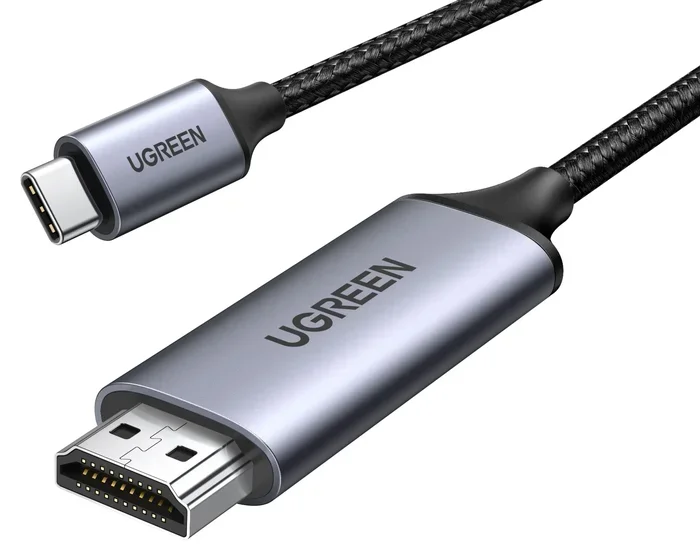
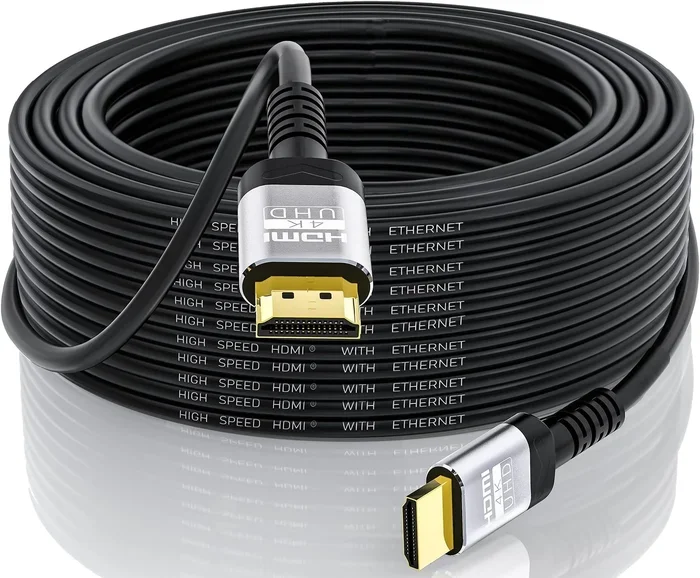
Not all cables are created equal. To get the full benefit of HDMI 2.0, you need a cable rated for 18 Gbps. Look for cables labeled “Premium High Speed HDMI” or “Ultra High Speed HDMI.” A cheap or damaged cable can limit your 4K video quality and cause frustrating issues like flickering or no signal at all.
Quick Tip: If your cable is more than a few years old, consider replacing it. Older cables may not support the full bandwidth of HDMI 2.0, even if the ports do. A good cable is one of the easiest and cheapest upgrades you can make.
Check Your TV and Source Device Settings
Sometimes the problem is not the cable but the settings. Make sure your TV is set to the right input mode. Go to your TV settings and look for “HDMI Ultra HD Deep Color” or similar options. Enable them for the best 4K picture quality and wider color range.
On your source device, check the output settings. Make sure it is set to output 4K at 60Hz. If it is set to 30Hz or lower, your motion will look choppy even with HDMI 2.0. This is a common mistake that many people overlook when setting up their display device.
Enable HDR for Better Colors
As we mentioned earlier, HDMI 2.0 supports HDR. Make sure HDR is turned on in both your TV and your source device. This will give you brighter highlights, deeper blacks, and more vibrant colors. The difference between SDR and HDR is dramatic, and once you see it, you will not want to go back.
Quick Tip: If you have a Dolby Vision compatible TV, make sure your source device also supports it. Not all HDMI 2.0 devices handle Dolby Vision the same way, so check compatibility before buying new gear. Some devices only support HDR10, which is still great but not as advanced as Dolby Vision.
Keep Your Setup Simple
The fewer devices between your source and your TV, the better. Every HDMI switch, splitter, or extender in the chain can potentially reduce signal quality. If possible, connect your source device directly to your TV using a single HDMI 2.0 cable. This gives you the cleanest signal and the best 4K video quality.
If you need a switch, make sure it is rated for HDMI 2.0 and supports 18 Gbps. A cheap switch that only supports HDMI 1.4 will bottleneck your 4K resolution quality. Invest in a quality switch if you need to connect multiple devices to a single TV port.
Common Mistakes People Make with HDMI 2.0 and 4K
Here are some mistakes that can ruin your 4K experience. Avoid these to get the best results from your HDMI 2.0 setup.
- Using an HDMI 1.4 cable: This is the most common mistake. An old cable cannot carry the full 4K 60Hz signal that HDMI 2.0 provides.
- Ignoring HDCP 2.2: If any device in the chain does not support HDCP 2.2, you will not get 4K playback. Check all devices in your chain.
- Using too many adapters: Each adapter adds a potential point of failure and can reduce signal quality. Keep your setup as direct as possible.
- Not checking refresh rate settings: Make sure your source device is set to output 60Hz for smooth 4K motion on your display device.
- Buying the wrong cable speed rating: Always look for “Premium High Speed” or “Ultra High Speed” labels on your HDMI cable. Standard speed cables will not work.
Expert Insight: Many people blame their TV or streaming service when the picture looks bad. In reality, the culprit is often an outdated HDMI cable or incorrect device settings. Before you spend money on a new TV, try updating your cable and checking your settings first. This simple step can save you a lot of money and frustration.
Why HDMI 2.0 Still Matters in 2024 and Beyond
You might wonder, “If HDMI 2.1 is out, why should I care about HDMI 2.0?” The answer is simple. HDMI 2.0 is still the most widely supported standard in the world. Most 4K TVs, projectors, soundbars, and streaming devices use HDMI 2.0 ports. It is the backbone of modern home entertainment.
HDMI 2.1 is newer and faster, but it is not yet universal. Many content providers and devices still rely on HDMI 2.0. Understanding how HDMI 2.0 works with 4K helps you make better buying decisions right now. You do not need the latest standard to enjoy excellent picture quality.
Plus, for most home entertainment setups, HDMI 2.0 provides more than enough bandwidth. It handles 4K at 60Hz, HDR, and high-quality audio with ease. Unless you are a hardcore gamer who needs 4K at 120Hz or an 8K enthusiast, HDMI 2.0 will serve you very well. Most people will never need HDMI 2.1, and that is perfectly fine.
Key Takeaway: HDMI 2.0 is not outdated. It is the workhorse of modern home entertainment. It delivers excellent 4K video quality and will continue to do so for years to come. Do not underestimate the value of this reliable and proven standard.
Final Thoughts on HDMI 2.0 and 4K
To sum it all up, HDMI 2.0 absolutely can output 4K resolution. It does so at 60 frames per second, with HDR support, and with plenty of bandwidth to spare. This makes it a reliable and widely compatible standard for enjoying Ultra HD content at home.
If you are setting up a new home theater, building a gaming setup, or just upgrading your streaming experience, HDMI 2.0 is the standard you want to look for. Make sure your cables, devices, and settings all support it, and you will be rewarded with stunning 4K video quality every time you turn on your TV.
Remember the tips in this guide. Use the right cable, check your settings, and enable HDR. These small steps will ensure you get the most out of your HDMI 2.0 setup and enjoy every pixel of your 4K content. With the right knowledge and a little effort, your home entertainment setup can deliver a truly cinematic experience.
Frequently Asked Questions
Can HDMI 2.0 do 4K at 60Hz?
Yes, HDMI 2.0 was specifically designed to support 4K resolution at 60Hz. This 60 frames per second rate provides smooth motion for movies, sports, and gaming. It is one of the main advantages over the older HDMI 1.4 standard, which only supported 4K at 30Hz.
Do I need a special cable for HDMI 2.0 4K?
You need a cable rated for 18 Gbps to get the full benefit of HDMI 2.0. Look for cables labeled “Premium High Speed HDMI” or “Ultra High Speed HDMI.” Using an older or cheaper cable may limit your 4K video quality or prevent 4K altogether.
Is HDMI 2.0 the same as HDMI 2.1?
No, they are different versions. HDMI 2.0 supports 4K at 60Hz, while HDMI 2.1 supports 4K at 120Hz and even 8K at 60Hz. HDMI 2.1 also has higher bandwidth at 48 Gbps. However, HDMI 2.0 is still more than enough for most home entertainment needs.
Can I use HDMI 2.0 for gaming in 4K?
Absolutely. HDMI 2.0 supports 4K gaming at 60Hz, which is smooth enough for most games. Consoles like the PlayStation 5 and Xbox Series X use HDMI 2.0 connections. Just make sure your TV and cable support the standard for the best experience.
What happens if I use HDMI 1.4 for 4K content?
If you use an HDMI 1.4 cable or port with a 4K source, you will likely get 4K at only 30Hz. This makes motion look choppy and unnatural. You may also lose HDR support. Upgrading to HDMI 2.0 solves all of these issues and gives you the full 4K experience.
Does every 4K TV have HDMI 2.0?
Most 4K TVs made after 2015 have at least one HDMI 2.0 port. However, some budget models may still use HDMI 1.4 on certain ports. Always check the specifications before buying a TV if 4K at 60Hz is important to you.
=== CONCLUSION ===
HDMI 2.0 is a powerful and reliable standard that fully supports 4K resolution at 60 frames per second. It brings bandwidth improvements, HDR support, and better color depth to your home entertainment setup. Whether you are watching movies, gaming, or streaming, HDMI 2.0 delivers the quality you expect from modern 4K content.
By understanding what HDMI 2.0 can do and how to set it up correctly, you can make the most of your 4K TV and devices. Use the right cable, enable HDR, and check your settings to unlock the full potential of your setup. HDMI 2.0 remains a cornerstone of home entertainment, and it will continue to serve you well for years to come.