Does Wave Work Without Internet Your Questions Answered
Wave services behave differently when the internet goes down. Your cable TV and home phone can still work, but streaming features and smart home tools need a live connection. Understanding what stays online and what doesn’t helps you stay prepared. Here is everything you need to know about Wave without internet.
Key Takeaways
- Cable TV keeps working: Wave cable TV does not need the internet to deliver local and basic channels.
- Home phone survives outages: Wave digital phone service uses coaxial lines and stays active even when the internet drops.
- Streaming and smart features die: Apps like Netflix, Hulu, and Wave’s own streaming tools require a live internet connection.
- Mobile hotspot is your backup: You can use your phone as a temporary bridge to keep some Wave features running.
- Equipment matters: Your Wave modem and router determine which services stay up during an outage.
- Preparedness is key: Knowing your setup helps you plan for internet downtime.
📑 Table of Contents
- Does Wave Work Without Internet? Here Is the Full Picture
- How Wave Services Work Behind the Scenes
- Which Wave Services Keep Working Without Internet
- Which Wave Services Stop Working Without Internet
- How to Prepare for Wave Internet Outages
- Wave Equipment and Setup Tips
- What to Do When Your Wave Internet Goes Down
- Final Thoughts on Wave and Internet Dependence
Does Wave Work Without Internet? Here Is the Full Picture
Many people assume that if their Wave internet goes down, everything stops working. That is not entirely true. Your cable television and home phone can keep running even when the internet drops. But streaming apps and smart features? Those need a live connection. Understanding this difference matters a lot, especially when you rely on Wave for daily entertainment and communication.
The answer to does Wave work without internet depends on which service you are talking about. Wave offers bundled packages that include internet, TV, and phone. Each of these services uses different technology and different parts of your home setup. Some parts stay alive during an outage, and some do not. Let us break it all down so you know exactly what to expect.
When the lights flicker and the Wi-Fi icon turns gray, panic sets in. You wonder if your TV still works, if you can make calls, and if your smart home devices will keep running. This guide answers all those questions and more. You will walk away knowing precisely how Wave behaves without an internet connection and what you can do about it.
How Wave Services Work Behind the Scenes
Wave uses a mix of technologies to deliver its services. Your internet comes through a modem connected to a coaxial cable or fiber line. Your TV signal travels through the same coaxial infrastructure in many cases. Your phone service uses digital voice technology over the same cable network. Because these services use different pathways, they react differently when the internet goes offline.
Think of it like a highway system. The internet is one lane, the TV signal is another, and the phone line is a third. When one lane closes, the others can still flow. This is why your Wave cable TV keeps working even when your Wi-Fi dies. The TV signal does not travel through your internet connection. It comes directly from the cable line into your television set.
What Happens to Your Internet When It Goes Down
When your Wave internet connection drops, you lose access to everything that needs online data. That means no browsing, no email, and no streaming. Your smart home devices that depend on cloud connectivity will also stop working. This includes smart plugs, voice assistants, and security cameras that need a live feed.
But here is the good news. Your local network devices can still talk to each other. If you have a printer on your home network, it might still work with devices connected directly via cable. Bluetooth devices like speakers and headphones keep working too because they do not need the internet. So while your internet is down, not everything in your home goes dark.
Can You Get Wi-Fi Without a Router?
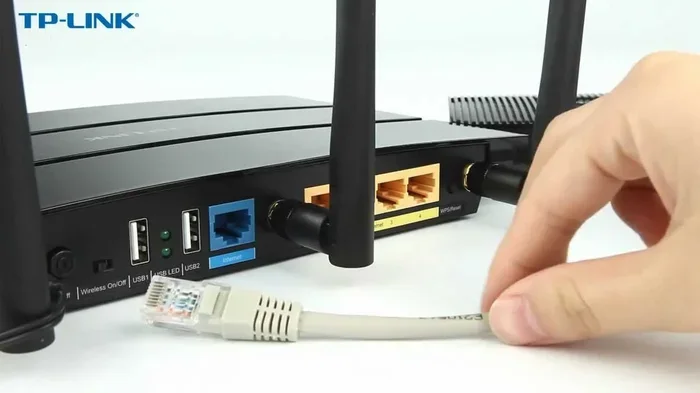
Many people confuse their modem with their router. Your modem brings the internet signal into your home. Your router spreads that signal wirelessly to your devices. If your router dies but your modem still works, you can still connect devices using ethernet cables. However, you will not have wireless Wi-Fi. In that case, you might want to explore options for getting Wi-Fi without a traditional router.
Some people use their phone as a temporary router through a process called tethering. This works well for basic tasks like checking email or browsing the web. But it will not restore your full Wave experience. You need a working modem and router combo to get everything back to normal.
Which Wave Services Keep Working Without Internet
Not all is lost when your internet goes down. Several Wave services continue to function normally. Let us look at each one in detail so you know what to count on during an outage.
Cable Television Stays Live
Wave cable TV is one of the most resilient services during an internet outage. Your television signal comes through the same coaxial cable that brings your internet. But the TV signal does not need the internet to function. It travels independently to your cable box or smart TV.
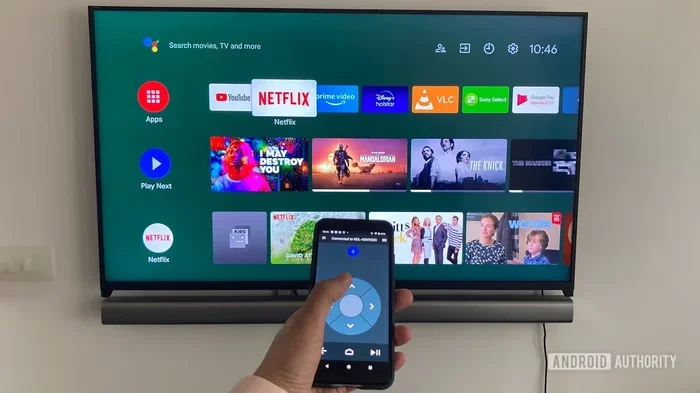
This means you can still watch live channels, local news, and sports broadcasts. Your DVR recordings stay accessible too, as long as they are stored locally on your cable box. You cannot download new content or use streaming apps like Netflix or Hulu, but the core TV experience remains intact.
Here is a quick look at what you can and cannot do with Wave TV during an internet outage:
- Can do: Watch live TV channels, access local broadcasts, use DVR recordings stored on the box, and switch between inputs.
- Cannot do: Stream from apps, cast content from your phone, use on-demand libraries, or access cloud-based features.
Home Phone Service Holds Strong
Wave digital phone service uses a technology called VoIP, which stands for Voice over Internet Protocol. You might think this means it needs the internet. But here is the twist. Wave phone service often runs on a dedicated line that stays active even when your data internet drops. This is different from a regular landline phone that uses copper wires, but the result is similar. Your phone keeps working.
You can make and receive calls, send and receive voicemail, and use call forwarding features. Emergency services can still reach you. This is a huge advantage during power or internet outages. If you have ever wondered about alternatives to traditional landlines, Wave phone service offers a reliable modern option.
However, if your entire home loses power, your Wave phone will also go down unless you have a battery backup unit. Most modern Wave modems include a battery backup port. Plugging in a small battery can keep your phone and modem running for several hours during a blackout.
Bluetooth and Local Devices Stay Connected
Devices that connect locally without the internet keep working during a Wave outage. Bluetooth speakers, for example, pair directly with your phone or tablet. You can still play music, take calls, and use these devices normally. If you have ever wondered can two Bluetooth speakers work together, the answer is yes, and this works the same way whether your internet is up or down.
Local Wi-Fi devices like smart bulbs and smart plugs that store routines locally might continue to function. However, devices that rely on cloud control will stop responding. This includes smart cameras that need an internet connection to send alerts or store footage remotely.
Which Wave Services Stop Working Without Internet
Now let us talk about what you will lose when the internet goes down. This is the part that frustrates most people, but knowing it ahead of time helps you plan better.
Streaming Apps Go Dark
Every streaming app you love needs the internet. Netflix, Hulu, Disney+, YouTube, and even Wave’s own streaming features will not load without a connection. Your smart TV becomes a basic cable box in this scenario. You can watch live channels and recorded content, but that is about it.
This is where many people feel the biggest pain. Binge-watching your favorite show becomes impossible. Kids who want to watch YouTube or play streaming games will be disappointed. Having a backup plan for entertainment during outages can save your sanity.
Smart Home Features Disconnect
Modern smart homes depend heavily on internet connectivity. Your smart thermostat, smart locks, and voice assistants all need a live connection to the cloud. When the internet drops, these devices often revert to basic manual operation. A smart thermostat becomes a manual dial. A smart lock might still work with a physical key, but you lose remote access.
If you are considering adding security cameras to your home, you should know that many wireless cameras need Wi-Fi to function fully. Some security cameras can work with local storage without internet, but you lose remote viewing and alerts. Understanding your options helps you choose the right setup for your needs.
Video Calling and Messaging Apps Stop
Apps like FaceTime, Zoom, and WhatsApp need the internet to send video and voice data. When your Wave internet drops, these tools become useless. You cannot make video calls or send messages through these platforms. However, your Wave home phone still works, which gives you a reliable backup for voice communication.
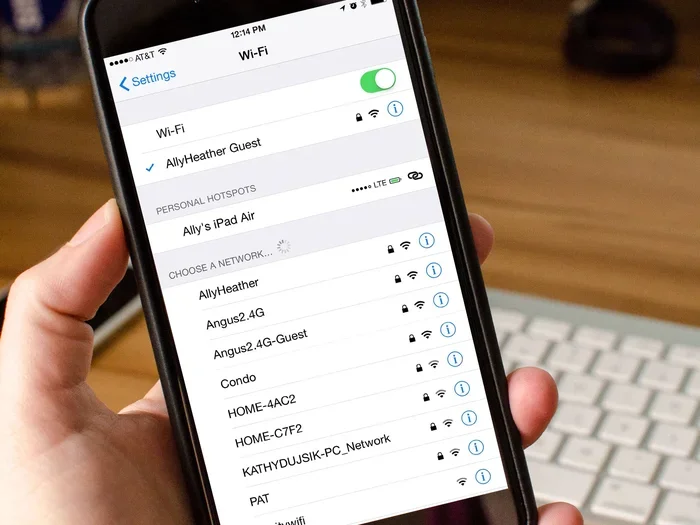
If you need to reach someone urgently and your internet is down, you can always fall back on your cellular phone. Using your phone as a mobile hotspot can temporarily restore some internet access. This lets you make calls through apps or send messages until your Wave connection comes back.
How to Prepare for Wave Internet Outages
Outages happen. They are a fact of life with any internet service. The key is to prepare ahead of time so you are not caught off guard. Here are some practical steps you can take right now.
Invest in a Battery Backup
A small battery backup unit plugs into your Wave modem and router. It keeps your equipment running for two to four hours during a power outage. This is especially important because many people lose both power and internet at the same time. A battery backup keeps your phone service and router alive long enough to make important calls or finish urgent tasks.
Keep Your Phone Ready as a Backup
Your smartphone becomes your best friend during a Wave outage. You can use it to check for service updates, contact Wave support, and even create a temporary hotspot. Make sure your phone stays charged and has a good data plan. A mobile hotspot without phone service is not possible, so keep your cellular plan active and well-funded.
Download Content in Advance
One of the smartest things you can do is download movies, shows, and music before you need them. Most streaming apps allow offline downloads. Download a few episodes of your favorite show or a couple of movies on a weekend when your internet is working. That way, you have entertainment ready when the internet goes down.
Know Your Wave Equipment
Understanding your Wave modem and router helps you troubleshoot faster. Learn which lights mean what and what normal behavior looks like. When the internet goes down, check the modem lights first. A solid green light usually means the modem has power and a connection. A blinking or red light signals a problem. This basic knowledge saves you time and frustration.
Wave Equipment and Setup Tips
Your Wave setup plays a big role in how services behave during an outage. The right equipment and placement make a huge difference.
Modem vs Router: Know the Difference
Your Wave modem connects to the internet through the cable or fiber line. Your router takes that signal and shares it with your devices. Many people use a combo unit that does both jobs. Understanding this difference helps you figure out what to check when things go wrong.
If you want more control over your network, you can buy a separate modem and router. This gives you better performance and more customization options. You can also choose to replace your rental equipment with your own gear, which can save you money over time.
Placement Matters for Signal Strength
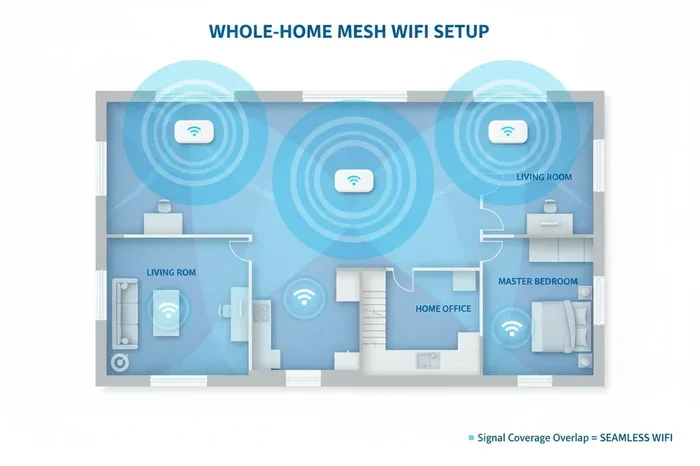
Where you place your router affects your entire home network. Put it in a central location, away from walls and metal objects. Keep it elevated and in the open. Good placement reduces dead zones and keeps your signal strong throughout the house.
During an outage, a strong signal means faster reconnection when the internet comes back. It also helps your local devices communicate better if your router is still working but the internet is not. A well-placed router is one of the easiest ways to improve your overall Wave experience.
What to Do When Your Wave Internet Goes Down
When the internet drops, do not panic. Follow these steps to get back online faster and make the most of the downtime.
Step-by-Step Troubleshooting
- Check your modem lights. Look for solid green or blue lights. Red or blinking lights indicate a problem.
- Restart your modem. Unplug it, wait 30 seconds, and plug it back in. This fixes most minor issues.
- Check the Wave app or website. Wave often posts outage alerts on their status page. You can use your phone’s cellular data to check.
- Contact Wave support. If the outage affects your entire area, support teams are already aware. But if it is just your home, they can walk you through advanced steps.
- Use backup options. Switch to cable TV for entertainment. Use your phone for calls and messages. Stay calm and wait it out.
When to Call for Help
Most outages resolve within a few hours. But if your internet stays down for more than four hours, it is time to call Wave support. If you notice physical damage to your cables or equipment, do not try to fix it yourself. Contact a professional. Wave customer service can also send a technician to your home if the problem is hardware-related.
Final Thoughts on Wave and Internet Dependence
So, does Wave work without internet? The answer is both yes and no. Your TV and phone keep working. Your streaming and smart features stop. Understanding this split helps you stay prepared and makes outages less stressful. You know what to expect, and you have backup plans ready.
The best approach is to stay informed about your setup. Know which services depend on the internet and which do not. Keep your equipment in good shape. Download content in advance. And always have a backup communication method ready. With these steps, you will handle any Wave outage like a pro.
Internet outages are temporary, but being prepared makes them feel much shorter. Take a few minutes today to review your Wave setup and make a simple plan. You will thank yourself the next time the internet goes down.
Frequently Asked Questions
Can I use Wave TV without internet?
Yes, you can. Wave cable TV uses a separate coaxial signal that does not depend on your internet connection. You can watch live channels and access local DVR recordings even when the internet is completely down. Streaming apps and on-demand content will not work, but basic TV viewing stays fully functional.
Will my Wave home phone work during an internet outage?
In most cases, yes. Wave digital phone service often runs on a dedicated line that stays active even when your data internet drops. However, if you lose power entirely, your phone will also go down unless you have a battery backup connected to your modem or phone adapter.
Can I use my phone as a hotspot when Wave internet is down?
Absolutely. Your smartphone can create a mobile hotspot that gives you temporary internet access. Just make sure you have enough cellular data and an active phone plan. Keep in mind that streaming and heavy downloads will eat through your data quickly on a hotspot connection.
Do Wave smart home devices work without internet?
It depends on the device. Smart bulbs and plugs with local control may keep working, but devices that need cloud access will stop responding. Security cameras that store footage locally can still record, but you will not get remote alerts or live streaming. Always check the device specifications for offline capabilities.
How long do Wave internet outages usually last?
Most outages last between one and four hours. Minor issues get resolved quickly with a modem restart. Larger outages affecting entire neighborhoods can take longer. Wave typically posts updates on their status page, so you can check for estimated restoration times using your phone’s cellular data.
Can I get internet without a traditional router?
Yes, you can use alternatives like a mobile hotspot, a USB tethering connection, or a mesh system that replaces your traditional router. Some people also explore getting Wi-Fi without a router by using their phone’s hotspot feature or by purchasing a standalone modem with built-in wireless capabilities.
=== CONCLUSION ===
Wave works partially without internet, and understanding how gives you a real advantage during outages. Your cable TV and home phone stay online, while streaming and smart features need a live connection. By preparing ahead of time with battery backups, downloaded content, and a solid backup plan, you can handle any internet downtime with confidence. Keep this guide handy and share it with your household so everyone knows what to expect when the Wave internet goes down.