How Can I Get Free Wi Fi Right Now In My Neighborhood
Want to get free Wi-Fi right now in your neighborhood? You have more options than you think. From public hotspots and library networks to clever signal-boosting tricks, this guide shows you every practical way to tap into free Wi-Fi without paying a dime. Whether you need internet at home, on the go, or in a dead zone, these methods work today.
Let’s be honest. We all need internet access. Whether you are working from home, streaming a movie, or just checking email, nothing is more frustrating than a dead connection. And when your bill is due or your plan has limits, finding free Wi-Fi right now becomes a real priority.
The good news is that free Wi-Fi in your neighborhood is easier to find than most people think. There are public networks, clever workarounds, and even community programs designed to keep you connected. This guide walks you through every practical method you can use today. No subscriptions. No hidden fees. Just real ways to get online for free.
We will cover everything from locating nearby hotspots to boosting weak signals. You will learn which apps actually work, where to look in your area, and how to stay safe while using public networks. By the end, you will have a clear game plan for free internet access whenever you need it.
Key Takeaways
- Public hotspots are everywhere: Libraries, cafes, and municipal networks offer free wireless internet access in most neighborhoods.
- Wi-Fi finder apps make it easy: Apps like Wi-Fi Map and Instabridge help you locate free networks nearby in seconds.
- Your phone can become a hotspot: You can share mobile data or use Wi-Fi calling features to stay connected without a home plan.
- Signal boosters extend range: Simple tools and placements can help you grab free Wi-Fi from farther away than you think.
- Community programs exist: Many cities and ISPs offer free or low-cost internet to residents who qualify.
📑 Table of Contents
- Why Free Wi-Fi Matters More Than Ever
- Use Wi-Fi Finder Apps to Locate Free Networks Instantly
- Turn Your Phone Into a Mobile Hotspot
- Boost Your Signal to Reach Free Networks Farther Away
- Leverage Community and Government Programs for Free Internet
- Stay Safe When Using Free Public Wi-Fi
- Quick Tips for Getting Free Wi-Fi Right Now
- Common Mistakes People Make When Searching for Free Wi-Fi
- Final Thoughts on Getting Free Wi-Fi Right Now
Why Free Wi-Fi Matters More Than Ever
Internet access is no longer a luxury. It is a basic need. Kids do homework online. Jobs require constant connectivity. Even grocery shopping and doctor visits have moved digital. When you cannot get online, you fall behind.
Not everyone can afford a monthly internet bill. The FCC estimates that roughly 15 to 20 percent of Americans lack home broadband. This gap is called the digital divide, and it affects rural areas, low-income neighborhoods, and older adults most of all. That is exactly why knowing how to find free Wi-Fi close to home matters so much.
Beyond affordability, there are many reasons people seek free connections. You might be traveling, between providers, or simply trying to save money. Whatever your reason, the methods below will help you get connected quickly and safely.
Where Free Wi-Fi Networks Hide in Plain Sight
You walk past free networks every day without noticing them. Coffee shops, fast food restaurants, and bookstores all offer wireless internet to customers. But these are just the beginning. Many public buildings, parks, and transit centers also broadcast free signals. Your first step in getting free Wi-Fi right now is simply knowing where to look.
Start with these common spots in most neighborhoods:
- Public libraries — Almost every public library offers free Wi-Fi. Many also provide free computer access. You do not even need a library card to connect in most locations.
- Coffee shops and cafes — Chains like Starbucks, McDonald’s, and Dunkin often provide free wireless internet. Just walk in and ask for the network name.
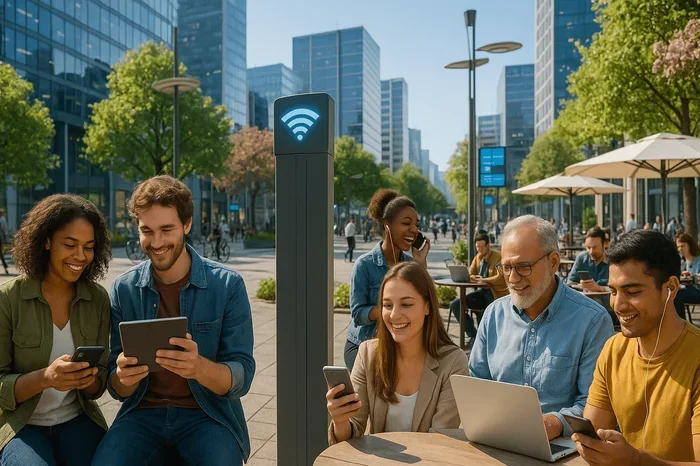
- City parks and plazas — Many cities have installed free Wi-Fi in popular parks and downtown areas. Check your city’s website for a coverage map.
- Transit hubs — Airports, train stations, and bus terminals frequently offer free internet for travelers.
- Community centers — Rec centers, senior centers, and nonprofit organizations often provide free wireless access.
The key is to think broadly. Any place with public foot traffic is a potential source of free internet access. Keep your phone’s Wi-Fi scanner turned on as you go about your day, and you will start noticing networks you never knew existed.
Use Wi-Fi Finder Apps to Locate Free Networks Instantly
Manually searching for networks takes time. A much faster approach is using a Wi-Fi finder app. These apps scan for nearby networks, show signal strength, and often label whether a network is free or paid. They are simple to use and can save you a lot of guesswork.
Top Wi-Fi Finder Apps Worth Trying
Not all Wi-Fi apps are created equal. Some are loaded with ads, others collect your data. Here are a few reliable options that actually work well for finding free Wi-Fi in your neighborhood:
- Wi-Fi Map — One of the most popular free Wi-Fi finder apps. It shows user-submitted hotspots around the world, including free networks. The community-driven data makes it surprisingly accurate.
- Instabridge — This app crowdsources free Wi-Fi passwords from users. It works especially well in urban areas where people share access generously.
- Avast Wi-Fi Finder — A clean, ad-light option that scans for available networks and shows security details. Great for checking which networks are safe to join.
- Wigle Wifi — A more technical tool that maps Wi-Fi networks on a visual grid. Useful if you want to see exactly which networks reach your area.
Download one or two of these apps and keep them on your phone. When you need free internet access right away, open the app, and it will show you every available network within range. You will be surprised how many options appear that you never noticed before.
Turn Your Phone Into a Mobile Hotspot
If you have a smartphone with a data plan, you already carry a portable Wi-Fi source in your pocket. Tethering, or using your phone as a mobile hotspot, lets other devices connect to the internet through your cellular data. This is one of the most reliable ways to get online when free Wi-Fi is not available nearby.
How to Set Up a Hotspot on Any Phone
Setting up a hotspot is quick and usually free if you already have a data plan. Here is how to do it on both major phone platforms:
On iPhone:
- Open Settings.
- Tap Personal Hotspot.
- Toggle Allow Others On.
- Set a password and share it with your other devices.
On Android:
- Open Settings.
- Go to Network and Internet.
- Tap Hotspot and Tethering.
- Enable Wi-Fi Hotspot and set a password.
Keep in mind that using your phone as a hotspot consumes data quickly. Streaming video or downloading large files will eat through your plan fast. Stick to light browsing, email, and messaging to stay within your data limits. If you do not have a data plan at all, check out whether your carrier offers a hotspot without phone service option.
Can You Get Hotspot Without Paying for Phone Service?
Yes, actually. Some carriers offer standalone mobile data plans without voice service. These are often called prepaid data-only plans. They cost much less than a full phone plan and give you enough data to stay connected through a hotspot. This is a great option if you mainly need internet for browsing and light tasks. You can also explore unlimited hotspot deals from various carriers, though speeds may slow after a certain data threshold.
Boost Your Signal to Reach Free Networks Farther Away
Sometimes the free Wi-Fi network you want is just out of reach. Maybe the signal from the library or cafe is too weak at your home. In these cases, a few simple tricks can help you extend your range and grab that connection.
Move Closer to the Source
This sounds obvious, but many people give up too quickly. Try walking toward the building broadcasting the network. Even moving 50 or 100 feet can make a big difference. Signal strength drops fast with distance, so proximity is your best friend when hunting for free wireless internet.
Use a Wi-Fi Extender or Repeater
A Wi-Fi extender picks up a weak signal and rebroadcasts it at full strength. These small devices cost between 20 and 50 dollars and plug directly into a wall outlet. If you have a friend or neighbor who shares a network, a repeater can help you pick it up from much farther away.
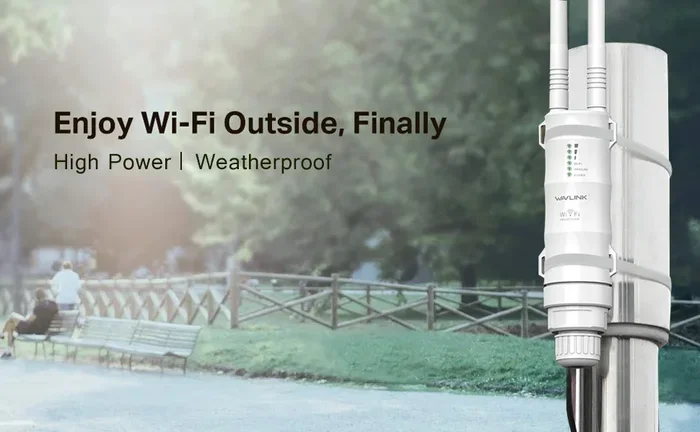
You can also extend your Wi-Fi to 200 feet away using outdoor-rated repeaters or directional antennas. These are especially useful if the free network is in a building across the street or a few houses down.
Switch to the 2.4 GHz Band
Most routers broadcast on two frequencies: 2.4 GHz and 5 GHz. The 2.4 GHz band travels farther and penetrates walls better than 5 GHz. If your device gives you the option, switch to 2.4 GHz for a stronger connection to distant networks. You can also force your phone to use 2.4 GHz Wi-Fi in your wireless settings for a more stable link.
Leverage Community and Government Programs for Free Internet
You might be eligible for free or heavily discounted internet through local and national programs. Many cities and nonprofit organizations work hard to close the digital divide by providing free connectivity to residents who need it most.
Government Assistance Programs
The Federal Communications Commission runs the Affordable Connectivity Program (ACP), which provides a monthly discount on internet service for qualifying households. Some programs even offer free service entirely. Eligibility is based on income, participation in certain assistance programs, or living on tribal lands. Check the FCC website or contact your local provider to see if you qualify.
Municipal Wi-Fi Networks
Several cities have built their own free municipal Wi-Fi networks. These cover downtown areas, public housing, and sometimes entire neighborhoods. Cities like New York, San Francisco, and Kansas City have invested in public wireless internet infrastructure. Search for your city name plus free Wi-Fi to see what is available near you.
Nonprofit and Library Programs
Organizations like EveryoneOn and Human-I-T help connect low-income families to the internet. They partner with local ISPs to offer discounted or free plans. Public libraries also lend mobile Wi-Fi hotspots for short-term use. Visit your local library and ask about their hotspot lending program. It is one of the most underused resources for getting free Wi-Fi right now.
Stay Safe When Using Free Public Wi-Fi
Free networks are convenient, but they come with risks. When you connect to a public wireless connection, your data travels through shared networks that other people can access. Taking a few precautions keeps your personal information safe.
Use a VPN
A virtual private network (VPN) encrypts your internet traffic. This means no one on the same network can see what you are doing. Many reputable VPN services cost just a few dollars per month. Some even offer free tiers with basic protection. Using a VPN should be your first step every time you connect to a public network.
Avoid Sensitive Transactions
Do not log into your bank account or enter credit card numbers on free public Wi-Fi. Wait until you are on a trusted, private network. If you must make a purchase, use your mobile data instead of the public connection.
Turn Off Auto-Connect
Many devices automatically connect to open networks they have used before. This can be dangerous because hackers can set up fake networks with the same name. Turn off auto-connect in your Wi-Fi settings and always choose networks manually.
Keep Your Software Updated
Updates patch security vulnerabilities that hackers exploit. Make sure your phone, tablet, and laptop are running the latest operating system. This simple step protects you on any network, public or private.
Quick Tips for Getting Free Wi-Fi Right Now
Need free internet access at this very moment? Here are the fastest ways to get connected right now:
- Open your Wi-Fi settings and scan for available networks. Look for open or unsecured networks labeled as free.
- Walk to the nearest coffee shop or library — these almost always have free guest Wi-Fi.
- Download a Wi-Fi finder app if you have not already. It will show you every free network within range in seconds.
- Use your phone as a hotspot if you have any cellular data at all, even a small remaining balance.
- Ask neighbors or nearby businesses if they share their network password. Many people are happy to help.
- Check for municipal networks in your area. Many cities offer free public Wi-Fi in parks and downtown zones.
- Visit your local library and ask about their free internet access and hotspot lending programs.
These tips work immediately. You do not need special equipment or a tech degree. Just a willingness to explore the options around you.
Common Mistakes People Make When Searching for Free Wi-Fi
Avoid these pitfalls that waste time and sometimes put your security at risk:
- Connecting to unknown networks without checking — Always verify the network name with the business or venue. Fake hotspots are a common scam.
- Ignoring signal strength — A weak signal is not worth the frustration. Move closer or find a stronger network instead.
- Using free Wi-Fi for sensitive tasks — Never enter passwords or financial details on an open public network without a VPN.
- Forgetting to forget old networks — Your device may auto-connect to a network you no longer need. Clean up your saved networks regularly.
- Assuming all free networks are safe — Free does not mean secure. Always use caution and protect your data.
Steering clear of these mistakes saves you time and keeps your personal information safe. A little awareness goes a long way when you are using free Wi-Fi in public spaces.
Final Thoughts on Getting Free Wi-Fi Right Now
Finding free Wi-Fi right now in your neighborhood is entirely possible. You have public hotspots, Wi-Fi finder apps, mobile tethering, signal boosters, and community programs at your disposal. The key is knowing where to look and how to connect safely.
Start with the tools you already have. Your smartphone is a powerful Wi-Fi discovery device. Pair it with a good finder app and a VPN, and you are well equipped to stay connected without spending a dime. Do not let a weak signal or a dead zone stop you from getting online.
Remember that free internet access is all around you. Libraries, cafes, parks, and even your neighbors may be offering connections you have never tapped into. Take a few minutes today to explore your options. You will be surprised how quickly you can get back online — for free.
If you want to learn more about expanding your wireless reach, check out how to increase your Wi-Fi signal or extend your Wi-Fi to 200 feet away. These guides offer deeper technical tips that complement the methods in this article.
Stay connected. Stay informed. And never let a lack of Wi-Fi slow you down again.
Frequently Asked Questions
How can I find free Wi-Fi in my neighborhood right now?
The fastest way is to use a Wi-Fi finder app like Wi-Fi Map or Instabridge. These apps scan for nearby networks and show you which ones are free. You can also walk to the nearest coffee shop, library, or public park, as these locations almost always offer guest Wi-Fi at no cost.
Is it safe to use free public Wi-Fi?
Free public Wi-Fi can be risky because your data travels through shared networks. To stay safe, always use a VPN, avoid logging into sensitive accounts, and make sure the network name matches the business you are visiting. Taking these precautions keeps your personal information protected while you enjoy free internet access.
Can I get Wi-Fi without a router at home?
Yes, you can use your phone as a mobile hotspot or connect to a neighbor’s network with their permission. You can also explore municipal Wi-Fi programs or community networks that provide wireless internet without requiring your own router. Check out our guide on getting Wi-Fi without a router for more options.
What is the best free Wi-Fi finder app?
Wi-Fi Map and Instabridge are two of the most popular and reliable free Wi-Fi finder apps. They crowdsource hotspot locations from users worldwide, making them accurate for most neighborhoods. Avast Wi-Fi Finder is another excellent option if you want a cleaner, ad-light experience.
How can I boost my free Wi-Fi signal to reach farther?
You can use a Wi-Fi extender or repeater to boost signal strength. Switching to the 2.4 GHz band also helps because it travels farther than 5 GHz. Moving closer to the source or repositioning your device can make a surprising difference in connection quality.
Are there programs that provide free internet at home?
Yes, the FCC’s Affordable Connectivity Program offers discounts on internet service for qualifying households. Many cities also run municipal Wi-Fi networks that provide free coverage in residential areas. Your local library may also lend mobile hotspots for free short-term use. Check with your city government and library for current programs.