How Can I Get Wifi In The Woods Essential Tips And Tricks
Getting wifi in the woods is possible with the right tools and strategies. Whether you use a portable hotspot, satellite internet, or a wifi signal booster, you can stay connected even in remote areas. This guide covers practical tips to help you choose the best option for your outdoor needs.
Key Takeaways
- Portable wifi hotspots are the easiest way to get online in remote areas without a router.
- Satellite internet options work almost anywhere, even deep in the woods where cell towers are far away.
- Wifi signal boosters and antennas can dramatically improve your connection strength outdoors.
- Mobile data plans with unlimited hotspot data give you the most flexibility for extended trips.
- Planning ahead and testing your setup before heading into the wilderness saves frustration later.
📑 Table of Contents
Why Getting Wifi In The Woods Matters
Heading into the woods used to mean disconnecting completely. But today, many of us want — or need — to stay online even when we are surrounded by trees and wildlife. Whether you are a remote worker, a nature photographer, or someone who enjoys safety and convenience while camping, getting wifi in the woods is a game changer.
The challenge is real. Trees block signals. Hills create dead zones. And cell towers can be miles away. But here is the good news. There are now more options than ever to bring internet connectivity to even the most remote outdoor locations. You just need to know what tools work best and how to set them up properly.
This guide walks you through every practical method. We cover devices, strategies, and tips that real people use to stay connected in the wilderness. By the end, you will have a clear plan tailored to your specific needs.
Understanding Your Options For Outdoor Connectivity
Before you buy any gear, it helps to understand the different ways you can get wireless internet in a wooded area. Each method has pros and cons. Your choice depends on where you are going, how long you stay, and what you need to do online.
Cellular Wifi And Mobile Hotspots
The most common way people get online in the woods is through mobile hotspot technology. Your phone or a dedicated hotspot device uses the same cell towers that provide your mobile service. You then share that connection with your laptop or tablet.
This method works well when you are within range of a cell tower. Even in rural areas, you might be surprised how far signals reach. But thick forests and deep valleys can block the signal. That is where other options come in handy.
If you want a dedicated device rather than using your phone, you can buy your own portable wifi device. These small gadgets create a personal wifi network and are often more battery-efficient than using your phone as a hotspot.
Satellite Internet For Deep Woods
When you are truly off the grid, satellite internet is your best bet. Satellites orbit the Earth and beam internet down to a small dish or receiver. This means you can get wifi in the woods even if there are no cell towers nearby.
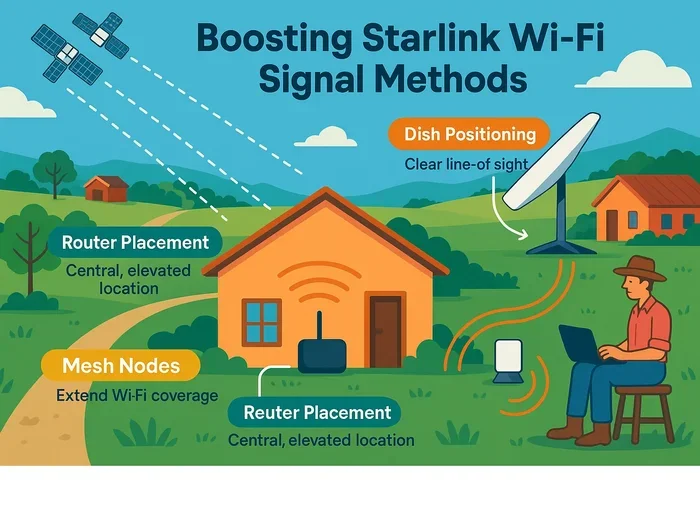
Satellite internet used to be slow and expensive. Today, services like Starlink offer fast speeds and relatively affordable plans. The setup is simple. You point a small dish toward the sky, and you have internet access almost anywhere on the planet.
The downside? Satellite equipment can be bulky. You need a clear view of the sky, and trees can block the signal too. So you may need to set up in a clearing or on a high point.
Wifi Without A Router
Many people do not realize you can get wifi without a router in the woods. You do not need a traditional home setup. Instead, you can use a portable hotspot device, a phone with tethering enabled, or even a USB wifi adapter connected to a laptop.
These methods create a small local network that your devices can connect to. They are perfect for short trips or day hikes where you just need to check emails or share photos.
Portable Wifi Devices That Work In Remote Areas
Not all wifi devices are created equal. When you are heading into the woods, you need something rugged, battery-efficient, and powerful. Here are the best types of portable devices for outdoor wifi connectivity.
Mobile Hotspot Devices
Devices like the Verizon Jetpack or similar mobile hotspot gadgets are designed specifically for on-the-go connectivity. They create a wifi network using your cellular data plan. You can connect multiple devices at once, which is great for families or groups.
These devices typically have better battery life than using your phone as a hotspot. They are also small enough to fit in a backpack. Some models even have external antennas for better signal reception in weak coverage areas.
Satellite Wifi Devices
For truly remote locations, a satellite wifi device is the most reliable option. Starlink now offers a portable version called Starlink Mini. It is compact, lightweight, and delivers fast internet speeds in most locations.
The setup takes just a few minutes. You set up the dish, point it toward the sky, and connect your devices. The main limitation is battery life. The device needs power, so you will need a portable generator or a large battery bank for extended trips.
Pocket Wifi For International Trips
If your woods adventure takes you across borders, a pocket wifi device is a smart choice. These devices work internationally and allow you to connect to local networks without swapping SIM cards. They are compact, affordable, and perfect for travelers who need reliable remote connectivity.
Boosting Your Signal In The Wilderness
Even with the right device, weak signals in the woods can be frustrating. The good news is that several tools can help you increase wifi signal strength in remote locations.
Wifi Signal Boosters And Extenders
A wifi signal booster amplifies the existing signal and extends its range. Some portable boosters are small enough to attach to your hotspot device. They make a noticeable difference when you are on the edge of a cell tower’s coverage area.
You can also use a wifi range extender in your campsite. Place it between your hotspot and your devices. It receives the weak signal and rebroadcasts it at a stronger strength. This simple trick can turn a barely usable connection into something workable.
External Antennas For Better Reception
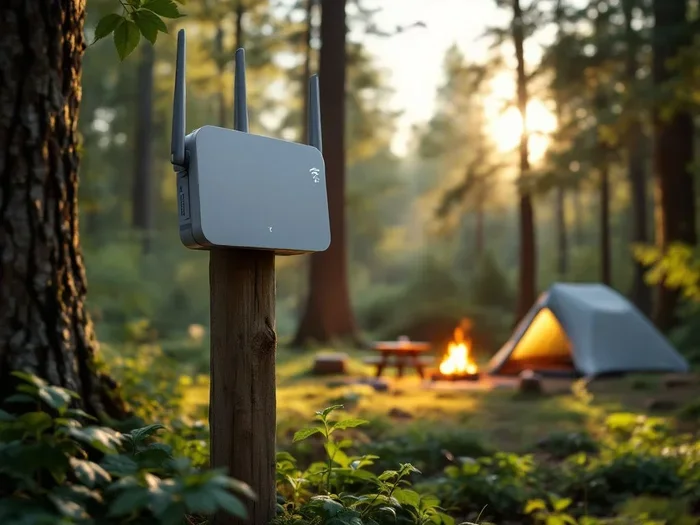
Many hotspot devices support external antennas. These antennas pick up signals more effectively than the built-in antenna. You can mount the antenna on a tent pole or a tree branch to get a clearer line of sight to the nearest cell tower.
If you want to add an antenna to your wifi router, look for models with external antenna ports. This upgrade is especially useful for people who live in rural areas or frequently visit locations with poor cellular coverage.
Positioning Tips For Better Signal
Where you place your device matters a lot. Here are some quick positioning tips:
- Get to a high point whenever possible.
- Stay away from thick tree clusters.
- Place your device near a window or open area.
- Avoid setting up near metal objects or water sources.
- Try different spots until you find the strongest signal.
Tips For Staying Connected While Camping
Setting up wifi in the woods is only half the battle. You also need to manage your connection wisely. Here are practical tips that help you stay connected without draining your battery or wasting data.
Manage Your Data Usage
When you are relying on a mobile hotspot, data goes fast. Streaming videos and video calls eat up your plan quickly. To conserve data:
- Download maps and content before you leave.
- Use offline modes in apps whenever possible.
- Turn off automatic updates on all devices.
- Browse in text mode when you just need to read articles.
- Use unlimited hotspot plans if available to avoid running out of data.
Keep Your Devices Charged
Nothing ruins a camping trip faster than a dead device. Bring a high-capacity portable power bank. A solar charger is also a great backup option. Make sure your hotspot device and phone are fully charged before you head out each morning.
Set Up A Dedicated Wifi Zone
Designate one spot in your campsite as the wifi zone. Set up your hotspot or router there and keep it elevated. This creates a consistent connection point for everyone in your group. It also keeps the device safe from moisture and accidental damage.
Use A Mesh Network For Larger Groups
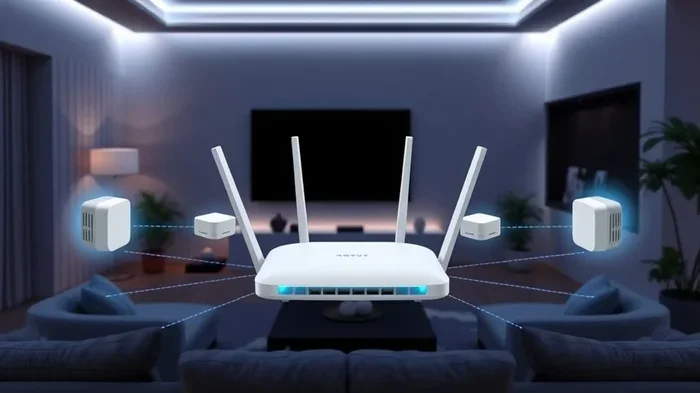
If you are camping with a group, consider a mesh router system. You can connect a mesh router to an existing router or hotspot to create a wider coverage area. Every device in the mesh network helps extend the signal, giving you better coverage across your entire campsite.
Common Mistakes To Avoid When Setting Up Outdoor Wifi
Even experienced outdoor enthusiasts make mistakes when setting up wifi in the woods. Here are the most common ones and how to avoid them.
Assuming You Will Always Have Signal
The biggest mistake is assuming that your phone will work everywhere. In reality, cellular coverage drops off quickly in dense forests and mountainous terrain. Always check coverage maps before your trip and have a backup plan.
Forgetting To Test Your Setup
Do not wait until you are deep in the woods to test your equipment. Set everything up at home first. Make sure your hotspot works, your booster is functioning, and your devices connect properly. Testing ahead of time saves a lot of frustration.
Ignoring Weather Conditions
Rain, snow, and fog can all weaken wifi signals. If you are relying on a hotspot, check the weather forecast. Heavy storms can knock out your connection entirely. Plan to download everything you need before bad weather hits.
Using The Wrong Data Plan
Many people sign up for basic data plans and then wonder why they run out of data in a day. If you plan to use mobile hotspot regularly, upgrade to a plan with more data or look for unlimited hotspot options from your carrier.
Conclusion
Getting wifi in the woods is no longer a dream. With portable hotspots, satellite internet, signal boosters, and smart positioning, you can stay connected almost anywhere. The key is to plan ahead, choose the right tools for your needs, and understand the limitations of each method.
Start with a portable wifi device or your phone’s hotspot feature. Add a signal booster if you need more range. Consider satellite internet if you venture into truly remote areas. And always manage your data usage wisely.
With the right setup, you can enjoy the peace of the wilderness without sacrificing the convenience of staying connected. The woods do not have to mean being offline anymore.
Frequently Asked Questions
Can I get wifi in the woods without cell service?
Yes, you can. Satellite internet devices like Starlink work without any cell service. They connect directly to satellites in orbit, giving you wifi in the woods even in the most remote locations. You just need a clear view of the sky and a power source.
What is the best portable wifi device for camping?
The best device depends on your needs. For most campers, a dedicated mobile hotspot device from carriers like Verizon or AT&T works great. For truly remote areas, a portable satellite wifi device like Starlink Mini is the most reliable option.
How can I boost my wifi signal in a forest?
You can boost your signal by using a wifi signal booster, positioning your device on a high point, and keeping it away from thick tree clusters. External antennas also help significantly. Simply moving your device a few feet can sometimes make a big difference.
Does rain affect wifi signals in the woods?
Yes, rain and heavy moisture can weaken wifi signals, especially for satellite-based connections. For cellular hotspots, rain mainly affects the cell tower signal. It is a good idea to download important content before bad weather arrives and use offline tools when possible.
How much data do I need for a weekend camping trip?
For light use like checking emails and browsing text websites, about 1 to 2 GB per weekend is usually enough. If you plan to stream videos or make video calls, you will need 5 GB or more. Consider an unlimited hotspot plan if you use data frequently on trips.
Can I use my phone as a wifi hotspot in the woods?
Yes, you can use your phone as a mobile hotspot in the woods. Just enable the tethering feature in your phone settings. Keep in mind that this drains your battery quickly, so bring a power bank. Also, check that your data plan supports hotspot usage.