Are Second Hand Laptops Ok Here Is What You Need to Know
Are second hand laptops ok? The short answer is yes, they can be a fantastic way to save money while still getting reliable performance. Buying a used laptop or refurbished laptop can save you hundreds of dollars compared to buying new. However, you need to know what to look for to avoid bad deals and hardware problems.
This guide covers everything from laptop condition and battery life to warranty options and laptop specs that matter most.
Key Takeaways
- Second hand laptops can be perfectly fine: Many pre-owned computers work just as well as new ones when you buy smart.
- Always check the laptop condition: Inspect the screen, keyboard, battery, and ports before purchasing.
- Certified refurbished laptops offer the best safety net: They come with warranties and have been professionally tested.
- Know your laptop specs: RAM, storage, processor, and battery health determine real-world performance.
- Buy from trusted sources: Reputable sellers reduce the risk of getting a lemon.
- Set a realistic budget: Used laptops can offer 30-60% savings over new models.
- Check the laptop age carefully: Older laptops may struggle with modern software updates.
📑 Table of Contents
- Are Second Hand Laptops Ok? Here Is Everything You Need to Know
- Why Buy a Second Hand Laptop?
- What to Look for When Buying a Used Laptop
- Where to Buy Second Hand Laptops Safely
- Common Mistakes People Make When Buying Used Laptops
- How to Get the Most Out of Your Second Hand Laptop
- Are Second Hand Laptops Ok? The Final Verdict
Are Second Hand Laptops Ok? Here Is Everything You Need to Know
So you are thinking about buying a second hand laptop. Maybe you want to save money. Maybe you just need something basic for browsing and emails. Either way, the big question is the same: are second hand laptops ok?
The truth is, used laptops can be an amazing deal. You can get a machine that costs a fraction of the price of a new one and still delivers solid laptop performance. But not every pre-owned computer is created equal. Some are gems. Others are headaches waiting to happen.
In this guide, we will walk you through everything you need to know. We will cover laptop condition, battery life, warranty options, and where to find the best second hand deals. By the end, you will feel confident about your computer shopping decision.
Buying a used laptop is one of the smartest moves you can make if you know what to look for. Let us break it all down.
Why Buy a Second Hand Laptop?
There are many reasons people choose to buy pre-owned computers instead of brand new ones. Let us look at the biggest advantages.
Save a Lot of Money
The most obvious reason is tech savings. A brand new laptop can cost anywhere from 500 to 2000 dollars or more. A used laptop in good shape might cost you 200 to 600 dollars. That is a huge difference. You can get a machine with decent laptop specs for a fraction of the price.
For students, freelancers, or anyone on a tight budget laptops situation, buying second hand makes a lot of sense. You get what you need without breaking the bank.
Better Value for Your Money
Here is something not many people talk about. A laptop loses a lot of its value in the first two years. When you buy second hand, someone else absorbed that initial depreciation. You get a machine that still has plenty of life left in it, at a much lower price.
Think of it like buying a used car. The first owner took the biggest hit on value. You step in and get a great deal.
Good for the Planet
Buying a refurbished laptop or used computer is also an eco-friendly choice. Electronics waste is a growing problem. When you buy pre-owned computers, you are helping reduce that waste. It is a small but meaningful way to be more sustainable.
What to Look for When Buying a Used Laptop
Not all second hand laptops are created equal. Some sellers take good care of their machines. Others do not. Here is what you need to check before you buy.
Check the Laptop Condition
This is the most important step. You need to physically inspect or at least ask detailed questions about the laptop condition. Here are the key areas to examine:
- Screen: Look for cracks, dead pixels, or flickering. The display is one of the most expensive parts to replace.
- Keyboard and Trackpad: Type on the keyboard. Are all keys working? Does the trackpad respond smoothly?
- Ports and Slots: Plug in a USB device, headphones, and a charger. Make sure everything works.
- Hinges: Open and close the laptop a few times. Loose hinges are a red flag.
- Body and Exterior: Look for deep scratches, dents, or signs of water damage.
Test the Laptop Battery Life
Laptop battery life is one of the first things that degrades over time. If you buy a used laptop with a worn-out battery, you will be stuck plugged in all the time. That defeats the purpose of a portable computer.
Ask the seller for the battery health percentage. On Windows laptops, you can generate a battery report by typing powercfg /batteryreport in the command prompt. On MacBooks, you can check this in System Information under the Power section.
A battery health below 60% means the battery is wearing out. You might need to replace it soon, which adds to your cost. Try to find a second hand laptop with at least 75% battery health if possible.
Review the Laptop Specs
Not every used laptop is built the same way. You need to understand laptop specs to know if the machine will meet your needs.
- Processor (CPU): This is the brain of your laptop. Intel Core i5 or i7 and AMD Ryzen 5 or 7 are solid choices for most users.
- RAM: 8GB is the minimum for everyday use. 16GB is better if you multitask or do any light editing.
- Storage: SSD drives are much faster than old HDD drives. Look for at least 256GB of SSD storage.
- Graphics Card: If you plan to game or do video editing, you need a dedicated GPU. Otherwise, integrated graphics will work fine.
Find Out the Laptop Age
The laptop age matters more than most people realize. A laptop that is five or six years old might seem cheap, but it could struggle with modern software. Updates might stop coming. Performance could lag behind.
As a general rule, try to buy a second hand laptop that is no more than three to four years old. This gives you a good balance of modern features and affordable pricing.
Ask About the Laptop Warranty
One of the biggest concerns with buying used laptops is the lack of protection. A laptop warranty can save you from unexpected repair costs.
Some sellers offer a 30-day or 90-day warranty. Others do not offer any warranty at all. If you are buying from a private seller, your options are limited. But if you buy from a reputable refurbisher, you may get a 6-month to 1-year warranty included.
Pro tip: Always get the warranty in writing. A verbal promise means nothing if something goes wrong.
Where to Buy Second Hand Laptops Safely
Where you buy matters just as much as what you buy. Some places are much safer than others. Here are the best options for finding second hand deals on quality machines.
Certified Refurbished Retailers
This is the safest way to buy a refurbished laptop. Companies like Apple, Dell, Lenovo, and HP sell certified refurbished machines directly on their websites. These laptops have been professionally inspected, tested, and often come with a brand new warranty.
What makes them different from regular used laptops? They go through a strict hardware inspection process. Every component is tested. The laptop is cleaned and repackaged. You basically get a like-new experience at a lower price.
Reputable Online Marketplaces
Websites like Amazon Renewed, Back Market, and Swappa are great places to find used laptops. These platforms have seller ratings and return policies that protect buyers.
Look for sellers with high ratings and lots of positive reviews. Read the listings carefully. Good sellers will be honest about the laptop condition and include photos of any flaws.
Local Electronics Stores
Some local computer shops sell refurbished and used machines. The advantage here is that you can see and test the laptop in person before buying. You can also ask questions about the laptop age and any repairs that have been done.
Facebook Marketplace and Craigslist
These platforms can offer the lowest prices, but they also come with the most risk. You are dealing with private sellers who may not be honest about the laptop condition or laptop specs.
If you go this route, always meet in a public place. Test the laptop thoroughly before handing over any money. Bring a USB drive to check all the ports. Run a speed test and check the battery report.
Common Mistakes People Make When Buying Used Laptops
Even smart buyers can make mistakes. Here are the most common ones to avoid.
Skipping the Hardware Inspection
Never buy a used laptop without checking it thoroughly. Skipping this step is how people end up with broken screens, dead batteries, and faulty keyboards. Take the time to test everything.
Ignoring the Operating System
Some second hand laptops come with expired or pirated software licenses. Make sure the operating system is genuine and up to date. On Windows, check the activation status in Settings. On a Mac, verify the Apple ID is not still linked to the previous owner.
Focusing Only on Price
The cheapest option is not always the best deal. A 100-dollar laptop with terrible laptop performance and a failing battery will cost you more in frustration and potential repairs. Always balance price with quality and laptop specs.
Not Checking the Battery Health
We mentioned this earlier, but it is worth repeating. A bad battery can make a laptop nearly useless if you need portability. Always check the battery health before buying.
Forgetting to Wipe and Reset the Laptop
Once you buy a pre-owned computer, make sure you factory reset it. This removes all the previous owner’s data, apps, and settings. It also clears out any hidden malware or performance issues left behind.
How to Get the Most Out of Your Second Hand Laptop
You bought your used laptop. Now what? Here are some tips to make sure it stays in great shape for years to come.
Keep the Software Updated
Regular updates keep your laptop performance smooth and secure. Turn on automatic updates for your operating system and all your apps. Outdated software can create security risks and slow things down.
Clean the Laptop Regularly
Dust builds up inside laptops over time. Use compressed air to clean the vents and fans every few months. This prevents overheating, which is one of the biggest killers of laptop longevity.
Use a Surge Protector
A surge protector protects your second hand laptop from power spikes. Since you already invested in a used machine, spending a few dollars on a surge protector is a smart move.
Upgrade When Needed
One of the best things about many laptops is that you can upgrade the RAM or swap in a bigger SSD. These small upgrades can breathe new life into an older machine and improve laptop performance significantly.
Back Up Your Data
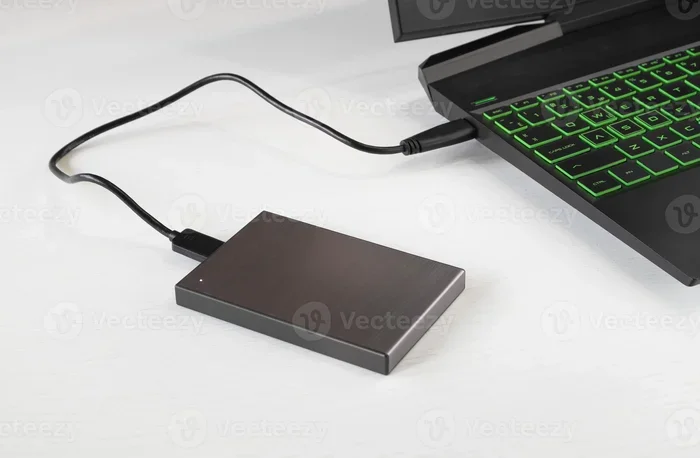
Older laptops are more prone to hardware failures. Use an external hard drive or a cloud service to back up your important files regularly. This simple habit can save you from a major headache.
Are Second Hand Laptops Ok? The Final Verdict
So, are second hand laptops ok? The answer is a clear yes. Buying a used laptop or refurbished laptop can save you a significant amount of money while still giving you reliable laptop performance for everyday tasks.
The key is to be a smart buyer. Check the laptop condition carefully. Verify the laptop specs meet your needs. Confirm the laptop battery life is still healthy. Buy from trusted sources. And always get a laptop warranty if possible.
Whether you are a student looking for a budget laptops option, a freelancer who needs a portable computer shopping find, or someone who just wants to save money, a second hand laptop can be a great choice.
Just remember to do your homework before you buy. A little research goes a long way toward finding a quality pre-owned computer that will serve you well for years to come.
Happy computer shopping, and enjoy those tech savings!
Frequently Asked Questions
Is it safe to buy a second hand laptop online?
Yes, it can be safe if you buy from reputable platforms like Amazon Renewed, Back Market, or certified refurbisher websites. Always check the seller’s ratings, read reviews carefully, and look for listings that include detailed photos and honest descriptions of the laptop condition.
How long should a second hand laptop last?
A well-maintained used laptop can last anywhere from two to five more years, depending on the laptop specs and how you use it. Laptops that are three to four years old when purchased tend to offer the best balance of modern features and remaining lifespan.
Can I get a warranty on a second hand laptop?
Yes, especially if you buy a certified refurbished laptop from the manufacturer or a reputable refurbisher. These often come with 6-month to 1-year warranties. Private sellers usually do not offer warranties, so always ask before you buy.
What is the best laptop age to buy second hand?
Laptops that are one to three years old are generally the sweet spot. They still have modern laptop specs, receive software updates, and have enough remaining battery life. Avoid laptops older than five years unless you only need them for very basic tasks.
Do second hand laptops have good performance?
Many second hand laptops offer excellent laptop performance, especially if you choose models with at least 8GB of RAM and an SSD. The key is to match the laptop specs to your needs. A machine meant for office work will perform very differently from one meant for gaming.
What should I check before buying a used laptop?
Always check the laptop condition of the screen, keyboard, ports, and hinges. Verify the battery health percentage. Review the laptop specs including the processor, RAM, and storage. Confirm the operating system is genuine. And if possible, test the laptop in person before completing the purchase.