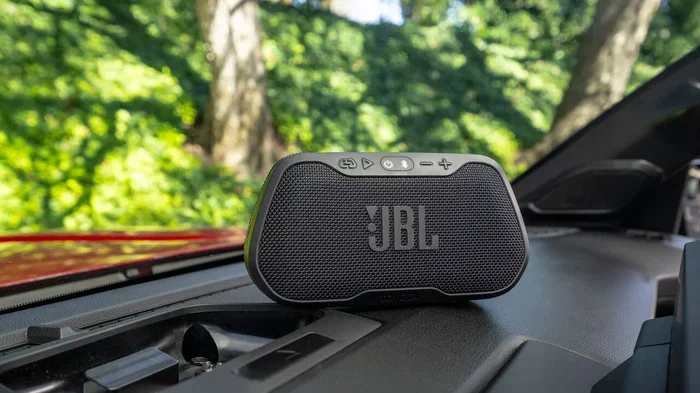
Can I Connect A Jbl Speaker To My Car With Bluetooth
Yes, you can connect a JBL speaker to your car with Bluetooth in just a few simple steps. Whether you have a JBL Flip, JBL Charge, or JBL PartyBox, this guide walks you through every method. You will learn pairing tips, troubleshooting fixes, and alternative connection options to get wireless audio flowing in your vehicle.
Can I connect a JBL speaker to my car with Bluetooth? The short answer is absolutely yes. If you own a JBL portable speaker, you can stream music wirelessly from your phone directly into your car. Whether you are on a road trip or just driving to the grocery store, wireless audio makes every drive more fun.
This guide covers everything you need to know. You will learn how to pair your speaker, which JBL models work best, and what to do when things go wrong. I will also share alternative connection methods for cars that do not have Bluetooth built in. By the end, you will feel confident connecting your JBL Bluetooth speaker to any vehicle.
Let us get started. No tech skills are needed. Just a few minutes and your JBL portable speaker. You will be surprised how simple this whole process really is.
Key Takeaways
- Bluetooth pairing is the easiest way to connect most JBL speakers to a car with built-in Bluetooth.
- Aux cables and FM transmitters work great for older car stereos without wireless capability.
- JBL Flip, Charge, and Xtreme models are the most popular choices for car use.
- Pairing mode and discovery are essential steps you must complete before connecting.
- Audio quality may vary depending on your car stereo and speaker model.
- Common issues like interference and distance can be fixed with simple resets.
- Hands-free calling works on many JBL speakers when paired with your car.
📑 Table of Contents
- How to Connect a JBL Speaker to Your Car Using Bluetooth
- Best JBL Speakers for Car Bluetooth Use
- Step-by-Step Pairing Guide for Popular JBL Models
- Troubleshooting Common Connection Issues
- Alternative Ways to Connect Your JBL Speaker to Your Car
- Tips for Better Audio Quality on the Road
- Common Mistakes to Avoid When Connecting JBL Speakers to Cars
- Expert Insights on JBL Car Audio Setups
- Conclusion
How to Connect a JBL Speaker to Your Car Using Bluetooth
Connecting your JBL speaker to car Bluetooth is straightforward. Most modern cars and all JBL speakers support wireless pairing. Here is how the basic process works.
Step 1: Turn on Your JBL Speaker
Press the power button on your JBL Bluetooth speaker to turn it on. Wait for the indicator light to show it is ready. Most JBL portable speakers have a solid blue light or a blinking light when they are on and ready to pair.
Step 2: Enter Pairing Mode
Press and hold the Bluetooth button on your speaker. The light will start blinking faster. This means your JBL speaker is now visible to other devices. Different models have slightly different methods, but the Bluetooth button is almost always the one you need.
Step 3: Open Bluetooth on Your Phone
Go to your phone settings and turn on Bluetooth. Make sure it is set to discoverable mode. Your phone will scan for nearby devices. You should see your JBL speaker name appear in the list.
Step 4: Select and Connect
Tap on your JBL speaker name from the list. Wait a few seconds. You will hear a confirmation tone from the speaker. The light will usually turn solid blue. Your car audio system is now connected wirelessly.
Step 5: Start Playing Music
Open your music app and press play. The sound should now come through your JBL speaker. Adjust the volume on both your phone and the speaker for the best balance. You are now streaming wireless audio directly into your car.
Best JBL Speakers for Car Bluetooth Use
Not all JBL portable speakers are the same. Some are better suited for car use than others. Here are the top models people love to pair with their vehicles.
JBL Flip Series
The JBL Flip series is compact and easy to carry. Models like the JBL Flip 6 and JBL Flip 5 deliver great sound in a small package. They are perfect for car dashboards or cup holders. The battery lasts up to 12 hours, so long drives are no problem.
JBL Charge Series
The JBL Charge models offer louder sound and bigger batteries. The JBL Charge 5 can fill a small car with rich, powerful audio. It also works as a power bank, so you can charge your phone while driving. This makes it one of the best JBL speakers for car use.
JBL Xtreme Series
The JBL Xtreme is built for bigger sound. It is larger and heavier but delivers incredible audio quality at high volumes. If you have a truck or SUV, the JBL Xtreme 3 is an excellent match. The bass is deep and the range is wide.
JBL PartyBox Series
The JBL PartyBox is overkill for most cars, but it is fun for outdoor events near your vehicle. It has lights, massive sound, and a long battery. If you park and want a party vibe, this is the one. However, it is not the most practical choice for daily driving.
| Model | Battery Life | Sound Level | Best For |
|---|---|---|---|
| JBL Flip 6 | 12 hours | Medium | Daily commutes |
| JBL Charge 5 | 20 hours | High | Long road trips |
| JBL Xtreme 3 | 15 hours | Very High | Large vehicles |
| JBL PartyBox 310 | 18 hours | Extreme | Park gatherings |
Step-by-Step Pairing Guide for Popular JBL Models
Every JBL speaker has a slightly different pairing process. Here are quick instructions for the most popular models.
Pairing a JBL Flip Series
Press the Bluetooth button once. The light blinks blue rapidly. On your phone, go to Settings, then Bluetooth, and select your JBL Flip from the list. The connection takes about 5 seconds.
Pairing a JBL Charge Series
Hold the Bluetooth button for 3 seconds. The speaker enters pairing mode with a flashing blue light. Search for devices on your phone and tap the JBL Charge name. You will hear a short chime when connected.
Pairing a JBL Xtreme Series
Press the Bluetooth button and the volume up button together for 3 seconds. The light flashes blue and white. Your phone will find the JBL Xtreme quickly. This model also supports JBL Connect+, which lets you link multiple speakers together.
Troubleshooting Common Connection Issues
Sometimes things do not go smoothly. Bluetooth connection problems are common but easy to fix. Here are the most frequent issues and how to solve them.
Speaker Not Showing Up on Your Phone
This is the most common problem. First, make sure your JBL speaker is in pairing mode. The light should blink quickly. If it does not, turn the speaker off and on again. Also, check that Bluetooth is turned on in your phone settings. Sometimes restarting your phone fixes this instantly.
Connection Drops Frequently
Wireless streaming can drop if you are too far from the speaker. Keep your phone within 10 feet of the JBL speaker. Walls and metal car bodies can interfere with the signal. If you drive through tunnels, the connection will pause and reconnect when you exit.
Paired but No Sound
If the connection shows but there is no sound, check the volume on both devices. Also, make sure your phone is not routed to a different audio output. On iPhones, check Control Center. On Androids, pull down the notification shade and select the JBL speaker as the audio device.
Speaker Connects to a Different Device
JBL speakers remember previously paired devices. If your speaker connects to another phone automatically, you may need to disconnect that device first. Go to the Bluetooth settings on the other phone and forget the JBL speaker. Then pair it fresh with your phone.
Quick Reset Tips
A soft reset often solves most issues. Turn off the speaker, wait 10 seconds, and turn it back on. For a harder reset, hold the power button and the volume down button together for 5 seconds. This clears old pairings and refreshes the Bluetooth module in your JBL portable speaker.
Alternative Ways to Connect Your JBL Speaker to Your Car
What if your car does not have Bluetooth? Do not worry. There are several reliable alternatives to get wireless audio from your JBL speaker into your vehicle.
Using an AUX Cable
An AUX cable is the simplest wired option. Plug one end into your JBL speaker headphone jack and the other into your car stereo aux input. This gives you a direct, stable connection. The audio quality is often better than Bluetooth because there is no wireless interference.
Using an FM Transmitter
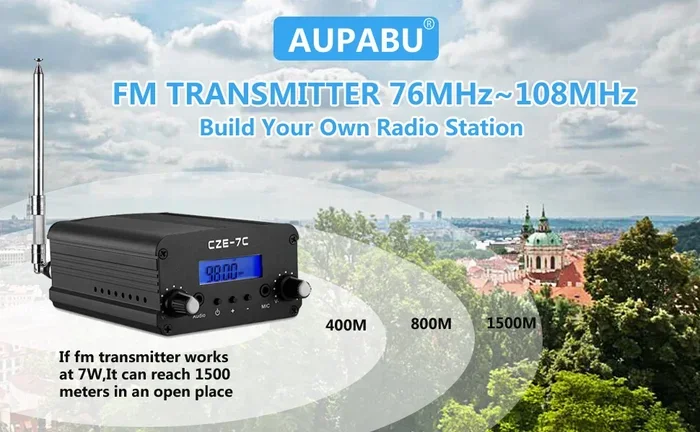
An FM transmitter plugs into your car cigarette lighter and broadcasts sound to an empty FM frequency. You tune your car radio to that frequency and hear your music. This works well for older cars without aux inputs. Just keep the JBL speaker close to the transmitter for the best signal.
Using a Bluetooth Car Adapter
A car Bluetooth adapter plugs into your car stereo and adds wireless capability. These small devices are inexpensive and very effective. Once paired, your JBL speaker connects to the adapter just like it would connect to a built-in car system. This is a great option if you drive an older model car.
Using a Car Amplifier with Bluetooth
Some car amplifiers come with built-in Bluetooth receivers. You can pair your JBL speaker with the amplifier and get amplified sound through your car speakers. This is the best option for serious audio enthusiasts who want portable speaker quality through their factory car system.
Tips for Better Audio Quality on the Road
Getting your JBL speaker connected is only half the battle. Here are tips to make the sound better while driving.
Position Your Speaker Strategically
Place your JBL portable speaker on the dashboard or passenger seat. Avoid putting it in the back seat where it is far from you. The closer the speaker is to you, the stronger and clearer the wireless audio will be. Angle the speaker toward the driver for the best listening experience.
Keep the Volume Balanced
Do not max out the volume on either your phone or the JBL speaker. Set the phone volume to about 70% and adjust the speaker volume to match. This prevents distortion and keeps the audio quality clean. Distorted sound can also damage your speakers over time.
Minimize Interference
Other Bluetooth devices can interfere with your connection. Turn off Bluetooth on devices you are not using. Also, keep your phone in a stable position. Bumps and vibrations while driving can temporarily disrupt the Bluetooth range and cause brief audio drops.
Use High-Quality Audio Files
Streaming at low bitrates sounds worse on any speaker. Use high-quality audio files or streaming services that offer lossless audio. Your JBL Charge or JBL Flip will reproduce the details much better when the source audio is high quality.
Charge Your Speaker Before Long Drives
A full battery ensures uninterrupted music. The JBL Charge 5 lasts up to 20 hours, but older models may last less. Plug in your JBL portable speaker the night before a long trip. Nothing kills a good drive faster than a dead speaker at a red light.
Common Mistakes to Avoid When Connecting JBL Speakers to Cars
Even simple processes have pitfalls. Here are mistakes people make when setting up their JBL speaker car Bluetooth connection.
- Forgetting to enter pairing mode — This is the number one mistake. Your speaker will not show up if it is not in pairing mode.
- Leaving old pairings connected — Old connected devices can interfere with new pairings. Always disconnect unused devices.
- Placing the speaker too far away — Bluetooth has a limited range. Keep the JBL speaker within 10 feet of your phone for best results.
- Ignoring software updates — Both your phone and your speaker benefit from updates. These often fix Bluetooth connectivity bugs.
- Using a damaged cable — If you use an AUX cable, a frayed or damaged cable causes static and dropouts. Replace cables regularly.
- Not checking car stereo settings — Some car stereos have multiple input sources. Make sure you have selected the correct input or Bluetooth source.
Expert Insights on JBL Car Audio Setups
Audio engineers and car audio enthusiasts share a few insights that can improve your experience. First, JBL speakers with the JBL Connect+ app allow firmware updates that improve Bluetooth range and stability. Always keep your speaker updated.
Second, the car audio system matters just as much as the speaker. A quality car stereo with a good Bluetooth receiver will deliver clearer sound than a basic factory system. If you drive an older car, consider upgrading the stereo for a noticeable difference.
Third, hands-free calling works on most JBL portable speakers when paired with a phone. The microphone on the speaker picks up your voice during calls. This is convenient but not as clear as a built-in car system. Use it for short calls, but switch to your car system for important conversations.
Finally, temperature matters. Cars get hot in summer and cold in winter. Extreme temperatures can affect battery performance and Bluetooth connectivity in your JBL speaker. Keep your speaker in a shaded area or a bag to protect it from temperature swings.
Conclusion
Can I connect a JBL speaker to my car with Bluetooth? Yes, and it is easier than you think. Whether you use a JBL Flip, JBL Charge, or JBL Xtreme, the pairing process is simple and fast. You just need to put your speaker in pairing mode, find it on your phone, and hit connect.
For cars without Bluetooth, AUX cables, FM transmitters, and car Bluetooth adapters provide excellent alternatives. The key is to find the method that works best for your vehicle and your JBL portable speaker model.
Follow the troubleshooting tips if you run into issues. Most problems are quick fixes. Keep your devices updated, position your speaker well, and enjoy wireless audio on every drive. A better driving experience is just one pairing away.
Now that you know how easy it is, grab your JBL speaker, get in your car, and press play. Your favorite music has never sounded this good on the road.