Can I Just Use Wifi Without Data Plan and Stay Connected
Yes, you can absolutely use WiFi without a data plan and stay connected to the internet. Many people rely entirely on WiFi for browsing, streaming, and communication. This guide shows you how to cut your mobile data costs while staying online using home networks, public hotspots, and WiFi-only devices.
Have you ever wondered if you can just use WiFi without a data plan and still keep your phone useful? The short answer is yes. More and more people are dropping their expensive mobile data plans and relying entirely on WiFi connections. Whether you spend most of your time at home, work, or school, WiFi can handle nearly everything you need online.
But living without a data plan comes with questions. What happens when you leave your house? Can you still make calls? How do you navigate when you are out and about? This guide answers all of those questions and more. We will walk you through exactly how WiFi-only living works, which devices support it, and how to make the switch smoothly.
Cutting your data plan does not mean cutting yourself off from the internet. With the right setup, you can stay connected, stream your favorite shows, and keep in touch with friends and family. Let us dive into everything you need to know about using WiFi without a data plan.
Key Takeaways
- WiFi-only living is possible: You can ditch your data plan and still access the internet through home networks and public hotspots.
- Many devices work without cellular data: Tablets, laptops, and WiFi-only smartphones can handle most online tasks.
- Offline apps bridge the gap: Downloading content while on WiFi keeps you entertained without needing mobile data.
- Public WiFi is widely available: Libraries, cafes, and malls offer free internet access in most areas.
- Portable WiFi hotspots fill coverage gaps: These devices let you create your own WiFi network using a prepaid SIM.
- WiFi calling keeps you connected: Make calls and send messages over WiFi even without a cellular plan.
- Know the limitations: Emergency services and real-time navigation can be tricky without any cellular connection.
📑 Table of Contents
What Does It Mean to Use WiFi Without a Data Plan?
When you use WiFi without a data plan, you connect to the internet through a wireless router or hotspot instead of your phone’s cellular network. Your mobile carrier does not charge you for data usage because all your internet traffic travels over a WiFi signal. This is how most homes and offices connect to the internet every day.
Think of it this way. Your phone has two ways to get online. One is through your carrier’s cellular towers, which requires a data plan. The other is through a WiFi router, which connects to the internet through a cable or fiber line. When you are on WiFi, your phone ignores the cellular data connection entirely.
How WiFi and Mobile Data Are Different
Mobile data and WiFi serve the same purpose. They give you internet access. But they work very differently. Mobile data uses radio waves from cell towers to send and receive information. WiFi uses a router that is physically connected to a broadband or fiber line.
Here are the key differences:
- WiFi is usually faster: Home broadband connections offer higher speeds than most mobile data networks.
- WiFi is cheaper for heavy use: Once you pay for your internet bill, unlimited browsing costs nothing extra.
- Mobile data is portable: You can access it anywhere with cell coverage. WiFi is limited to the router’s range.
- WiFi is more secure: A home network is private. Public WiFi can expose your data to risks.
When you switch to WiFi-only usage, you are choosing to rely on fixed connections rather than mobile ones. This works great if you spend most of your time in places with reliable WiFi.
Ways to Stay Connected With WiFi Only
Dropping your data plan does not mean losing internet access. There are several practical ways to stay connected using WiFi alone. Let us look at the most common methods people use every day.
Home WiFi Setup
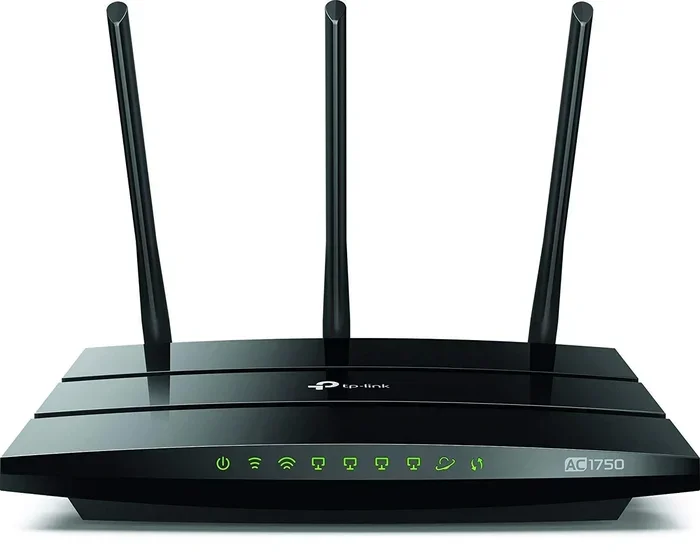
The most obvious way to use WiFi without a data plan is through your home internet connection. Almost every household has a WiFi router that provides internet to phones, tablets, laptops, and smart TVs. As long as you have a broadband or fiber plan, you can connect as many WiFi-only devices as you want.
Setting up a home WiFi network is simple. Most internet providers give you a router when you sign up for service. You plug it in, follow the setup instructions, and your WiFi is live. You can then connect your phone and other devices without ever touching a data plan.
Here are some quick tips for a strong home WiFi setup:
- Place your router in a central location: This spreads the signal evenly throughout your home.
- Avoid thick walls and metal objects: They block WiFi signals and weaken coverage.
- Use a WiFi extender if needed: These boost the signal to far rooms or floors.
- Update your router firmware: This keeps your network fast and secure.
Public WiFi Networks
Public WiFi is everywhere these days. Coffee shops, libraries, shopping malls, airports, and restaurants all offer free WiFi to customers and visitors. If you need internet while you are out, public hotspots can fill the gap left by your missing data plan.
Most smartphones detect available WiFi networks automatically. When you walk into a cafe or library, your phone will show you the available networks. Just connect, and you are online. Some places require you to accept terms of service or enter a password, but many are open and ready to use.
However, you should be careful with public WiFi. These networks are less secure than your home connection. Avoid entering sensitive information like bank details when using public WiFi. A VPN (Virtual Private Network) adds a layer of protection when you are on shared networks.
Portable WiFi Hotspots
If you need internet on the go but do not want a full data plan, a portable WiFi hotspot is a great option. These small devices plug in a SIM card and create a WiFi network that your phone and other devices can connect to. You pay for a prepaid data plan on the hotspot, which is often much cheaper than a traditional phone data plan.
Portable hotspots work well for people who travel frequently or need internet outside the home. They give you the freedom of mobile internet without tying yourself to a carrier’s expensive data package. Many providers offer pay-as-you-go plans that let you control exactly how much you spend.
Devices That Work Without a Data Plan
Not all devices need a cellular data plan to get online. In fact, many popular devices are designed to work entirely on WiFi. Let us explore the best options for WiFi-only living.
WiFi-Only Tablets and Laptops
Tablets and laptops are naturally WiFi-friendly devices. Most models connect to WiFi networks without any cellular capability built in. This means they do not need a data plan at all. You can browse the web, watch videos, video call friends, and work on documents using only WiFi.
iPads, Android tablets, and Chromebooks are excellent choices for WiFi-only users. They are lightweight, affordable, and perfect for people who stay mostly at home or in places with good WiFi coverage. If your phone does not have a data plan, a tablet or laptop gives you a bigger screen for streaming and browsing.
WiFi-Only Smartphones
Yes, you can buy smartphones that have no cellular data capability at all. These WiFi-only phones connect to the internet through WiFi networks and use VoIP apps for calls and texts. They are cheaper than regular smartphones because they skip the cellular modem hardware.
Popular options include certain models of the iPhone and Android phones sold in WiFi-only versions. These phones work perfectly for people who have WiFi at home and at work. You make calls through apps like WhatsApp, FaceTime, or Skype instead of using the cellular network.
If you already have a smartphone, you can simply turn off your mobile data and rely on WiFi. Your phone will still work for calls and texts as long as you are connected to WiFi. Many phones now support WiFi calling, which lets you make and receive calls over a WiFi network without using cellular service.
Smart Home Devices
Smart speakers, security cameras, and smart plugs all run on WiFi. They do not need a data plan to function. As long as your home WiFi is working, these devices will connect to the internet and respond to your commands. This makes WiFi-only living even more practical if you use smart home technology.
Limitations of WiFi-Only Usage
Living without a data plan has some real limitations. It is important to understand these before you make the switch. Let us look at the challenges you might face.
Coverage Gaps When You Leave Home
The biggest limitation of WiFi-only usage is that you lose internet access when you leave your home network. If you are walking down the street, driving in your car, or visiting a place without free WiFi, you will be offline. This can be frustrating if you need navigation, real-time information, or quick access to the internet while running errands.
Not every area has reliable public WiFi. Rural areas, suburbs, and some urban neighborhoods may have limited free WiFi options. This means your phone becomes less useful as an internet device when you step outside your home.
Emergency Situations
In an emergency, having no cellular connection can be a serious problem. If you need to call 911 and you are not connected to WiFi, your phone may not be able to place the call. Emergency services in many areas can trace WiFi calls, but the reliability varies by location and carrier.
Even if you do not use a data plan, keeping your cellular service active (even with zero data) ensures your phone can make emergency calls. Some carriers offer plans with no data but active voice and text service for a small monthly fee. This is a smart safety net for WiFi-only users.
Real-Time Navigation and Maps
Apps like Google Maps and Apple Maps need an internet connection to load maps and provide directions in real time. Without a data plan, you cannot get live navigation when you are outside your WiFi range. You can download offline maps ahead of time, but this requires planning and does not offer real-time traffic updates.
Tips for Maximizing WiFi-Only Connectivity
Want to make WiFi-only living work smoothly? Follow these practical tips to stay connected and get the most out of your WiFi network.
Download Content While on WiFi
One of the best habits for WiFi-only users is downloading content ahead of time. Stream your favorite shows and podcasts while connected to home WiFi, and watch or listen later when you are offline. Most streaming apps like Netflix, Spotify, and YouTube allow you to download content for offline viewing.
You can also download offline maps, documents, and articles before you leave the house. This way, you have access to important information even when you are away from a WiFi network.
Use Offline Apps
Many apps work great without an internet connection. Offline note-taking apps, reading apps, and games do not need WiFi to function. Install these apps so you always have something to do, even when you are away from a WiFi hotspot.
Some popular offline-friendly apps include Kindle for reading, Google Docs for notes, and Spotify for downloaded music. These apps keep you productive and entertained without requiring any data connection.
Optimize Your WiFi Setup at Home
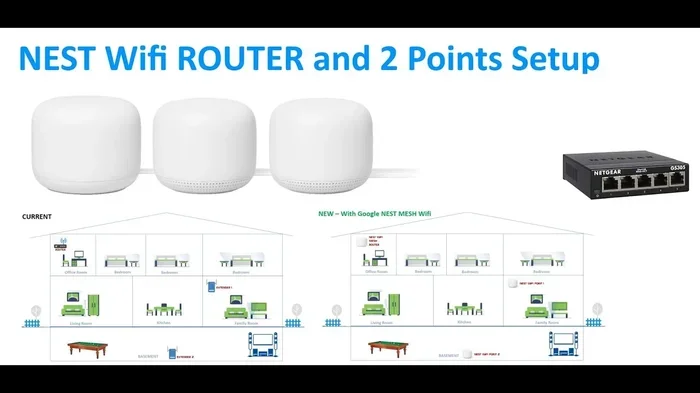
A strong home WiFi network makes WiFi-only living feel seamless. Invest in a good router with strong range and fast speeds. Consider a mesh WiFi system if your home is large or has multiple floors. Mesh systems use several units to spread WiFi coverage evenly throughout your space.
Here are a few more home WiFi optimization tips:
- Restart your router regularly: This keeps the connection stable and fast.
- Use the 5GHz band for speed: It is faster than the 2.4GHz band for most devices.
- Set a strong WiFi password: This prevents neighbors from using your bandwidth.
- Limit connected devices: Too many devices slow down your network.
Take Advantage of WiFi Calling
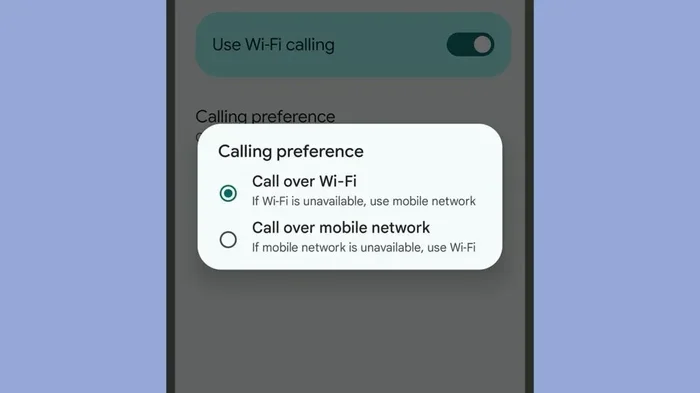
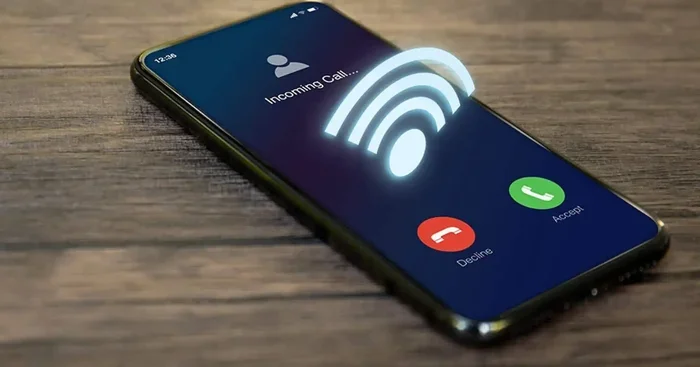
WiFi calling lets you make phone calls and send text messages over a WiFi network. This feature is built into most modern smartphones and does not require a data plan. As long as you are connected to WiFi, you can make and receive calls just like you would on a cellular network.
To enable WiFi calling, go to your phone’s settings and look for the WiFi Calling option. Turn it on, and your phone will automatically use WiFi for calls when cellular service is weak or unavailable. This is a game-changer for anyone living without a data plan.
Who Benefits Most From WiFi-Only Living?
WiFi-only living is not for everyone. But certain groups of people benefit greatly from dropping their data plan and relying on WiFi alone.
People who work from home are ideal candidates for WiFi-only usage. If your internet needs are met by your home broadband, a data plan becomes an unnecessary expense. Students who study on campus with strong WiFi can also thrive without a data plan.
Seniors who stay mostly at home and only need internet for video calls and browsing will find WiFi-only living simple and cost-effective. Similarly, people who primarily use their phone for texting, social media, and streaming while at home will save money by cutting their data plan.
Travelers who stay in hotels and Airbnbs with reliable WiFi can also manage without a data plan. However, if you are constantly on the move, a small prepaid data plan might still be worth keeping for peace of mind.
Comparison: WiFi-Only vs. Data Plan
Not sure which option fits your lifestyle? Here is a quick comparison to help you decide.
- Cost: WiFi-only is cheaper if you already have home internet. A data plan adds monthly costs that can range from $10 to $80 or more depending on your usage.
- Convenience: A data plan gives you internet anywhere with cell coverage. WiFi-only limits you to WiFi hotspots and your home network.
- Device flexibility: WiFi-only works best with devices that do not need cellular connectivity, like tablets and laptops.
- Emergency readiness: A data plan ensures you can always reach emergency services. WiFi-only users should keep a backup plan.
Final Thoughts on Using WiFi Without a Data Plan
So, can I just use WiFi without a data plan and stay connected? Absolutely. Millions of people around the world live full, connected lives without ever paying for a mobile data plan. The key is understanding how WiFi works, choosing the right devices, and planning ahead for situations where WiFi is not available.
Living WiFi-only is a smart choice for many people. It saves money, simplifies your phone setup, and works perfectly if your daily routine keeps you in WiFi-rich environments. Just be mindful of the limitations, especially when it comes to emergencies and on-the-go connectivity.
If you are considering making the switch, start small. Turn off your data plan for a week and see how you feel. You might be surprised at how little you actually miss it. With the right habits and tools, WiFi-only living can be simple, affordable, and fully satisfying.
The internet is more accessible than ever, and WiFi is at the heart of that access. You do not need a data plan to participate in the digital world. You just need a reliable WiFi connection and the right approach to staying online.
Frequently Asked Questions
Can I make phone calls without a data plan using WiFi?
Yes, you can. Most smartphones support WiFi calling, which lets you make and receive calls over a WiFi network. You just need to enable WiFi calling in your phone settings, and it works even without a cellular data plan.
Will my phone still work normally without a data plan?
Yes, your phone will work for calls, texts, and internet use as long as you are connected to WiFi. You can browse the web, use social media, stream videos, and send messages through apps like WhatsApp and Messenger. The only difference is you lose internet access outside WiFi range.
Is public WiFi safe to use without a data plan?
Public WiFi is generally safe for basic browsing and casual use. However, avoid entering passwords or financial information on public networks. Using a VPN adds extra security and protects your data when connected to shared WiFi hotspots.
Can I use a WiFi-only tablet as my main device?
Yes, many people use WiFi-only tablets as their primary device for browsing, streaming, and communication. As long as you have WiFi at home or access to public hotspots, a WiFi-only tablet handles most everyday tasks very well.
What happens if I need internet and there is no WiFi available?
Without a data plan and no WiFi, your phone will not have internet access. To prepare for this, download offline maps, save articles, and download content ahead of time. You can also carry a portable WiFi hotspot with a prepaid SIM as a backup option.
Do I need a data plan for WiFi calling and messaging apps?
No, WiFi calling and messaging apps like WhatsApp, Signal, and Facebook Messenger work over WiFi without a data plan. As long as your phone is connected to WiFi, you can make calls and send messages for free using these apps.
=== CONCLUSION ===
Can I just use WiFi without a data plan and stay connected? The answer is a clear yes. WiFi-only living is practical, affordable, and increasingly popular. By relying on home networks, public hotspots, and WiFi-friendly devices, you can stay connected to the internet without paying for a costly data plan.
Remember to download content ahead of time, use WiFi calling for phone calls, and keep a backup plan for emergencies. With the right setup, you will wonder why you ever paid for a data plan in the first place. Start exploring WiFi-only living today and enjoy the savings while staying fully connected.