Can Someone Piggyback My Phone and What to Do About It
Can someone piggyback my phone? Yes, it is possible through Wi-Fi hijacking, Bluetooth exploits, SIM cloning, and spyware. Phone piggybacking means someone gains unauthorized access to your device, data, or network connection without your knowledge. This guide explains exactly how it happens, how to spot it, and what steps to take to stop it. You will learn practical tips to lock down your phone and keep your personal information safe.
Key Takeaways
- Phone piggybacking can happen through multiple methods: Wi-Fi, Bluetooth, SIM cloning, malware, and physical access.
- Warning signs include strange battery drain, unknown apps, and unusual data usage. These are red flags you should never ignore.
- Strong passwords, two-factor authentication, and regular updates are your first line of defense. They make piggybacking much harder.
- VPNs, firewall apps, and Bluetooth management add extra layers of protection. They close gaps that attackers exploit.
- If you suspect piggybacking, act fast: change passwords, scan for malware, and contact your carrier immediately.
- Regular security audits keep your phone safe long-term. Prevention is always better than cure.
📑 Table of Contents
- What Does It Mean to Piggyback a Phone?
- How Can Someone Piggyback My Phone?
- Signs That Someone Is Using Your Phone Without Permission
- How to Prevent Phone Piggybacking
- What to Do If Someone Has Piggybacked Your Phone
- Expert Tips for Long-Term Phone Security
- Comparison: Phone Security Tools
- Quick Tips to Remember
- Conclusion
What Does It Mean to Piggyback a Phone?
Phone piggybacking happens when someone gains access to your device or network without your permission. Think of it like someone sneaking onto your Wi-Fi without asking. But it goes much deeper than just using your internet connection.
When someone piggybacks your phone, they can see your messages, track your location, and even make calls at your expense. It is a serious privacy and security concern that affects millions of people every year. The good news is that understanding how it works is the first step to stopping it.
Phone piggybacking is not just a tech problem. It is a personal safety issue. Your phone holds your photos, banking details, contacts, and private conversations. If someone unauthorized gets access, the damage can be huge. Let us break down exactly how this happens so you can protect yourself.
The term piggyback my phone covers a wide range of unauthorized access methods. From simple Wi-Fi theft to advanced spyware installation, the techniques vary. But the goal is always the same: to use your phone or your data without your knowledge. This article covers every method and every solution you need.
How Can Someone Piggyback My Phone?
There are several ways someone can piggyback your phone. Each method exploits a different vulnerability. Let us look at the most common ones so you know what to watch out for.
Wi-Fi Piggybacking
Public Wi-Fi networks are a goldmine for attackers. When you connect to an open network, anyone on that same network can potentially intercept your data. This is called a man-in-the-middle attack. It is one of the easiest ways someone can piggyback your phone activity.
Even home Wi-Fi networks are not safe. If your password is weak or shared with too many people, strangers can connect and monitor your traffic. They can see which websites you visit, what you type, and sometimes even your login credentials. unsecured Wi-Fi networks are the biggest culprits here.
To make matters worse, attackers can set up fake Wi-Fi hotspots. These look like real networks but are actually traps. When you connect, they can capture everything you do on your phone. This is called an evil twin attack, and it is surprisingly common in cafes, airports, and hotels.
Bluetooth Exploits
Bluetooth is another entry point for phone piggybacking. When your Bluetooth is turned on and visible, nearby devices can detect your phone. Some attackers use Bluetooth hacking tools to connect to your device without you knowing.
There is a specific type of attack called BlueBorne. It lets hackers take control of your phone through Bluetooth alone. No pairing or user interaction is needed. This vulnerability affected millions of devices before patches were released. The lesson? Keep your Bluetooth off when you are not using it.
Another risk is unauthorized Bluetooth pairing. Sometimes you accidentally accept a connection request from an unknown device. Once paired, that device can access your files, contacts, and even your camera. Always review your Bluetooth paired devices list regularly and remove anything you do not recognize.
SIM Cloning and Call Forwarding
SIM cloning is a more advanced method of phone piggybacking. Attackers copy your SIM card data onto another card. This gives them access to your phone number, calls, and text messages. They can receive your verification codes and bypass two-factor authentication.
Call forwarding is another sneaky tactic. A hacker can set up call forwarding on your line without your knowledge. This means all your calls go to them instead of you. They can listen to your conversations and intercept sensitive information. This is a form of telecom fraud that is more common than most people realize.
To protect against SIM cloning, contact your carrier and add a PIN or password to your account. This makes it much harder for someone to request a duplicate SIM in your name. It is a simple step that adds a powerful layer of protection.
Physical Access Abuse
Sometimes the simplest method is the most effective. If someone has physical access to your phone, they can do a lot of damage. They can unlock it, install apps, change settings, and access all your data.
Think about how often you leave your phone unattended. At a coffee shop, in a gym locker room, or at a party. Even a few minutes of unsupervised access is enough for someone to install spyware or change your passcode. physical phone security is something many people overlook.
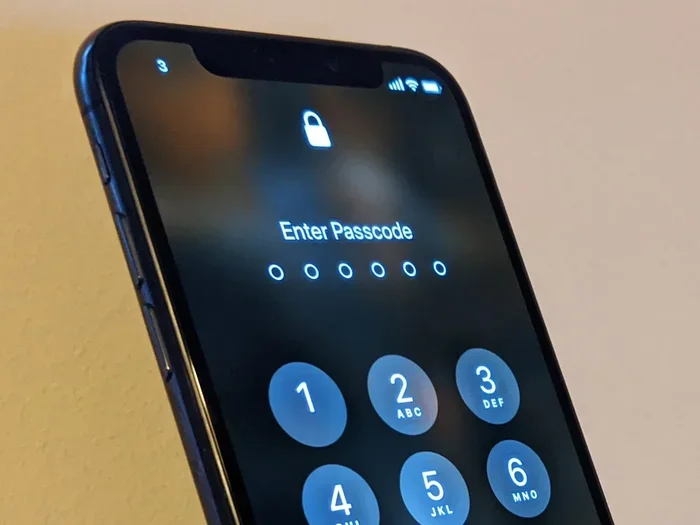
Using a strong screen lock is your first defense. A six-digit PIN is much better than a four-digit one. Even better, use biometrics like fingerprint or face recognition combined with a strong passcode. This makes it very hard for someone to unlock your phone quickly.
Mobile Malware and Spyware
Malware and spyware are the most dangerous forms of phone piggybacking. These malicious programs can give a hacker complete remote access to your device. They can read your texts, listen to your calls, track your GPS location, and even turn on your camera without you knowing.
Spyware apps are often disguised as legitimate tools. They might look like a battery booster, a flashlight app, or even a calendar app. Once installed, they run silently in the background. You may never notice them unless you know what to look for. This is why mobile malware protection is so important.
Phishing attacks are another common way malware gets installed. You receive a text or email with a suspicious link. When you tap it, malware downloads to your phone automatically. These messages often create a sense of urgency to trick you into acting fast. Always pause and think before clicking any link you were not expecting.
Signs That Someone Is Using Your Phone Without Permission
Detecting phone piggybacking early can save you from serious damage. Here are the most common signs that someone unauthorized is accessing your device.
- Unusual battery drain: If your battery drops much faster than usual, spyware or background apps may be running without your knowledge.
- Increased data usage: Spyware sends your data to remote servers. Check your data usage stats regularly for unexpected spikes.
- Unknown apps appearing: If you see apps you did not install, someone has accessed your phone. Delete them immediately and scan for malware.
- Phone running hot: A phone that is always warm, even when idle, may be running hidden processes or background tracking.
- Strange text messages: Random codes or messages you did not send can indicate someone is using your phone remotely.
- Camera or microphone light turning on: If your phone indicator lights activate when you are not using them, something may be accessing these features.
- Slow performance: A phone that suddenly becomes sluggish may be compromised by hidden apps or remote access tools.
If you notice any of these signs, do not panic. But do take action quickly. The longer you wait, the more data the intruder can access. Run a security scan, change your passwords, and review your account activity right away.
How to Prevent Phone Piggybacking
Prevention is always better than cure. Here are proven steps to keep your phone secure and stop anyone from piggybacking your device.
Lock Down Your Phone
Start with the basics. Use a strong screen lock. A six-digit PIN or alphanumeric password is best. Enable biometric authentication for convenience and extra security. Set your phone to lock automatically after 30 seconds of inactivity.
Turn off notifications on your lock screen. This prevents someone from reading your messages or seeing sensitive information without unlocking your phone. Go into your settings and disable preview messages for email, SMS, and messaging apps.
Use a VPN on Public Networks
A virtual private network encrypts your internet traffic. This makes it nearly impossible for someone on the same Wi-Fi network to intercept your data. Use a reputable VPN whenever you connect to public Wi-Fi at airports, hotels, or cafes.
Some good VPN options include NordVPN, ExpressVPN, and Mullvad. They are easy to set up and provide strong encryption. A VPN is one of the simplest and most effective tools for protecting your phone on public networks.
Manage Your Bluetooth and Wi-Fi Settings
Turn off Bluetooth when you are not using it. Set your Wi-Fi to forget public networks after you leave them. These small habits make a big difference in reducing your attack surface.
On both iPhone and Android, you can set Wi-Fi to ask before joining new networks. This prevents your phone from automatically connecting to rogue hotspots. It is a simple setting that adds a layer of network security you should not skip.
Keep Your Software Updated
Software updates fix security vulnerabilities. When you delay updates, you leave known holes open for attackers. Enable automatic updates on your phone so you always have the latest security patches.
This applies to your operating system, apps, and any security software you use. Outdated apps are a common entry point for mobile malware. Check your app store regularly for updates and install them promptly.
Install Reputable Security Software
A good mobile security app can detect and remove spyware, block malicious websites, and scan for vulnerabilities. Look for apps that offer real-time protection, anti-theft features, and regular security scans.
Some trusted options include Norton Mobile Security, Bitdefender, and Kaspersky. These apps are lightweight and do not drain your battery. They run quietly in the background and alert you to any threats they find.
What to Do If Someone Has Piggybacked Your Phone
If you suspect someone has accessed your phone without permission, act quickly. Here is a step-by-step plan to regain control of your device.
- Disconnect from the internet: Turn off Wi-Fi and mobile data immediately. This stops any active data transfer to the attacker.
- Run a full security scan: Use your security app or built-in antivirus to scan for malware and spyware. Delete anything suspicious.
- Change all your passwords: Start with your email, banking, and social media accounts. Use strong, unique passwords for each account.
- Review app permissions: Go through your installed apps and revoke any permissions you did not grant. Pay special attention to camera, microphone, and location access.
- Check for unknown devices: Review your Bluetooth paired devices and Wi-Fi connections. Remove anything you do not recognize.
- Contact your carrier: If you suspect SIM cloning or call forwarding, contact your mobile carrier right away. They can help secure your line.
- Factory reset as a last resort: If the compromise is severe, a factory reset will wipe everything and give you a clean start. Back up important data first.
After taking these steps, monitor your phone closely for any returning signs of unauthorized access. Keep your security software active and stay vigilant. Phone security is an ongoing process, not a one-time fix.
Expert Tips for Long-Term Phone Security
Keeping your phone secure is not just about reacting to threats. It is about building habits that protect you every day. Here are some expert-backed tips for long-term device protection.
Enable two-factor authentication on every account that supports it. This adds a second layer of security beyond your password. Even if someone gets your password, they still cannot access your account without the second factor.
Review your app permissions monthly. Over time, you may forget which apps have access to your camera, contacts, or location. Regular reviews help you catch and remove unnecessary permissions.
Avoid rooting or jailbreaking your phone. These practices remove built-in security protections. They make your phone much more vulnerable to attacks. If you need extra features, look for apps and settings that work within your phone’s standard security framework.
Use a password manager to create and store unique passwords for every account. This eliminates the risk of password reuse, which is one of the most common ways attackers gain access to multiple accounts.
Back up your data regularly. If your phone is ever compromised, having a recent backup means you can restore your information without losing anything. Use cloud backup or an external drive to keep copies of your important files.
Educate yourself on the latest threats. Phone security is constantly evolving. New attack methods appear regularly. Staying informed helps you stay one step ahead of potential attackers. Follow trusted tech news sources and security blogs to keep up with the latest developments.
Comparison: Phone Security Tools
| Tool Type | Best For | Example Apps | Cost |
|---|---|---|---|
| VPN | Encrypting public Wi-Fi traffic | NordVPN, ExpressVPN | Free to $12/month |
| Antivirus | Detecting and removing malware | Norton, Bitdefender, Kaspersky | Free to $10/month |
| Password Manager | Storing unique passwords securely | 1Password, Bitwarden | Free to $3/month |
| Firewall App | Controlling app network access | NetGuard, Blokada | Free to $5/month |
| Anti-Theft App | Locating and locking lost phones | Find My Device, Prey | Free to $5/month |
Using a combination of these tools gives you layered protection. No single tool can cover every threat. But together, they create a strong defense against phone piggybacking and other security risks.
Quick Tips to Remember
- Always use a strong, unique passcode on your phone.
- Turn off Bluetooth and Wi-Fi when not in use.
- Never click links in unexpected text messages or emails.
- Review app permissions at least once a month.
- Keep your phone updated with the latest software.
- Use a VPN on any public Wi-Fi network.
- Enable two-factor authentication on all important accounts.
Conclusion
So, can someone piggyback my phone? The answer is yes, and there are many ways it can happen. Wi-Fi hijacking, Bluetooth exploits, SIM cloning, spyware, and physical access are all real threats. But the good news is that you have the power to protect yourself.
By following the steps in this guide, you can significantly reduce your risk of unauthorized phone access. Lock down your device, use strong passwords, keep your software updated, and stay alert to warning signs. Phone security is not something you set and forget. It is an ongoing practice that keeps your personal data safe.
Take action today. Review your phone settings, check for unknown apps, and make sure your accounts are protected. A few minutes of effort now can save you from serious headaches later. Your phone holds your life. Treat its security with the importance it deserves.
Frequently Asked Questions
Can someone piggyback my phone through Wi-Fi?
Yes, someone can piggyback your phone through Wi-Fi, especially on public networks. Attackers can intercept your data or set up fake hotspots to capture your information. Using a VPN on public Wi-Fi is one of the best ways to protect yourself.
How do I know if someone has spyware on my phone?
Signs of spyware include unusual battery drain, increased data usage, unknown apps, and your phone running hot. If you notice these symptoms, run a full security scan immediately. Consider using a reputable antivirus app to detect and remove hidden spyware.
Can someone clone my SIM card and piggyback my phone?
Yes, SIM cloning is a real threat. Attackers copy your SIM data to gain access to your phone number, calls, and texts. To protect yourself, add a PIN to your mobile carrier account and contact your provider if you suspect cloning.
What should I do if someone piggybacks my phone?
Disconnect from the internet, run a security scan, change all your passwords, and review your app permissions. If the issue persists, contact your carrier and consider a factory reset. Acting quickly limits the damage an attacker can cause.
Is phone piggybacking illegal?
Yes, unauthorized access to someone’s phone is illegal in most countries. It can result in criminal charges, fines, and imprisonment. If you suspect someone is piggybacking your phone, report it to your local authorities and your mobile carrier.
How can I prevent someone from accessing my phone remotely?
Use a strong screen lock, enable two-factor authentication, keep your software updated, and avoid clicking suspicious links. Installing reputable security software and using a VPN on public networks adds extra protection against remote access attacks.