Can You Get A Dash Cam That Connects To Your Phone
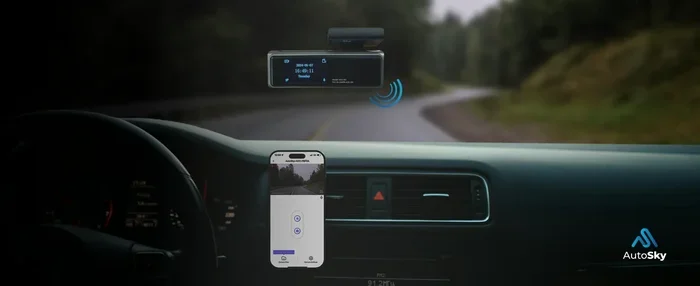
Yes, you can absolutely get a dash cam that connects to your phone. Modern wireless dash cams use Wi-Fi to link directly with your smartphone. You can view live streams, download clips, and adjust settings using a simple dash cam app.
Have you ever wondered if you can get a dash cam that connects to your phone? The answer is a big yes! Today, cars are smarter than ever. Your dash cam should be smart too. A wireless dash cam lets you see the road from your phone. It makes driving safer and easier for everyone on the road.
We live in a world where our phones control almost everything. We use them for maps, music, and even smart home devices. So why should your car security be any different? Imagine you are parked on a busy street. Someone bumps your car and leaves. With a smartphone dash cam, you get an alert right away. You can see what happened on your phone screen. You do not need to walk over to the car to check the camera. This guide will show you how these amazing devices work. We will look at the features, the best models, and how to set them up. You will learn why a dash cam that connects to your phone is a game changer for every driver. Let us dive right in and explore this cool technology together.
Key Takeaways
- Wireless Connection: Most modern dash cams use Wi-Fi to connect straight to your phone.
- Smartphone Apps: You can control your device and view live feeds through a dedicated dash cam app.
- Cloud and Local Storage: These cameras offer options for saving your incident video right to your device or the cloud.
- Live Streaming: You can watch a live stream of the road from your smartphone while parked or driving.
- Easy Setup: Connecting a dash cam to your phone usually takes just a few minutes and no technical skills.
📑 Table of Contents
How Does a Dash Cam Connect to Your Phone?
Connecting a dash cam to phone setup is very simple. Most modern cameras use wireless signals. They talk to your phone without any messy wires. This makes the whole experience smooth and fast. You do not need to be a tech expert to make it work. Anyone can do it with just a few taps. Let us look at how this connection actually works in real life.
The Magic of Wi-Fi
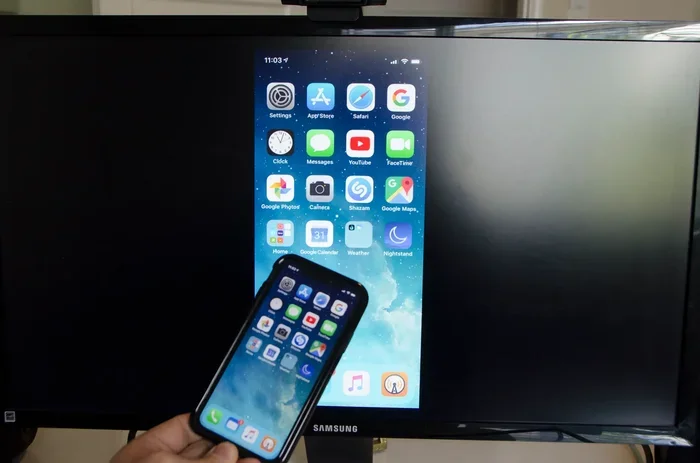
Almost every wireless dash cam uses Wi-Fi. The camera builds its own small Wi-Fi network. It is like a tiny hotspot inside your car. When you open the dash cam app on your phone, you join that network. Once connected, your phone and camera can talk to each other. You can see a live feed from the camera. You can also pull up saved videos. The Wi-Fi signal usually works within about fifty feet. So, you must be near the car to use it. This is perfect for checking your car when you are walking to it in a parking lot. It is also great for downloading videos right after a trip.
Bluetooth vs. Wi-Fi for Dash Cams
Some cameras use Bluetooth to connect. Bluetooth uses very little power. It is great for small tasks like sending a quick alert. But Bluetooth has a short range. It also has slower data speeds. You cannot send large video files through Bluetooth easily. That is why most smartphone dash cam models use Wi-Fi. Wi-Fi is faster and can handle big video files. It lets you stream live video too. For the best experience, always pick a dash cam with Wi-Fi. You will get much better results with Wi-Fi than with Bluetooth. The speed difference is huge when you are trying to download a long recording.
Top Features You Get With Phone Connection
Why bother connecting your camera to your phone? The features are fantastic. A dash cam that connects to your phone does so much more than just record. Here are the top features you will love when you use a wireless dash cam every day.
Live Streaming and Remote Viewing
One of the coolest features is live streaming. You can open your app and watch what the camera sees. This is great for parking lot walks. You can check if the path is clear before you walk. It is also helpful if you want to see where you parked. Some cameras let you control the camera from your phone. You can start or stop recording with a simple tap. This mobile app control gives you peace of mind. You always know what is happening around your car. You can even talk to people near your car if the camera has a two-way audio feature. It feels like you are right there in the car, even when you are far away.
Instant Video Sharing
If you capture an incident video, you need to share it fast. With a phone connection, you can download clips right away. You can send the video to your insurance company. You can also post it on social media to warn other drivers. The instant sharing feature saves you a lot of time. You do not need to take the SD card out of the camera. Everything happens on your phone screen. It is quick and very easy. You just tap a button, and the video is on your phone. You can email it or text it to anyone in seconds.
Cloud Storage and GPS Tracking
Many cloud storage dash cam models let you save videos online. When your phone connects, it can push videos to the cloud. This means your GPS tracking data and video are safe. Even if someone steals your camera, the video is safe in the cloud. You can also track your car’s location using the app. This adds a great layer of security to your road trip safety plan. You always know where you are. You always know where your car is. This is very helpful if you are traveling in a new city. You can also set the app to save videos automatically when it detects a crash.
Driver Scoring and Safety Alerts
Some advanced apps give you a driver score. They track your hard braking and sharp turns. The app uses the camera data to give you feedback. This helps you become a better driver over time. You can also get real-time alerts for forward collisions. Your phone will buzz if the camera sees a danger ahead. These alerts can truly save lives. They wake you up if you are getting too close to the car in front. They keep you focused on the road. The dash cam app acts like a second set of eyes for you.
Best Dash Cams That Connect to Phones
There are many wireless dash cam options on the market. Picking the right one can feel tricky. Here are a few top models that work great with phones. Each one has its own special strengths and benefits.
The Vantrue N2 Pro
The Vantrue N2 Pro is a front and rear camera system. It connects to your phone through its app. You get super clear video day and night. The night vision dash cam quality is excellent. It also has loop recording. This means it overwrites old videos when the card is full. You can check your footage on your phone anytime. It is a very reliable choice for daily drivers. The app is easy to use. You can change settings right from your phone. You can also mark important videos so you do not lose them. The build quality is very strong too.
The Nextbase 622GW
The Nextbase 622GW is a smart dash cam. It connects to your phone using Wi-Fi. It has a built-in Alexa voice assistant. You can control it without taking your eyes off the road. It also offers parking mode. When your car is off, the camera stays on low power. It uses motion detection to start recording if someone touches your car. The app lets you watch the live feed and download clips. It is a premium option for tech lovers. The screen is very bright and clear. It makes it easy to see your recorded videos right on the camera too. The Alexa integration makes it very unique.
Comparison of Phone-Connected Dash Cams
It helps to see the differences side by side. Here is a quick look at how these two popular models compare. This helps you choose the right one for your needs.
- Vantrue N2 Pro: Great for front and rear coverage. Excellent night vision. Simple phone app and easy setup.
- Nextbase 622GW: Has Alexa built-in. Great for smart home integration. Strong parking mode alerts and motion detection.
Both cameras connect to your phone very well. The choice depends on your needs. If you want simple rear coverage and great night vision, pick one model. If you want smart features and voice control, pick the other. Both will give you the dash cam to phone connection you want. They both make your driving experience much better and safer.
Setting Up Your Dash Cam with Your Phone
Setting up your dash cam that connects to your phone is not hard. You do not need to be a tech expert. Follow these simple steps to get started. It should only take about ten minutes from start to finish.
Downloading the App
First, go to your app store. Search for the brand name of your dash cam. For example, search for “Vantrue” or “Nextbase.” Download the free dash cam app. Make sure your phone has enough storage space. The app is small, but videos can take up room. Also, check that your phone operating system is up to date. This helps avoid any connection problems later on. A quick restart of your phone before starting is also a good idea. It clears out any background apps that might cause trouble.
Connecting the Devices
Next, turn on your dash cam. Wait for the Wi-Fi light to blink. This means it is broadcasting its signal. Open your dash cam app on your phone. The app will search for the camera. Tap on the camera name when it appears. You might need to enter a default password. This is often “12345678” or “admin.” Once paired, you will see a live feed on your phone screen. You are now connected! Now you can view your footage anytime. Make sure to enable location services on your phone. This allows the GPS tracking feature to work properly.
Quick Tips for a Smooth Connection
Getting the best signal makes everything easier. Here are some quick tips to keep in mind during setup and daily use.
- Always keep your phone close to the dash cam during setup.
- Turn off other Bluetooth devices to avoid signal confusion.
- Restart the app if the live feed does not show up.
- Make sure your dash cam is fully charged before the first setup.
- Place your phone in a secure holder while testing the connection.
Why Phone Connection Makes Driving Safer
A dash cam that connects to your phone is not just for watching videos. It actually makes you a safer driver. Let us look at the safety benefits in more detail. These features can truly change how you drive every single day.
Real-Time Alerts on Your Phone
Some cameras can send alerts to your phone. If the camera detects a crash, it can notify you. This is very useful for parking mode. If someone hits your car in a parking lot, you know right away. You can check the incident video on your phone. You do not have to wait for someone to tell you. This quick response helps you handle accidents better. You can call your insurance right away. You have the proof you need in your pocket. It saves you a lot of stress and hassle after an accident.
Keeping Your Eyes on the Road
Using voice commands is another big safety plus. Many apps let you start recording with your voice. You do not need to reach for the camera. This keeps your hands on the wheel. It also keeps your eyes on the road. road trip safety depends on small habits like these. A phone-connected camera helps you build them. You can also use voice commands to save a clip. If you see something funny or scary, just say a command. The camera saves the video without you touching it. This keeps your focus entirely on driving safely.
Common Problems and How to Fix Them
Even the best wireless dash cam can have small issues. Phone connections are not always perfect. Here are common problems and easy fixes. Do not worry if you run into one of these. They are all very easy to solve.
Wi-Fi Disconnects
Sometimes the Wi-Fi signal drops. This can happen if your phone is too far away. It can also happen if other devices interfere. To fix this, move closer to the camera. Turn off other Wi-Fi networks on your phone. Restart the camera and try again. A hardwire kit can also help keep the camera powered steady. This stops Wi-Fi drops from power issues. A steady power source makes the Wi-Fi signal stronger and more stable. It also means you never have to worry about the camera turning off.
App Crashing or Freezing
If the app crashes, do not worry. This is a common issue. First, close the app completely. Open it again and try to reconnect. If that does not work, check for app updates. Developers fix bugs with new updates. Also, make sure your phone has enough memory. A full phone can slow down the app. Clearing the app cache often solves the problem too. You can find this in your phone settings under the app menu. Restarting your phone is also a very good first step.
Slow Video Downloads
Downloading a big incident video can take time. Wi-Fi speeds vary inside cars. Metal and glass can block the signal. To speed things up, stay right next to the camera. Also, lower the video quality in the app settings for quick checks. You can always download the full quality file later when you are home and on your home Wi-Fi network. This saves you time and frustration when you need the video fast. It is a simple trick that works every time.
Final Thoughts on Phone-Connected Dash Cams
So, can you get a dash cam that connects to your phone? Absolutely! These devices have changed how we drive. They offer live streaming dash cam features, easy sharing, and great safety alerts. You can monitor your car from your phone. You can share incident video clips in seconds. The setup is simple, and the benefits are huge. You will wonder how you ever drove without one.
Whether you are a daily commuter or a weekend traveler, a wireless dash cam is a smart buy. It gives you control right at your fingertips. Pick a model with a good dash cam app and strong Wi-Fi signal. You will love being able to check on your car from anywhere. These cameras are also very affordable now. You do not need to spend a fortune to get great phone features. Embrace the technology and enjoy a safer, smarter ride today. Your phone and your car will work together to keep you safe on every trip.
Frequently Asked Questions
Can I use any dash cam app with my phone?
No, you must use the app made for your specific dash cam brand. Each brand has its own dash cam app. Download the app that matches your camera model. This ensures the best connection and features.
Does connecting a dash cam to my phone drain my battery?
It can use a little bit of battery while you are actively using the app. However, the dash cam itself uses power from your car. If you are worried, you can turn off the Wi-Fi on the camera when you are not using it. This stops the battery drain on your phone.
Is a wireless dash cam as good as a wired one?
Yes, modern wireless dash cams are just as good. They record high-quality video just like wired models. The only difference is how you transfer the files. Wireless models use Wi-Fi to send videos to your phone instead of a cable.
Can I view my dash cam footage while driving?
You can view the live feed, but it is not safe to do so while driving. It is best to check your dash cam app when you are parked. If you need to review a clip, pull over safely first. Keeping your eyes on the road is always the top priority.
What happens if my dash cam is stolen?
If you use cloud storage, your incident video is safe online. The camera might be gone, but the proof of what happened is saved in the cloud. This is a huge benefit of connecting your camera to your phone and the internet.
How far away can my phone be from the dash cam?
The Wi-Fi signal usually works within about fifty feet. This means you need to be fairly close to your car. You cannot check your camera from inside your house. It is designed for use when you are right next to the vehicle, like in a parking lot.