Can You Get Usb Extension Cables Here Is Everything
Yes, you can absolutely get a USB extension cable, and they come in many shapes, sizes, and speeds to fit your needs. Whether you need a short cord for your desk or a long one across the room, there is a USB extension cable that works for you. In this guide, we cover every type, tip, and mistake to avoid.
Have you ever been in a situation where your USB cable just does not reach the port you need? Maybe your desk setup is a mess, or your printer sits too far from your computer. The good news is that you can solve this problem easily. USB extension cables are simple, affordable, and widely available. They let you extend the reach of any USB connection without replacing your existing cables.
But here is the thing. Not all USB extension cables are the same. Some are fast. Some are slow. Some work for data, while others are only for charging. If you have ever wondered whether you can get a USB extension cable that actually works well, the answer is yes. This guide covers everything you need to know. From types and lengths to speed, quality, and common mistakes, we have you covered.
Whether you are a gamer, a remote worker, or someone who just wants a cleaner desk setup, a USB extension cord can make a huge difference. Let us dive into all the details so you can make the best choice for your needs.
Key Takeaways
- USB extension cables are widely available and come in multiple types to suit different devices and setups.
- Choose the right length and type to avoid signal loss and slow data transfer speeds.
- USB 3.0 and USB-C extension cables offer faster speeds and better performance for modern devices.
- Avoid cheap, low-quality cables that can cause connectivity issues or damage your devices.
- Active extension cables with signal boosters are ideal for long-distance connections.
- Check compatibility with your devices before purchasing any USB extension cable.
- Proper placement and cable management can extend the life of your USB extension cables.
📑 Table of Contents
- What Is a USB Extension Cable?
- Types of USB Extension Cables You Can Get
- How to Choose the Right Length for Your USB Extension Cable
- Speed and Performance: Does Cable Length Affect USB Speed?
- Best Uses for USB Extension Cables
- Common Mistakes to Avoid When Buying USB Extension Cables
- Expert Tips for Getting the Most Out of Your USB Extension Cable
- Comparison Table: USB Extension Cable Types
- Where to Buy USB Extension Cables
- Conclusion
What Is a USB Extension Cable?
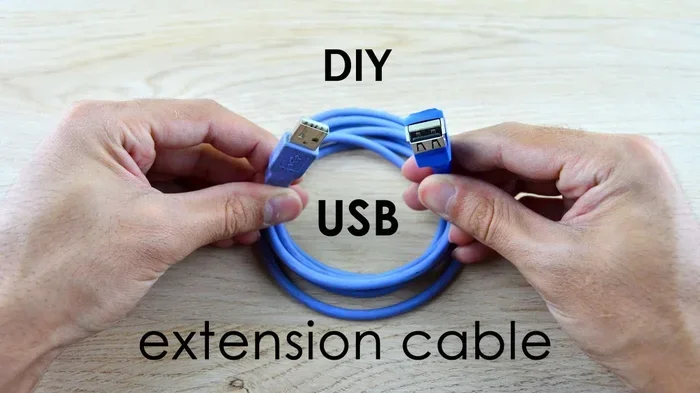
A USB extension cable is a cable that plugs into your existing USB cable or port and adds extra length. It works like a bridge. One end connects to your device, and the other end gives you a new connection point. This simple tool helps you reach ports that are too far away or hard to access.
You will see USB extension cables in many forms. Some are short, like 1 foot. Others can be 10 feet or longer. They come in different USB types too. You have USB-A, USB-B, USB-C, and Micro USB. Each type serves a different purpose and fits different devices.
How Does a USB Extension Cable Work?
A USB cable extender simply passes the signal from one end to the other. It does not change the data or power in any way. The signal travels through the wires inside the cable. The longer the cable, the more the signal can weaken. This is why cable length matters a lot. We will talk more about that later.
Most USB extension cords are passive. That means they do not need any power source. They just carry the signal from point A to point B. However, very long cables may need an active USB extension cable with a built-in signal booster. We will cover that too.
Types of USB Extension Cables You Can Get
When you go looking for a USB extension cable, you will find many options. Each type has its own use case. Let us break them down so you know exactly what to look for.
USB-A Extension Cables
The USB-A type is the most common one. It is the flat, rectangular plug you see on almost every computer, wall charger, and hub. A USB-A extension cable is great for extending connections for keyboards, mice, flash drives, and printers. These cables are widely available and come in many lengths.
If you are setting up a desktop computer, a USB-A extension cord is probably what you need. It is affordable and works with almost any device that uses a USB-A port.
USB-C Extension Cables
USB-C is the newer, reversible connector. It is smaller, faster, and can carry both data and power. A USB-C extension cable is perfect for modern laptops, phones, and tablets. If you use a USB-C extension cable, you get faster data transfer and quicker charging speeds.
Many newer devices only have USB-C ports. So if you need more reach, a USB-C extension cord is the way to go. Look for ones that support USB 3.0 or higher for the best performance.
USB-B and Micro USB Extension Cables
USB-B connectors are square-shaped and often used for printers and external hard drives. A USB-B extension cable helps you move these devices farther from your computer. Micro USB is older but still common in many gadgets. You can find Micro USB extension cables for older phones, tablets, and controllers.
These types are less common now but still useful. If you have older devices, make sure you get the right USB extension adapter for them.
Female-to-Female and Male-to-Female Extensions
You will also see USB female to female extension cables. These have a female port on each end. You plug your existing male cable into one end, and the other end gives you a new female port. A male to female USB extension cable works similarly but has a male plug on one end and a female port on the other.
These are handy for adding a few extra inches to a connection. They are small, simple, and great for tight spaces.
How to Choose the Right Length for Your USB Extension Cable
Length is one of the most important factors when picking a USB extension cable. Too short and it does not reach. Too long and you may lose signal quality. Here is what you need to know.
Short Extensions (1 to 3 Feet)
Short USB extension cables are perfect for desk setups. They add just enough length to reach a port that is slightly out of reach. A 1-foot or 2-foot USB cable extender works great for keyboards, mice, and flash drives. Signal loss is minimal at these short distances.
Medium Extensions (3 to 6 Feet)
A medium-length USB extension cord gives you more flexibility. You can place devices farther away without stretching. This is a good length for printers, external hard drives, and webcams. Most USB extension cables in this range offer solid performance.
Long Extensions (6 to 15 Feet and Beyond)
For longer distances, you need a better cable. A passive USB extension cable longer than 6 feet may start to lose signal. This means slower data speeds and weaker charging. For long runs, look for an active USB extension cable with a built-in amplifier or signal booster.
Active cables use a small chip to strengthen the signal. They cost a bit more but are worth it for long USB cable lengths. If you need to run a cable across a room, go with an active option.
Speed and Performance: Does Cable Length Affect USB Speed?
Many people wonder if a longer USB extension cable will slow things down. The short answer is yes, it can. But it depends on the cable quality and the USB version you are using.
USB 2.0 vs USB 3.0 Extension Cables
A USB 2.0 extension cable has a max data speed of 480 Mbps. That is fine for basic tasks like charging a phone or moving small files. A USB 3.0 extension cable offers speeds up to 5 Gbps. That is ten times faster. If you transfer large files or use external drives, go with USB 3.0.
The USB extension cable speed also depends on the cable quality. Cheap cables with thin wires may not deliver the full speed, even if they are labeled as USB 3.0.
USB-C and Thunderbolt Extension Speeds
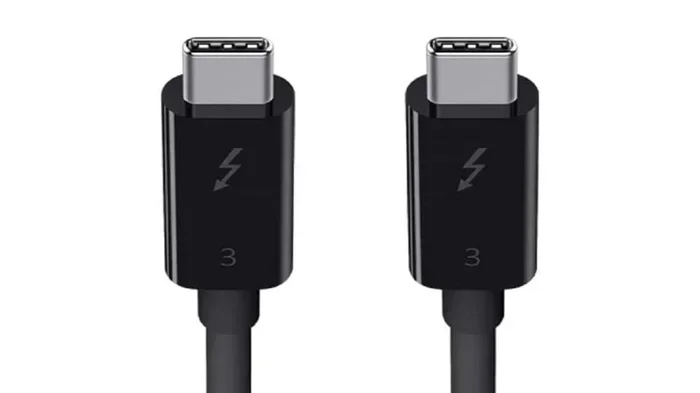
If you use a USB-C extension cable that supports Thunderbolt 3 or 4, you can get speeds up to 40 Gbps. These are the fastest options available. They are perfect for professional work, video editing, and high-end gaming setups.
Keep in mind that all devices in the chain must support the same speed standard. If your laptop supports USB 3.0 but your extension cable is USB 2.0, the speed will drop to 2.0 levels.
Does Charging Speed Drop with Longer Cables?
Yes, it can. Longer cables have more resistance. This means less power reaches your device. For fast charging, keep your USB extension cable as short as possible. If you need length, choose a thick, high-quality cable with good wire gauge. A USB extension cable for fast charging will have thicker internal wires to reduce power loss.
Best Uses for USB Extension Cables
USB extension cables are useful in many situations. Here are some of the most common ways people use them.
Desk Setup and Workspace Organization
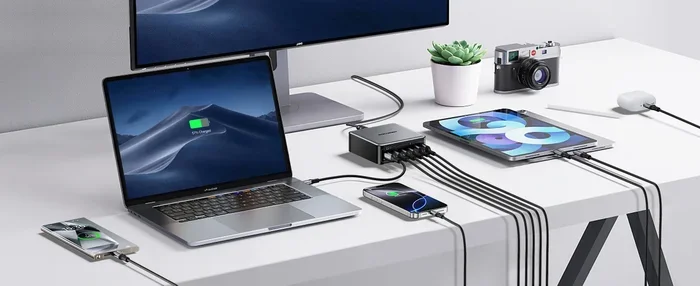
A clean desk is a happy desk. Many people use a USB extension cable for desk setup to route cables neatly behind their monitor or desk. This keeps cables out of the way and makes your workspace look tidy. You can place your USB devices exactly where you want them.
Extending Connections for Printers and Scanners
If your printer is far from your computer, a USB extension cable for printer solves the problem. You do not need to move the printer or use a long USB cable that comes with the device. Just plug in an extension and you are good to go.
Gaming Setups
Gamers often need to place controllers, headsets, or external drives far from their PC. A USB extension cable for gaming gives you the freedom to position your devices wherever you want. Look for cables that support USB 3.0 for low-latency connections.
External Hard Drives and Storage
External hard drives need a stable connection. A USB extension cable for external drive helps you place the drive in a convenient spot. Make sure to use a USB 3.0 extension cable for the best transfer speeds with large files.
Charging Devices Across the Room
Sometimes you just need to charge your phone from a distant outlet or port. A USB power extension cable lets you do that without stretching across the room. These cables are great for nightstands, living rooms, and offices.
Common Mistakes to Avoid When Buying USB Extension Cables
Not all USB extension cables are created equal. Here are some common mistakes people make when buying one.
Buying the Cheapest Option
Cheap cables often use thin wires and poor shielding. This leads to signal loss, slow speeds, and even overheating. A low-quality USB extension cord can actually damage your devices over time. Spend a little more on a reputable brand.
Ignoring Cable Length Limits
Passive USB cables have a maximum recommended length. For USB 2.0, it is about 16 feet. For USB 3.0, it is about 9 feet. Going beyond these limits without an active booster will cause signal drop. Always check the USB cable length guidelines before buying.
Not Checking Compatibility
Make sure the USB extension cable matches your device port. USB-A does not fit in a USB-C port without an adapter. Check the connector types on both ends before you buy. A USB extension adapter can help bridge different port types if needed.
Overlooking Data vs. Charging Only Cables
Some USB extension cables are designed only for charging. They do not support data transfer. If you need to connect a flash drive or external hard drive, make sure the cable supports data. Look for cables labeled as “data and charging” or “USB 3.0 data capable.”
Ignoring Build Quality and Durability
A good USB extension cable should have sturdy connectors and thick outer shielding. Look for cables with braided nylon or braided fabric covers. These last longer and resist tangling. Flexible cables also make routing easier behind desks and furniture.
Expert Tips for Getting the Most Out of Your USB Extension Cable
Here are some practical tips to help you get the best performance from your USB extension cable.
- Keep cables as short as possible for the best speed and signal quality.
- Use active extension cables for runs longer than 6 feet to maintain signal strength.
- Avoid running USB cables near power cords to prevent electromagnetic interference.
- Label your cables so you know which one goes where in a complex setup.
- Use cable ties or clips to keep extension cables organized and prevent wear.
- Buy from reputable brands like Anker, Cable Matters, or UGREEN for reliable quality.
- Check the USB version on both your device and the cable to ensure matching speeds.
These small steps can make a big difference in how well your USB cable extender performs. A little care goes a long way in keeping your connections fast and stable.
Comparison Table: USB Extension Cable Types
| Type | Max Speed | Best For | Max Passive Length |
|---|---|---|---|
| USB-A Extension | 480 Mbps (USB 2.0) / 5 Gbps (USB 3.0) | Keyboards, mice, flash drives | 16 ft (USB 2.0) / 9 ft (USB 3.0) |
| USB-C Extension | 10 Gbps (USB 3.1) / 20 Gbps (USB 3.2) / 40 Gbps (Thunderbolt) | Laptops, phones, fast charging | 6-9 ft (varies by version) |
| USB-B Extension | 480 Mbps (USB 2.0) / 5 Gbps (USB 3.0) | Printers, external hard drives | 16 ft (USB 2.0) / 9 ft (USB 3.0) |
| Micro USB Extension | 480 Mbps (USB 2.0) | Older phones, controllers | 16 ft |
| Active USB Extension | Varies (supports boosted signal) | Long-distance runs (10+ ft) | Up to 30+ ft with booster |
Where to Buy USB Extension Cables
USB extension cables are easy to find. You can buy them online from Amazon, Walmart, Best Buy, and many other retailers. You can also find them at electronics stores like Best Buy or Micro Center. Prices range from under $5 for basic models to $20-$30 for high-quality active cables.
When shopping online, read the reviews carefully. Look for cables that mention data transfer support, build quality, and real-world performance. A well-reviewed USB extension cable will save you from frustration and replacement costs later.
Conclusion
So, can you get a USB extension cable? Absolutely yes. They are affordable, easy to find, and incredibly useful for almost any setup. Whether you need a short USB cable extender for your desk or a long USB extension cord for your printer across the room, there is an option that fits.
The key is to choose the right type, length, and quality for your needs. Pick a USB 3.0 extension cable for fast data transfer. Go with a USB-C extension cable for modern devices. And always avoid the cheapest options that may compromise your connection.
A good USB extension cable can transform your workspace, improve your setup, and save you from cable frustration. Now that you know everything about USB extension cables, you can shop with confidence and pick the perfect one for your needs.
Take a look at your setup today. See if a USB extension cable could make your life easier. You might be surprised at how much of a difference a simple cable can make.
Frequently Asked Questions
Can I use a USB extension cable for fast charging?
Yes, you can. Just make sure the USB extension cable supports the same power rating as your original cable. Look for cables with thicker wires and a label that says “fast charging” or “high current.” Shorter cables also charge faster than longer ones because there is less resistance in the wire.
Will a longer USB extension cable slow down my data transfer?
It can. Longer cables have more resistance, which can weaken the signal. For the best USB extension cable speed, keep the cable as short as possible. If you need a long cable, use an active extension with a built-in signal booster to maintain full speed.
Can I daisy-chain multiple USB extension cables together?
You can, but it is not recommended. Daisy-chaining multiple cables increases signal loss and can cause connectivity problems. If you need more length, buy one longer cable instead of connecting several shorter ones together.
Are USB extension cables compatible with all devices?
Most USB extension cables are compatible with any device that uses a standard USB port. Just make sure the connector type matches. USB-A, USB-C, USB-B, and Micro USB are not interchangeable without the right adapter. Check your device port before buying.
What is the difference between a passive and active USB extension cable?
A passive USB extension cable simply carries the signal from one end to the other without any extra power. An active cable has a built-in chip that boosts the signal. Active cables are better for long distances where signal loss would otherwise be a problem.
How do I know if my USB extension cable supports data transfer?
Check the product description or packaging. It should say “data transfer” or list a USB version like USB 2.0 or USB 3.0. Cables labeled “charging only” do not support data. If you are unsure, look for cables from reputable brands that clearly state data capabilities on the label.