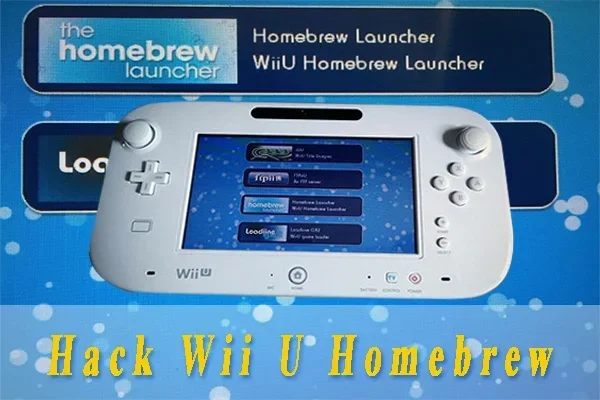
Can You Play Wii U Games On Wii Homebrew Right Here
You can explore Wii U homebrew on a modded Wii console, but full game compatibility depends on your setup and firmware version. Wii U homebrew opens the door to running custom software, emulators, and even some Wii U games through USB loaders and modified channels. This guide walks you through everything you need to know about Wii U homebrew, from hardware requirements to common setup problems.
If you have been searching for ways to expand your Wii console experience, you have probably come across the term Wii U homebrew. The idea of playing Wii U games on a modded Wii is exciting, but it can also feel confusing. There are so many tools, methods, and warnings floating around online that it is hard to know where to start. This guide breaks everything down in simple terms so you can understand exactly what is possible and what is not.
Can you play Wii U games on Wii homebrew? The short answer is yes, but with important caveats. Not every game will work. Some setups are easier than others. And your Wii console firmware version matters a lot. In this article, we will walk you through the full picture of Wii U homebrew, what you need, what works, and how to avoid common pitfalls. By the end, you will have a clear roadmap to get started.
The world of homebrew software has grown a lot over the years. People love the idea of running custom apps, emulators, and backed-up games on their consoles. The Wii U is no different. Whether you want to relive favorite Wii U games or explore new homebrew apps, understanding how Wii U homebrew works is the first step. Let us dive in.
Key Takeaways
- Wii U homebrew is possible on a modded Wii with the right software and setup.
- Not all Wii U games work on a modded Wii due to compatibility and firmware limitations.
- You need specific hardware like a USB loader, external storage, and a modded Wii console.
- Common issues include disc read errors and firmware version mismatches that can block gameplay.
- Wii U homebrew offers more than just games, including homebrew apps, emulators, and custom channels.
- Backing up your Wii U games properly is essential for a smooth homebrew experience.
- The Wii U gamepad may have limited functionality when used with Wii U homebrew setups.
📑 Table of Contents
What Is Wii U Homebrew?
Understanding the Basics of Wii U Homebrew
Wii U homebrew refers to custom software that runs on the Wii U or a modded Wii console outside of the official Nintendo system. Think of it as opening up your console to do things Nintendo did not originally intend. This includes running homebrew apps, emulators, custom channels, and yes, even some Wii U games from backups.
The Wii homebrew channel has been around for many years. It lets users run unsigned code on their console. When people talk about Wii U homebrew, they usually mean one of two things. Either they are running homebrew software on a Wii U console directly, or they are trying to play Wii U games on a different console like a modded Wii through emulation or USB loading.
The Wii console has a rich history of homebrew development. From the original Wii to the Wii U, the community has built amazing tools. Homebrew development is driven by passionate people who want to push the limits of what these consoles can do. The Wii U homebrew scene is no exception. It offers a lot of creative possibilities for users who know how to navigate it.
What Can You Do With Wii U Homebrew?
When you explore Wii U homebrew, you open up a whole world of possibilities. Here are some of the things you can do:
- Run emulators for older consoles like the NES, SNES, and N64.
- Play backed-up Wii U games from USB drives or SD cards.
- Install custom channels that give you quick access to your favorite tools.
- Use homebrew apps for media playback, file management, and system tweaks.
- Explore the Wii U gamepad with custom apps that go beyond Nintendo’s offerings.
- Access the Wii U virtual console titles through alternative methods.
The Wii U homebrew community is active and constantly updating tools. New apps and improvements come out regularly. This makes it a fun and evolving space for anyone who loves their console.
Can You Play Wii U Games on a Modded Wii?
The Truth About Wii U Game Compatibility
This is the big question. Can you play Wii U games on Wii homebrew? The answer depends on several factors. Your Wii console model matters. Your firmware version matters. And the method you use matters too.
The Wii U uses a different architecture than the original Wii. This means that running Wii U games on a modded Wii is not as simple as dropping a disc into the drive. You typically need a Wii U USB loader or an emulator that can handle Wii U game files. Some methods work better than others, and compatibility varies from game to game.
One important thing to know is that the Wii U optical drive reads discs in a specific format. When you try to run Wii U games through homebrew, you are usually working with digital copies stored on USB drives or SD cards. This bypasses the need for the physical Wii U disc and lets you load games directly through custom software.
The Wii console motherboard handles all the internal operations of the system. If you are curious about the specific hardware components inside your Wii, you can check out our guide on 5 components that are found on the motherboard to understand what makes your console tick.
What Works and What Does Not
Not every Wii U game will work through Wii U homebrew methods. Here is a general breakdown:
- Wii U games with low system requirements tend to work best on modded setups.
- Games that rely heavily on the Wii U gamepad may have limited functionality or not work at all.
- Digital downloads from the Wii U eShop can sometimes be loaded through homebrew tools.
- Newer Wii U system firmware versions may block certain homebrew methods.
- Games with heavy online features will not work through offline homebrew setups.
The Wii U title database plays a big role in determining which games are compatible. Some titles are well-supported by the homebrew community, while others remain problematic. It is always a good idea to check forums and community guides before trying a specific game.
Comparison: Wii U Homebrew vs. Official Wii U Experience
Here is a quick look at how Wii U homebrew compares to playing games on an official Wii U console:
| Feature | Wii U Homebrew | Official Wii U |
|---|---|---|
| Game Compatibility | Partial – depends on setup | Full – all games work |
| Wii U Gamepad Support | Limited or none | Full support |
| Online Features | Not available | Fully supported |
| Setup Complexity | Moderate to high | Plug and play |
| Cost | Low – uses existing hardware | Requires Wii U console |
| Customization | Very high | Limited |
As you can see, Wii U homebrew offers great customization but comes with trade-offs. You sacrifice online features and full gamepad support in exchange for the freedom to run custom software and backed-up games.
What You Need to Get Started
Hardware Requirements
Before you jump into Wii U homebrew, you need the right hardware. Here is what you will need:
- A modded Wii console – this is your base system. You need a Wii that has been soft-modded or hard-modded to run homebrew.
- An external USB hard drive or flash drive – this is where you will store your Wii U games and homebrew apps.
- An SD card – useful for storing smaller files and homebrew channels.
- A computer – you will need this to prepare game files and transfer them to your drive.
- A compatible USB loader – software like USB Loader GX or Wii U USB Loader that can read Wii U game files.
Make sure your Wii console has enough USB ports or use a powered USB hub if needed. The Wii U optical drive in a modded Wii may not be used at all if you are loading games from USB drives.
Software You Will Need
The right software makes all the difference when setting up Wii U homebrew. Here are the essential tools:
- Wii Homebrew Channel – the gateway to running custom software on your console.
- USB Loader GX or Wii U USB Loader – these tools load Wii U games from USB drives.
- Wii U game files (WUD or WIA format) – digital copies of the games you want to play.
- Wii U system firmware downgrade tools – sometimes needed if your console is on a newer firmware that blocks homebrew.
- Homebrew apps – additional tools for managing files, backing up saves, and customizing your experience.
Always download software from trusted sources. The Wii U homebrew community has many reputable sites that host safe and tested tools. Avoid random downloads from unknown websites.
Setting Up Your Modded Wii for Wii U Games
Setting up your modded Wii for Wii U homebrew takes a few steps. Here is a simplified overview:
- Install the Homebrew Channel on your Wii console using a safe method like LetterBomb or BlueBomb.
- Format your USB drive to FAT32 or WBFS format depending on your loader.
- Copy your Wii U game files to the USB drive in the correct folder structure.
- Install your USB loader through the Homebrew Channel.
- Launch the loader and scan for games on your USB drive.
- Test with a compatible game to make sure everything works before loading more.
Take your time with each step. Rushing through the setup is one of the most common reasons people run into problems. A careful setup leads to a much smoother Wii U homebrew experience.
Common Problems and How to Fix Them
Disc Read Errors on the Wii Console
One of the most frustrating issues is when your Wii console cannot read Wii U discs. This often happens because the optical drive laser wears out over time. If you are trying to play physical Wii U games, a failing drive will cause constant read errors.
The fix is usually to switch to digital copies stored on a USB drive. This way, you bypass the Wii U optical drive entirely. Wii U homebrew methods that use USB loading are much more reliable than trying to read physical discs.
Firmware Version Mismatches
Your Wii system menu version can block certain Wii U homebrew tools. If your console is on a newer firmware, some homebrew apps may not work. This is because Nintendo patches vulnerabilities that homebrew tools rely on in newer updates.
The solution is to check which firmware version your Wii U homebrew tools support. You may need to stay on an older firmware version or use a downgrade method. Always research compatibility before updating your system.
USB Loader Issues
Sometimes the Wii U USB loader will not detect your games or will crash during loading. This can happen for several reasons:
- The USB drive format is incorrect.
- The game files are corrupted or incomplete.
- The USB loader version is outdated.
- The drive is not properly connected.
To fix these issues, reformat your drive, re-download the game files, and update your loader. The Wii U homebrew community forums are great places to find specific fixes for loader problems.
Wii U Gamepad Not Working Properly
The Wii U gamepad is a key part of the Wii U experience. However, when using Wii U homebrew on a modded Wii, the gamepad may not connect or may have limited functionality. This is because the homebrew software may not fully support the gamepad’s features.
Some Wii U homebrew apps do support the gamepad for basic input. But if you need full gamepad features like the touchscreen or motion controls, you may need to look for specific homebrew apps that are designed with gamepad support in mind.
Tips for the Best Wii U Homebrew Experience
Quick Tips for Success
- Always back up your Wii U games before trying any homebrew method.
- Keep your Wii system menu at a compatible version for the tools you use.
- Use high-quality USB drives to avoid read errors and crashes.
- Join online communities dedicated to Wii U homebrew for support and tips.
- Test one game at a time so you can isolate any issues that come up.
- Read the documentation for each homebrew tool before installing it.
Common Mistakes to Avoid
Even experienced users make mistakes with Wii U homebrew. Here are some to watch out for:
- Skipping the research phase – not every method works for every console setup.
- Using untrusted download sources – this can expose your console to malware or bricked systems.
- Updating your system firmware without checking if it breaks your homebrew tools.
- Using low-quality USB drives – cheap drives often fail and corrupt your game files.
- Ignoring error messages – your console will tell you what is wrong if you pay attention.
Expert Insights
People who have been in the Wii U homebrew scene for years share a common piece of advice: patience is everything. The first few setups rarely go perfectly. You will run into issues. But each problem teaches you something new about your console and how Wii U homebrew works.
Experts also recommend keeping a log of what you install and when. This makes troubleshooting much easier. If something breaks, you can look back and figure out what changed. The Wii U homebrew community is generous with knowledge, so do not be afraid to ask questions in forums and Discord servers.
Another expert tip is to start simple. Do not try to set up everything at once. Get your Wii homebrew channel working first. Then add a USB loader. Then try loading one game. Build your setup step by step. This approach reduces the chance of something going wrong and helps you understand how each piece fits together.
Is It Worth the Effort? Final Verdict
So, can you play Wii U games on Wii homebrew? Yes, you absolutely can. But it takes some effort, the right hardware, and a willingness to troubleshoot when things go wrong. Wii U homebrew is not a plug-and-play experience. It is a journey that rewards patience and curiosity.
If you love retro gaming and want to get the most out of your Wii console, Wii U homebrew is worth exploring. You get access to a wide range of homebrew apps, emulators, and the ability to play backed-up Wii U games from USB drives. The Wii U homebrew community continues to grow and improve tools every month.
Just remember to do your research, use trusted sources, and take things one step at a time. The world of Wii U homebrew is exciting and full of possibilities. With the right setup, you can unlock a whole new level of fun from your console.
Whether you are a seasoned homebrew user or a complete beginner, the Wii U homebrew scene has something for everyone. Start small, stay curious, and enjoy the journey. Your Wii U games are waiting for you.
Frequently Asked Questions
What is Wii U homebrew?
Wii U homebrew refers to custom software that runs on the Wii U or a modded Wii console outside of Nintendo’s official system. It includes emulators, custom channels, and tools that let you do things the official system does not support.
Can all Wii U games be played through Wii U homebrew?
No, not all Wii U games work through homebrew methods. Compatibility depends on your setup, firmware version, and the specific game. Some titles work great, while others have issues or do not work at all.
Do I need a modded Wii to use Wii U homebrew?
Yes, you need a modded Wii or a Wii U console that has been soft-modded to run Wii U homebrew. The homebrew channel and USB loaders require an unlocked console to function properly.
Is playing Wii U games through homebrew legal?
Running homebrew software itself is legal in most places. However, downloading or playing copyrighted Wii U games without owning the original copy may violate copyright laws. Always make sure you own the game you are backing up.
What hardware do I need for Wii U homebrew?
You need a modded Wii console, a USB hard drive or flash drive, an SD card, a computer for file preparation, and a compatible USB loader like USB Loader GX or Wii U USB Loader.
Why does my Wii U gamepad not work with Wii U homebrew?
The Wii U gamepad may have limited support in Wii U homebrew setups. Homebrew software does not always fully support all gamepad features. Some apps work with basic input, but advanced features like the touchscreen may not be available.
=== CONCLUSION ===
Wii U homebrew offers a fantastic way to expand what your Wii console can do. From running custom homebrew apps to playing backed-up Wii U games, the possibilities are real and exciting. While not every game will work perfectly, the community continues to improve compatibility and tools every day.
Remember to start with a solid setup, use trusted software sources, and take things step by step. The journey into Wii U homebrew is rewarding for anyone who loves their console and wants to push its limits. With patience and curiosity, you can unlock a whole new world of gaming right from your modded Wii.