Does The Rca Projector Have Sound Worth Listening To
The RCA projector does include built-in speakers, but the sound quality varies by model and usage scenario. Most users find the audio adequate for casual movie nights, but serious audiophiles may want to upgrade with external speakers. This guide covers every aspect of RCA projector sound performance, from built-in speaker specs to the best ways to enhance your audio experience.
So you just got an RCA projector and you are wondering about one thing: does it actually have sound? You are not alone. Many people buy a projector thinking about the visuals, only to realize later that the audio matters just as much. Nobody wants to watch a movie with tiny, tinny noise coming from a tiny built-in speaker.
The short answer is yes, most RCA projectors do come with built-in speakers. But the real question is whether the sound is good enough for your needs. Some models deliver surprisingly decent audio, while others leave a lot to be desired. In this article, we will break down everything you need to know about RCA projector sound. We will look at speaker specs, real-world performance, and the best ways to improve your audio setup.
Whether you are setting up a home theater or giving a presentation, the projector audio quality can make or break the experience. Let us dive right in and find out if the RCA projector sound is worth your time.
Key Takeaways
- Built-in Speakers Are Standard: Most RCA projectors come with integrated speakers, but the audio quality depends on the specific model and its wattage.
- Sound Quality Is Decent for Casual Use: For everyday movie watching or presentations, the built-in audio is usually sufficient.
- External Speakers Make a Big Difference: Connecting a soundbar or Bluetooth speaker dramatically improves the audio experience.
- Volume Can Be an Issue in Noisy Rooms: The built-in speakers may struggle to fill larger rooms or compete with ambient noise.
- Multiple Audio Output Options Exist: RCA projectors support HDMI audio, Bluetooth, and 3.5mm jack connections for external audio devices.
- Speaker Placement Matters: Proper positioning of the projector can significantly improve the sound projection and clarity.
📑 Table of Contents
- Understanding RCA Projector Sound Basics
- Real-World Sound Performance of RCA Projectors
- How to Improve RCA Projector Sound
- Comparing RCA Projector Sound to Other Brands
- Common Mistakes That Affect RCA Projector Sound
- Can You Use Your Projector Sound Wirelessly?
- How to Choose the Right Audio Setup for Your RCA Projector
- Final Thoughts on RCA Projector Sound
Understanding RCA Projector Sound Basics
Before we get into the details, let us talk about what you are actually working with. Most RCA brand projectors come equipped with small internal speakers. These speakers are designed to handle basic audio needs. They are not meant to replace a full-blown home theater system, but they do get the job done for everyday use.
The built-in projector speakers typically range from 2 watts to 10 watts depending on the model. Higher wattage generally means louder and clearer sound. However, wattage is not the only factor. The speaker size, driver quality, and enclosure design all play a role in how the audio sounds.
What to Expect from Built-In Speakers
When you turn on an RCA projector and start playing content, here is what you can typically expect from the built-in audio:
- Volume Level: The speakers are loud enough for a small to medium room. In a quiet bedroom or a small living room, the volume is usually adequate.
- Sound Clarity: Mid-range frequencies like vocals and dialogue tend to come through clearly. Bass and high treble can feel a bit weak.
- Bass Response: Do not expect deep, rich bass from the built-in speakers. They are small, so the low-end frequencies are limited.
- Surround Sound Effect: Most models do not offer any surround sound. The audio comes from a single direction, which is fine for casual viewing.
Which RCA Projector Models Have Sound?
Not all projectors are created equal. Some RCA projector models have better audio than others. Here is a quick look at what to consider:
- Entry-Level Models: These usually have smaller speakers with lower wattage. The sound is acceptable but not impressive.
- Mid-Range Models: These tend to have slightly better speakers with improved clarity and volume.
- Higher-End Models: Some premium RCA projectors feature enhanced audio systems with dual speakers or built-in audio processing.
If you are shopping for a new RCA projector, check the product specs for speaker wattage and driver size. This gives you a good idea of what kind of sound to expect.
Real-World Sound Performance of RCA Projectors
Theoretical specs only tell you so much. What really matters is how the RCA projector sound performs in real-world situations. Let us look at a few common use cases.
Watching Movies at Home
For casual movie nights, the built-in speakers on most RCA projectors work well enough. Dialogue is clear enough to follow along with conversations in movies. Action scenes may sound a bit flat because the speakers do not have the power to deliver impactful bass and booming effects.
If you are using your projector in a home theater setup, the sound might feel a bit underwhelming compared to a TV with a soundbar or a dedicated surround system. But for a cozy movie night with friends, the audio is perfectly fine.
Presentations and Business Use
When it comes to presentations, the projector audio quality is usually more than enough. Voice clarity is the most important factor, and most RCA projectors handle this well. The built-in speakers make it easy to share audio without any extra equipment.
One thing to keep in mind is the room size. In a large conference room, the built-in speakers may not carry well. In that case, you might want to connect an external speaker for projector setup.
Gaming and Sports
For gaming and sports viewing, the sound experience depends heavily on the content. Explosions in video games and crowd noise during sports events need good bass response. The built-in speakers on most RCA projectors handle these adequately but lack the punch that dedicated audio gear provides.
How to Improve RCA Projector Sound
If you find the built-in speakers lacking, do not worry. There are several easy ways to boost your projector sound output. You do not need to be a tech expert to make these improvements.
Connect External Speakers
The single best way to improve your audio is to connect external speakers. Most RCA projectors offer multiple audio output options:
- 3.5mm Audio Jack: This is the most common connection. Simply plug in a pair of powered speakers or a soundbar using a standard aux cable.
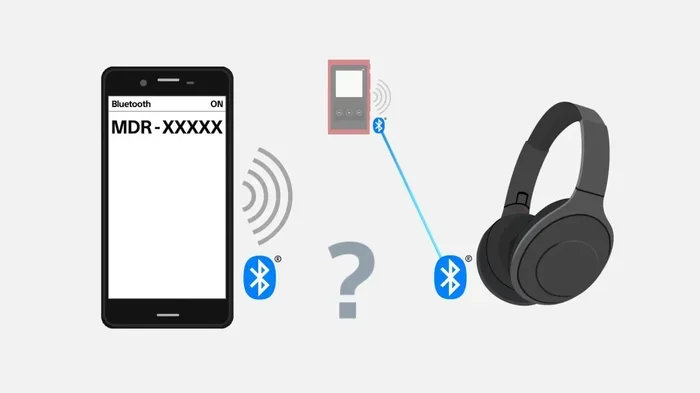
- Bluetooth Connectivity: Many modern RCA projectors support Bluetooth audio. You can pair your projector with wireless speakers or a Bluetooth soundbar for cable-free listening.
- HDMI Audio: If you are using an HDMI connection, you can route the audio through an AV receiver or sound system.
Using external speakers with your projector transforms the audio experience completely. You get richer sound, better bass, and more volume. A simple Bluetooth speaker can make a huge difference.
Position the Projector Properly
Where you place your projector affects the sound a lot. Speakers on the top or bottom of the unit project sound in a specific direction. If the projector is placed too close to a wall, the sound can bounce back and sound muffled.
Try to place the projector at least a few feet away from walls. If you are using a projector mounted off center, make sure the speakers are not blocked by the mount or any other object. Good placement ensures the sound reaches your ears clearly.
Adjust the Audio Settings
Many RCA projectors come with built-in audio settings. These include equalizer presets like “Standard,” “Music,” “Movie,” and “Speech.” Experiment with these settings to find the one that sounds best for your content.
For dialogue-heavy content like movies and presentations, the “Speech” or “Movie” preset usually works well. For music, try the “Music” preset to get better bass and treble balance.
Use a Soundbar for the Best Experience
If you want a serious audio upgrade, a soundbar is a great option. Soundbars are compact, easy to set up, and deliver much better sound than built-in projector speakers. Many soundbars connect via Bluetooth or a simple aux cable, making them a perfect match for your RCA projector.
A soundbar adds depth, clarity, and volume to your audio. It is especially useful for watching action movies or playing games where immersive sound matters.
Comparing RCA Projector Sound to Other Brands
How does the RCA projector sound stack up against other popular projector brands? Let us take a quick look at how RCA compares.
| Brand | Built-In Speaker Quality | Volume Level | External Audio Options |
|---|---|---|---|
| RCA | Decent for casual use | Moderate | 3.5mm, Bluetooth, HDMI |
| Epson | Good clarity, limited bass | Moderate to High | 3.5mm, Bluetooth (select models) |
| BenQ | Above average in mid-range models | Good | 3.5mm, Bluetooth, HDMI |
| Optoma | Solid in most models | Good | 3.5mm, HDMI |
| Anker | Good for portable models | Moderate | 3.5mm, Bluetooth |
As you can see, RCA projectors hold their own when it comes to built-in audio. The sound quality is comparable to other mid-range brands. The real difference comes when you add external audio devices to the mix.
Common Mistakes That Affect RCA Projector Sound
Sometimes the sound issues are not about the projector itself. Here are some common mistakes that can hurt your audio experience:
- Placing the Projector Inside a Cabinet: Enclosing the projector blocks the speakers and muffles the sound. Always keep the projector in an open area where air and sound can flow freely.
- Ignoring Audio Settings: Many users never touch the audio settings on their projector. Taking a few minutes to adjust the equalizer can noticeably improve the sound.
- Using Low-Quality Cables: Cheap audio cables can introduce static and reduce sound quality. Invest in good-quality cables for the best results.
- Not Updating Firmware: Some RCA projectors receive firmware updates that improve audio performance. Check for updates regularly.
- Expecting Theater-Level Sound: Built-in projector speakers are not designed to match a dedicated home theater system. Adjust your expectations accordingly.
Expert Insight
Audio experts recommend treating your projector as a visual device first and an audio device second. The best approach is to use the built-in speakers for casual viewing and invest in external audio for a premium experience. This way, you get the best of both worlds without spending extra money unnecessarily.
Can You Use Your Projector Sound Wirelessly?
Yes, many modern RCA projectors support wireless audio connections. Bluetooth is the most common wireless option. You can pair your projector with a Bluetooth speaker, a wireless soundbar, or even your smartphone for audio output.
Wireless audio is incredibly convenient. You do not have to deal with cables running across your room. Just pair your device and start listening. The audio quality over Bluetooth is good enough for most uses, though audiophiles may notice a slight difference compared to wired connections.
If you want to go fully wireless, consider using a portable Bluetooth speaker placed near your seating area. This gives you flexibility in how you set up your viewing space. You can move the speaker around to find the best sound position.
How to Choose the Right Audio Setup for Your RCA Projector
Choosing the right audio setup depends on several factors. Here are some things to consider:
- Room Size: Larger rooms need louder and more powerful audio. Built-in speakers may not cut it in big spaces.
- Content Type: If you mostly watch movies, a soundbar or surround system works best. For presentations, the built-in speakers are usually fine.
- Budget: External speakers range from affordable Bluetooth options to premium soundbars. Set a budget before you shop.
- Setup Complexity: Wireless options are the easiest to set up. Wired connections offer slightly better audio quality but require more effort.
For most users, a mid-range Bluetooth speaker or a compact soundbar is the sweet spot. It delivers great sound without breaking the bank. And the setup process is usually as simple as pairing the devices.
Final Thoughts on RCA Projector Sound
So, does the RCA projector have sound worth listening to? The answer is yes, with a caveat. The built-in speakers are good enough for casual viewing, presentations, and everyday use. The audio is clear for dialogue and decent for general content.
However, if you are an audiophile or someone who demands high-quality sound, you will want to invest in external speakers. The good news is that RCA projectors offer multiple audio output options, making it easy to connect the audio gear of your choice.
Remember, the projector audio quality is just one piece of the puzzle. The visual experience, ease of use, and overall build quality all matter too. A well-rounded setup with great visuals and good audio is what creates a truly immersive experience.
Take some time to explore your options. Try the built-in speakers first, and if they do not meet your expectations, add an external speaker. You will be amazed at how much better your viewing experience becomes. The RCA projector sound is a solid starting point, and with the right upgrades, it can rival any home theater setup.
Whether you are watching your favorite movie, presenting at work, or setting up a backyard projector for a Halloween movie night, the right audio setup makes all the difference. Start with what you have, and upgrade as needed. Your ears will thank you.
Frequently Asked Questions
Do all RCA projectors have built-in speakers?
Most RCA projectors come with built-in speakers, but the quality and wattage vary by model. Always check the product specifications before purchasing to confirm the audio features of the specific model you are interested in.
Can I connect external speakers to my RCA projector?
Yes, you can. Most RCA projectors offer a 3.5mm audio jack, Bluetooth connectivity, and HDMI audio output. These options make it easy to connect external speakers, soundbars, or any audio system you prefer.
Why is my RCA projector sound so quiet?
The built-in speakers on most RCA projectors are designed for small to medium rooms. If your room is large or noisy, the volume may seem insufficient. Connecting external speakers or adjusting the audio settings can help boost the volume and clarity significantly.
Is RCA projector sound good enough for a home theater?
The built-in sound is decent for casual home theater use. However, for a truly immersive experience, pairing your RCA projector with a soundbar or external speakers is highly recommended. This upgrade makes a noticeable difference in audio depth and clarity.
Can I use a Bluetooth speaker with my RCA projector?
Yes, if your RCA projector supports Bluetooth, you can pair it with any compatible Bluetooth speaker. This is one of the easiest and most convenient ways to improve your projector audio without dealing with cables.
Does projector placement affect the sound quality?
Absolutely. Placing your projector in an enclosed space or too close to walls can muffle the sound. Keeping the projector in an open area with proper ventilation ensures the speakers project sound clearly and evenly throughout the room.
=== CONCLUSION ===
The RCA projector have sound that is functional and suitable for most everyday uses. While the built-in speakers may not wow you with deep bass or surround effects, they deliver clear and usable audio for movies, presentations, and casual viewing. The real magic happens when you pair your projector with external speakers or a soundbar, unlocking a whole new level of audio quality.
Take the time to explore your audio options and find the setup that works best for your space and budget. With the right combination of projector and audio gear, you can create an immersive entertainment experience right in your own home. The RCA projector sound is worth listening to, especially when you know how to get the most out of it.