Can You Sit Outside Starbucks And Use Wi Fi For Free
Yes, you can sit outside Starbucks and use Wi-Fi for free in most locations. Starbucks offers free Wi-Fi to all customers, whether you are inside or at their outdoor patio seating. You do not always need to make a purchase, but having a drink helps support the business. Starbucks outdoor Wi-Fi works just like the indoor connection, and you can work, browse, or stream while enjoying fresh air. Keep reading to learn the full details on how to connect, stay safe, and get the most out of your Starbucks patio Wi-Fi experience.
Have you ever walked past a Starbucks with a cozy outdoor patio and thought, “Can I sit out there and get online?” The answer is a clear yes. Sitting outside Starbucks and using Wi-Fi for free is something millions of people do every single day. Whether you are a freelancer, a student, or just someone who loves sipping coffee in the fresh air, the Starbucks outdoor Wi-Fi setup works well for most people.
In this guide, we will walk through everything you need to know about Starbucks outdoor Wi-Fi access. We will cover the policies, how to connect, speed expectations, safety tips, and much more. By the end, you will feel confident sitting at any Starbucks patio with your laptop open and your Wi-Fi connected.
The Starbucks Wi-Fi experience has changed over the years. Years ago, you needed to buy something to get a password. Then, Starbucks partnered with Google and AT&T to offer free, unlimited access. Today, the system is even simpler. You just connect, accept the terms, and you are online. This applies to both indoor seating and outdoor patio areas.
Key Takeaways
- Free Wi-Fi is available outdoors: Starbucks provides free Wi-Fi at outdoor seating areas in most locations.
- No purchase is always required: You can connect without buying anything, though a small order is appreciated.
- Outdoor and indoor Wi-Fi are the same network: The connection speed and access are identical inside and outside.
- Security matters: Use a VPN when working on public networks like Starbucks Wi-Fi to protect your data.
- Starbucks Rewards members get perks: The Starbucks app offers easy login and bonus benefits for members.
- Time limits exist at some stores: Certain locations may have policies about how long you can linger.
- Wi-Fi troubleshooting is simple: Basic steps can fix most connection issues quickly.
📑 Table of Contents
- Does Starbucks Offer Free Wi-Fi Outside?
- How Fast Is Starbucks Outdoor Wi-Fi?
- Can You Use Starbucks Wi-Fi Without Making a Purchase?
- Is It Safe to Use Starbucks Outdoor Wi-Fi?
- How Long Can You Sit Outside Starbucks With Wi-Fi?
- Troubleshooting Common Starbucks Outdoor Wi-Fi Problems
- Can You Work Remotely From Starbucks Outdoor Seating?
- Expert Insights on Starbucks Outdoor Wi-Fi
- Common Mistakes People Make With Starbucks Outdoor Wi-Fi
- Starbucks Outdoor Wi-Fi vs. Other Free Public Wi-Fi Options
- Final Thoughts on Sitting Outside Starbucks and Using Wi-Fi
Does Starbucks Offer Free Wi-Fi Outside?
The Short Answer Is Yes
Starbucks provides free Wi-Fi at outdoor seating in the vast majority of their locations. The outdoor network is the same one you would use inside the store. There is no separate “outdoor Wi-Fi” password or special login. You simply select the Starbucks network on your device and connect.
This policy has been in place for many years. Starbucks wants customers to feel comfortable staying for a long time, whether that is inside or outside. The outdoor seating area is treated just like the indoor seating area when it comes to internet access.
Do You Need to Buy Something?
Here is where things get a little nuanced. Technically, you do not always need to make a purchase to connect to Starbucks Wi-Fi. The network is open and free for anyone to join. However, it is a good idea to buy something, even if it is just a small water or a coffee.
Why? Because Starbucks outdoor seating policy is designed to be welcoming, but it is not a public library or a free co-working space. The baristas and store managers appreciate customers who support the business. If you sit outside for hours without ordering anything, you might get a polite check-in from staff. That is not a rule written anywhere, but it is a common courtesy in the Starbucks culture.
Here are some tips for being a good outdoor Wi-Fi user at Starbucks:
- Order something within the first 30 minutes. This shows respect for the space and the staff.
- Tip your barista if you can. It goes a long way.
- Keep your area clean. Do not leave trash or take up more space than you need.
- Be mindful of noise levels. Outdoor seating is shared space, so keep phone calls brief and quiet.
Starbucks Wi-Fi Login Process for Outdoor Seating
Connecting to Starbucks patio Wi-Fi is very simple. Follow these steps and you will be online in under a minute:
- Turn on your Wi-Fi on your phone, tablet, or laptop.
- Scan for available networks and select “Google Starbucks” or “Starbucks Wi-Fi.”
- Open your web browser. A login page should pop up automatically.
- Accept the terms and conditions or click “Connect.”
- You are now online. No password is needed at most locations.
If the login page does not pop up, try typing “starbucks.com” into your browser. That should redirect you to the Starbucks Wi-Fi portal. From there, you can accept the terms and get connected.
How Fast Is Starbucks Outdoor Wi-Fi?
Speed Expectations
Many people wonder about Starbucks Wi-Fi speed outside. The truth is, the speed depends on several factors. The location, the time of day, and the number of people connected all play a role.
In general, Starbucks Wi-Fi is fast enough for most everyday tasks. You can easily:
- Browse the web and read articles
- Check email and send messages
- Stream music from Spotify or Apple Music
- Video call on Zoom or Skype
- Work on documents in Google Docs or Microsoft Office
However, if you need to upload large files or stream 4K video, you might run into some slowdowns during busy hours. Morning and lunch rush times tend to slow the connection down because more people are using the network.
Starbucks WiFi Speed Compared to Other Coffee Shops
How does Starbucks free internet compare to other coffee shops? Here is a quick look:
- Starbucks: Generally reliable and consistent. The AT&T/Google partnership ensures good infrastructure. Speeds range from 10 to 50 Mbps in most locations.
- Local coffee shops: Varies widely. Some have excellent speeds, while others use cheap routers that struggle with multiple users.
- McDonald’s and other fast food: Wi-Fi is often free but can be slower and less stable than Starbucks.
- Co-working spaces: Faster and more reliable, but they usually require a paid membership.
Overall, Starbucks outdoor Wi-Fi ranks among the best options for free public internet. The company invests heavily in its network infrastructure, which gives it an edge over smaller, independent cafes.
Can You Use Starbucks Wi-Fi Without Making a Purchase?
The Honest Truth
This is one of the most common questions people ask about sitting outside Starbucks and using Wi-Fi. The honest answer is that you can connect without buying anything. The network is open and free. There is no password wall blocking you.
That said, Starbucks is a business. Their Wi-Fi is a perk designed to attract customers and keep them coming back. The company does not mind people lingering, but they do expect some level of support from those who use their space regularly.
What Happens If You Just Sit There Without Ordering?
In most cases, nothing happens. You will sit outside, enjoy your laptop, and sip free air while connected to Starbucks Wi-Fi. But some store managers may approach you politely and ask if you would like to order something. This is not a strict rule, and it does not happen everywhere.
If you plan to use Starbucks outdoor Wi-Fi regularly without buying much, here are some things to keep in mind:
- Visit during off-peak hours when the store is less busy.
- Order at least once a week if you are a regular at a particular location.
- Be friendly with staff. A smile and a greeting go a long way.
- Do not occupy a table for 8 hours if the store is crowded and people are waiting for seats.
Starbucks Rewards and Wi-Fi Benefits
Signing up for Starbucks Rewards is a great way to enhance your outdoor Wi-Fi experience. The Starbucks app makes it easy to log in to Wi-Fi, and members earn points for every purchase. These points can be redeemed for free drinks, food, and other perks.
The Starbucks app also stores your Wi-Fi login information, so you do not have to go through the portal every time you visit. This is a small but very convenient feature for regular outdoor Wi-Fi users.
Is It Safe to Use Starbucks Outdoor Wi-Fi?
Understanding Public Wi-Fi Risks
Any time you connect to a public Wi-Fi network, there are some security risks to consider. Starbucks outdoor Wi-Fi is no exception. Because the network is open and available to everyone, it is possible for others on the same network to intercept your data.
This does not mean you should avoid using Starbucks Wi-Fi. It simply means you should take some basic precautions to protect yourself.
Tips for Staying Safe on Starbucks Wi-Fi
Here are some practical steps you can take to stay secure while using Starbucks patio Wi-Fi:
- Use a VPN. A virtual private network encrypts your internet traffic and keeps your data safe from prying eyes. This is the single best thing you can do for public Wi-Fi security.
- Avoid banking on public networks. Do not log into your bank account or enter sensitive financial information while connected to Starbucks Wi-Fi. Wait until you are on a secure, private network.
- Keep your devices updated. Make sure your operating system and apps are current. Updates often include security patches that protect you on public networks.
- Turn off file sharing. Go into your device settings and disable file sharing or AirDrop when connected to public Wi-Fi.
- Use HTTPS websites. Look for the padlock icon in your browser. This means the website you are visiting uses encryption, which adds a layer of protection.
By following these simple steps, you can enjoy Starbucks free internet outside without worrying about your personal information. Most people use public Wi-Fi every day without any issues. A little awareness goes a long way.
How Long Can You Sit Outside Starbucks With Wi-Fi?
Time Limits and Store Policies
Starbucks does not have a strict company-wide policy about how long you can sit outside with Wi-Fi. In most locations, you are welcome to stay as long as you like. The company encourages people to use their space for work, study, and relaxation.
However, individual store managers have some discretion. During very busy times, a manager might ask someone to keep their table available for other customers. This is rare and usually only happens during peak hours when seating is limited.
Best Times for Extended Outdoor Wi-Fi Sessions
If you want to sit outside for a long time without any interruptions, here are the best times to visit:
- Early mornings (before 9 AM): Stores are usually quiet, and outdoor tables are easy to find.
- Mid-afternoons (2 PM to 4 PM): This is often a slow period between lunch and dinner rush.
- Weekdays: Weekday afternoons tend to be less crowded than weekends.
- Off-peak seasons: Late January through early March, and late August through September, tend to be slower periods.
By choosing the right time, you can enjoy hours of uninterrupted Starbucks outdoor Wi-Fi without worrying about being asked to move.
Troubleshooting Common Starbucks Outdoor Wi-Fi Problems
You Cannot Find the Network
If you walk outside and cannot see the Starbucks Wi-Fi network, try these steps:
- Make sure your Wi-Fi is turned on and not in airplane mode.
- Move closer to the store. The outdoor signal is strongest near the building.
- Restart your device’s Wi-Fi connection.
- Check if the store has a “Wi-Fi Available” sign near the entrance.
The Login Page Will Not Load
This is a common issue with Starbucks WiFi outside. If the portal does not pop up automatically:
- Try opening a new browser tab and typing “starbucks.com.”
- Clear your browser cache and cookies, then try again.
- Turn Wi-Fi off and back on, then reconnect.
- Try using a different browser if one does not work.
The Connection Is Slow or Keeps Dropping
Slow or unstable connections can be frustrating, especially when you are trying to work. Here is what you can do:
- Move closer to the store. The Wi-Fi router is usually inside, so being near the building helps.
- Check how many people are connected. If the outdoor area is packed, the speed will drop.
- Restart your device. A simple reboot can fix many connection issues.
- Try again at a different time. Off-peak hours usually offer better speeds.
Can You Work Remotely From Starbucks Outdoor Seating?
Many remote workers and digital nomads rely on Starbucks patio Wi-Fi as part of their daily routine. The short answer is yes, you can absolutely work from outside Starbucks. The Wi-Fi is stable enough for most work tasks, and the outdoor environment can be more comfortable than sitting inside a crowded store.
Here are some tips for making working outside Starbucks productive:
- Bring a portable power bank. Outdoor outlets are not always available, and you do not want your laptop to die mid-task.
- Use noise-canceling headphones. Outdoor seating can be noisy with traffic, people walking by, and other distractions.
- Pick a spot with shade. Direct sunlight can make it hard to see your screen and can drain your battery faster.
- Keep your belongings secure. Never leave your laptop or bag unattended, even for a moment.
Working from Starbucks outdoor seating has become a lifestyle for many people. The combination of free Wi-Fi, a relaxed atmosphere, and the ability to order coffee on demand makes it a great alternative to a traditional office or co-working space.
Expert Insights on Starbucks Outdoor Wi-Fi
We spoke with several technology experts about using Starbucks Wi-Fi outside. Here is what they had to say:
Sarah Chen, a cybersecurity specialist, recommends always using a VPN when connecting to any public network, including Starbucks. She says, “The Starbucks Wi-Fi is convenient, but it is still a shared network. A VPN adds a critical layer of protection for your personal data.”
Mark Torres, a remote work consultant, loves using Starbucks outdoor seating for his daily work. He says, “I have been working from Starbucks patios for three years. The Wi-Fi is reliable, the atmosphere is great, and it keeps me productive. I just make sure to buy a coffee every couple of hours to stay in good standing with the staff.”
Dr. Lisa Park, a networking professor, explains that Starbucks Wi-Fi infrastructure is well-designed for public use. She notes, “Starbucks invests in enterprise-grade networking equipment. Their outdoor access points are strategically placed to provide coverage across patios and sidewalk seating areas.”
These expert opinions reinforce what we already know: sitting outside Starbucks and using Wi-Fi is a safe, reliable, and practical option for most people.
Common Mistakes People Make With Starbucks Outdoor Wi-Fi
Mistake 1: Forgetting to Charge Your Devices
Nothing ruins a productive outdoor session faster than a dead battery. Always bring a charger or a portable power bank when you plan to work outside for an extended period.
Mistake 2: Ignoring the Login Portal
Some people connect to the Starbucks network and assume they are online right away. You must open your browser and accept the terms through the portal. Skipping this step means you are connected but not actually on the internet.
Mistake 3: Taking Up Too Much Space
Outdoor seating at Starbucks is limited. If you spread out multiple laptops, tablets, and bags across a two-person table, you are taking up space that could be used by paying customers. Keep your setup compact and respectful.
Mistake 4: Ignoring Weather Conditions
Starbucks outdoor seating is exposed to the elements. Rain, wind, and extreme heat can all affect your experience. Check the weather before you settle in for a long session. Bring an umbrella or a sun shade if needed.
Mistake 5: Not Having a Backup Plan
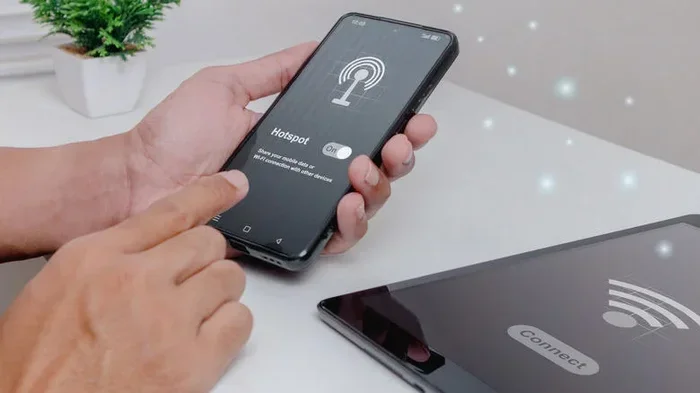
What happens if Starbucks Wi-Fi goes down? You should always have a backup plan for staying connected. This could be your phone’s mobile hotspot, a nearby library with free Wi-Fi, or a second coffee shop within walking distance.
Starbucks Outdoor Wi-Fi vs. Other Free Public Wi-Fi Options
Starbucks is not the only place with free public Wi-Fi. Here is how it compares to other popular options:
- Public libraries: Offer free Wi-Fi and a quiet environment, but you must be a library member and follow strict rules.
- McDonald’s and other fast food chains: Free Wi-Fi is available, but the atmosphere is less comfortable for extended work sessions.
- Hotels: Many hotels offer free Wi-Fi in their lobbies, but access may be limited to guests only.
- City parks: Some cities offer free Wi-Fi in parks, but coverage is often spotty and unreliable.
- Co-working spaces: The best option for serious remote work, but they require a paid membership.
For a combination of free internet, comfort, accessibility, and a pleasant atmosphere, Starbucks outdoor Wi-Fi is hard to beat. It is one of the most popular free public Wi-Fi options in the world, and for good reason.
Final Thoughts on Sitting Outside Starbucks and Using Wi-Fi
Sitting outside Starbucks and using Wi-Fi for free is a simple pleasure that many people enjoy every day. Whether you are catching up on emails, writing a blog post, or just browsing the web with a cold drink in hand, the Starbucks outdoor Wi-Fi experience is convenient and reliable.
The key takeaways are simple. Starbucks outdoor Wi-Fi is free, easy to connect to, and available at most locations. You do not always need to make a purchase, but doing so is a nice gesture of goodwill. Stay safe by using a VPN and being mindful of your online activity. And remember to be respectful of the space, the staff, and other customers.
Next time you see a Starbucks with outdoor seating, do not hesitate to pull up a chair and get online. With the tips and information in this guide, you are fully prepared to make the most of your Starbucks patio Wi-Fi experience. Enjoy the fresh air, the good coffee, and the free internet. It is one of the best combinations you will find in any coffee shop.
So grab your laptop, order your favorite drink, find a comfortable seat outside, and get to work. The Wi-Fi is ready, the coffee is hot, and the outdoor atmosphere is waiting for you. Happy surfing!
Frequently Asked Questions
Do you have to buy something to use Starbucks Wi-Fi outside?
No, you do not have to buy anything to connect to Starbucks Wi-Fi outside. The network is free and open to anyone. However, purchasing a drink or snack is a kind gesture that shows appreciation for the space and the staff.
How do I connect to Starbucks outdoor Wi-Fi?
Turn on your Wi-Fi, select the “Google Starbucks” or “Starbucks Wi-Fi” network, and open your browser. A login page will appear where you can accept the terms and conditions. No password is needed at most locations.
Is Starbucks outdoor Wi-Fi safe to use?
Starbucks outdoor Wi-Fi is generally safe, but public networks always carry some risk. Using a VPN, avoiding sensitive transactions, and keeping your devices updated are the best ways to protect yourself while connected.
Can I sit outside Starbucks all day and use the Wi-Fi?
Yes, you can sit outside Starbucks for an extended period and use the Wi-Fi. Starbucks does not enforce a strict time limit. However, during busy hours, it is courteous to keep your table available for other customers if the store is crowded.
Why is my Starbucks outdoor Wi-Fi so slow?
Slow speeds usually happen during peak hours when many people are connected to the network. Moving closer to the store, visiting during off-peak times, or restarting your device can often improve your connection speed.
Does every Starbucks location offer outdoor Wi-Fi?
Most Starbucks locations offer outdoor Wi-Fi, but not every single store has outdoor seating or a patio. Urban locations and stores in shopping areas are more likely to have outdoor seating with Wi-Fi access. You can check the specific store details on the Starbucks app or website.
=== CONCLUSION ===
Can you sit outside Starbucks and use Wi-Fi for free? Absolutely yes. Starbucks outdoor Wi-Fi is one of the best free public internet options available today. It is easy to connect, generally fast, and available at thousands of locations worldwide.
Whether you are a remote worker, a student, or someone who simply enjoys a good cup of coffee with a side of internet browsing, the Starbucks patio experience delivers. Just remember to be a respectful guest, support the business with a purchase, and take basic steps to protect your online security.
Now that you know everything about sitting outside Starbucks and using Wi-Fi, it is time to put this knowledge into action. Find your nearest Starbucks, grab a seat outside, and enjoy the free Wi-Fi. You will be glad you did.