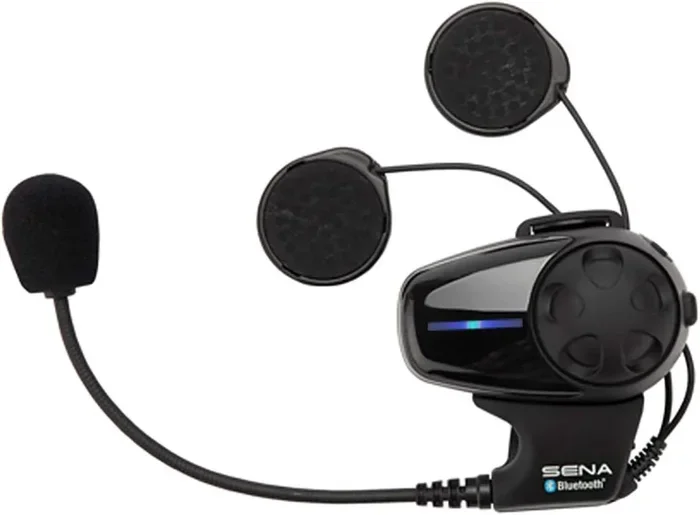
Can You Talk And Listen To Music On Sena While Riding
Yes, you can talk and listen to music on Sena devices while riding. Sena Bluetooth headsets and communication systems are built to let riders stream music, take calls, and use voice commands all at the same time. With the right Sena model, proper Bluetooth pairing, and a few simple settings, you can enjoy your favorite tunes and stay connected on the road.
Riding a motorcycle is about freedom. The open road, the wind, and your favorite playlist all come together to create the perfect ride. But if you ride with a Sena Bluetooth headset, you might wonder one thing: can you talk and listen to music on Sena at the same time? The short answer is yes. The longer answer is even better, and it is what this guide is all about.
Sena makes some of the best motorcycle communication systems on the market. Their devices are designed for riders who want to stay connected, enjoy music, and take calls without taking their hands off the handlebars. Whether you are using a Sena 50R, a Sena 20S, or any other model, the ability to mix audio is a game changer. In this article, we will walk you through everything you need to know about using your Sena device for both calls and music.
We will cover how the technology works, which models support it best, and how to set everything up step by step. By the end, you will know exactly how to get the most out of your Sena headset. Let us dive in.
Key Takeaways
- Simultaneous Use: Sena devices let you talk on calls and listen to music at the same time without any issues.
- Multiple Models: Popular Sena models like the 50R, 20S, and 10C all support mixed audio modes for music and communication.
- Easy Setup: You can pair your phone, stream music, and manage calls through the Sena app or built-in controls.
- Safety First: Sena devices offer noise cancellation and voice commands to keep your hands free while riding.
- Firmware Matters: Keeping your Sena firmware updated ensures the best performance for music and calling features.
📑 Table of Contents
- What Is a Sena Device and Why Riders Love It
- Can You Talk And Listen To Music On Sena at the Same Time
- How To Set Up Music and Calls on Your Sena
- Best Sena Models For Talk And Listen Music
- Tips To Get The Best Audio Experience While Riding
- Common Problems And How To Fix Them
- How Sena Compares To Other Bluetooth Headsets
- Final Thoughts
What Is a Sena Device and Why Riders Love It
A Sena device is a Bluetooth communication system built specifically for motorcyclists. It lets you connect with other riders, take phone calls, and listen to audio streams right from your helmet. Think of it as a tiny radio and phone built into your riding gear. The technology has come a long way over the years, and modern Sena headsets are packed with features that make every ride better.
Here is why riders love Sena devices so much:
- Hands-Free Calling: You can answer calls without touching your phone. Just use voice commands or the headset buttons.
- Music Streaming: Connect your phone and stream Spotify, Apple Music, or any other app directly to your helmet.
- Rider-to-Rider Communication: Talk to other riders in your group up to a mile away, depending on the model.
- Noise Cancellation: Sena devices use advanced noise cancellation tech so you can hear calls and music clearly, even at high speeds.
- Voice Commands: Many Sena models support voice activation, so you can control music and calls without pressing a single button.
The Sena intercom system is at the heart of all of this. It handles multiple audio sources at once, which brings us to the big question: can you use all of these features together?
Can You Talk And Listen To Music On Sena at the Same Time
This is the question every rider asks, and the answer is a resounding yes. Sena devices are designed to handle multiple audio streams simultaneously. You can be on a phone call, listening to music, and even communicating with another rider all at the same time. The device uses a feature called audio mixing to balance everything out.
Here is how it works in practice. Let us say you are riding and your phone rings. You answer the call using your Sena headset. Now, your music does not stop. It pauses briefly or lowers in volume, and you can have a full conversation. Once the call ends, your music comes back right where you left it. Some models even let you adjust the balance between call audio and music volume.
The Science Behind Sena Audio Mixing
Sena audio mixing is a smart feature that manages multiple sound inputs. The device prioritizes incoming calls over music, which is great for safety. But it also allows you to customize how the two audio sources interact. You can set music to lower in volume during calls or mute it entirely until the call ends.
This is very similar to how Bluetooth headphones work when you talk on the phone with Bluetooth headphones in everyday life. The connection is seamless, and the transition between music and calls feels natural. Sena just takes this a step further by adding rider-to-rider communication into the mix.
How Sena Handles Multiple Audio Sources
Sena devices use a technology stack that supports several audio sources at once. Here is a quick breakdown:
- Phone Calls: Handled through Bluetooth pairing with your smartphone. The headset microphone picks up your voice clearly.
- Music Streaming: Connected via Bluetooth from your phone’s audio apps. Music plays through the helmet speakers.
- Rider Communication: Sena’s own intercom network connects you to other Sena users nearby.
- GPS Navigation: Many riders use Sena with GPS apps for turn-by-turn directions while listening to music.
The device juggles all of these inputs smoothly. You do not need to disconnect anything or switch modes manually. It just works.
How To Set Up Music and Calls on Your Sena
Setting up your Sena device for both music and calls is straightforward. You do not need to be a tech expert. Follow these steps and you will be up and running in minutes.
Step 1: Charge Your Sena Device
Before you do anything, make sure your Sena headset is fully charged. Most Sena models offer around 8 to 16 hours of battery life, but that depends on usage. If you are using music and calls together, the battery will drain faster. So start with a full charge every time you ride.
Step 2: Pair Your Phone via Bluetooth
Turn on your Sena device and put it in pairing mode. Go to your phone’s Bluetooth settings and find your Sena headset. Tap to connect. Once paired, your phone and Sena device will automatically reconnect when you turn them on again.
If you have trouble connecting, try resetting the Bluetooth connection. You can also check if your Bluetooth adapter or phone settings need updating. Sometimes, simply restarting both devices solves the problem.
Step 3: Download the Sena App
The Sena app is a free tool that lets you customize your headset settings. You can adjust volume levels, set up voice commands, update firmware, and manage audio profiles. The app is available for both iOS and Android.
Through the app, you can also set your preferred audio mix. Choose whether music lowers during calls or stays at the same volume. This is where you really take control of your riding experience.
Step 4: Start Streaming Music
Open your music app of choice Spotify, Apple Music, YouTube Music, or anything else. Start playing a song. The audio will stream through your Sena headset. You can control playback directly from the headset buttons or through voice commands.
If you want to listen to music on other devices, you might also explore options like using a USB Bluetooth dongle on your TV for home listening, which shows how versatile Bluetooth audio has become across devices.
Step 5: Take a Test Call
Have a friend call you while your music is playing. Notice how the Sena handles the transition. The music should lower or pause, and your call audio should come through clearly. After the call, music resumes automatically.
If you find that your music does not lower during calls, go back to the Sena app and check your audio profile settings. This is a common setting that new users sometimes miss.
Best Sena Models For Talk And Listen Music
Not all Sena models are created equal. Some are better for music and calls than others. Here is a look at the top Sena devices that excel at letting you talk and listen to music at the same time.
Sena 50R
The Sena 50R is one of the most popular models on the market. It features a sleek design, excellent sound quality, and a built-in camera. The 50R supports Bluetooth 5.0, which means a stronger and more stable connection. You can stream music, take calls, and communicate with other riders without any lag or dropouts.
The 50R also has a touchscreen interface, which makes it easy to switch between music and calls. The noise cancellation is top-notch, so you hear everything clearly even at highway speeds.
Sena 20S Evo
The Sena 20S Evo is a favorite among serious riders. It offers a modular design that lets you swap out components. The audio quality is excellent for both music and calls. The 20S Evo supports Sena’s Smart Integration technology, which lets you connect to your phone’s voice assistant.
This model also features a long battery life, so you can ride all day without worrying about running out of power. The music and call handling is smooth, and the intercom range is impressive.
Sena 10C
The Sena 10C is a more budget-friendly option that still delivers great performance. It has a built-in camera and a compact design. The 10C handles music streaming and phone calls with ease. It might not have all the bells and whistles of the 50R or 20S Evo, but it gets the job done.
For riders who want a simple setup that just works, the 10C is a solid choice. You can talk, listen to music, and stay connected without spending a fortune.
Sena SMH10
The Sena SMH10 is an older model but still widely used. It offers reliable Bluetooth connectivity and good audio quality. The SMH10 handles music and calls well, though it lacks some of the newer features found in the 50R and 20S Evo. If you are on a tighter budget or prefer a simpler device, the SMH10 is worth considering.
| Model | Bluetooth Version | Battery Life | Music + Calls | Price Range |
|---|---|---|---|---|
| Sena 50R | 5.0 | 16 hours | Yes | $300-$400 |
| Sena 20S Evo | 5.0 | 16 hours | Yes | $250-$350 |
| Sena 10C | 4.1 | 10 hours | Yes | $150-$200 |
| Sena SMH10 | 3.0 | 10 hours | Yes | $100-$150 |
As you can see from the table, all current Sena models support simultaneous music and calling. The newer models simply offer better battery life, stronger connections, and more features.
Tips To Get The Best Audio Experience While Riding
Getting the most out of your Sena device is not just about the hardware. A few simple tips can make a huge difference in your audio experience. Here is what the experts recommend.
Use Quality Helmet Speakers
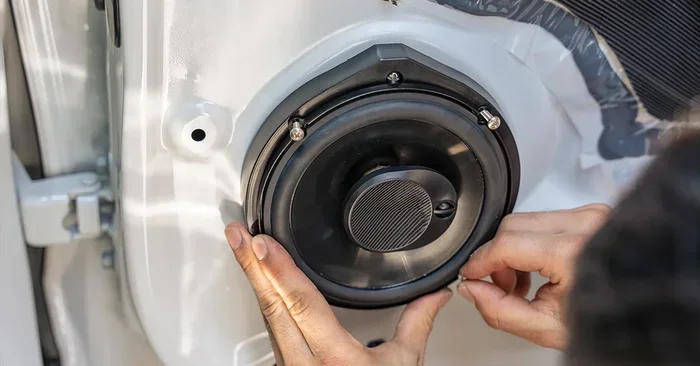
The speakers in your helmet matter a lot. Many Sena headsets come with their own speakers, but you can upgrade to higher-quality ones for better sound. Look for speakers that fit snugly inside your helmet without causing discomfort. Good speakers make music sound richer and calls sound clearer.
Adjust Volume Based on Speed
Wind noise increases as you ride faster. At higher speeds, you might need to turn up the volume on your Sena device to hear music and calls clearly. But be careful not to set it too loud. Prolonged exposure to loud audio can damage your hearing over time. Find a comfortable level that lets you hear both your music and your surroundings.
Keep Your Firmware Updated
Sena regularly releases firmware updates that improve performance and fix bugs. Use the Sena app to check for updates and install them when available. Updated firmware often brings better audio quality, longer battery life, and improved Bluetooth stability.
Manage Your Phone’s Battery
Streaming music and taking calls both drain your phone’s battery quickly. If you are on a long ride, make sure your phone has enough charge. You can also use a motorcycle phone mount with a charging cable to keep your phone powered up during the ride.
Use Voice Commands When Possible
Voice commands are a great way to keep your hands on the handlebars. Use them to answer calls, skip songs, or adjust volume. Most Sena models support voice commands through your phone’s assistant, like Siri or Google Assistant. This is especially useful when you are wearing gloves and the touchscreen is hard to use.
Clean Your Device Regularly
Dirt, sweat, and rain can affect your Sena device’s performance. Wipe it down after every ride and store it in a dry place. Clean speakers and microphones ensure the best audio quality and call clarity.
Common Problems And How To Fix Them
Even the best technology can have occasional hiccups. Here are some common issues riders face with Sena devices and how to solve them.
Music Cuts Out During Calls
If your music stops completely during calls instead of lowering in volume, check your audio profile in the Sena app. You may have the music set to pause rather than lower. Changing this setting is quick and easy.
Poor Call Quality
If the person you are calling says they cannot hear you well, check your microphone. Make sure it is not blocked by dirt or helmet padding. Also, ensure your Sena device is not too far from your mouth. The microphone on most Sena headsets is positioned near the cheek, so a proper fit is essential.
Bluetooth Connection Drops
Bluetooth connections can drop if you are too far from your phone or if there are too many obstacles. Stay within 30 feet of your phone for the best connection. If you are using a Bluetooth adapter for other devices, make sure it is compatible and within range. You can also try resetting the Bluetooth connection if issues persist.
Battery Drains Too Fast
Using music and calls together drains the battery faster than using just one feature. To extend battery life, lower the music volume slightly, reduce the intercom volume, and turn off features you are not using, like the camera or GPS integration.
Firmware Issues
If your Sena device is acting strangely, a firmware update might fix it. Open the Sena app, check for updates, and install the latest version. If the problem persists, try a factory reset. You can find instructions in the Sena user manual or on the Sena website.
How Sena Compares To Other Bluetooth Headsets
Sena is not the only brand that makes motorcycle Bluetooth headsets. Other brands like Cardo, Biltwell, and Scala Rider also offer similar products. But Sena stands out for a few key reasons.
First, Sena has a much larger ecosystem. The Sena app, firmware updates, and community support are all top-notch. Second, Sena devices tend to have better audio mixing capabilities, which means you can talk and listen to music more seamlessly than with many competitors. Third, the build quality is excellent. Sena headsets are built to handle the elements, from rain to dust to extreme temperatures.
If you have ever used Bluetooth headphones to listen to music on a Samsung TV or any other device at home, you know how convenient wireless audio can be. Sena brings that same convenience to the motorcycle world, with the added benefit of rider-to-rider communication.
The one area where competitors sometimes win is price. Some brands offer similar features at a lower cost. But for most riders, the Sena experience is worth the investment. The reliability, sound quality, and ease of use are hard to beat.
Final Thoughts
So, can you talk and listen to music on Sena while riding? Absolutely. Sena devices are built for this exact purpose. Whether you are cruising on a Sunday morning or commuting through city traffic, your Sena headset lets you enjoy music, take calls, and stay connected with other riders. The technology is mature, the devices are reliable, and the setup is simple.
Pick the right Sena model for your needs, follow the setup steps in this guide, and keep your firmware updated. You will be amazed at how seamlessly music and calls work together on your rides. The freedom of the open road just got a little more connected.
Get out there, plug in your Sena, press play on your favorite playlist, and enjoy the ride. And if a call comes in, do not worry. Your Sena has got you covered.
Frequently Asked Questions
Can I use my Sena headset for both music and phone calls at the same time?
Yes, all modern Sena devices support simultaneous music streaming and phone calls. The headset uses audio mixing to balance both sources, so you can enjoy your tunes and stay connected without any interruption.
Do I need the Sena app to use music and calls together?
The Sena app is not strictly required, but it makes setup much easier. You can use the headset buttons to manage music and calls. However, the app gives you access to advanced audio settings, firmware updates, and voice command customization that enhance the experience.
Which Sena model is best for music and calls?
The Sena 50R and Sena 20S Evo are the top choices for riders who want the best music and call experience. They offer superior sound quality, longer battery life, and advanced audio mixing. The Sena 10C is a great budget-friendly alternative.
Does using music and calls together drain the battery faster?
Yes, using both features at the same time uses more battery than using just one. You can extend battery life by lowering the volume, reducing intercom usage, and turning off features you do not need. Most riders still get a full day of use on a single charge.
Can I listen to music from my phone and communicate with another rider at the same time?
Yes, Sena devices support a three-way audio mix. You can stream music from your phone, take a call, and communicate with another Sena rider simultaneously. The device intelligently manages the audio levels so nothing gets lost.
What should I do if my Sena device has trouble connecting to my phone?
First, make sure Bluetooth is turned on and your phone is within range. Try turning off and back on both devices. If the problem continues, delete the paired device from your phone and pair it again. You can also check for firmware updates in the Sena app, as updates often fix connection issues.
=== CONCLUSION ===
The ability to talk and listen to music on Sena while riding is not just a nice feature. It is a game changer for motorcycle enthusiasts. Sena has built devices that make it easy to stay connected, enjoy your favorite audio, and ride safely. From the Sena 50R to the budget-friendly 10C, there is a model for every rider. Set up your device, follow the tips in this guide, and you will never look back. Your rides are about to get a whole lot better.