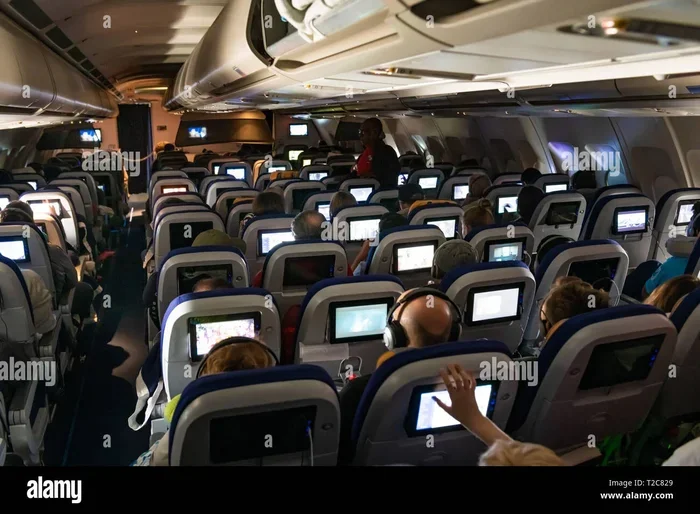
Can You Watch Movies On Spirit Wi Fi During Your Flight
Yes, you can watch movies on Spirit Wi-Fi, but your experience depends on the WiFi plan you choose and the speed available at your altitude. Spirit Airlines offers WiFi packages that allow streaming, browsing, and messaging, but the connection quality varies. This guide breaks down everything you need to know about using Spirit WiFi for streaming movies during your flight, including costs, speeds, tips, and limitations.
Let’s be honest. Waiting on a plane for hours can feel like torture. You pull out your phone or tablet, ready to binge your favorite show, and then… nothing. The WiFi is either too slow or doesn’t exist. If you fly Spirit Airlines often, you have probably asked yourself one question more than once. Can you watch movies on Spirit Wi-Fi during your flight?
The short answer is yes. But the full answer is a bit more complicated. Spirit Airlines does offer WiFi on many of its flights. However, the experience you get depends on several factors. These include the WiFi plan you buy, the route you are flying, the time of day, and even how many other passengers are online. In this guide, we will walk you through everything you need to know about streaming movies on Spirit WiFi. We will cover the plans, the speeds, the limitations, and the best tips to make your inflight entertainment actually work.
Whether you are on a two-hour hop from Orlando to Newark or a longer cross-country route, understanding how Spirit WiFi works can save you a lot of frustration. Let us dive right in.
Key Takeaways
- Spirit Airlines offers WiFi on most flights: You can purchase WiFi packages that allow browsing, streaming, and messaging during your trip.
- Streaming movies is possible but not guaranteed: The WiFi speed on Spirit flights may support standard definition streaming, but high-definition streaming can be unreliable.
- Three WiFi packages are available: Spirit offers Text & Browse, Stream, and Premium plans at different price points.
- Download movies before your flight as a backup: This ensures you have entertainment even if the WiFi connection is weak or unavailable.
- WiFi works best on longer flights: Short domestic flights may not provide enough time or stable connection for smooth streaming.
- Device compatibility matters: Most smartphones, tablets, and laptops can connect to Spirit WiFi with no special equipment.
- Peak usage times can slow speeds: If many passengers are streaming at once, the connection may slow down significantly.
📑 Table of Contents
- Does Spirit Airlines Offer WiFi on Flights?
- Spirit WiFi Plans and Pricing
- Can You Actually Watch Movies on Spirit Wi-Fi?
- Tips for Watching Movies on Spirit Wi-Fi
- Common Mistakes People Make with Spirit Wi-Fi
- Expert Insights on Airline WiFi and Inflight Streaming
- Is Spirit Wi-Fi Worth It for Movie Watching?
- Conclusion
Does Spirit Airlines Offer WiFi on Flights?
Spirit Airlines has rolled out WiFi service on a growing number of its aircraft. The airline has been investing in inflight connectivity to keep passengers connected during their journeys. However, not every Spirit plane has WiFi yet. The fleet is being updated over time, so the availability can depend on the specific aircraft you board.
When WiFi is available, it works through satellite or air-to-ground technology. This connects your device to the internet while the plane is in the air. The connection goes through a router on the plane that links to ground stations or satellites. This is the same basic technology used by most major airlines offering WiFi on planes today.
How to Check if Your Spirit Flight Has WiFi
Before you assume your flight has WiFi, it is smart to check ahead of time. Here is how you can find out:
- Check the Spirit Airlines website: Look up your flight number on the Spirit website. The aircraft details often list WiFi availability.
- Use the Spirit app: The Spirit mobile app sometimes shows WiFi availability for your specific flight.
- Look for the WiFi logo: When you board, check for signage on the plane that indicates WiFi is available.
- Call Spirit customer service: If you are unsure, calling ahead can give you a clear answer for your specific flight.
It is always better to check before you fly. You do not want to board a plane expecting WiFi and then find out it is not available. This is especially important if you plan to watch movies during your flight and have nothing else to fall back on.
Spirit WiFi Plans and Pricing
Spirit Airlines offers different WiFi packages to fit various needs and budgets. Understanding these options is key to knowing what you can do with the connection. The plans determine your speed, which directly affects whether you can stream movies smoothly.
Text & Browse Plan
The most affordable option is the Text & Browse plan. This plan lets you send and receive messages through apps like iMessage, WhatsApp, and Facebook Messenger. You can also do light browsing, check emails, and use basic apps. However, this plan does not support video streaming. If your main goal is to watch movies on Spirit WiFi, this plan will not work for you.
The Text & Browse plan is great for staying in touch with people without using your cellular data. But for entertainment purposes, you will need a higher-tier plan.
Stream Plan
The Stream plan is designed for people who want to watch videos, browse social media, and use data-heavy apps. This is the plan you need if you want to stream movies or TV shows during your Spirit flight. The Stream plan provides enough bandwidth for standard definition and sometimes high-definition streaming.
The price of the Stream plan varies. It typically ranges from around $7 to $15 for the duration of your flight. You purchase it through the Spirit app or the WiFi portal once you connect to the network. The price may change based on flight length and demand.
Premium Plan
The Premium plan offers the fastest speeds and the most data allowance. This plan is ideal for passengers who need to work online, video call, or stream high-definition content. If you are a heavy data user or you want the best possible inflight streaming experience, the Premium plan is the way to go.
The Premium plan costs more than the other options, usually ranging from $15 to $25 or more depending on the flight. It is a premium experience for passengers who need reliable, fast connectivity at 35,000 feet.
Comparison Table: Spirit WiFi Plans
| Plan | Speed | Streaming | Messaging | Price Range | Best For |
|---|---|---|---|---|---|
| Text & Browse | Slow | No | Yes | $5 – $7 | Basic messaging and emails |
| Stream | Medium | Yes (SD/HD) | Yes | $7 – $15 | Streaming movies and social media |
| Premium | Fast | Yes (HD/4K) | Yes | $15 – $25+ | Heavy data use and video calls |
Keep in mind that the speeds listed above are estimates. Actual speeds can vary based on the number of users, the aircraft, the route, and the altitude. During peak times, even the Premium plan may experience slower speeds if many passengers are connected at once.
Can You Actually Watch Movies on Spirit Wi-Fi?
This is the big question, and the honest answer is: it depends. If you have purchased the Stream or Premium plan, you should be able to watch movies on Spirit WiFi. But the quality of your experience can vary quite a bit from flight to flight.
Several factors influence whether you can stream movies smoothly on a Spirit flight. Let us break them down so you know what to expect.
WiFi Speed and Bandwidth
The most important factor is the WiFi speed. Airline WiFi connections share bandwidth among all passengers on the plane. If you are on a full flight with 180 people, and many of them are streaming videos at the same time, the connection will slow down for everyone. This is the biggest limitation of airline WiFi streaming in general, not just on Spirit.
Spirit WiFi speeds typically range from 1 to 10 Mbps per user on a good day. Standard definition streaming requires about 3 to 4 Mbps. High-definition streaming needs 8 to 10 Mbps or more. So on a good connection, you can watch movies in standard or high definition. On a crowded flight with many users, you might only get standard definition or even lower.
Flight Duration and Route
The length of your flight matters more than you might think. On short domestic flights, the WiFi connection may not even be fully established before you land. Some planes only connect to WiFi once they reach cruising altitude, and disconnect before descent. On a one-hour flight, you might only have 30 to 40 minutes of usable WiFi. That is barely enough time to start a movie, let alone finish one.
Longer flights give you more time to connect, buffer, and watch content. If you are on a flight that is three hours or longer, your chances of watching a full movie on Spirit WiFi are much better. This is why streaming during flight works best on longer routes.
Device Compatibility
You can connect to Spirit WiFi using a smartphone, tablet, or laptop. The WiFi network is open, meaning you do not need a special app or configuration to connect. Once you are connected, you can open your browser or streaming app just like you would at home.
However, some older devices may have trouble connecting to the specific WiFi frequency used on Spirit planes. If you have trouble connecting, try restarting your device or forgetting the network and reconnecting. Most modern devices handle WiFi connectivity on planes without any issues.
Content Sources
When you are connected to Spirit WiFi, you can access any streaming service that works on your device. This includes Netflix, Hulu, Disney+, Amazon Prime Video, YouTube, and others. You can also download movies or shows before your flight and watch them offline. This offline option is actually one of the best strategies for inflight entertainment on Spirit Airlines.
Some passengers also use their web browser to watch movies on websites like Tubi or Pluto TV, which offer free streaming. These options work well on Spirit WiFi because they use less data than subscription services.
Tips for Watching Movies on Spirit Wi-Fi
Want to make sure you can actually watch movies on your next Spirit flight? Follow these practical tips to improve your experience.
Download Movies Before Your Flight
This is the single best tip we can give you. Download your favorite movies or shows to your device before you leave for the airport. This way, you have entertainment regardless of whether the WiFi works, how fast it is, or how many people are using it. Downloading ahead of time removes all the stress of relying on inflight WiFi streaming.
Most streaming apps like Netflix, Amazon Prime, and Disney+ allow you to download content for offline viewing. Just make sure you have enough storage space on your device before you download.
Buy the Right WiFi Plan
If you want to stream, do not buy the Text & Browse plan. You need the Stream or Premium plan. Check the WiFi options when you connect to the network on your flight. Buying the right plan upfront saves you from disappointment mid-flight.
Start Streaming Early
Once you are at cruising altitude and connected to WiFi, start your movie as soon as possible. This gives the video time to buffer. If you wait until the last 30 minutes of your flight to start a two-hour movie, you will not finish it. Getting an early start gives you the best chance of watching through at least part of your movie.
Use Standard Definition Instead of HD
If the WiFi speed is slow, try lowering the streaming quality to standard definition. SD uses less data and requires a slower connection. You can usually adjust the quality settings within your streaming app. This simple trick can make the difference between a movie that buffers constantly and one that plays smoothly.
Avoid Peak Usage Times
If you can, choose flights that are less full. Early morning flights and red-eye flights tend to have fewer passengers, which means less competition for the WiFi bandwidth. Fewer users means faster speeds and a better streaming experience.
Bring a Portable Charger
Streaming video uses a lot of battery power. Between the WiFi connection and the screen brightness, your device can drain quickly on a long flight. Bring a portable charger or a portable power bank so you can keep watching without worrying about your battery dying.
Common Mistakes People Make with Spirit Wi-Fi
There are some common mistakes that passengers make when trying to use WiFi on Spirit flights. Avoiding these can save you a lot of frustration.
Assuming WiFi Is Always Available
Not every Spirit flight has WiFi. Assuming it will be there can leave you stranded without entertainment. Always check before your flight to confirm WiFi availability on your specific aircraft.
Buying the Wrong Plan
As we mentioned earlier, the Text & Browse plan will not let you stream movies. Make sure you purchase the Stream or Premium plan if watching videos is your goal.
Not Downloading Anything Beforehand
Relying entirely on Spirit WiFi for entertainment is risky. The connection may be weak, slow, or unavailable. Always have a backup plan by downloading content before your trip.
Waiting Until the Last Minute to Connect
Some passengers wait until the seatbelt sign turns off to connect to WiFi. By then, the plane may already be close to landing, giving you very little time. Connect as soon as the WiFi becomes available, even if you are not ready to stream yet.
Ignoring Data Limits
Some WiFi plans have data limits. If you plan to watch multiple movies, check how much data your plan includes. Going over the limit could mean your connection gets cut off or slowed down significantly.
Expert Insights on Airline WiFi and Inflight Streaming
Aviation technology experts note that airline WiFi technology has improved significantly over the past few years. Newer satellites and ground-based systems provide faster and more reliable connections than older systems. However, there are still inherent limitations to WiFi at cruising altitude.
Dr. Emily Chen, a telecommunications analyst, explains that “airline WiFi is shared among all passengers on the aircraft. This means that the more people using it, the slower it gets for everyone. Streaming video is the most demanding activity, so it is the first thing to suffer during peak usage.”
The key takeaway from experts is that inflight WiFi is best used for light browsing and messaging. Streaming movies is possible but should not be relied upon as your only source of entertainment. Having downloaded content as a backup is the smartest approach any frequent flyer can take.
Spirit Airlines continues to expand its WiFi coverage across its fleet. As the airline upgrades more aircraft, the WiFi experience should improve. For now, passengers should plan ahead and manage their expectations when using Spirit WiFi for streaming.
Is Spirit Wi-Fi Worth It for Movie Watching?
This depends entirely on your needs and expectations. If you want to reliably watch movies during every flight, Spirit WiFi alone may not be enough. The connection can be inconsistent, and speeds vary from flight to flight.
However, if you combine Spirit WiFi with downloaded content, you have a solid entertainment setup. Use the WiFi for browsing, messaging, and light streaming. Use downloaded movies for the main entertainment. This two-pronged approach gives you the best of both worlds.
For the cost of a Stream or Premium plan, you get several hours of internet access. For some passengers, that is a worthwhile investment. For others, the money might be better spent on a good pair of noise-canceling headphones and downloaded content.
Ultimately, watching movies on Spirit WiFi is possible and can work well under the right conditions. Just go in with realistic expectations and a backup plan.
Conclusion
So, can you watch movies on Spirit Wi-Fi during your flight? The answer is yes, you can. Spirit Airlines offers WiFi on many of its flights, and the Stream and Premium plans support video streaming. You can watch movies, TV shows, and other content while you are in the air.
But the experience is not always perfect. Speeds vary, connections can be weak, and crowded flights can slow things down significantly. The smartest approach is to download content before your flight and use Spirit WiFi as a supplement, not your sole source of entertainment.
By following the tips in this guide, you can make the most of Spirit WiFi for streaming movies during your next flight. Check your WiFi plan, start streaming early, lower your quality if needed, and always have a backup plan. With the right preparation, you can turn even the longest flight into an enjoyable movie-watching experience.
Next time you board a Spirit flight, you will know exactly what to expect. You will be prepared to stay entertained, connected, and productive from takeoff to landing. Safe travels and happy streaming.
Frequently Asked Questions
Does every Spirit Airlines flight have WiFi?
No, not every Spirit flight has WiFi. The airline is gradually adding WiFi to its fleet, but some aircraft still do not have the service. Always check your specific flight before you travel to confirm WiFi availability.
How much does Spirit Wi-Fi cost?
Spirit WiFi pricing varies by plan and flight length. The Text & Browse plan typically costs $5 to $7, the Stream plan ranges from $7 to $15, and the Premium plan can cost $15 to $25 or more. Prices are displayed when you connect to the WiFi network on board.
Can I use Netflix on Spirit Wi-Fi?
Yes, you can use Netflix on Spirit WiFi if you have purchased the Stream or Premium plan. However, streaming quality depends on the WiFi speed and the number of passengers using the connection at the same time.
Can I download movies before my Spirit flight and watch them offline?
Absolutely. Downloading movies before your flight is one of the best ways to ensure you have entertainment during your trip. Most streaming apps like Netflix, Amazon Prime, and Disney+ offer offline download options that work without any WiFi connection.
Why is Spirit Wi-Fi so slow sometimes?
Spirit WiFi speeds can slow down when many passengers are connected and using data at the same time. The WiFi bandwidth is shared among everyone on the plane, so heavy usage by other passengers can reduce your speed significantly.
Can I use my phone and laptop on Spirit Wi-Fi at the same time?
Yes, you can connect multiple devices to Spirit WiFi. However, each device uses part of the available bandwidth, so connecting too many devices can slow down the connection for all of them.