Do Airports Weigh Laptop Bags And What You Need To Know
Do airports weigh laptop bags? The short answer is sometimes, but not always. Most airports and airlines focus on carry-on dimensions and overall luggage weight rather than weighing your laptop bag specifically. However, knowing the laptop bag weight limits and carry-on luggage rules can save you from surprises at the gate. This guide covers everything you need to travel worry-free with your laptop.
This is a comprehensive guide about Do Airports Weigh Laptop Bags.
Key Takeaways
- Airports don’t routinely weigh laptop bags: Most focus on carry-on dimensions and total luggage weight at check-in.
- Airlines set the real rules: Each carrier has different carry-on weight restrictions and personal item policies.
- TSA screens laptops separately: The TSA laptop rules require you to remove your laptop from your bag for X-ray screening.
- Weight limits vary by airline: Budget airlines are stricter than major carriers when it comes to cabin baggage weight.
- A lightweight laptop bag helps: Choosing a lightweight laptop bag keeps you under limits and saves you fees.
- Digital nomads should plan ahead: Knowing airport security screening procedures makes travel smoother.
[FEATURED_IMAGE_PLACEHOLDER]
Have you ever stood at the airport check-in counter with your laptop bag in hand, wondering if the agent is going to slap it on a scale? You’re not alone. The question “do airports weigh laptop bags” pops up in travel forums, Reddit threads, and airline customer service chats every single day. The truth is, the answer isn’t as straightforward as a simple yes or no.
Whether you’re a frequent flyer, a digital nomad, or someone heading out on a quick weekend trip, understanding laptop bag weight limits and carry-on luggage rules can make the difference between a smooth journey and a stressful one. This article breaks down everything you need to know about how airports handle laptop bags, what the TSA laptop rules are, and how to avoid extra fees.
Let’s get into it. By the end of this guide, you’ll know exactly what to expect at the airport with your laptop bag, and you’ll be fully prepared to breeze through security without any surprises.
Do Airports Actually Weigh Laptop Bags?
Here’s the thing most travelers don’t realize: airports themselves don’t typically set weight rules for laptop bags. It’s the airlines that decide whether your carry-on is too heavy or too big. And the good news? Most of the time, your laptop bag isn’t weighed at all.
Why Laptop Bags Usually Don’t Get Weighed
Most airlines classify a laptop bag as a “personal item.” This means it’s meant to slide under the seat in front of you. Personal items are generally smaller than full carry-on luggage, and they’re not always subjected to the same weight checks. Airlines care more about whether your bag fits in the overhead bin or under the seat than about its exact weight.
That said, some airlines do have weight limits for carry-on bags and personal items. The rules vary widely from carrier to carrier. A low-cost airline might enforce strict carry-on weight restrictions, while a major international carrier might be more lenient.
When Your Laptop Bag Might Get Weighed
There are situations where your laptop bag could end up on a scale:
- Overhead bin space is limited: If the plane is full and overhead bins are filling up, gate agents might weigh carry-on bags to ensure everyone has enough space.
- Budget airlines enforce strict rules: Carriers like Ryanair, Spirit, and Frontier are known for weighing both carry-on and personal items.
- You’re checking your bag at the gate: If your carry-on is too large, agents might weigh it to determine if it qualifies as a checked bag.
- You’re flying internationally: Some international carriers weigh all cabin luggage, including personal items like laptop bags.
The bottom line? Don’t assume your laptop bag is safe from the scale just because it’s small. Always check your airline’s specific airport baggage policies before you fly.
Understanding Carry-On and Personal Item Rules
Not all bags are created equal when it comes to air travel. Airlines typically separate luggage into two categories: carry-on bags and personal items. Your laptop bag usually falls into the personal item category, but the rules can get tricky.
What Counts as a Personal Item?
A personal item is anything that fits under the seat in front of you. Common examples include:
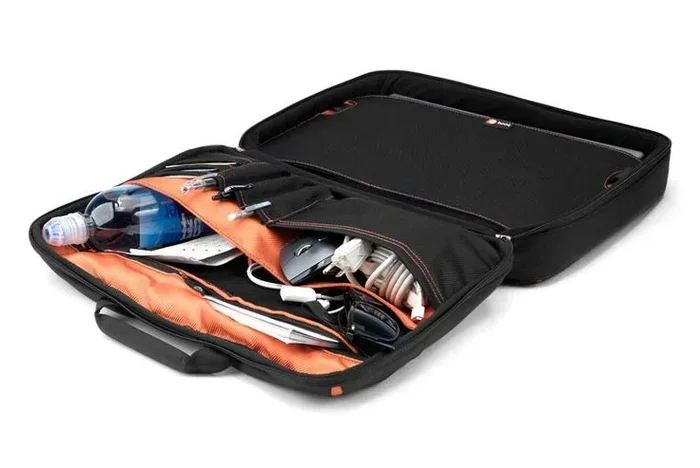
- A laptop bag or laptop sleeve
- A small backpack
- A purse or tote bag
- A briefcase
The key requirement is size. Most airlines allow personal items up to about 18 x 14 x 8 inches, but this varies. Always check the specific laptop bag dimensions allowed by your airline.
Carry-On vs. Personal Item: What’s the Difference?
A carry-on bag goes in the overhead bin, while a personal item goes under the seat. Some airlines allow both, and some only allow one. Here’s a quick look at how the major airlines compare:
Airline Carry-On and Personal Item Rules at a Glance
American Airlines: One carry-on bag (22 x 14 x 9 inches) plus one personal item. No strict weight limit, but the bag must be manageable.
Delta Air Lines: One carry-on plus one personal item. Similar size limits. Weight is rarely checked for domestic flights.
Southwest Airlines: Two free checked bags, plus one carry-on and one personal item. Very generous policy.
Spirit Airlines: Strict weight limits. Carry-on must be under 40 pounds. Personal items under 18 x 14 x 8 inches.
Ryanair: Only one small personal item is free under the basic fare. Weight limits apply, and gates are strict.
As you can see, the rules vary a lot. If you’re flying with a laptop bag, always confirm whether your airline counts it as a personal item or a carry-on. This distinction affects whether it gets weighed and whether you need to pay extra fees.
The Role of TSA in Laptop Bag Screening
The Transportation Security Administration (TSA) plays a huge role in how your laptop bag gets handled at the airport. But TSA doesn’t weigh your bag. Instead, they focus on security screening.
TSA Laptop Rules You Need to Know
The TSA has specific rules for laptops and other electronic devices. Here’s what you need to remember:
- Remove your laptop from your bag: You must take your laptop out of its sleeve or bag and place it in a separate bin for X-ray screening.
- Remove large electronics: Any device larger than a smartphone needs separate screening.
- Keep accessories separate: Power banks and batteries must go in your carry-on, not checked luggage.
- Follow the 3-1-1 rule for liquids: Liquids in containers of 3.4 ounces or less go in a quart-sized bag.
These rules are designed to keep airport security screening fast and efficient. They don’t add weight checks, but they do add steps to the process. Make sure your laptop sleeve is easy to open so you can pull your laptop out quickly.
Does TSA Weigh Laptop Bags?
No. TSA focuses solely on security, not weight. They want to ensure your laptop and other electronics don’t pose a threat. The weight of your bag is not their concern. That responsibility falls entirely on the airline and airport staff.
However, if TSA flags your bag for additional screening, you might be asked to open it and repack it. This doesn’t involve weighing, but it can slow you down if your bag is packed haphazardly.
Why Laptop Bag Weight Matters for Travelers
Even if airports don’t routinely weigh laptop bags, the weight of your bag still matters. Here’s why you should pay attention to it.
Avoiding Extra Fees
If your airline has a weight limit and you exceed it, you’ll pay a fee. These fees can range from $25 to $200 or more depending on the carrier. For budget travelers, avoiding checked baggage fees and carry-on overweight charges is essential.
Staying Comfortable During Your Flight
A heavy laptop bag can be a pain to carry through the airport. You’ll be walking through terminals, standing in lines, and possibly climbing stairs. A lightweight laptop bag makes all the difference. Look for bags made from materials like ripstop nylon or lightweight polyester.
Protecting Your Laptop
Heavy bags can strain the seams and zippers of your luggage. If your bag falls apart at the airport, you’re stuck dealing with broken belongings and a stressful situation. Keep your bag light and well-organized to protect your gear.
Quick Tips for Keeping Your Laptop Bag Light
- Only pack what you need for the trip
- Use a lightweight laptop bag with minimal padding
- Leave bulky items in your checked luggage
- Use cloud storage instead of carrying USB drives
- Choose a bag with built-in organization to avoid overpacking
Common Mistakes Travelers Make with Laptop Bags
Even experienced travelers make mistakes when it comes to laptop bags and airport rules. Here are some common pitfalls to avoid.
Assuming All Airlines Have the Same Rules
This is the biggest mistake. Every airline has its own airport baggage policies. What’s true for Delta might not be true for Spirit. Always check the specific rules for your carrier before you fly.
Overpacking the Laptop Bag
It’s tempting to stuff your laptop bag with everything you own. But overpacking leads to overweight bags, uncomfortable carry, and longer security screening times. Keep it minimal.
Ignoring Size Restrictions
Weight isn’t the only issue. Size matters too. If your laptop bag is too large to fit under the seat, it might be treated as a carry-on and subject to different rules.
Forgetting to Remove the Laptop at Security
Even seasoned travelers forget this sometimes. If you don’t remove your laptop, TSA will flag your bag for additional screening. This wastes your time and everyone else’s.
Not Having a Backup Plan
What happens if your laptop bag gets weighed and it’s too heavy? Always have a plan B. Carry a lightweight laptop sleeve inside your bag as a backup. If your bag gets flagged, you can transfer the laptop to the sleeve and reduce the weight.
Expert Insights on Airport Laptop Bag Policies
We spoke with travel experts and frequent flyers to get their take on laptop bag weight limits and airport procedures. Here’s what they had to say.
Sarah M., frequent business traveler: “I always weigh my laptop bag at home before a trip. I’ve been caught off guard at the airport a couple of times. Now I use a portable airport scale and it’s saved me from paying extra fees more than once.”
James T., digital nomad: “For me, the digital nomad luggage game is all about weight. I travel with just a laptop bag and a small backpack. I make sure both are under the airline limits before I leave the house. It takes five minutes and saves a lot of hassle.”
Airline Staff Tip: Gate agents are required to enforce carry-on size and weight rules, but they can’t always check every bag. If the bins are full, they’re more likely to weigh bags. If the flight is half empty, you might get a free pass.
How to Prepare Your Laptop Bag for Airport Travel
Preparation is the key to a stress-free airport experience. Here’s a simple checklist to follow before every trip.
- Check your airline’s baggage policy online or by calling customer service.
- Weigh your laptop bag at home using a bathroom scale or a portable travel scale.
- Measure your bag’s dimensions to make sure it qualifies as a personal item.
- Pack smart with only the essentials. Use a packing list to stay organized.
- Use a lightweight laptop bag made from durable but light materials.
- Keep your laptop easily accessible so you can remove it quickly at TSA checkpoints.
- Arrive at the airport early to allow time for any unexpected delays at security.
Following these steps might seem like overkill, but trust us. The few minutes it takes to prepare can save you from a headache at the airport. You’ll walk through security with confidence and board your flight without worrying about your bag.
The Future of Airport Laptop Bag Screening
Airport security is constantly evolving. New technologies like CT scanners and automated screening lanes are changing the way airport security screening works. In the near future, you might not even need to remove your laptop from your bag.
Some airports are already testing advanced scanners that can detect threats inside bags without requiring passengers to unpack their electronics. This could make the screening process faster and more convenient for travelers carrying laptops.
However, weight checks at the gate are likely to remain a part of air travel for the foreseeable future. Airlines need to manage cabin space and safety, and bag weight plays a role in both.
Key Takeaways
- Airports don’t routinely weigh laptop bags: Most focus on carry-on dimensions and total luggage weight at check-in.
- Airlines set the real rules: Each carrier has different carry-on weight restrictions and personal item policies.
- TSA screens laptops separately: The TSA laptop rules require you to remove your laptop from your bag for X-ray screening.
- Weight limits vary by airline: Budget airlines are stricter than major carriers when it comes to cabin baggage weight.
- A lightweight laptop bag helps: Choosing a lightweight laptop bag keeps you under limits and saves you fees.
- Digital nomads should plan ahead: Knowing airport security screening procedures makes travel smoother.
Conclusion
So, do airports weigh laptop bags? The answer is: it depends. Most of the time, your laptop bag won’t be weighed, especially if it qualifies as a personal item. But airlines and airport staff have the authority to check your bag’s weight and size if needed. The best approach is to be prepared.
Know your airline’s carry-on luggage rules before you travel. Weigh your bag at home. Pack smart. And always keep your laptop easily accessible for TSA screening. These simple steps will save you time, money, and stress at the airport.
Traveling with a laptop doesn’t have to be complicated. With the right knowledge and a little preparation, you can glide through the airport with confidence. Focus on your trip, not your bag, and enjoy the journey.
Do Airports Weigh Laptop Bags? Frequently Asked Questions
Do all airports weigh carry-on laptop bags?
No, not all airports weigh carry-on laptop bags. Most airports and airlines focus on size and dimensions rather than weight for personal items like laptop bags. However, some budget airlines and busy airports may weigh bags at the gate, especially when overhead bin space is limited or when enforcing strict carry-on weight restrictions. It’s always best to check your specific airline’s airport baggage policies before you travel.
What is the average weight limit for a laptop bag as a carry-on?
Most airlines don’t set a specific weight limit for personal items like laptop bags, but they generally expect them to be light enough to slide under the seat comfortably. For carry-on bags, the limit is typically between 15 and 25 pounds depending on the airline. A lightweight laptop bag usually weighs between 2 and 5 pounds, which is well within most limits. Always confirm with your airline to be safe.
Does TSA weigh laptop bags during security screening?
No, TSA does not weigh laptop bags. The TSA’s role is security screening, not weight enforcement. TSA requires you to remove your laptop from your bag for X-ray screening, but they do not measure or weigh your luggage. TSA laptop rules focus on ensuring electronics are properly screened for safety, not on bag weight or dimensions.
Can I be charged a fee if my laptop bag is too heavy?
Yes, you can be charged a fee if your laptop bag exceeds your airline’s weight limit. This is more common with budget carriers like Spirit, Frontier, and Ryanair, which have strict carry-on weight restrictions. Major airlines like Delta and American rarely weigh personal items, but they can still enforce size limits. If your bag is too heavy or too large, you may be asked to check it or pay an overweight fee at the gate.
What should I do if my laptop bag gets weighed at the airport?
If your laptop bag gets weighed and it’s within the airline’s limits, you’re all good. If it’s overweight, you have a few options. You can remove items to reduce the weight, transfer your laptop to a lighter laptop sleeve, or pay the overweight fee if available. Always travel with a portable scale to avoid surprises, and keep your bag packed light and organized.
How can I find the laptop bag weight limits for my specific airline?
You can find the weight limits on your airline’s official website, usually under the “Baggage” or “Travel Information” section. You can also call the airline’s customer service or check your booking confirmation email. Look for details about cabin baggage allowances, personal item dimensions, and any weight restrictions that apply. This information is also available in most airline mobile apps.
Frequently Asked Questions
What is Do Airports Weigh Laptop Bags?
Do Airports Weigh Laptop Bags is an important topic with many practical applications.