Do You Need Separate Internet Service For Your Ipad
You do not always need a separate internet service for your iPad. If you use WiFi at home or work, your iPad connects just fine without a dedicated plan. However, if you want internet access everywhere, you will need either a cellular data plan or a mobile hotspot from your phone. This guide covers every option so you can pick the right setup for your needs.
Do you need separate internet service for your iPad? It is one of the most common questions people ask when they buy a new tablet. The short answer is: it depends on how you plan to use it. If you mostly stay at home or in the office, your iPad can connect to your existing WiFi network without any extra cost. But if you want to browse, stream, or work on the go, you might need a cellular plan or a hotspot setup.
This guide walks you through every option. We will look at WiFi-only iPads, cellular models, hotspot sharing, public WiFi, and hidden costs. By the end, you will know exactly what kind of internet setup you need for your iPad.
Key Takeaways
- WiFi-only iPads work great without any separate internet bill as long as you have home or office WiFi.
- Cellular iPads need a data plan from a carrier, which adds a monthly cost.
- Using your phone as a hotspot is the cheapest way to get iPad internet on the go.
- Public WiFi is free but comes with security risks you should know about.
- Streaming and downloads use a lot of data, so keep an eye on your usage.
- Your iPad model matters because not all iPads support cellular connectivity.
- A separate internet plan is not always necessary — it depends on how you use your iPad.
📑 Table of Contents
- What Kind of iPad Do You Have?
- Do You Need a Separate Internet Plan?
- How Does iPad Internet Actually Work?
- Using Your Phone as a Hotspot for Your iPad
- Public WiFi: Free but Risky
- How Much Does iPad Internet Actually Cost?
- Common Mistakes People Make with iPad Internet
- Expert Tips for the Best iPad Internet Experience
- Can You Use an iPad Without Any Internet?
- Final Thoughts
What Kind of iPad Do You Have?
Not all iPads are the same when it comes to internet access. The first thing you need to know is whether your iPad supports WiFi only or WiFi plus cellular. This distinction changes everything about how you get online.
WiFi-Only iPads
Most iPads sold today are WiFi-only models. These tablets can only connect to wireless networks. You cannot add a SIM card or a data plan to them. If you have a WiFi-only iPad, you need a WiFi network nearby to get online.
The good news is that WiFi-only iPads cost less upfront. You also do not have to worry about a monthly cellular bill. As long as you have a reliable WiFi network at home or work, a WiFi-only iPad works perfectly for most people.
WiFi + Cellular iPads
Some iPad models come with cellular support. These tablets have a SIM card slot or eSIM capability. You can add a data plan from a carrier like AT&T, Verizon, or T-Mobile. This lets your iPad connect to the internet anywhere there is cell service.
Cellular iPads cost more than WiFi-only models. You also pay a monthly data fee. But they give you the freedom to go online without finding a WiFi network. If you travel often or work outside the home, a cellular iPad can be very useful.
Do You Need a Separate Internet Plan?
This is the big question. The answer depends on your lifestyle and how you use your iPad. Let us break it down into the most common scenarios.
Scenario 1: You Use Your iPad at Home
If you use your iPad mostly at home, you do not need a separate internet service. Your home WiFi router does the job. Your iPad connects to your existing network just like your phone or laptop does. You do not need to pay anything extra for iPad internet.
Think about it this way. Your home internet plan covers all your devices. The iPad is just another device that taps into that network. As long as your WiFi signal reaches where you use your iPad, you are good to go.
Scenario 2: You Need Internet on the Go
Things get trickier when you want internet outside your home. Your iPad cannot connect to the internet without a WiFi network or a data plan. So what are your options? You have a few paths to choose from.
First, you can rely on public WiFi. Libraries, coffee shops, and airports often offer free WiFi. But public networks are not always reliable or secure. We will talk more about that later.
Second, you can use a mobile hotspot from your phone. This turns your phone into a portable router. Your iPad connects to your phone’s data connection. This works great for occasional use on the go.
Third, you can get a dedicated cellular plan for your iPad. This gives you a separate data connection built right into the tablet. It is convenient, but it does cost extra each month.
Scenario 3: You Are a Heavy User
If you stream lots of video, download large files, or video call every day, you will burn through data fast. In this case, you need a solid internet plan. A WiFi-only iPad works fine at home, but you might struggle without a strong connection on the go.
Heavy users often benefit from a cellular iPad with a generous data plan. Or they use their phone as a hotspot and monitor their data usage closely. Either way, having a reliable internet source is key.
How Does iPad Internet Actually Work?
Understanding how your iPad connects to the internet helps you make better decisions. Let us look at the basic mechanics.
WiFi Connections
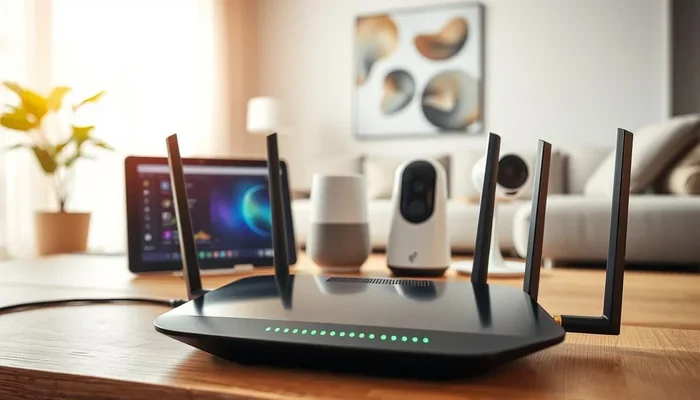
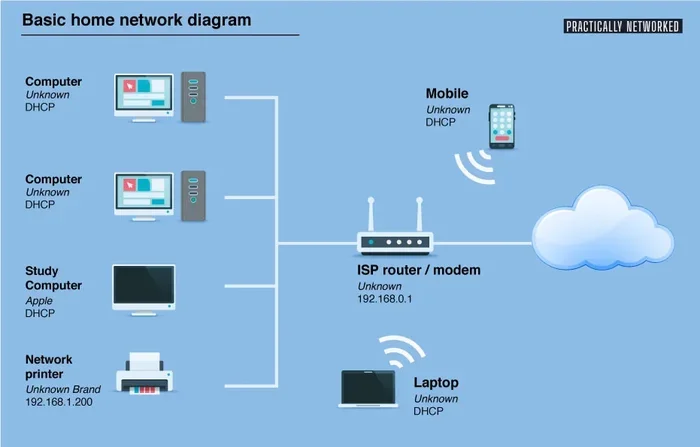
WiFi is the most common way iPads get online. Your iPad sends and receives signals through a WiFi router. This router is connected to your home internet service. The signal travels from the router to your iPad wirelessly.
You need a WiFi network name and password to connect. Most home networks use WPA2 or WPA3 security. This keeps your connection safe from strangers. Once connected, your iPad can browse the web, stream videos, and use apps just like any other device.
Cellular Data Connections
Cellular data works differently. Instead of a WiFi router, your iPad connects to cell towers. These towers are operated by mobile carriers. Your iPad uses a SIM card or eSIM to authenticate on the network.
Cellular data gives you internet access almost anywhere. You are not tied to a specific location. But you do need a data plan. Most carriers offer iPad-specific plans or you can share data from your phone plan.
Bluetooth and Other Connections
Bluetooth does not provide internet access on its own. It is used for connecting accessories like keyboards and headphones. However, some devices use Bluetooth to tether internet from another source. This is less common and slower than WiFi or cellular.
Using Your Phone as a Hotspot for Your iPad
This is one of the most popular ways to get iPad internet without a separate service. Your phone becomes a mobile hotspot. It shares its data connection with your iPad over WiFi or Bluetooth.
How to Set Up a Hotspot
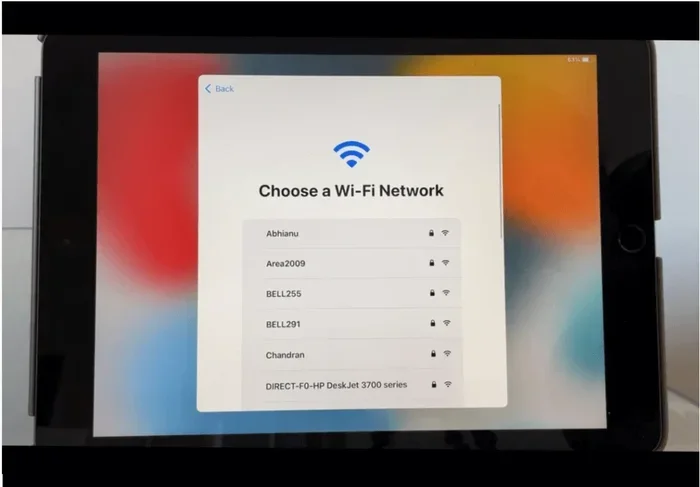
Setting up a hotspot is easy. On iPhone, go to Settings and tap Personal Hotspot. Turn it on. You will see a WiFi password. On your iPad, go to Settings, tap WiFi, and select your iPhone from the list. Enter the password, and you are connected.
You can also use Bluetooth or USB to connect. Bluetooth is slower but uses less battery. USB is the fastest and most stable option. Just plug your iPad into your phone with a cable.
Pros and Cons of Using a Hotspot
Using your phone as a hotspot has clear advantages and drawbacks. Here is what you need to know.
- Pros: No extra monthly bill, easy to set up, works anywhere your phone has signal, no additional device to carry.
- Cons: Drains your phone battery fast, uses your phone data allowance, can be slow if the signal is weak, not ideal for long hours of streaming.
If you only need iPad internet occasionally, a hotspot works great. But if you use it every day for hours, it may not be practical.
Public WiFi: Free but Risky
Public WiFi is everywhere. Cafes, hotels, airports, and malls all offer free internet. It is tempting to connect your iPad and browse for free. But there are risks you should understand.
Why Public WiFi Is Risky
Public WiFi networks are often not secure. Other people on the same network can potentially see your activity. Hackers can set up fake WiFi networks to steal your data. This is especially dangerous if you access banking apps or enter passwords.
How to Stay Safe on Public WiFi
You can take steps to protect yourself. Use a VPN app on your iPad. A VPN encrypts your internet traffic. This makes it much harder for anyone to spy on you. Avoid accessing sensitive accounts on public WiFi. And always forget the network after you leave.
When Public WiFi Works Well
Public WiFi is fine for light tasks. Checking email, browsing news sites, or reading articles works well. But for anything involving personal data, use a secure network or your phone’s hotspot instead.
How Much Does iPad Internet Actually Cost?
Cost is a big factor when deciding if you need separate internet for your iPad. Let us look at the different options and what they cost.
Home WiFi (No Extra Cost)
If you already pay for home internet, there is zero extra cost for your iPad. Your WiFi router covers all your devices. This is the cheapest and most common way to get iPad online.
Cellular Data Plan
A cellular iPad data plan costs extra each month. Most carriers charge between $10 and $50 per month depending on your data allowance. Some plans offer unlimited data, while others cap your usage.
You can also add your iPad to an existing phone plan. Many carriers offer shared data plans. This can save you money compared to a separate plan. Check with your carrier for the best deal.
Phone Hotspot (Uses Existing Data)
Using your phone as a hotspot does not cost extra if you already have enough data on your phone plan. But if you burn through your data limit, you may face overage charges. Monitor your usage carefully if you go this route.
Comparison Table
| Option | Monthly Cost | Convenience | Security |
|---|---|---|---|
| Home WiFi | Included | Home only | High |
| Cellular Plan | $10-$50 | Anywhere | High |
| Phone Hotspot | Uses phone data | Anywhere | Medium |
| Public WiFi | Free | Limited locations | Low |
Common Mistakes People Make with iPad Internet
Many people make avoidable mistakes when setting up internet for their iPad. Here are the most common ones.
Assuming All iPads Have Cellular
Not every iPad supports cellular data. Before you buy a plan, check your model. Look for “WiFi + Cellular” on the box or in your settings. A WiFi-only iPad will never connect to a cellular network no matter what you try.
Ignoring Data Limits
Streaming video and music use a lot of data. If you have a limited data plan, you can burn through it quickly. One hour of HD video can use up to 3 GB of data. Always keep track of your usage.
Relying Only on Public WiFi
Public WiFi is convenient but unreliable. You cannot always find a network when you need one. And the security risks are real. Do not rely on public WiFi as your primary internet source.
Forgetting to Update Your iPad
iPad software updates often include improvements to WiFi and cellular performance. Keeping your iPad updated ensures you get the best connection possible. It also patches security vulnerabilities.
Expert Tips for the Best iPad Internet Experience
Choose the Right Data Plan
If you get a cellular iPad, pick a data plan that matches your usage. Light users who mostly check email need less data. Heavy streamers need unlimited or high-capacity plans. Most carriers let you change plans anytime.
Use WiFi Calling When Possible
If you have an iPhone and an iPad, you can use WiFi calling to make calls through your WiFi network. This works even when your phone has no service. It is a great way to stay connected without using cellular data.
Keep Your iPad Close to the Router
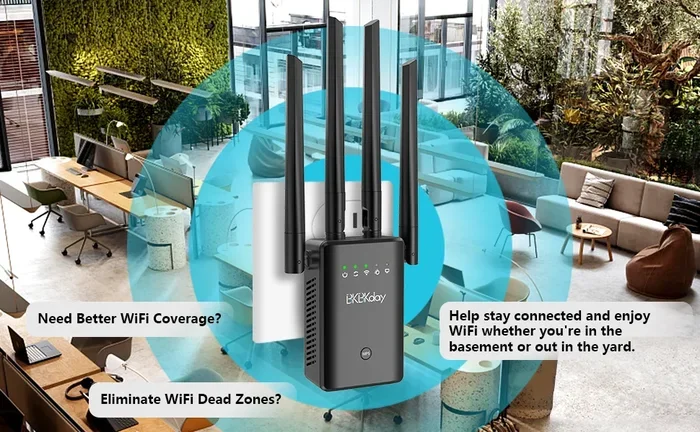
WiFi signal strength drops with distance. If your iPad internet is slow, try moving closer to your router. Walls and furniture can block the signal. A WiFi extender can help if your router is far from where you use your iPad.
Consider a Mesh WiFi System
If you have a large home, a single router might not cover every room. A mesh WiFi system uses multiple nodes to spread your signal evenly. This ensures strong internet everywhere in your home. Your iPad will stay connected no matter where you are.
Can You Use an iPad Without Any Internet?
Yes, you can use an iPad without internet for many tasks. You can read downloaded books, play offline games, take notes, and watch downloaded videos. Many productivity apps work offline too. But you will miss out on email, web browsing, streaming, and app updates.
If you only need your iPad for offline tasks, you do not need any internet service at all. But for most people, having at least occasional internet access makes the iPad much more useful.
Final Thoughts
So do you need separate internet service for your iPad? The answer is not a simple yes or no. If you have home WiFi, your iPad connects without any extra plan. If you need internet on the go, you have several options. You can use your phone as a hotspot, get a cellular plan, or rely on public WiFi.
The best choice depends on your habits, budget, and how you use your iPad. Most people find that their existing home WiFi is enough. Others benefit from a cellular plan or hotspot setup. The key is to understand your options and pick what fits your life.
Take a moment to think about how you actually use your iPad. Do you stay mostly at home? Stick with WiFi. Do you travel or work outside? Consider a hotspot or cellular plan. Either way, you now have the knowledge to make the right decision.
Frequently Asked Questions
Can I use my iPad without any internet service at all?
Yes, you can use your iPad without internet for offline tasks like reading downloaded books, playing offline games, and taking notes. However, you will not be able to browse the web, stream videos, or check email without a connection.
Does a WiFi-only iPad need a separate internet plan?
No, a WiFi-only iPad does not need a separate internet plan. It connects to your existing home or office WiFi network at no extra cost. You only need a separate plan if you want cellular data access outside of WiFi range.
Can I add cellular service to a WiFi-only iPad?
No, you cannot add cellular service to a WiFi-only iPad. These models do not have a SIM card slot or eSIM support. You would need to purchase a WiFi + Cellular model if you want built-in mobile data.
Is it cheaper to use my phone as a hotspot or get a separate iPad data plan?
Using your phone as a hotspot is usually cheaper because it does not require an additional monthly fee. However, it uses your phone’s data allowance and drains your battery. A separate iPad data plan gives you dedicated data but costs extra each month.
How much data does an iPad use per month?
Data usage depends on your habits. Light browsing and email use about 1 to 2 GB per month. Streaming video can use 3 GB or more per hour. If you stream regularly, look for unlimited data plans or high-capacity options.
Can I connect my iPad to my iPhone’s WiFi hotspot?
Yes, you can connect your iPad to your iPhone’s personal hotspot. Go to Settings on your iPhone, enable Personal Hotspot, and then select your iPhone’s network on your iPad. This lets your iPad use your phone’s cellular data wherever you go.