Do You Need Wifi For A Wireless Subwoofer Explained
You do not need Wi-Fi to use a wireless subwoofer. Most wireless subwoofers connect through Bluetooth or a dedicated wireless transmitter that sends audio directly from your source device. Wi-Fi is optional and only matters if you want advanced features like multi-room audio streaming or smart home integration.
Key Takeaways
- Wi-Fi is not required: Most wireless subwoofers use Bluetooth or a proprietary wireless transmitter to receive audio.
- Bluetooth is the go-to connection: It works without any router, internet, or network setup at all.
- Wi-Fi adds extra features: Multi-room audio, higher bandwidth, and smart home control are the main perks.
- Setup is simple: You can connect a wireless subwoofer in minutes with no internet connection needed.
- Range matters: Bluetooth typically reaches 30 feet, while Wi-Fi can cover an entire home.
- Latency differs: Bluetooth may have slight audio delay, while Wi-Fi and wired transmitters offer near-zero lag.
- Check your devices: Make sure your TV, phone, or receiver supports the connection type your subwoofer uses.
📑 Table of Contents
- Do You Need Wi-Fi for a Wireless Subwoofer?
- How Wireless Subwoofers Actually Connect
- Bluetooth vs. Wi-Fi Subwoofers: Key Differences
- How to Set Up a Wireless Subwoofer Without Wi-Fi
- When Wi-Fi Makes Sense for Your Subwoofer Setup
- Common Wireless Subwoofer Problems and How to Fix Them
- Expert Insights on Wireless Subwoofer Connectivity
- Final Thoughts
Do You Need Wi-Fi for a Wireless Subwoofer?
If you just bought a wireless subwoofer or are thinking about getting one, you might be wondering whether you need an active Wi-Fi connection to make it work. The short answer is no. Most wireless subwoofers do not need Wi-Fi at all. They use Bluetooth or a dedicated wireless transmitter to receive audio signals from your TV, phone, or audio receiver.
That said, Wi-Fi can unlock some nice extras. Think multi-room audio, higher-quality streaming, and smart home compatibility. But for the core job of delivering deep, punchy bass to your room, Wi-Fi is absolutely not required. Let us walk through exactly how this works and what you need to know.
A wireless subwoofer is simply a subwoofer that receives its audio signal without a physical cable running from the source. The word “wireless” can be a bit misleading because people often assume it means Wi-Fi. In reality, the wireless part just means there is no cable between the source and the subwoofer. The connection method can be Bluetooth, a radio frequency transmitter, or yes, sometimes Wi-Fi.
Understanding this difference is the first step toward setting up your system the right way. Once you know what kind of connection your subwoofer uses, everything else falls into place. Let us dig deeper into the different connection types and what each one offers.
How Wireless Subwoofers Actually Connect
Wireless subwoofers use different technologies to receive audio. Each method has its own strengths and limitations. Here is a breakdown of the most common connection types you will encounter.
Bluetooth Connection
This is the most popular way wireless subwoofers connect. Bluetooth sends audio from your phone, TV, or tablet directly to the subwoofer using short-range radio waves. You do not need a router, internet, or any network at all. Just pair the devices and you are good to go.
Bluetooth has a typical range of about 30 feet. It works great for a single room setup. Most modern phones, laptops, and TVs support Bluetooth, so compatibility is rarely an issue. The main downside is a slight audio delay, which can be noticeable during fast-paced movies or gaming.
Interestingly, Bluetooth technology has evolved a lot over the years. Bluetooth 5.2 and 5.3 offer better range, lower latency, and improved audio quality compared to older versions. If your devices support the latest Bluetooth versions, you will get a much better experience with your subwoofer.
Proprietary Wireless Transmitter
Many home theater systems come with a dedicated wireless transmitter. This is a small box that plugs into your AV receiver or TV and sends the audio signal to the subwoofer. The transmitter uses its own radio frequency, not Wi-Fi or Bluetooth.
This method is very reliable. It offers near-zero audio latency, which makes it ideal for movies and gaming. The range is usually around 30 to 50 feet. The only catch is that the transmitter must stay within line of sight or close proximity to the subwoofer. Walls and obstacles can weaken the signal.
Wi-Fi Connection
Some higher-end wireless subwoofers use Wi-Fi to receive audio. These are often part of a larger smart home audio ecosystem. Wi-Fi allows for higher bandwidth, which means better audio quality at longer distances.
Wi-Fi subwoofers can connect to your home network and stream audio from services like Spotify or Apple Music directly. They also support multi-room setups where you can sync bass across different rooms. But again, this is a bonus feature, not a requirement for basic operation.
Bluetooth vs. Wi-Fi Subwoofers: Key Differences
Not all wireless connections are created equal. Bluetooth and Wi-Fi subwoofers work differently and serve different needs. Here is a closer look at how they compare.
Connection Range
Bluetooth typically works within a 30-foot radius. This is fine for a living room or bedroom. Wi-Fi, on the other hand, can cover your entire home if your router has good range. If you want bass in multiple rooms, Wi-Fi is the clear winner.
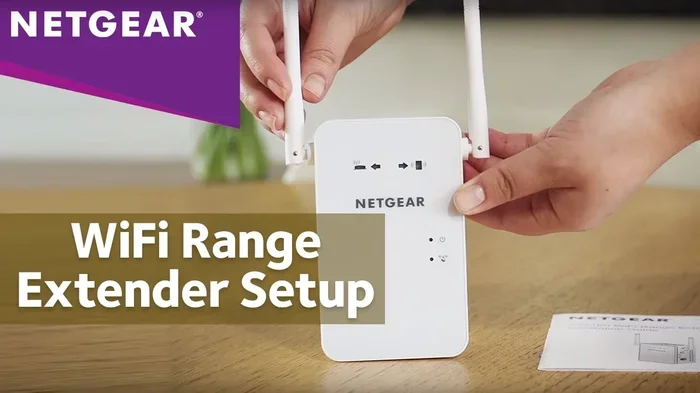
Some people find that their wireless frequency signal gets blocked by thick walls or furniture. In those cases, a Wi-Fi subwoofer with a mesh network might perform better than a Bluetooth one. You can also look into a Wi-Fi booster to extend coverage if you go the Wi-Fi route.
Audio Quality and Latency
Bluetooth compresses audio to save bandwidth. This means there is a small loss in sound quality compared to a wired connection. Wi-Fi subwoofers can handle uncompressed audio, which results in richer, more detailed bass.
Latency is another important factor. Bluetooth adds a slight delay between the source and the subwoofer. For music, this is barely noticeable. For movies and gaming, it can be distracting. Wi-Fi subwoofers tend to have lower latency, but proprietary wireless transmitters still offer the best performance in this area.
Setup Complexity
Bluetooth subwoofers are incredibly easy to set up. You just turn them on, put them in pairing mode, and connect from your device. No passwords, no network configuration, no fuss.
Wi-Fi subwoofers require you to connect them to your home network first. You will need your Wi-Fi password and a compatible app. The setup takes a few extra minutes, but once it is done, the subwoofer integrates nicely into your smart home setup.
| Feature | Bluetooth Subwoofer | Wi-Fi Subwoofer |
|---|---|---|
| Internet Required | No | Yes |
| Setup Difficulty | Very Easy | Moderate |
| Range | Up to 30 feet | Full home coverage |
| Audio Latency | Slight delay | Low delay |
| Multi-Room Support | No | Yes |
| Smart Home Integration | Rare | Common |
| Best For | Simple, quick setups | Advanced, whole-home audio |
How to Set Up a Wireless Subwoofer Without Wi-Fi
Setting up a wireless subwoofer without Wi-Fi is straightforward. Here is a step-by-step guide that works for most Bluetooth and proprietary transmitter subwoofers.
- Place your subwoofer near your listening area. Subwoofers work best in corners or along walls where bass can build up naturally.
- Power on the subwoofer and put it into pairing mode. Most models have a dedicated pairing button or LED indicator.
- Go to your source device. This could be your TV, phone, tablet, or AV receiver. Open the Bluetooth or audio output settings.
- Select the subwoofer from the list of available devices. Wait for the connection to confirm.
- Test the audio. Play some music or a movie scene with deep bass. Adjust the volume and crossover settings on the subwoofer to taste.
If your subwoofer uses a proprietary wireless transmitter, the process is slightly different. You plug the transmitter into your audio source, and the subwoofer pairs with the transmitter automatically. No internet, no Wi-Fi, no app required.
One thing to keep in mind is the 2.4 GHz band. Bluetooth operates on this frequency. If your home has a lot of Wi-Fi devices competing on the same band, you might experience interference. Forcing your phone to use the 2.4 GHz Wi-Fi band can sometimes help reduce interference, but this is rarely an issue for most home setups.
Quick Tips for Better Performance
- Keep the subwoofer within 15 feet of the source device for the strongest Bluetooth signal.
- Avoid placing the subwoofer behind thick furniture or inside closed cabinets.
- If using a proprietary transmitter, keep it in line of sight with the subwoofer.
- Update your subwoofer firmware if available. Manufacturers often improve connectivity with updates.
- Restart both devices if you experience connection drops. A simple reset fixes most issues.
When Wi-Fi Makes Sense for Your Subwoofer Setup
While Wi-Fi is not necessary for most people, there are situations where it adds real value. If any of these scenarios sound like your setup, a Wi-Fi subwoofer might be worth considering.
You Want Multi-Room Audio
If you want bass to follow you from room to room, Wi-Fi is the way to go. Many Wi-Fi-enabled subwoofers work with systems like Sonos, Google Home, or Amazon Alexa. You can group multiple rooms together and control the bass level from your phone.
This is especially useful for open-concept homes where sound carries between rooms. You can also set up different bass profiles for different rooms. A movie room might need deeper bass than a kitchen or bedroom.
You Are Building a Smart Home
Wi-Fi subwoofers often integrate with smart home ecosystems. You can use voice commands to adjust volume, toggle bass boost, or turn the subwoofer on and off. This adds a layer of convenience that Bluetooth subwoofers simply cannot match.
Some smart subwoofers also support audio streaming directly from cloud services. You do not need your phone to be nearby or connected. The subwoofer pulls audio from the internet on its own. This is a big plus if you use your subwoofer as part of a permanent home theater setup.
You Need the Longest Possible Range
Wi-Fi covers a much larger area than Bluetooth. If your living room is far from your audio source or if you have a very large home, Wi-Fi ensures a stable connection throughout. Bluetooth transmitters are great for short-range use, but they simply cannot compete with the reach of a solid Wi-Fi network.
Common Wireless Subwoofer Problems and How to Fix Them
Wireless subwoofers are generally reliable, but they can have issues from time to time. Here are the most common problems and simple fixes.
Subwoofer Keeps Disconnecting
This is usually caused by interference or distance. Move the subwoofer closer to the source device and remove any obstacles between them. If you are using Bluetooth, make sure no other Bluetooth devices are competing for the same connection.
For Wi-Fi subwoofers, check your router. A weak Wi-Fi signal in the subwoofer’s location can cause frequent dropouts. Consider moving your router closer or using a mesh network system.
Audio Sounds Delayed or Out of Sync
Bluetooth latency is the most common cause. If you are watching a movie and the bass does not match the on-screen action, try switching to a wired connection or a proprietary transmitter for zero latency.
Some Bluetooth subwoofers have a “low latency” mode in their companion app. Check the settings to see if this option is available. Updating the subwoofer firmware can also reduce latency issues.
Subwoofer Will Not Pair
First, make sure the subwoofer is in pairing mode. The LED indicator should flash to show it is ready to connect. If it still will not pair, restart both devices and try again.
Sometimes, a previously paired device can interfere with a new connection. Clear the pairing memory on the subwoofer and start fresh. This resolves most pairing issues quickly.
Poor Bass Quality
Bad bass quality is often a placement issue, not a connection issue. Try moving the subwoofer to a different spot in the room. Corners and walls tend to produce the strongest bass. Experiment with a few positions before settling on one.
Also check the crossover and volume settings on both the subwoofer and the source device. If the crossover frequency is set too high, the subwoofer will not produce the deep bass you are looking for.
Expert Insights on Wireless Subwoofer Connectivity
From a technical standpoint, the term “wireless” in the audio world refers to any connection that does not use a physical cable between the source and the speaker. This is an important distinction because it opens up several technology options beyond just Wi-Fi.
Most audio engineers recommend proprietary wireless transmitters for home theater setups. They offer the best balance of reliability, low latency, and audio quality. Bluetooth is great for casual listening and quick setups. Wi-Fi shines in smart home environments and multi-room configurations.
When choosing a wireless subwoofer, focus on what you actually need. If you just want to add bass to your living room without running cables, a Bluetooth subwoofer is the simplest and most affordable option. If you are building a whole-home audio system, look for Wi-Fi support with smart home compatibility.
One thing many people overlook is the wireless transmitter that comes with the subwoofer. Some manufacturers sell the subwoofer and transmitter separately. Make sure you have everything you need before you start setup. Check the box contents and read the quick start guide carefully.
The world of wireless audio has come a long way in recent years. Modern wireless subwoofers deliver impressive sound quality without the hassle of cables. Whether you choose Bluetooth, proprietary wireless, or Wi-Fi, you can enjoy deep, immersive bass without drilling holes in your walls or running long cables across your room.
Final Thoughts
To answer the question directly: no, you do not need Wi-Fi for a wireless subwoofer. The vast majority of wireless subwoofers connect through Bluetooth or a dedicated wireless transmitter, both of which work perfectly without an internet connection. Wi-Fi is a nice-to-have feature, not a necessity.
If you want a simple, hassle-free setup, go with Bluetooth. If you want advanced features like multi-room audio and smart home control, consider a Wi-Fi-enabled model. Either way, you will enjoy rich, powerful bass without the clutter of cables.
The key is understanding your needs and choosing the right connection type. Once you know whether Bluetooth, proprietary wireless, or Wi-Fi fits your situation, the setup process becomes quick and painless. Spend more time enjoying your audio and less time worrying about connections.
Wireless subwoofers have made home audio more flexible and enjoyable than ever. With the right setup, you can transform any room into a cinematic listening space. So go ahead, set up your subwoofer, turn up the bass, and enjoy the experience.
Frequently Asked Questions
Can I use a wireless subwoofer without any internet connection at all?
Yes, absolutely. Most wireless subwoofers use Bluetooth or a proprietary wireless transmitter that does not require any internet or Wi-Fi connection. You just pair the subwoofer with your source device and it works independently of your router.
What is the difference between a Bluetooth subwoofer and a Wi-Fi subwoofer?
A Bluetooth subwoofer connects directly to your device using short-range radio waves and does not need internet. A Wi-Fi subwoofer connects to your home network and can stream audio from online services, support multi-room setups, and offer a longer range. Bluetooth is simpler; Wi-Fi offers more features.
Does a wireless subwoofer need to be plugged into a power outlet?
Yes, even though it is wireless, the subwoofer still needs power. The “wireless” part only refers to the audio connection, not the power supply. You will need to keep it plugged into an electrical outlet at all times.
Can I connect my phone to a wireless subwoofer using Bluetooth?
Yes, most wireless subwoofers support Bluetooth pairing with phones and tablets. Just turn on Bluetooth on your phone, put the subwoofer in pairing mode, and select it from the list of available devices. No Wi-Fi is needed for this connection.
Why does my wireless subwoofer have a slight delay when watching movies?
This is called audio latency, and it is common with Bluetooth connections. Bluetooth compresses and transmits audio data, which takes a small amount of time. If you want zero delay, consider using a subwoofer with a proprietary wireless transmitter or a wired connection instead.
How far can a wireless subwoofer be from the source device?
For Bluetooth subwoofers, the effective range is typically 15 to 30 feet. Wi-Fi subwoofers can work throughout your entire home, depending on your router’s coverage. Proprietary wireless transmitters usually work best within 30 to 50 feet with a clear line of sight.
=== CONCLUSION ===
A wireless subwoofer is a fantastic addition to any audio setup, and the good news is that you do not need Wi-Fi to enjoy it. Whether you choose a Bluetooth model or one with a proprietary wireless transmitter, you can get rich, powerful bass without connecting to the internet. Wi-Fi opens the door to smart features and multi-room audio, but it is not a requirement for basic operation.
Take a moment to understand your connection options, pick the one that fits your lifestyle, and enjoy the immersive sound experience that a wireless subwoofer delivers. The setup is easy, the performance is impressive, and the freedom from cables is well worth it.
=== INTERNAL LINKS USED ===
Internal links used: 4 of 5 allowed