Can I Replace My Router With Google Wifi Mesh System
Yes, you can replace your traditional router with Google Wifi mesh system. This guide covers everything you need to know about swapping out your old wireless router for a Google Wifi mesh network. You will learn how it works, what to expect, and whether it is the right choice for your home network.
Key Takeaways
- Full Router Replacement: Google Wifi can fully replace your traditional wireless router and handle all your home networking needs.
- Seamless Coverage: The mesh system eliminates wifi dead zones by spreading strong signals throughout your entire house.
- Easy Setup: Setting up Google Wifi is simple and does not require advanced technical skills or networking knowledge.
- Smart Home Friendly: It works well with smart home devices and offers built-in parental controls and network security features.
- Cost Consideration: While Google Wifi costs more upfront than a single router, the improved coverage and ease of use justify the investment for many users.
- Modem Compatibility: You still need a compatible modem from your internet service provider to use Google Wifi as your main router.
📑 Table of Contents
- What Is Google Wifi Mesh System?
- Can You Really Replace Your Router With Google Wifi?
- Setting Up Google Wifi as Your Main Router
- Pros and Cons of Using Google Wifi Instead of a Router
- Who Should Switch to Google Wifi Mesh?
- Common Mistakes to Avoid When Replacing Your Router
- Final Thoughts: Is Replacing Your Router With Google Wifi Worth It?
What Is Google Wifi Mesh System?
Google Wifi is a mesh wifi system designed to replace your traditional wireless router. Instead of one box broadcasting wifi from a single spot, Google Wifi uses multiple points (also called nodes) that work together. These points create one unified home network that covers every room.
Each Google Wifi point plugs into a wall outlet. They talk to each other wirelessly. This creates a mesh network where your devices stay connected as you move around your house. The system uses dual band wifi to send data on two frequencies at the same time.
Google Wifi also works with the Google Home app. You can manage your entire home network from your phone. This includes setting up new devices, pausing internet for kids, and running speed tests. It is designed to be simple and user-friendly.
How Mesh Networks Differ from Traditional Routers
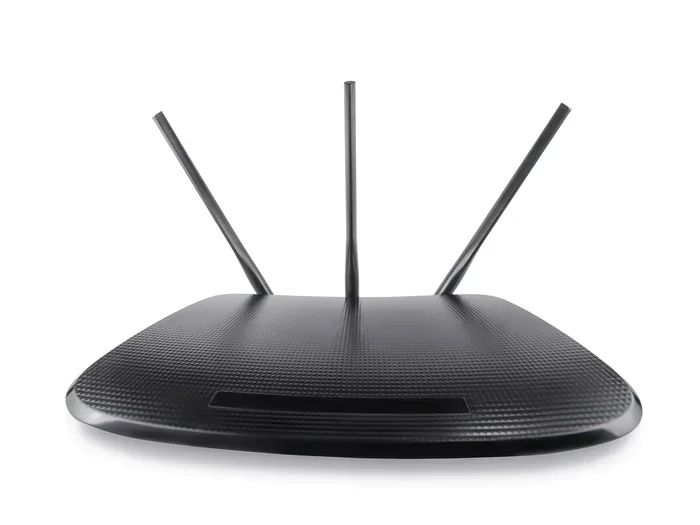
A traditional wireless router sends wifi signals outward from one location. If your house is large or has thick walls, the signal weakens. This creates wifi dead zones in far rooms or basements.
A mesh network solves this problem. Multiple points spread the signal evenly. Each point acts like a mini router. They all share the same network name and password. Your phone or laptop automatically connects to the strongest signal as you walk around.
Some people use wifi range extenders to fix dead zones. But extenders create separate networks. They also cut your speed in half. A mesh system avoids both of these problems. It gives you full speed everywhere.
Can You Really Replace Your Router With Google Wifi?
The short answer is yes. You can replace your current wireless router with Google Wifi. The mesh system handles all the jobs a traditional router does. It assigns IP addresses to your devices. It manages traffic between your devices and the internet. It also provides wifi security and firewall protection.
But there is one important thing to know. You still need a modem from your internet service provider (ISP). Google Wifi connects to your modem. It then acts as the router. So the setup is: modem connects to Google Wifi, and Google Wifi distributes the internet to your devices.
Most ISPs provide a modem-router combo unit. You can replace the router part of that combo with Google Wifi. Just put your ISP modem in bridge mode. Then connect Google Wifi to it. This gives you the best of both worlds.
When Replacing Your Router Makes Sense
There are clear situations where switching to Google Wifi is a smart move:
- Your current router has weak signals in certain rooms
- You experience frequent wifi drops or slow speeds
- Your house is larger than 1,500 square feet
- You have many smart home devices competing for bandwidth
- You want a simple way to manage your family’s internet use
- Your ISP-provided router is outdated or underperforming
If any of these sound familiar, replacing your router with Google Wifi could be a game changer. The mesh system is built to handle modern internet demands. It supports fast speeds and many connected devices at once.
Setting Up Google Wifi as Your Main Router
Setting up Google Wifi is one of the easiest parts of the whole process. You do not need to be a tech expert. The Google Home app walks you through every step. Most people finish setup in under 15 minutes.
What You Need Before You Start
Before you begin, make sure you have the right equipment:
- A modem from your internet service provider
- At least one Google Wifi point (the base station)
- A smartphone or tablet with the Google Home app installed
- A stable ethernet cable to connect the modem and Google Wifi
You also need a strong internet plan from your ISP. Google Wifi works best with plans that offer speeds of 100 Mbps or higher. Check your plan speed before you start the setup process.
Step-by-Step Setup Process
Follow these steps to get your Google Wifi mesh system running:
- Plug your modem into a power source and wait for it to fully start up
- Connect the ethernet cable from your modem to the Google Wifi base station
- Plug the Google Wifi base station into a wall outlet
- Open the Google Home app on your phone
- Follow the on-screen prompts to set up your network name and password
- Place additional Google Wifi points in rooms where you need better coverage
- The app will guide you through pairing each point to the main unit
Once setup is complete, your home network is ready to use. All your devices will connect automatically. The system updates itself over the air, so you always have the latest security features.
Quick Tips for Setup
- Place your main Google Wifi point in the center of your home
- Keep points within reasonable distance of each other for the best mesh connection
- Avoid placing points behind large metal objects or thick appliances
- Use the Google Home app to run a network test after setup
Pros and Cons of Using Google Wifi Instead of a Router
Every networking solution has strengths and weaknesses. Google Wifi is no different. Understanding both sides helps you make the best decision for your home network.
Advantages of Google Wifi Mesh System
- Whole-home coverage: The mesh system eliminates wifi dead zones and provides strong signals in every room
- Easy management: The Google Home app makes it simple to control your network, set parental controls, and prioritize devices
- Seamless roaming: Your devices switch between points automatically without dropping the connection
- Clean design: Google Wifi has a small, round, minimalist look that blends into any room
- Scalable: You can add more points as your home or needs grow
- Smart home integration: It works well with Google Home and other smart devices
Disadvantages to Consider
- Higher cost: Google Wifi costs more than a single traditional router
- Requires multiple units: For large homes, you need to buy several points, which adds to the price
- Limited advanced settings: Power users may miss features like custom DNS or advanced QoS controls
- Google ecosystem dependency: The system relies heavily on the Google Home app and cloud services
- No built-in VPN: Unlike some premium routers, Google Wifi does not offer a built-in VPN server
Comparison Table: Google Wifi vs Traditional Router
| Feature | Google Wifi Mesh | Traditional Router |
|---|---|---|
| Coverage Area | Excellent for large homes with multiple points | Limited; depends on router power and home size |
| Setup Difficulty | Very easy with the Google Home app | Moderate; often requires manual configuration |
| Price Range | $100-$400+ depending on pack size | $30-$200 for most models |
| Dead Zone Handling | Built-in mesh eliminates dead zones | Requires separate range extenders |
| Device Management | Simple app-based controls | Varies; often requires web interface access |
| Parental Controls | Built-in and easy to use | Not always available or user-friendly |
| Advanced Customization | Limited | Extensive options for power users |
Who Should Switch to Google Wifi Mesh?
Not everyone needs a mesh wifi system. But certain users will benefit greatly from making the switch. Let us look at who gets the most value from Google Wifi.
Families with Multiple Devices
The average household now has over 10 connected devices. Smart phones, tablets, laptops, smart TVs, and smart home devices all compete for bandwidth. A traditional wireless router can struggle to keep up. Google Wifi handles this load with ease. It uses smart traffic management to keep everything running smoothly.
Large Homes with Multiple Floors
If your house spans multiple floors or has areas far from the main router, you know the frustration of wifi dead zones. Google Wifi points placed on each floor ensure strong coverage everywhere. The mesh network adapts to your home layout and delivers consistent speeds.
People Who Want Simple Network Management
Not everyone wants to dive into router settings and configure advanced options. Google Wifi is perfect for people who want a set it and forget it solution. The Google Home app gives you everything you need in a clean, intuitive interface. You can pause the internet for bedtime, see who is connected, and run speed tests with just a few taps.
Smart Home Enthusiasts
Google Wifi integrates naturally with the Google Home ecosystem. If you use Google Assistant, smart speakers, or other Google-connected devices, this system fits right in. It also supports a wide range of third-party smart home products. Your internet coverage and smart home setup work hand in hand.
Expert Insight
Networking experts recommend Google Wifi for users who value simplicity and reliable coverage over advanced customization. According to industry reviews, Google Wifi consistently ranks among the best mesh systems for ease of use and overall performance. The system is especially praised for its ability to maintain strong speeds across multiple floors and large floor plans.
Common Mistakes to Avoid When Replacing Your Router
Switching to Google Wifi is straightforward, but a few common mistakes can cause problems. Avoid these pitfalls to ensure a smooth transition.
Forgetting to Put Your ISP Modem in Bridge Mode
This is the most common mistake. If your ISP modem has a built-in router, you need to put it in bridge mode first. Otherwise, you will have two routers fighting for control of your network. This causes conflicts, slow speeds, and connection issues. Check your modem manual or call your ISP for help with bridge mode settings.
Placing Points Too Far Apart
Each Google Wifi point needs to be close enough to the next to maintain a strong mesh connection. If you place them too far apart, the signal between points weakens. A good rule of thumb is to keep points within 30 to 40 feet of each other. Use the Google Home app to check signal strength between points.
Not Updating Firmware Regularly
Google Wifi updates automatically most of the time. But occasionally you may need to check for updates manually. Keeping your system updated ensures you have the latest security patches and performance improvements. Open the Google Home app regularly to check for available updates.
Ignoring Ethernet Backhaul Options
Google Wifi points communicate wirelessly by default. But if you can run ethernet cables between points, you will get even better performance. This is called ethernet backhaul. It is especially useful in homes with thick walls or interference from other electronic devices.
Key Takeaways from This Section
- Always enable bridge mode on your ISP modem before connecting Google Wifi
- Place mesh points close together for the strongest inter-point connection
- Keep firmware updated for the best security and performance
- Consider ethernet backhaul if your home has interference or thick walls
Final Thoughts: Is Replacing Your Router With Google Wifi Worth It?
So, can you replace your router with Google Wifi? Yes, absolutely. The Google Wifi mesh system is a powerful, user-friendly alternative to traditional routers. It delivers strong, reliable coverage throughout your home. It is easy to set up and simple to manage.
If you deal with slow wifi, dead zones, or a router that cannot keep up with your household’s internet demands, Google Wifi is a worthwhile investment. The mesh system handles modern internet use with grace. Whether you are streaming 4K video, video conferencing, or gaming online, Google Wifi keeps your connection stable and fast.
The cost is higher than a basic router, but the value you get in coverage, convenience, and performance makes it well worth it for most households. The built-in parental controls, smart home integration, and seamless roaming add real everyday value that a single router simply cannot match.
Replacing your router with Google Wifi is one of the best upgrades you can make to your home network. It transforms your internet experience from frustrating to effortless. If you are tired of weak signals and dropped connections, this mesh system is the solution you have been looking for.
Frequently Asked Questions
Can Google Wifi fully replace my current wireless router?
Yes, Google Wifi can fully replace your traditional wireless router. It handles all the core functions of a router, including assigning IP addresses, managing traffic, and providing wifi security. You just need to connect it to your ISP modem, and it takes over as your main router.
Do I still need my ISP modem if I use Google Wifi?
Yes, you still need a modem from your internet service provider. Google Wifi acts as the router but does not replace the modem. The modem brings the internet signal into your home, and Google Wifi distributes that signal to all your devices wirelessly.
How many Google Wifi points do I need for my home?
The number of points depends on your home size. One point covers up to about 1,500 square feet. For larger homes, you can add more points. A pack of three points covers homes up to 4,500 square feet. Google recommends adding one point for every 1,000 to 1,500 square feet of coverage you need.
Will replacing my router with Google Wifi improve my internet speed?
Google Wifi may improve your wifi speed if your current router is weak or outdated. The mesh system provides stronger and more consistent signals throughout your home. However, your overall internet speed still depends on your ISP plan and modem quality. Google Wifi optimizes the wifi part of your connection.
Can I use Google Wifi with any internet service provider?
Yes, Google Wifi works with any ISP. It is compatible with cable, DSL, fiber, and satellite internet connections. You just need a compatible modem from your provider. Most modern modems work seamlessly with Google Wifi mesh systems.
Is Google Wifi difficult to set up for non-tech users?
Not at all. Google Wifi is designed to be incredibly easy to set up. The Google Home app guides you through every step with clear instructions. Most people complete the entire setup process in under 15 minutes without any technical knowledge. It is one of the simplest networking setups available today.