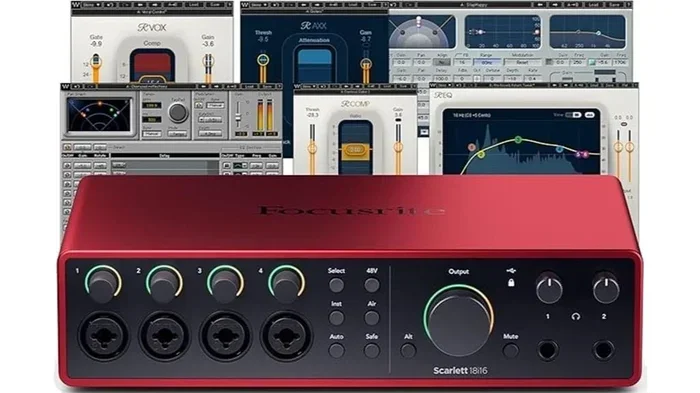
Does Audio Interface Make A Big Difference For Musicians
An audio interface is one of the most important pieces of gear for any musician who records or produces music. It dramatically improves sound quality, cuts down on latency, and gives you better control over your audio signals. Whether you are a beginner or a pro, investing in a good audio interface can transform your recording setup and take your music to the next level.
If you are a musician who records, produces, or even just plays around with music at home, you have probably wondered whether an audio interface is really worth it. Maybe you have been using your laptop’s built-in sound card and thinking it works fine. So why bother with an audio interface? The short answer is yes, it makes a big difference. But let us dig into the details and find out exactly why.
When we talk about an audio interface, we mean a device that connects your microphones, instruments, and studio gear to your computer. It converts analog audio signals into digital data your computer can understand, and it does the reverse when you play back your recordings. Think of it as the bridge between your analog world and your digital workspace. Without a good bridge, the whole journey gets bumpy.
The difference between using a built-in sound card and a dedicated audio interface is night and day. Built-in sound cards are designed for casual listening, not serious music work. They pick up noise, add distortion, and introduce lag that can ruin your recording sessions. An audio interface solves all of these problems and gives you professional-grade tools at your fingertips.
In this article, we will cover everything you need to know about audio interfaces and why they matter. We will look at sound quality, latency, preamps, inputs and outputs, and how to choose the right one for your setup. By the end, you will know exactly whether an audio interface is the upgrade your music production needs.
Key Takeaways
- Better Sound Quality: An audio interface uses high-quality converters that produce cleaner, more accurate sound than a built-in sound card.
- Lower Latency: Real-time monitoring becomes possible with an audio interface, so you can hear yourself without delay while recording.
- More Inputs and Outputs: You get the flexibility to connect multiple microphones, instruments, and studio monitors at once.
- Better Preamps: Built-in preamps boost your microphone signal cleanly, giving you a professional-grade recording tone.
- Future-Proof Your Setup: A good audio interface grows with your skills and needs as a musician.
- Worth the Investment: Even budget-friendly audio interfaces offer a huge upgrade over laptop or computer built-in audio.
📑 Table of Contents
- What Does an Audio Interface Actually Do?
- Sound Quality: Does It Really Matter?
- Latency: The Hidden Enemy of Recording
- Inputs and Outputs: Why More Options Matter
- Do You Need an Audio Interface for Music Production?
- Common Mistakes Musicians Make With Audio Interfaces
- How to Choose the Right Audio Interface for You
- Final Thoughts: The Difference Is Real
What Does an Audio Interface Actually Do?
Before we talk about the difference, let us understand what an audio interface does. At its core, it performs two main jobs: analog-to-digital conversion and digital-to-analog conversion. These fancy terms just mean it turns sound waves into digital files and turns digital files back into sound waves.
When you sing into a microphone or play a guitar through a cable, the audio interface picks up that signal. It converts the analog sound into digital data your computer can record and edit. When you listen back through headphones or studio monitors, it converts the digital data back into analog sound you can hear.
But an audio interface does much more than just convert signals. It provides preamps that boost weak microphone signals to a usable level. It offers multiple inputs so you can record several sources at once. And it includes dedicated headphone outputs with independent volume control. All of these features work together to give you a clean, reliable audio signal path.
Analog-to-Digital Conversion
The analog-to-digital converter, or ADC, is the heart of any audio interface. It samples your audio signal thousands of times per second and turns those samples into digital data. The quality of this converter directly affects your recording quality. Cheap built-in sound cards use low-grade converters that introduce noise and coloration. A good audio interface uses high-quality converters that capture your sound with accuracy and clarity.
Digital-to-Analog Conversion
The digital-to-analog converter, or DAC, handles playback. When you listen to your recorded tracks or play a virtual instrument, the DAC converts the digital data back into an analog signal your headphones or monitors can reproduce. A better DAC means cleaner, more detailed playback with less distortion and noise.
Sound Quality: Does It Really Matter?
This is the question every musician asks. Does an audio interface actually improve sound quality? The answer is a resounding yes. But the improvement might not be obvious on day one. It becomes clear when you compare recordings made with and without an audio interface side by side.
When you record with a built-in sound card, you often hear a hiss or hum in the background. This is called noise floor, and it comes from the low-quality components inside your computer. An audio interface has a much lower noise floor, which means your recordings sound cleaner and more professional.
The quality of the preamp also plays a huge role in sound quality. A preamp boosts the signal from your microphone or instrument. Cheap preamps add coloration and distortion. Good preamps in an audio interface provide clean gain that makes your recordings sound natural and full.
Sample Rate and Bit Depth
Two specs that matter for sound quality are sample rate and bit depth. Sample rate measures how many times per second the audio interface captures your sound. A higher sample rate means more detail. Bit depth determines the dynamic range, or how well your recording captures quiet and loud sounds. Most audio interfaces offer 24-bit depth and sample rates up to 96kHz or 192kHz. These specs are well above what you need for professional music production.
Built-In Sound Card vs Audio Interface
The difference between a built-in sound card and a dedicated audio interface is massive. A built-in sound card is designed for everyday tasks like watching videos or listening to music. It is not built to handle the demands of recording and production. An audio interface is purpose-built for musicians. It uses better components, better shielding, and better design to deliver superior audio performance.
Latency: The Hidden Enemy of Recording
If you have ever recorded yourself playing guitar or singing and heard a delay between what you played and what you heard back, that is latency. Latency is the time it takes for your audio signal to go from your instrument into the computer, get processed, and come back out through your headphones. It can be incredibly frustrating and make recording feel impossible.
An audio interface dramatically reduces latency. It uses dedicated processing chips and optimized drivers to handle audio data faster than a built-in sound card ever could. With a good audio interface, you can monitor yourself in real time with virtually no delay.
Why Low Latency Matters
Low latency is essential for any musician who records while listening to a backing track or virtual instrument. When there is a delay, it throws off your timing and makes it hard to play accurately. With an audio interface, you can record with confidence because what you hear matches what you play.
Most audio interfaces come with driver software that you can optimize for low latency. On a Mac, you can use Core Audio drivers. On Windows, ASIO drivers are the gold standard. These drivers create a direct path between your audio interface and your recording software, bypassing unnecessary processing steps that cause delay.
Some musicians also wonder about connecting their iPhone to a USB device for mobile recording. While this is a different use case, the same latency principles apply. A dedicated USB audio interface connected to an iPhone can also provide better latency performance than the phone’s built-in audio system.
Inputs and Outputs: Why More Options Matter
One of the biggest advantages of an audio interface is the number of inputs and outputs it provides. A built-in sound card usually offers a single 3.5mm headphone jack and maybe a mic input. An audio interface gives you multiple options for connecting different types of gear.
Most audio interfaces include XLR inputs for microphones, 1/4-inch jacks for instruments like guitars and keyboards, and line-level inputs for synthesizers and drum machines. They also offer multiple headphone outputs so bandmates can listen along during a session.
Recording Multiple Sources at Once
If you want to record a full band or multiple microphones at the same time, you need an audio interface with enough inputs. A basic two-input interface works great for solo recording. But if you are recording drums or a full ensemble, you might need eight inputs or more. The right number of inputs depends on your recording needs and how complex your setups are.
Studio Monitor Outputs
Most audio interfaces include dedicated outputs for studio monitors. These outputs carry a clean, uncolored signal that is optimized for monitoring. Built-in sound cards are not designed for this purpose, and the signal quality suffers as a result. Using proper monitor outputs from an audio interface gives you a more accurate picture of how your recordings sound.
Do You Need an Audio Interface for Music Production?
The honest answer is it depends on what you are doing. If you only produce beats or electronic music using software instruments and samples, you might get by without an audio interface for a while. Many producers start with just a laptop and a pair of headphones. But even in this case, an audio interface can improve your workflow and sound quality.
If you record acoustic instruments, vocals, or any source that requires a microphone, an audio interface is essential. The preamp, converter, and low-latency monitoring make a huge difference in the quality of your recordings. There is really no substitute for a dedicated audio interface when it comes to capturing real instruments and voices.
For musicians who plan to grow and develop their skills, an audio interface is one of the first pieces of gear you should invest in. It sets the foundation for your entire recording setup. Think of it as the base of a building. If the base is weak, everything built on top of it will suffer.
Budget Audio Interfaces That Deliver
You do not need to spend a fortune to get great results. Many budget-friendly audio interfaces under $100 offer excellent sound quality and features. Brands like Focusrite, PreSonus, M-Audio, and Behringer make reliable options that work well for beginners and intermediate musicians. These entry-level interfaces provide everything you need to start recording professional-quality audio.
When choosing a budget audio interface, look for at least one XLR input with phantom power for condenser microphones. Make sure it supports 24-bit recording and has low-latency driver support. These features are standard in most modern interfaces and will serve you well as you grow.
Common Mistakes Musicians Make With Audio Interfaces
Even with a good audio interface, musicians sometimes make mistakes that hold them back. Let us look at a few common pitfalls and how to avoid them.
Skipping driver installation: Many audio interfaces need specific drivers to work properly with your computer. Skipping this step can lead to high latency, dropouts, and connectivity issues. Always install the latest drivers from the manufacturer’s website before using your interface.
Using cheap cables: A great audio interface cannot sound good with cheap, noisy cables. Invest in quality audio cables that are shielded and well-built. Good cables reduce interference and keep your signal clean from source to interface.
Placing the interface too far from your workspace: Keep your audio interface close to your computer and within easy reach. Long cable runs can introduce noise and make your setup messy and hard to manage.
Ignoring the gain structure: Setting your input levels too high or too low ruins your recordings. Always aim for a healthy signal level without clipping. Start with the gain knob low, play or sing at your loudest, and slowly raise the gain until you hit a good level.
Not updating firmware: Audio interface manufacturers release firmware updates that fix bugs and improve performance. Check for updates regularly and keep your device running the latest version.
How to Choose the Right Audio Interface for You
With so many audio interfaces on the market, choosing the right one can feel overwhelming. But it does not have to be. Here are a few things to consider before you buy.
- Number of inputs and outputs: Count how many microphones and instruments you need to record at the same time. This determines how many inputs you need.
- Connection type: Most audio interfaces connect via USB. Some use USB-C or Thunderbolt for faster data transfer. Make sure your interface matches your computer’s ports. If you are looking into connectivity options, understanding different cable types helps, and you might find it useful to learn about converting USB-C to USB-A connections if your interface and computer have different port types.
- Preamp quality: If you record vocals or acoustic instruments, look for an interface with clean, transparent preamps.
- Portability: If you travel or perform live, consider a compact, bus-powered interface that runs off your computer’s USB connection.
- Budget: Set a realistic budget and find the best interface within that range. You do not need to buy the most expensive model to get great results.
Take your time and research before buying. Read reviews, watch comparison videos, and if possible, try out interfaces at a local music store. The right audio interface should feel intuitive and meet your current needs while also leaving room for growth.
Final Thoughts: The Difference Is Real
So, does an audio interface make a big difference? Absolutely. From cleaner sound quality and lower latency to more flexibility and professional-grade features, an audio interface transforms your recording setup in ways that a built-in sound card simply cannot match.
Whether you are a singer-songwriter capturing your first demo, a podcaster recording conversations, or a producer building tracks in a home studio, an audio interface is the tool that unlocks your full potential. It is one of the best investments you can make in your music career.
Start with a solid entry-level interface, learn how to use it well, and upgrade as your needs grow. The journey of making better music starts with better gear, and an audio interface is at the top of that list. Trust us, your ears will thank you.
Frequently Asked Questions
Can I use my computer’s built-in sound card instead of an audio interface?
You can, but the sound quality and latency will be noticeably worse. Built-in sound cards are not designed for recording or music production. They introduce noise, distortion, and delay that can ruin your recordings. An audio interface is a much better choice for any serious musician.
Do I need an audio interface to produce electronic music?
Not strictly, but it still helps. If you only work with software instruments and samples, you can produce music without one. However, an audio interface improves your monitoring quality and reduces latency, which makes the production process smoother and more enjoyable.
What is the best budget audio interface for beginners?
Some great budget options include the Focusrite Scarlett Solo, PreSonus AudioBox USB 96, and M-Audio M-Track Solo. These interfaces offer solid sound quality, essential features, and reliable performance at a price that won’t break the bank.
Does an audio interface improve headphone sound quality?
Yes, it does. Audio interfaces have dedicated headphone outputs with their own amplifiers that deliver a cleaner, more powerful signal. This means you hear more detail and less noise when monitoring through headphones compared to using your computer’s headphone jack.
Can I connect an audio interface to an iPad or iPhone?
Yes, many audio interfaces are compatible with iOS devices. You will need the right connection cable or adapter, such as a USB-C to Lightning cable. This opens up mobile recording options for musicians who want to produce music on the go.
How often should I update my audio interface drivers?
Check for driver updates every few months or whenever you experience issues like latency, dropouts, or connectivity problems. Manufacturers regularly release updates that improve compatibility, fix bugs, and boost performance. Keeping your drivers current ensures the best experience with your audio interface.