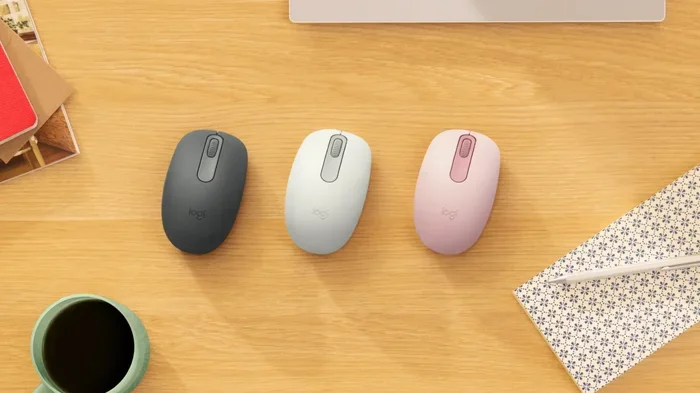
Does Bluetooth Mouse Work Without Wi Fi Find Out Right Here
Yes, a Bluetooth mouse works without Wi-Fi. A Bluetooth mouse uses its own wireless signal to connect directly to your device, so you do not need an internet connection at all. Whether you are working offline, traveling, or dealing with a spotty network, your Bluetooth mouse will keep functioning just fine. This guide covers everything you need to know about Bluetooth mouse without Wi-Fi connectivity and how to get the most out of it.
Have you ever been in a situation where your Wi-Fi dropped, and you wondered if your wireless mouse would still work? Maybe you are at a cabin in the woods, or your router just went down during an important project. Either way, the question does Bluetooth mouse work without Wi-Fi comes up more often than you might think.
The short answer is yes. A Bluetooth mouse works perfectly fine without Wi-Fi. It does not need an internet connection to function. In this article, we will walk you through exactly how Bluetooth mice work, why they do not need Wi-Fi, and what you need to know to use one offline. Let us dive in.
Key Takeaways
- Bluetooth mice work independently: They do not need Wi-Fi or internet to function.
- Direct device connection: A Bluetooth mouse pairs directly with your computer or device.
- Range matters: Most Bluetooth mice work within 30 feet of the connected device.
- No router needed: You can use a Bluetooth mouse anywhere, even without a router.
- Battery powered: Bluetooth mice run on batteries, not on Wi-Fi signals.
- Pairing is simple: Connecting a Bluetooth mouse takes just a few steps.
- Offline productivity: You can stay productive even when your internet is down.
📑 Table of Contents
- How a Bluetooth Mouse Actually Works
- Does a Bluetooth Mouse Need Wi-Fi to Function?
- Bluetooth vs. Wireless USB Mice: Which Works Without Wi-Fi?
- Common Ways People Use Bluetooth Mice Without Wi-Fi
- How to Pair a Bluetooth Mouse Without Wi-Fi
- Troubleshooting Bluetooth Mouse Problems
- Expert Tips for Using a Bluetooth Mouse Offline
- Key Takeaways
- Conclusion
How a Bluetooth Mouse Actually Works
Many people confuse Bluetooth with Wi-Fi. They think both need the internet to work. That is not true. Bluetooth technology is a short-range wireless communication standard. It lets devices talk to each other directly, without needing a router or internet.
A Bluetooth mouse sends signals to your computer using radio waves. These waves operate on the 2.4 GHz frequency band. Your computer has a Bluetooth adapter built in (or you can add one). The mouse and the adapter pair up, and then the mouse sends movement data directly to the computer.
Bluetooth vs. Wi-Fi: What Is the Difference?
It helps to understand the difference between Bluetooth and Wi-Fi. They are both wireless technologies, but they serve different purposes.
- Bluetooth connects devices directly to each other over short distances.
- Wi-Fi connects devices to the internet through a router.
- Bluetooth uses very little power.
- Wi-Fi uses more power because it maintains a connection to a network.
Think of it this way. Bluetooth is like a private conversation between two people in the same room. Wi-Fi is like making a phone call to someone far away. Your Bluetooth mouse is having a private conversation with your computer. It does not need to call anyone else.
Just like Can A Ps4 Connect To Bluetooth, a Bluetooth mouse creates its own direct link with the device it is paired with. No internet required.
Does a Bluetooth Mouse Need Wi-Fi to Function?
The answer is a clear no. A Bluetooth mouse does not need Wi-Fi to function at all. It uses its own wireless signal to communicate with your device. Here is why this matters.
When you click, scroll, or move your Bluetooth mouse, it sends a tiny radio signal to the Bluetooth receiver in your computer. Your computer receives that signal and moves the cursor on your screen. None of this involves the internet.
What Happens When You Lose Wi-Fi but Keep Bluetooth?
If your Wi-Fi goes down, your Bluetooth mouse keeps working. You can still click, scroll, type, and navigate your computer. You just will not be able to browse the web or stream videos. The mouse itself does not care whether the internet is on or off.
This is actually a great thing to know. If you are working on a document and your Wi-Fi drops, you do not lose your ability to use your computer. Your wireless mouse keeps working just as it always did.
Can You Use a Bluetooth Mouse in Places Without Wi-Fi?
Absolutely. You can use a Bluetooth mouse anywhere. Here are some common scenarios where a Bluetooth mouse works without Wi-Fi:
- In a cabin or remote cabin with no internet.
- On an airplane during a flight.
- In a hotel room where the Wi-Fi is down.
- During a power outage that kills your router but not your laptop battery.
- At a coffee shop with no password or open network.
In all these cases, your Bluetooth mouse works just fine. You do not need to worry about connectivity. This makes Bluetooth mice incredibly reliable for people who work in different environments.
Much like Can I Get Hotspot Without Phone Service, a Bluetooth mouse does not depend on an internet connection. It works on its own.
Bluetooth vs. Wireless USB Mice: Which Works Without Wi-Fi?
You might be wondering about the difference between a Bluetooth mouse and a wireless USB mouse. Both can work without Wi-Fi, but they connect differently.
| Feature | Bluetooth Mouse | Wireless USB Mouse |
|---|---|---|
| Connection Method | Direct Bluetooth pairing | USB dongle or receiver |
| Needs Wi-Fi? | No | No |
| Needs Internet? | No | No |
| Range | Up to 30 feet | Up to 30 feet |
| Ports Needed | None (built-in) | USB port |
| Battery Life | 1-3 months typically | 1-6 months typically |
Both types of wireless mice work without Wi-Fi. The main difference is how they connect. A Bluetooth mouse pairs directly with your device. A wireless USB mouse uses a small USB receiver that plugs into your computer.
Both are great options if you want to work offline. Neither one depends on your Wi-Fi network. They both create their own direct connection to your device.
Common Ways People Use Bluetooth Mice Without Wi-Fi
There are many practical reasons people use Bluetooth mice without Wi-Fi. Let us look at some of the most common ones.
1. Working Remotely in Offline Locations
Many remote workers find themselves in places with limited or no internet. A Bluetooth mouse makes it easy to work on documents, spreadsheets, or presentations even when you are offline. You can type, edit, and navigate without any issues.
2. Presenting Without Internet
If you have ever given a presentation, you know how important a mouse is. Bluetooth presentation mice let you move through slides without needing Wi-Fi. You can click through your deck from across the room, and nobody cares about your internet connection.
3. Using a Laptop in Airplane Mode
Many people put their laptops in airplane mode during flights. This turns off all wireless connections, including Wi-Fi and Bluetooth. But here is the thing. You can turn Bluetooth back on while keeping Wi-Fi off. This lets you use your Bluetooth mouse on a plane without connecting to any network.
4. Gaming Offline
Some gamers prefer Bluetooth mice for offline gaming sessions. Since the mouse connects directly to the device, there is no lag from a network. Your clicks register instantly. This can give you a competitive edge in offline games.
5. Using a Tablet or Smartphone with a Mouse
Did you know you can connect a Bluetooth mouse to a tablet or phone? Many people do this to make their tablets feel more like laptops. You can use a Bluetooth mouse with an iPad or Android tablet without any Wi-Fi connection. It works just as well offline as it does online.
Just like Are Wireless Headphones The Same As Bluetooth Headphones, Bluetooth mice are their own thing. They do not need Wi-Fi to do their job.
How to Pair a Bluetooth Mouse Without Wi-Fi
Pairing a Bluetooth mouse is simple and does not require any internet connection. Here is how to do it step by step.
Step 1: Turn on Your Bluetooth Mouse
Make sure your Bluetooth mouse has fresh batteries or is fully charged. Flip the power switch to the on position. Most mice have an LED light that blinks when they are ready to pair.
Step 2: Enable Bluetooth on Your Device
Go to your device settings and turn on Bluetooth. On Windows, click the Start menu and go to Settings, then Devices, then Bluetooth. On a Mac, click the Apple menu and go to System Preferences, then Bluetooth. On a phone or tablet, go to Settings and toggle Bluetooth on.
Step 3: Find and Select Your Mouse
Your device will scan for nearby Bluetooth devices. Look for your mouse in the list of available devices. Click on it to start the pairing process.
Step 4: Follow Any On-Screen Prompts
Some devices will ask you to confirm a pairing code. Just follow the instructions on your screen. Once paired, your mouse will work immediately.
Step 5: Start Using Your Mouse
That is it. Your Bluetooth mouse is now connected and ready to use. You do not need Wi-Fi for any of these steps. Everything happens directly between your mouse and your device.
Troubleshooting Bluetooth Mouse Problems
Even though Bluetooth mice are simple, you might run into issues sometimes. Here are some common problems and how to fix them.
Mouse Not Connecting
If your Bluetooth mouse will not connect, try these steps:
- Turn off Bluetooth and turn it back on.
- Remove the mouse from your device’s Bluetooth list and pair it again.
- Check that your mouse has enough battery power.
- Restart your computer or device.
- Make sure you are within 30 feet of your device.
Cursor Moving Slowly or Erratically
If your cursor is not moving smoothly, try these fixes:
- Move the mouse closer to your device.
- Remove any objects that might be blocking the signal.
- Replace the batteries with fresh ones.
- Clean the sensor on the bottom of the mouse.
Mouse Disconnects Frequently
If your Bluetooth mouse keeps disconnecting, here is what you can do:
- Check for interference from other Bluetooth devices.
- Update your device’s Bluetooth drivers.
- Move closer to your device.
- Reduce the number of Bluetooth devices connected at once.
Most Bluetooth mouse issues are easy to fix. And remember, none of these problems are caused by a lack of Wi-Fi. Your Bluetooth mouse works on its own signal.
Expert Tips for Using a Bluetooth Mouse Offline
Here are some pro tips to get the most out of your Bluetooth mouse when you are not connected to Wi-Fi.
Keep Your Mouse Updated
Even though you do not need Wi-Fi to use your mouse, keeping it updated helps with performance. Some mice need firmware updates. You can do this when you have Wi-Fi access, so your mouse is ready to go offline.
Invest in a Good Quality Mouse
A quality Bluetooth mouse will have better range, better battery life, and a more reliable connection. Look for mice from trusted brands that support Bluetooth 5.0 or higher. These offer the best performance.
Know Your Range
Most Bluetooth mice work within 30 feet of your device. If you move too far away, the connection drops. Keep this in mind when working in large rooms or when you step away from your desk.
Turn Off Your Mouse When Not in Use
This saves battery life and prevents accidental clicks. Most Bluetooth mice have an on/off switch. Get in the habit of turning it off when you are done working.
Use Your Mouse With Multiple Devices
Many modern Bluetooth mice can connect to multiple devices. You can switch between your laptop and tablet without re-pairing. This is great for people who work both online and offline throughout the day.
Key Takeaways
- Bluetooth mice work without Wi-Fi: They use direct wireless signals, not internet connections.
- No router is needed: Your mouse connects directly to your device.
- Pairing is simple: You can pair a Bluetooth mouse in just a few steps without any internet.
- Both Bluetooth and USB wireless mice work offline: Neither depends on Wi-Fi.
- Troubleshooting is easy: Most issues are solved by restarting or replacing batteries.
- Offline productivity is possible: You can work, present, and game without Wi-Fi using a Bluetooth mouse.
- Bluetooth is its own technology: It is separate from Wi-Fi and does not need it to function.
Conclusion
So, does a Bluetooth mouse work without Wi-Fi? The answer is a definite yes. A Bluetooth mouse creates its own direct connection to your device. It does not need Wi-Fi, internet, or a router to function. You can use it anywhere, anytime, even in places with no internet access at all.
Whether you are working remotely, traveling, or just dealing with a downed Wi-Fi connection, your Bluetooth mouse will keep working. It is one of the most reliable wireless peripherals you can own. Understanding how Bluetooth works gives you confidence that your mouse will always be ready when you need it.
Next time someone asks you if a Bluetooth mouse works without Wi-Fi, you can tell them with certainty. It works perfectly. No internet required. Just pair it, connect it, and start using it. Simple as that.
Much like how Can I Get A Security Camera Without Wi Fi devices work independently of your network, a Bluetooth mouse stands on its own. It is a self-contained wireless device that does not lean on Wi-Fi to get the job done.
Now that you know the truth about Bluetooth mice and Wi-Fi, you can use your wireless mouse with confidence, no matter where you are or what your internet situation looks like. Stay connected to your devices, even when the internet is not.