Does Bluetooth Need Line Of Sight To Work Properly
No, Bluetooth does not strictly need line of sight to work properly. Bluetooth uses radio waves that can pass through walls, furniture, and other obstacles. However, physical barriers can weaken your Bluetooth signal and reduce range. Understanding how this wireless connection works helps you get the best performance from your devices.
This is a comprehensive guide about Does Bluetooth Need Line Of Sight.
Key Takeaways
- Bluetooth does not require line of sight: It uses radio waves that penetrate most common obstacles like walls and furniture.
- Physical barriers reduce range: Thick walls, metal, and water can weaken your Bluetooth signal significantly.
- Bluetooth version matters: Newer versions like Bluetooth 5.0 offer better range and stronger wireless connectivity through obstacles.
- Interference from other devices: Wi-Fi routers, microwaves, and other electronics can disrupt your Bluetooth connection.
- You can extend range: Using Bluetooth repeaters, adapters, and proper placement improves your wireless streaming experience.
- Most everyday setups work fine: Typical home and office environments rarely block Bluetooth completely.
[FEATURED_IMAGE_PLACEHOLDER]
What Is Bluetooth and How Does It Work?
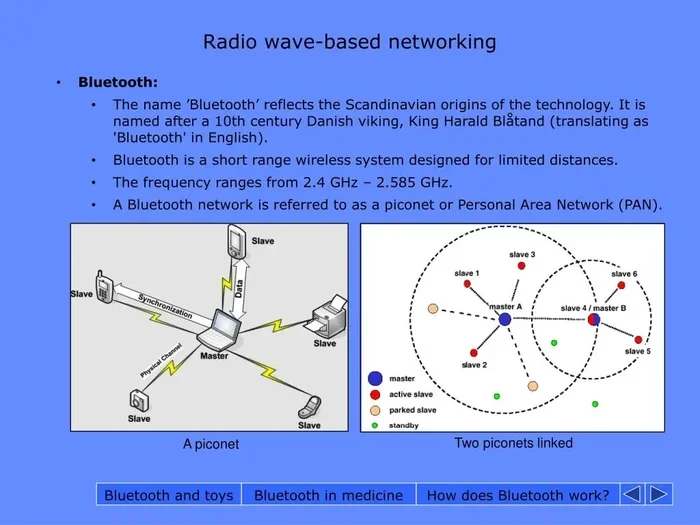
Bluetooth is a wireless technology that lets devices talk to each other without cables. It uses radio waves on a specific frequency to send and receive data. You use Bluetooth every day when you connect headphones, speakers, or your phone to a car stereo.
The technology has been around since the 1990s. Over the years, it has gotten faster, stronger, and more reliable. Today, Bluetooth connectivity is built into almost every smartphone, laptop, and smart home gadget you can name.
Here is how it works in simple terms. One device acts as the sender, and another acts as the receiver. They pair together using a short-range radio frequency. Once paired, they can share music, files, commands, and more. The whole process happens in seconds, and you do not need to see the other device to make it work.
Think of Bluetooth like a whisper between two people in a room. They do not need to look at each other. The sound travels through the air and reaches the other person. Now imagine that room has walls. The whisper gets quieter, but it still reaches the other side. That is basically how Bluetooth signals travel through obstacles.
Different versions of Bluetooth handle this differently. Older versions like Bluetooth 2.0 and 3.0 had shorter range. Newer versions like Bluetooth 5.0 and 5.3 can reach much farther and push through barriers more effectively. This matters a lot when you are asking whether Bluetooth needs line of sight.
Does Bluetooth Actually Need Line of Sight?
The short answer is no. Bluetooth does not need a clear, unobstructed path between devices. Unlike infrared technology, which requires a direct beam, Bluetooth uses radio waves. These waves spread out in all directions and can go around or through objects.
Many people confuse Bluetooth with infrared. Infrared remotes, like the one on your TV, need a straight line to work. If you block the path, the signal dies. Bluetooth works completely differently. It operates on the 2.4 GHz frequency band, which is the same range used by Wi-Fi. This frequency is good at passing through everyday objects.
So why do so many people think Bluetooth needs line of sight? Probably because range drops when walls get in the way. If your headphones stop playing music when you walk into another room, it feels like the signal needs a clear path. But what really happened is that the Bluetooth signal weakened, not that it disappeared entirely.
Here is a simple way to think about it. Sunlight comes through a window and lights up a room. You can still see furniture even if it is not in a direct beam of light. Bluetooth works the same way. The signal fills a space, and your device catches it from anywhere within range, even if something is between you and the source.
If you have ever used Bluetooth headphones with your TV, you already know this works. You can walk around your living room, and the audio keeps playing. The TV and headphones do not need to face each other. That is proof that Bluetooth does not require line of sight in most real-world situations.
Bluetooth vs. Infrared: A Key Difference
Infrared was the old standard for remote controls. It used light beams that required a direct path. Bluetooth replaced this with radio waves. This shift changed everything about how we connect devices wirelessly. You no longer need to point your phone at a speaker or sit directly in front of a streaming device.
Radio waves give Bluetooth a huge advantage. They bend around corners, pass through drywall, and even make it through some solid objects. This is why you can leave your phone in your pocket and still control a Bluetooth speaker across the room.
Factors That Affect Bluetooth Range and Signal
Even though Bluetooth does not need line of sight, several factors can weaken your connection. Understanding these helps you troubleshoot problems and get the best performance from your devices.
Physical Obstacles
Walls, floors, and furniture all affect Bluetooth range. A single drywall wall might reduce your signal by a small amount. But thick concrete walls, brick, or metal studs can block the signal much more. If you are trying to connect a phone in one room to a speaker in another, the number and type of walls in between matters.
Water is another big factor. Fish tanks, large mirrors, and even human bodies can absorb Bluetooth signals. This is why your Bluetooth headphones might cut out if you are in the shower near your phone. The water between the devices soaks up the radio waves.
Distance Between Devices
Distance is the most obvious factor. Bluetooth has a rated range, usually between 10 and 100 meters depending on the class and version. But real-world range is almost always shorter. Walls, interference, and device quality all play a role.
Most consumer devices work best within about 10 meters (30 feet) in a typical home. Go beyond that, and you will likely notice drops in audio or connection issues. This is true even with no obstacles in the way.
Electronic Interference
Your home is full of devices that compete for the same radio space. Wi-Fi routers, microwaves, baby monitors, and cordless phones all use the 2.4 GHz band. When too many devices operate nearby, they create Bluetooth interference. The result is a weaker, less stable connection.
This is why your wireless connection might stutter when the microwave is running. Both the microwave and Bluetooth are fighting for space on the same frequency. Moving your router or Bluetooth device slightly can sometimes fix this problem.
Bluetooth Version and Hardware Quality
Not all Bluetooth is created equal. A device with Bluetooth 5.0 or newer will perform much better than one with Bluetooth 4.0 or older. Newer versions bring better range, faster speeds, and improved ability to handle interference.
Cheap Bluetooth adapters or dongles may also have weaker antennas. This limits their range and makes them more sensitive to obstacles. If you are buying a Bluetooth transmitter or adapter, spending a little more on quality hardware pays off in better wireless streaming.
Common Bluetooth Range Limitations
Understanding where Bluetooth struggles helps you set realistic expectations. Here are the most common limitations people face with their wireless connection.
- Through one standard wall: Signal drops by about 10-20%. Still works fine for most uses.
- Through multiple walls: Signal can drop by 50% or more. You may notice audio stuttering.
- Through metal objects: Metal blocks radio waves almost completely. This includes filing cabinets, refrigerators, and metal studs in walls.
- Through water: Water absorbs Bluetooth signals fast. Even a large fish tank can cause problems.
- In crowded spaces: Airports, malls, and offices have many competing signals. Your Bluetooth device may struggle in these environments.
These limitations do not mean Bluetooth is bad. They just mean you need to understand the technology. Most home setups work perfectly fine because the distances are short and obstacles are minimal.
If you have ever tried to use Bluetooth headphones with your TV from another room, you have probably noticed these limits in action. The signal is strong in the same room but weakens as you move away. This is not because Bluetooth needs line of sight. It is because distance and walls reduce the signal strength over time.
How to Improve Your Bluetooth Connection
You do not need to be a tech expert to get better Bluetooth connectivity. A few simple changes can make a big difference in your wireless experience.
Position Your Devices Wisely
Place your Bluetooth devices in open spaces when possible. If you are using a speaker, keep it in the same room or in a space with fewer walls between you and your phone. Elevating devices helps too. Signals travel better when they are not blocked by heavy furniture or appliances.
If you are using Bluetooth headphones, try keeping your phone in a front pocket rather than a back pocket. Your body is mostly water, and it can absorb signals. Less body between the devices means a stronger connection.
Reduce Interference
Move your Bluetooth device away from Wi-Fi routers and microwaves. If you can, switch your Wi-Fi to the 5 GHz band. This frees up the 2.4 GHz space for Bluetooth. The result is a cleaner, more stable wireless connection.
Also, turn off Bluetooth on devices you are not actively using. Every active Bluetooth connection takes up bandwidth. Fewer active connections mean better performance for the ones you care about.
Use a Bluetooth Repeater or Adapter
If you need to reach another room, a Bluetooth repeater can help. It receives your signal and sends it further, acting like a relay station. This is especially useful for whole-home audio or when you want to stream from a TV in one room to headphones in another.
You can also use a Bluetooth adapter to add Bluetooth capability to older devices. Many adapters plug directly into a USB port or audio jack. They are affordable and easy to set up. Just make sure to buy a quality adapter that supports Bluetooth 5.0 or higher for the best results.
Some people also use a Bluetooth transmitter with their car stereo or home audio system. This turns non-Bluetooth devices into wireless-ready ones. It is a simple upgrade that improves your entire setup.
Keep Your Devices Updated
Software updates can improve Bluetooth performance. Manufacturers often release firmware updates that fix connectivity issues and improve range. Make sure your phone, laptop, and peripherals are running the latest software.
Also, reset your Bluetooth connections occasionally. This clears out old pairings and forces devices to reconnect fresh. Sometimes a simple reset fixes strange dropouts and weak signals.
Bluetooth Line of Sight Myths vs. Facts
There are many myths about Bluetooth and line of sight. Let us clear up the most common ones.
Myth 1: Bluetooth Needs a Clear Path Like a Remote Control
This is false. Bluetooth uses radio waves, not light beams. You can point your phone away from a speaker and still stream music. The signal does not care which direction the devices face.
Myth 2: Bluetooth Stops Working When You Walk Behind a Wall
Not true. Bluetooth signals pass through walls. They get weaker, but they do not stop completely. You may need to be closer to the source if there are many thick walls, but the connection usually survives.
Myth 3: Bluetooth Only Works in the Same Room
Bluetooth can work across multiple rooms in a typical home. The exact range depends on your Bluetooth version and the obstacles in the way. With a clear path and no interference, Bluetooth 5.0 can reach 40 meters or more outdoors.
Myth 4: Bluetooth and Wi-Fi Interfere With Each Other Constantly
They do share the same frequency band, but modern devices handle this well. Bluetooth uses a technique called frequency hopping to avoid Wi-Fi channels. You might notice occasional stuttering, but full disconnection is rare.
Understanding these myths helps you use Bluetooth with confidence. You do not need to keep your devices in direct sight of each other. Focus on minimizing obstacles and interference, and your wireless streaming will work great.
Bluetooth in Everyday Entertainment Setups
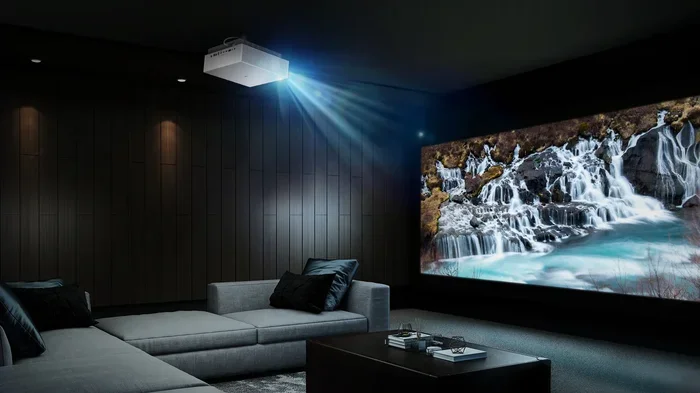
Bluetooth line of sight matters less in entertainment setups than many people think. Whether you are streaming music, watching videos, or gaming, Bluetooth handles the job without needing a clear path.
Many people use Bluetooth headphones while watching TV in a different room. The TV sends audio wirelessly, and the headphones receive it. As long as you stay within range, the connection holds up fine. Walls and furniture might reduce quality slightly, but the experience remains good.
Gamers also rely on Bluetooth for wireless controllers and headsets. You can play comfortably from across the room without worrying about pointing your controller at the console. This freedom is one of the biggest benefits of Bluetooth technology in entertainment.
Smart home devices like speakers and displays use Bluetooth for quick connections. You can control them from your phone even if the devices are in another room. The Bluetooth signal passes through doorways and walls without requiring you to stand in a direct line.
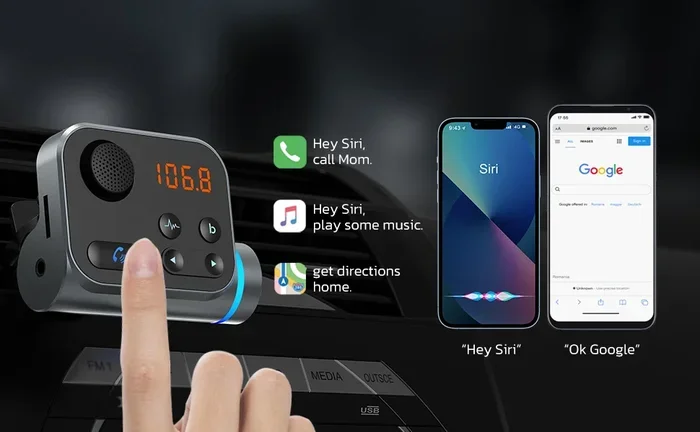
For car entertainment, Bluetooth lets you make calls and stream music without wires. Your phone stays in your pocket or bag, and the car stereo picks up the signal. You do not need to place your phone on the dashboard or face it toward the receiver. This is another great example of how Bluetooth does not need line of sight in practice.
If you want to upgrade your car audio, you can explore options like turning your car radio into a Bluetooth-ready system. Similarly, you can make old speakers wireless with a simple adapter. These changes bring modern Bluetooth connectivity to older devices without needing a clear sightline.
Conclusion
So, does Bluetooth need line of sight to work properly? The answer is a clear no. Bluetooth uses radio waves that pass through walls, furniture, and other everyday objects. You do not need to face your devices at each other or keep them in the same room with a clear path between them.
That said, physical obstacles do affect Bluetooth range and signal strength. Thick walls, metal, water, and distance all weaken the connection. Understanding these limits helps you set up your devices for the best experience.
By following a few simple tips, you can get excellent performance from your Bluetooth devices. Reduce interference, position devices wisely, use repeaters when needed, and keep your hardware updated. These steps ensure your wireless connection stays strong and reliable.
Bluetooth technology has come a long way. With each new version, it gets better at pushing through obstacles and maintaining stable connections. Whether you are streaming music, taking calls, or gaming, you can trust Bluetooth to work without needing a clear line of sight. Enjoy the freedom of wireless connectivity in every corner of your home.
Frequently Asked Questions
Can Bluetooth work through walls?
Yes, Bluetooth can work through walls. The signal weakens as it passes through obstacles, but it does not stop completely. Standard drywall has minimal impact, while thick concrete or metal walls reduce the signal more significantly.
What is the typical Bluetooth range indoors?
Most Bluetooth devices work well within 10 meters (about 30 feet) indoors. This range can vary based on the Bluetooth version, obstacles, and interference from other electronics. Newer versions like Bluetooth 5.0 offer longer indoor range.
Does Bluetooth work better with line of sight?
Bluetooth works slightly better with line of sight because there are fewer obstacles to weaken the signal. However, it does not require a clear path. Radio waves pass through most common materials, so you can use Bluetooth from another room.
Can I use Bluetooth headphones in a different room from my TV?
Yes, you can use Bluetooth headphones in a different room from your TV. The signal will pass through walls, though it may weaken with distance and obstacles. For the best experience, stay within 10 meters and minimize thick walls between the devices.
Why does my Bluetooth connection drop when I move to another room?
Your Bluetooth connection may drop because the signal weakens with distance and obstacles. Walls, furniture, and electronic interference all reduce signal strength. Using a Bluetooth repeater or moving closer to the source can fix this problem.
Does Bluetooth 5.0 have better range through obstacles?
Yes, Bluetooth 5.0 has significantly better range and obstacle penetration compared to older versions. It can reach up to 40 meters outdoors and handles indoor obstacles much better. Upgrading to Bluetooth 5.0 devices improves your overall wireless experience.