Does Hollyland Mars Transmit Audio and Why It Matters
Yes, the Hollyland Mars transmitter does transmit audio alongside video signals, making it a powerful tool for wireless video production. This guide covers how audio transmission works, what formats are supported, and why this feature is a game-changer for content creators and film production professionals.
If you have ever struggled with tangled cables on a film set, you know the frustration all too well. Running audio and video wires across a location can slow you down and limit your creative freedom. That is where wireless systems like the Hollyland Mars transmitter come into play.
One question keeps popping up among content creators and filmmakers: does Hollyland Mars transmit audio? The short answer is yes. But the full story is much more interesting. In this guide, we will walk through everything you need to know about the Hollyland Mars audio transmission capabilities, how it works, and why it matters for your next project.
Whether you are a solo vlogger, a professional video production crew, or someone just getting started with wireless filming gear, this article has you covered. We will break down the technical specs, real-world performance, and practical tips so you can get the most out of your setup.
Key Takeaways
- Audio Transmission Confirmed: The Hollyland Mars transmitter sends audio signals together with video, ensuring synced production audio on your receiver.
- Multiple Audio Input Options: You can connect wireless microphones, XLR cables, and 3.5mm jacks for flexible audio capture.
- Low Latency Performance: The system delivers near-real-time audio and video transmission, which is critical for live streaming and on-set monitoring.
- Long-Range Capability: The Mars transmitter supports extended range, making it suitable for field recording and outdoor shoots.
- Easy Setup: Even beginners can configure audio settings quickly with the intuitive Hollyland app and on-device controls.
- Professional-Grade Output: The audio quality matches broadcast standards, which makes it ideal for serious production work.
📑 Table of Contents
- What Is the Hollyland Mars Transmitter?
- Does Hollyland Mars Transmit Audio?
- Why Audio Transmission Matters for Filmmakers
- Setting Up Audio on the Hollyland Mars
- Common Mistakes and How to Avoid Them
- Hollyland Mars vs. Other Wireless Transmitters
- Who Benefits Most from Hollyland Mars Audio Transmission?
- Tips to Get the Most Out of Your Hollyland Mars Audio Setup
- Final Thoughts
What Is the Hollyland Mars Transmitter?
The Hollyland Mars is a wireless video transmission system designed for film production and live broadcasting. It sends uncompressed video from your camera to a receiver unit over a wireless connection. The system is built to handle the demands of professional video production while remaining affordable compared to competing brands.
What sets the Mars apart from other wireless video transmitters is its balance of range, image quality, and ease of use. It supports multiple video resolution options and delivers a clean signal with minimal delay. But the real question many users ask is whether it handles audio just as well as video.
Key Features at a Glance
- Wireless HD video transmission up to 1600 feet in line of sight
- Low latency for real-time monitoring
- Multiple audio input options including XLR and 3.5mm
- Compact and lightweight design for on-the-go shoots
- Intuitive controls and OLED screen for easy navigation
- Compatible with most professional cameras and rigs
Does Hollyland Mars Transmit Audio?
This is the core question, and the answer is a definitive yes. The Hollyland Mars transmitter does transmit audio alongside video signals. You do not need a separate audio system to capture sound while using this device. The transmitter sends both video and audio to the receiver, which means your footage and sound stay perfectly synced.
The audio transmission works through the same wireless link that carries the video. This means you get real-time audio at the receiver end without any additional hardware. For most content creators, this is exactly what they need to keep their workflow simple and efficient.
How Audio Transmission Works
When you connect a microphone or audio source to the Mars transmitter, the audio signal gets encoded and sent together with the video signal. The receiver decodes both streams and outputs them through its own audio and video outputs. This process happens with very low latency, so there is barely any delay between what you capture and what you hear on your monitor.
Think of it like Bluetooth audio on a smartwatch, but much more powerful and reliable. Just as does Bluetooth work on Apple Watch without iPhone uses a dedicated wireless protocol to keep audio flowing, the Hollyland Mars uses its own optimized transmission protocol for wireless audio and video. The difference is that the Mars system is built for professional field recording and production environments.
Audio Input Options on the Mars Transmitter
The Mars transmitter gives you several ways to connect audio sources. This flexibility is one of its strongest points for production audio workflows.
- XLR Inputs: These professional-grade connections let you plug in wireless microphones or direct audio sources with balanced signals. XLR inputs reduce noise and deliver clean audio.
- 3.5mm Jack: For simpler setups, the 3.5mm input works well with lavalier mics, handheld recorders, and other consumer audio devices.
- Built-in Microphone Input: Some models include a small built-in mic for quick reference audio during setup.
You can connect multiple audio sources at once, which is helpful for setups where you need to capture sound from different directions or use more than one microphone on a single rig.
Why Audio Transmission Matters for Filmmakers
You might wonder why audio transmission deserves so much attention. The truth is, bad audio can ruin even the most beautiful video footage. Viewers will forgive a shaky shot, but they will not forgive audio that is out of sync, distorted, or missing entirely.
Having wireless audio transmission built into your video system saves you from carrying extra gear and managing additional cables. It also means fewer points of failure on set. When your audio and video travel together over one wireless link, there is less chance of them falling out of sync.
Sync Quality and Latency
One of the biggest concerns with any wireless system is whether audio and video stay in sync. The Hollyland Mars transmitter is designed to minimize latency, which is the delay between capturing a signal and receiving it. In practical terms, this means when you clap your hands on camera, the sound reaches your receiver at nearly the same moment.
For live streaming and on-location filming, this low latency is essential. You need to hear what the camera sees in real time. Whether you are monitoring through headphones or watching on an external monitor, the wireless transmission keeps everything aligned.
Audio Quality at Production Level
The Mars transmitter supports high-quality audio codecs that preserve the richness and clarity of your sound. You will not hear the compression artifacts or tinny quality that cheap wireless systems produce. The audio comes through clean and natural, which is exactly what you want for professional production audio.
When you compare this to setups where you use a separate audio recorder and sync in post-production, the Mars system saves you significant time. You skip the post-production audio syncing step entirely because everything arrives together at the receiver.
Setting Up Audio on the Hollyland Mars
Getting audio working with your Mars transmitter is straightforward. Here is a step-by-step guide to help you set up your wireless audio system quickly.
Step 1: Connect Your Audio Source
Start by plugging your microphone or audio device into the appropriate input on the transmitter. If you are using a wireless microphone receiver, connect its output to the XLR or 3.5mm jack on the Mars unit. Make sure the connection is secure and the cable is not damaged.
Step 2: Power On and Pair
Turn on both the transmitter and receiver units. The system will pair automatically in most cases. You should see signal indicators on the OLED screen confirming that both video and audio are being transmitted.
Step 3: Adjust Audio Levels
Use the on-device controls or the Hollyland app to set your audio levels. You want your levels high enough to capture clear sound but low enough to avoid distortion. A good starting point is to have your peaks hitting around -12 dB to -6 dB during a normal speaking voice.
Step 4: Monitor and Record
Put on your headphones and connect them to the receiver output. Listen for any background noise, interference, or signal drops. Once everything sounds clean, start recording on your camera or recorder. Your audio and video are now traveling together wirelessly.
Quick Tips for Better Audio
- Always use windscreen covers on outdoor shoots to reduce wind noise
- Keep the transmitter and receiver within line of sight for the best signal
- Check battery levels on both units before a long shoot day
- Use balanced XLR cables when possible for cleaner audio
- Store the unit in a padded case to protect the audio inputs from damage
Common Mistakes and How to Avoid Them
Even with a reliable system like the Hollyland Mars, common mistakes can cause audio problems. Here is what to watch out for.
Ignoring Audio Level Settings
One of the most frequent errors is setting audio levels too high or too low. If your levels are too hot, you will get distorted sound that is impossible to fix in post. Too low, and you will introduce noise when you try to boost the volume. Always monitor your levels through headphones before you start recording.
Using Cheap Cables
It might be tempting to grab the cheapest cables you can find, but poor-quality cables introduce signal interference and noise. Invest in good-quality XLR and 3.5mm cables from reputable brands. Your audio will thank you for it.
Overlooking Interference
Wireless systems can pick up interference from other wireless devices operating on similar frequencies. If you are shooting in a crowded urban area with lots of Wi-Fi networks and broadcast signals, you might notice audio dropouts. The Mars system handles interference well, but keeping your antenna positioned properly helps a lot.
Forgetting to Sync Audio on the Receiver
While the Mars transmitter sends audio and video together, you still need to make sure your recording device is set to receive both channels. If your receiver outputs audio but your camera is set to record only video, you will miss the audio entirely. Double-check your input settings before every shoot.
Hollyland Mars vs. Other Wireless Transmitters
How does the Hollyland Mars stack up against other wireless video transmitters on the market? Let us look at a quick comparison.
| Feature | Hollyland Mars | Competitor A | Competitor B |
|---|---|---|---|
| Audio Transmission | Yes, built-in | Yes, built-in | No, requires external system |
| Max Range | 1600 feet line of sight | 1000 feet line of sight | 2000 feet line of sight |
| Latency | Ultra-low | Low | Medium |
| Audio Inputs | XLR + 3.5mm | 3.5mm only | XLR only |
| Price Range | Mid-range | High | Budget |
| App Support | Yes | Yes | No |
As you can see, the Hollyland Mars offers a strong balance of features, price, and performance. Its built-in audio transmission gives it an edge over budget options that require separate audio gear. And its mid-range price makes it accessible for independent filmmakers and small production teams.
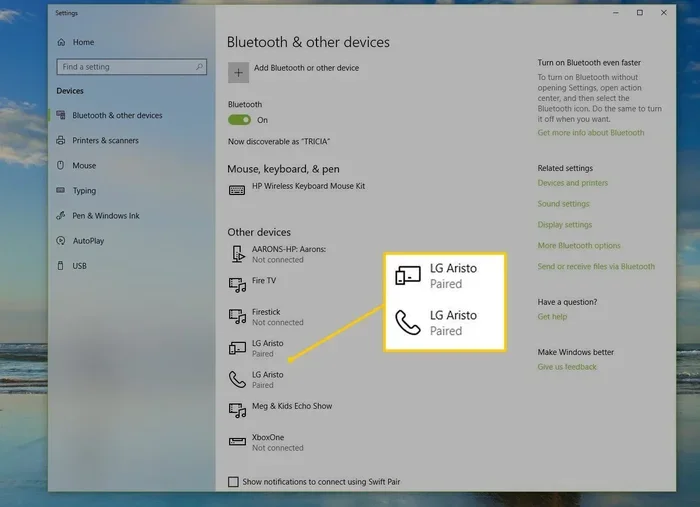
When you think about how devices communicate wirelessly, it is similar to how does LG use Microsoft in certain smart devices to enable seamless connectivity. The Mars system uses smart pairing and optimized protocols to keep your video and audio signals flowing without interruption.
Who Benefits Most from Hollyland Mars Audio Transmission?
The audio transmission feature on the Hollyland Mars is not just for one type of user. Several groups benefit greatly from this capability.
Independent Filmmakers
Solo filmmakers and small crews benefit the most because they carry less gear. Having audio and video in one wireless system means fewer batteries, fewer cables, and fewer things to manage on set. You can focus on your creative vision instead of wrestling with equipment.
Event Videographers
Wedding videographers, corporate event shooters, and live event crews need reliable audio on the go. The Mars transmitter lets them capture crisp sound from a distance without running long cables across a venue. This is especially useful for live streaming events where you need real-time audio at the mixing board.
Documentary and Field Recordists
Documentary filmmakers often work in unpredictable environments. The long-range transmission and sturdy build of the Mars system make it well-suited for field recording in challenging locations. You can move freely while still capturing production-quality audio.
Content Creators and YouTubers
Even if you are not a traditional filmmaker, the Mars transmitter offers great value for YouTube creators and social media content producers. The ability to transmit clean audio wirelessly gives your videos a professional sound that sets them apart from casual phone recordings.
Tips to Get the Most Out of Your Hollyland Mars Audio Setup
Once you have your Mars system up and running, a few extra steps can make a big difference in your audio quality.
Use a Reference Monitor
Connect a small portable monitor to the receiver output. This lets you watch your footage and listen to audio simultaneously. Catching audio issues early saves you from discovering them after a full day of shooting.
Record a Scratch Track
Even with wireless audio transmission, it is smart to record a scratch track on your camera or recorder as a backup. If anything goes wrong with the wireless link, you still have usable audio to work with in post-production.
Keep Firmware Updated
Hollyland regularly releases firmware updates that improve signal stability and audio performance. Check for updates through the Hollyland app before each major shoot. Updated firmware often includes bug fixes and new features that enhance your experience.
Experiment with Placement
The position of your transmitter and receiver antennas affects signal quality. Try different angles and positions to find the sweet spot for your specific shooting environment. Vertical placement generally gives the best signal strength for most setups.
Prepare for the Unexpected
Always carry backup batteries, spare cables, and a wired audio option as a fallback. Even the best wireless transmission systems can face unexpected challenges. Being prepared means you never miss a shot because of technical issues.
Final Thoughts
The Hollyland Mars transmitter is a solid choice for anyone who needs reliable wireless audio and video transmission. It delivers on its promise of sending both audio and video over a wireless link with minimal latency and excellent quality. Whether you are a professional video production team or an aspiring content creator, this system gives you the freedom to move without sacrificing sound quality.
The built-in audio transmission is more than just a convenience feature. It is a workflow enhancer that saves you time, reduces gear clutter, and keeps your production running smoothly. When you combine this with the system’s long range, low latency, and intuitive controls, you get a tool that truly earns its place on any set.
So the next time someone asks, does Hollyland Mars transmit audio, you can confidently say yes. And now you know exactly how it works, why it matters, and how to get the best results from your setup.
If you are exploring other wireless audio and video options, you might also want to check whether your current setup supports HDMI to analog audio conversion for older equipment. Understanding your full signal chain helps you make smarter gear decisions and avoid compatibility headaches down the road.
Frequently Asked Questions
Does the Hollyland Mars transmitter support multiple audio channels?
Yes, the Mars transmitter supports multiple audio channels depending on your input configuration. You can connect more than one audio source simultaneously, which is useful for setups where you need separate left and right channels or want to record dialogue and ambient sound independently.
Can I use the Hollyland Mars for live streaming with audio?
Absolutely. The low latency of the Mars system makes it well-suited for live streaming applications. Your audio and video arrive at the receiver nearly in real time, which means your audience hears and sees everything in sync. Just connect your streaming encoder to the receiver output and you are ready to go.
Do I need a separate audio recorder if I use the Hollyland Mars?
In most cases, no. The built-in audio transmission means you can capture sound directly through the receiver without an external recorder. However, some professionals still prefer a backup recorder as a safety net, especially for important shoots where audio failure is not an option.
What is the audio latency like on the Hollyland Mars?
The audio latency is extremely low, typically under a few milliseconds. This means you will not notice any delay between the sound being captured and it reaching your ears on the receiver end. For practical purposes, the audio and video are perfectly in sync.
Is the Hollyland Mars audio quality good enough for broadcast?
Yes, the audio quality meets professional broadcast standards. The system supports high-quality audio codecs and clean signal transmission, which makes it suitable for broadcast work, documentary production, and other professional applications where audio fidelity matters.
How far can the Hollyland Mars transmit audio and video wirelessly?
The Mars transmitter can reach up to 1600 feet in line of sight under ideal conditions. In real-world environments with obstacles like buildings and trees, the effective range will be shorter. Keeping the transmitter and receiver in line of sight gives you the best performance for both audio and video signals.