Does Hotel Wifi Have A Password And How To Find It
Most hotel wifi networks do have a password, but finding it is usually simple. You can get it from the front desk, check your room TV, or look for a login portal when you connect. Understanding how hotel wifi works helps you stay connected without frustration during your stay.
This is a comprehensive guide about Does Hotel Wifi Have A Password.
Key Takeaways
- Hotel wifi almost always has a password: It protects guest data and manages network traffic effectively.
- Multiple ways to find the password: Check the front desk, your room TV, or the welcome guide in your room.
- Login portals are common: Many hotels use a captive portal that appears when you first connect to the network.
- Portable wifi is a great backup: Buying your own portable wifi device gives you reliable internet anywhere.
- Security matters on hotel networks: Use a VPN and avoid sensitive transactions on public hotel wifi.
- 2.4 GHz and 5 GHz bands differ: Some hotel networks split into two bands with different login requirements.
- Troubleshooting steps exist: Simple fixes like restarting your device often resolve hotel wifi connection issues.
[FEATURED_IMAGE_PLACEHOLDER]
Does Hotel Wifi Have A Password And How To Find It
You just checked into your hotel room. You open your laptop, look for available networks, and see the hotel wifi name right there. But when you try to connect, it asks for a password. Where do you even find it? This happens to almost every traveler at some point.
The short answer is yes, hotel wifi almost always has a password. Hotels use passwords to control who accesses their network and to keep guest data safe. But the good news is finding that password is usually a breeze. You do not need to be a tech expert to get online in your hotel room.
This guide walks you through every method to find your hotel wifi password. We also cover common problems, security tips, and alternatives if the hotel internet just does not work. By the end, you will know exactly what to do the next time you need hotel internet access.
Hotel wifi passwords are not random strings of characters like your home network might be. Hotels often use simple passwords or no password at all in the form of a login portal. Let us break down exactly how this works and what you need to know.
Why Do Hotels Use Wifi Passwords
Hotels have many reasons for putting a password on their network. It is not just to make your life harder. Understanding why hotels use passwords helps you appreciate the system better.
Network Security For Guests
A password acts as a first line of defense. Without it, anyone walking by the hotel could hop on the network. This creates serious security risks for paying guests. A password ensures only hotel visitors can access the connection.
Bandwidth Management
Hotel internet connections have limited speed. Hundreds of guests might try to stream, video call, or browse at the same time. A password helps the hotel control how many devices connect. This keeps the network from getting overloaded and slowing down for everyone.
Business And Legal Protection
Hotels also need to protect themselves legally. A password lets them track usage and enforce their terms of service. Many hotels require you to accept terms before going online. This is easier to manage when each guest goes through a login process.
How To Find Your Hotel Wifi Password
Finding your hotel wifi password is usually easier than you think. Most hotels make it straightforward so guests can get connected quickly. Here are the most common methods that work at nearly every hotel.
Check The Front Desk
The front desk is your number one resource. Hotel staff deal with this question all day long. Simply walk up and ask for the wifi password. They will either tell you directly or point you to a printed guide in your room.
Pro tip: Ask the front desk if they have a single network password for all rooms or if each room has its own unique code. Some hotels use one password for the entire building while others assign different passwords per room for better security.
Look In Your Room
Many hotels place the wifi information in plain sight. Check these spots in your room:
- Desk or nightstand: A small card or brochure with login details
- Behind the TV: Some hotels stick a label with the network name and password there
- Bathroom mirror or cabinet: A printed card tucked inside
- Welcome guide booklet: Usually found in the bedside drawer or on the desk
Use The Login Portal
Many modern hotels do not use a traditional password. Instead, they use a captive portal. This is a web page that pops up automatically when you connect to the hotel network. You might need to enter your room number, last name, or a code from your key card.
Here is how it usually works:
- Connect to the hotel wifi network on your device
- Open any web browser
- A login page appears automatically
- Enter your room details or the code provided
- Click connect and you are online
If the portal does not pop up, try typing any website into your browser. Sometimes the page only appears after you try visiting a site.
Ask Other Guests Or Staff
Do not be shy about asking. Other guests in the lobby or restaurant often know the password already. Hotel restaurant staff and concierge personnel also have this information readily available.
Check The Hotel Website Or App
Many hotel chains post their wifi information on their website or mobile app. Look for a guest services section or frequently asked questions page. Some hotels even let you download the password directly through their app before you arrive.
Common Hotel Wifi Connection Problems
Even when you find the password, things do not always go smoothly. Hotel wifi can be tricky sometimes. Here are the most common issues travelers face and how to fix them.
The Password Does Not Work
This happens more than you would think. Passwords can be case-sensitive or include special characters that are hard to type on a phone screen. Double-check for uppercase letters and numbers. If you typed it carefully and it still does not work, go back to the front desk. They can verify the password and sometimes reset it for you.
Connected But No Internet Access
You see the wifi symbol on your device but nothing loads. This usually means you need to complete the captive portal login. Try opening a browser and visiting any website. The login page should appear.
Sometimes clearing your browser cache helps. Other times, you need to disconnect and reconnect to the network. A quick restart of your device often fixes this issue too.
Slow Internet Speed
Hotel wifi can be painfully slow during peak hours. Evening hours are usually the worst since everyone is back in their rooms streaming or browsing. Here are some tips to improve your speed:
- Connect to the 2.4 GHz band instead of 5 GHz if both are available
- Move closer to the hotel router or access point
- Close apps and tabs you are not using
- Avoid downloading large files during busy hours
Network Keeps Disconnecting
Hotel networks can be unstable. This often happens when the signal is weak in your room or when too many guests are connected. Try moving to a different spot in the room. If that does not help, ask the front desk if there is a stronger signal near the elevators or lobby.
Hotel Wifi Security Tips
Hotel networks are public networks. That means they are less secure than your home wifi. Taking a few precautions protects your personal data and keeps you safe online while traveling.
Use A VPN
A virtual private network encrypts your internet traffic. This makes it much harder for anyone on the same network to see what you are doing. Many travelers use a VPN when connecting to hotel wifi, especially when checking email or banking information.
Avoid Sensitive Transactions
Try to avoid online banking or entering credit card details on hotel wifi if possible. Wait until you are on a trusted network. If you must make a purchase, use a secure HTTPS website and make sure your VPN is active.
Turn Off Auto-Connect
Your phone might automatically connect to the hotel wifi network even after you leave. This can expose your device to risks. Turn off auto-connect for public networks in your wifi settings. This simple step protects your device in the long run.
Forget The Network After Your Stay
Before you check out, go to your wifi settings and forget the hotel network. This prevents your device from automatically connecting to a network that no longer serves you. It also removes any stored passwords from your device.
Alternatives To Hotel Wifi
Sometimes hotel internet just does not cut it. Maybe the password does not work, the speed is too slow, or the connection drops constantly. In these situations, you need a backup plan to stay connected.
Buy Your Own Portable Wifi
One of the best alternatives is purchasing your own portable wifi device. These small gadgets create your own personal hotspot using a local SIM card. You get reliable, fast internet without relying on the hotel network. You can find portable wifi devices at most electronics stores or online before your trip.
Travelers who visit Japan often look into getting a pocket wifi device. Can I Get Pocket Wifi In Japan? Absolutely yes, and it is one of the easiest ways to stay connected while exploring the country. Portable wifi gives you control over your connection, speed, and data usage.
Use Your Phone As A Hotspot
If your phone plan includes enough data, you can use it as a personal hotspot. This bypasses the hotel wifi entirely. Just be mindful of your data limits to avoid surprise charges on your bill.
Connect To Hotel Bluetooth Or Wired Options
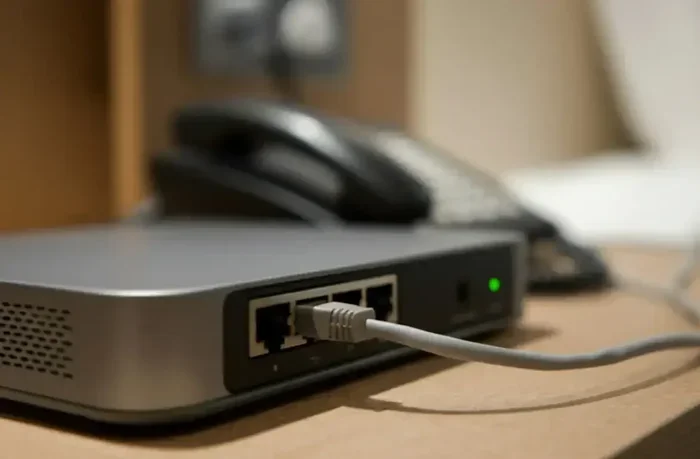
Some hotels offer ethernet ports in the room for a wired connection. This is often faster and more stable than wifi. Check if your hotel room has an ethernet jack near the desk. You can also connect peripherals like a mic to a Bluetooth speaker for a better audio experience during video calls.
How Hotel Wifi Compares To Home Wifi
Understanding the differences between hotel wifi and your home network helps set the right expectations. Here is a quick comparison of what you can expect.
| Feature | Hotel Wifi | Home Wifi |
|---|---|---|
| Password | Usually required or login portal | Always password protected |
| Speed | Shared among many guests | Dedicated to your household |
| Security | Lower, public network | Higher, private network |
| Stability | Can be inconsistent | Generally stable |
| Coverage | Varies by room location | Optimized for the whole home |
| Customization | Very limited | Full control over settings |
The biggest difference is that hotel wifi is a shared resource. You are competing with dozens or even hundreds of other guests for bandwidth. This is why speeds can fluctuate throughout the day. Home networks give you dedicated bandwidth, which means more consistent performance.
Also, home networks typically use both 2.4 GHz and 5 GHz bands with different passwords. Hotel networks sometimes split these bands too, and each might require a separate login. If you struggle to connect, try switching between bands on your device.
Expert Tips For Getting Hotel Wifi Right
Frequent travelers know that a little preparation goes a long way with hotel internet. Here are some expert tips that make a huge difference.
- Contact the hotel before arrival: Email or call ahead to ask about their wifi setup. This saves you time on arrival day.
- Download offline maps and content: Always have backup entertainment and navigation downloaded before you travel.
- Bring an ethernet cable: A short cable can give you a wired connection if the room has an ethernet port.
- Update your device before travel: Make sure your operating system and apps are current to avoid compatibility issues.
- Use a password manager: Save the hotel wifi password in your manager so you do not have to type it again on other devices.
Some travelers also wonder about connecting their own networking equipment in hotel rooms. While it might be tempting to bring a mesh router to extend the signal, most hotels do not allow this. It is always best to check with hotel management before setting up any additional networking equipment.
Another common question involves device compatibility. For example, if you are traveling with older devices, you might wonder about their ability to connect to modern hotel networks. Can A 7 Year Old Laptop Run Windows 11? This is a relevant consideration since older operating systems may not support the latest wifi security protocols that hotels use.
Final Thoughts
Does hotel wifi have a password? Yes, in most cases it does. But the password might come in the form of a traditional network key or a login portal that appears when you connect. Either way, getting online at your hotel is almost always achievable with a little patience.
Start with the front desk or a welcome card in your room. Try the captive portal method if there is no traditional password. And if the hotel internet fails you, consider a portable wifi device as a reliable backup. Always keep your security in mind by using a VPN and avoiding sensitive transactions on public networks.
Hotel wifi does not have to be a source of stress. With the right knowledge and a few simple steps, you can stay connected throughout your trip. The next time you check into a hotel, you will know exactly what to do when that wifi password prompt appears on your screen.
Remember that every hotel is different. What works at one property might not work at another. Flexibility and a willingness to try different methods will always get you online. Safe travels and happy browsing.
Frequently Asked Questions
Can I Use Hotel Wifi Without A Password?
Yes, many hotels use a captive portal instead of a traditional password. When you connect to the network and open a browser, a login page appears. You enter your room number or a code from your key card to gain access. Some hotels even offer completely open networks with no password at all.
Is Hotel Wifi Free Or Do I Have To Pay?
Many hotels offer free wifi for all guests. However, some budget hotels or luxury properties charge a daily fee for internet access. Always check the hotel’s website or contact them directly before booking if internet access is important to you. Some loyalty program members also get complimentary wifi as a perk.
Can I Connect Multiple Devices To Hotel Wifi?
Most hotels allow multiple devices per guest. However, some hotels limit the number of simultaneous connections to two or three devices. If you have a laptop, phone, and tablet, you should be fine. If you experience issues connecting a fourth device, check the hotel’s terms or ask the front desk about their device limit.
Why Does My Hotel Wifi Need A Login Page Every Time?
Hotel captive portals often require re-authentication for security reasons. Each guest gets a unique session that expires after a set period. This prevents unauthorized users from piggybacking on your connection. Simply reopen the login page and re-enter your room details to get back online.
Can I Use A VPN On Hotel Wifi?
Absolutely. Using a VPN on hotel wifi is highly recommended. A VPN encrypts your data and protects your privacy on public networks. Most VPN apps are easy to set up and work seamlessly with hotel connections. Just connect to the VPN before accessing any sensitive websites or accounts.
What Should I Do If The Hotel Wifi Password Does Not Work?
First, double-check for typos and make sure caps lock is off. Passwords are often case-sensitive. If it still does not work, contact the front desk. They can verify the correct password or provide an alternative connection method. Sometimes restarting your device also resolves the issue.
Frequently Asked Questions
What is Does Hotel Wifi Have A Password?
Does Hotel Wifi Have A Password is an important topic with many practical applications.