Does MyQ Have A Monthly Fee What You Need To Know
MyQ does have a monthly fee for full cloud features, but the base hardware works without a subscription. The MyQ smart garage system from Chamberlain lets you monitor and control your garage door from anywhere, but unlocking advanced features like camera streaming and extended cloud storage requires a paid plan. Whether you need the subscription depends on how much remote access and smart home integration you want.
So you just bought a MyQ smart garage door opener or you are thinking about getting one. The big question is simple. Does MyQ have a monthly fee? The answer is not a plain yes or no. It depends on what features you want to use. MyQ gives you some free basics but charges for the good stuff like live camera feeds and cloud storage.
This guide breaks down everything you need to know about the MyQ monthly fee and subscription options. You will learn what comes free, what costs extra, and whether paying for a plan is worth it for your setup. Let us get into it.
Key Takeaways
- MyQ offers both free and paid plans: The basic app features are free, but premium features need a monthly or annual subscription.
- The monthly fee unlocks camera streaming: You get live video, cloud storage, and person detection with a paid MyQ plan.
- Hardware works without a subscription: You can still open and close your garage door remotely using the free MyQ app.
- Annual plans save money: Paying yearly for MyQ costs less per month than the monthly billing option.
- Smart home integration matters: MyQ works with Alexa and Google Assistant, but some features are limited without a subscription.
- Compare before you commit: Look at what features matter to you before deciding if the MyQ fee is worth it.
📑 Table of Contents
- What Is MyQ and How Does It Work?
- Does MyQ Have a Monthly Fee? Breaking Down the Costs
- What You Get With the MyQ Subscription
- Is the MyQ Monthly Fee Worth It?
- How MyQ Compares to Other Smart Garage Systems
- MyQ and Wi-Fi: What You Need to Know
- Setting Up MyQ: A Quick Overview
- Common Mistakes People Make With MyQ
- Expert Insights on MyQ Pricing
- MyQ and Smart Home Integration
- MyQ Lifetime Plans and Future Pricing
- Final Thoughts on MyQ Monthly Fees
What Is MyQ and How Does It Work?
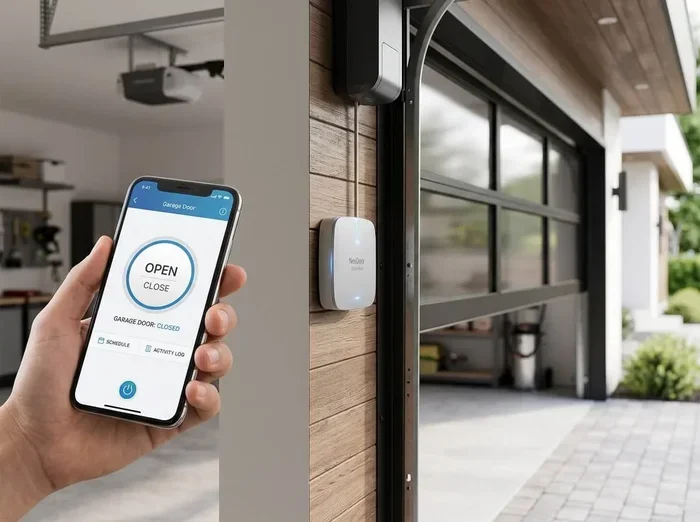
MyQ is a smart garage door system made by Chamberlain. It connects your garage door opener to the internet so you can control it from your phone. The MyQ app lets you check if your garage door is open or closed from anywhere. You can also get alerts when someone opens or closes the door.
The system uses Wi-Fi to connect to your home network. Once set up, you can manage your garage through the app on iOS or Android. Some MyQ models also include a built-in camera. This camera lets you see who is at your garage without walking outside.
MyQ is part of the broader smart home ecosystem. It works with voice assistants like Alexa and Google Assistant. This means you can open your garage with a voice command. It is a handy feature for people who carry groceries or have their hands full.
MyQ Hardware vs MyQ Subscription
Here is something many people miss. The MyQ hardware works on its own without any subscription. You can still use the app to check your door status and get basic alerts. The monthly fee only unlocks the premium cloud features. So if you just want basic remote control, you do not need to pay anything extra.
Does MyQ Have a Monthly Fee? Breaking Down the Costs
The short answer is yes, but only for premium features. MyQ has a free tier and a paid subscription tier. The free tier covers the essentials. The paid tier adds cloud storage, live video, and advanced alerts. Let us look at what each plan offers.
MyQ Free Plan
The free MyQ plan gives you a lot of useful features at zero cost. With this plan, you can:
- Check your garage door status from anywhere
- Receive push notifications when the door opens or closes
- Control the door using the MyQ app
- Use voice commands with Alexa or Google Assistant
- Set up shared user access for family members
For many homeowners, the free plan is all they need. If you just want to make sure your garage is closed when you are at work, the free tier does the job well.
MyQ Paid Plan
The paid MyQ plan costs around $5 to $10 per month depending on the current pricing. This plan unlocks the following features:
- Live video streaming from the MyQ camera
- Cloud storage for recorded clips
- Person detection alerts
- Activity history and logs
- Advanced notification settings
The MyQ subscription is similar to other smart home services. You are paying for cloud storage and intelligent features. Without the subscription, you can still use your garage door opener. You just lose the video and advanced alert capabilities.
What You Get With the MyQ Subscription
The MyQ cloud service is where the paid plan shines. Here is a closer look at what you get when you pay the monthly fee.
Live Video Streaming: The MyQ camera gives you a live feed of your garage. You can check it anytime through the app. This is great when you are not sure if you closed the garage door before leaving home.
Cloud Storage for Recordings: Without a subscription, you do not get saved video clips. The paid plan stores your recordings in the cloud for a set period. You can review them later if something happened while you were away.
Person Detection: The MyQ system can tell the difference between a person and a passing car or animal. This smart feature reduces false alerts. You only get notified when someone is actually at your garage.
Activity History: The subscription gives you a detailed log of every open and close event. This is useful for tracking who has been using the garage and when.
Is the MyQ Monthly Fee Worth It?
This is the question every homeowner asks. Whether the MyQ monthly cost is worth it depends on your needs and lifestyle. Let us look at some real scenarios to help you decide.
When the fee is worth it: If you travel often, the camera and cloud storage are very valuable. You can check your garage while you are away. Person detection alerts also give you peace of mind. For families with kids, knowing who is coming and going from the garage adds an extra layer of garage door security.
When the fee is not worth it: If you are home most of the time and do not need video, the free plan covers everything. The basic open and close controls work perfectly without paying a dime. You also might not need cloud storage if you already have a separate security camera covering your garage.
Quick Tip: Before you commit to a paid plan, try the free version for a few weeks. See if the features you are missing actually matter to your daily routine. This saves you from paying for something you do not use.
How MyQ Compares to Other Smart Garage Systems
MyQ is not the only smart garage door system on the market. Let us compare it with a couple of popular alternatives to give you a better picture.
| Feature | MyQ (Free) | MyQ (Paid) | Other Smart Garage Systems |
|---|---|---|---|
| Remote Door Control | Yes | Yes | Yes |
| Live Video | No | Yes | Varies |
| Cloud Storage | No | Yes | Varies |
| Person Detection | No | Yes | Varies |
| Voice Assistant Support | Yes | Yes | Varies |
| Monthly Fee | $0 | $5-$10 | Varies |
As you can see, MyQ holds its own in the smart garage market. The free tier is generous compared to many competitors. The paid tier adds meaningful features that make the system feel more complete. If you already use other smart home devices, MyQ fits right in.
For example, if you use Alexa as a Bluetooth speaker or other smart home gadgets, MyQ integrates smoothly into that setup. The voice control feature works with both Alexa and Google Assistant. You can say a command and open your garage without lifting a finger.
MyQ and Wi-Fi: What You Need to Know
MyQ needs a stable Wi-Fi connection to work properly. Without Wi-Fi, the app cannot communicate with your garage door opener. Here are a few things to keep in mind about Wi-Fi and MyQ.
- Wi-Fi Range: Your garage should be within range of your Wi-Fi router. If the signal is weak, you may experience connection issues.
- Boosting Your Signal: If your garage is far from the router, you might need a Wi-Fi extender. Boosting your Wi-Fi signal outside can help improve the connection to your garage.
- 2.4 GHz Band: MyQ works on the 2.4 GHz Wi-Fi band. Make sure your router is set up for this frequency.
- Stable Connection: A dropped Wi-Fi connection means you lose remote access until it comes back. A reliable internet plan helps prevent this.
If your Wi-Fi does not reach the garage reliably, consider a mesh network or a Wi-Fi extender. This ensures your MyQ smart garage door stays connected at all times. A strong connection also means faster app response times and fewer missed alerts.
Setting Up MyQ: A Quick Overview
Setting up MyQ is straightforward. You do not need to be a tech expert to get it running. Here is a quick overview of the process.
- Install the MyQ hardware: Mount the MyQ controller on your existing garage door opener. Most models are compatible with Chamberlain, LiftMaster, and Craftsman openers.
- Download the MyQ app: Get the app from the App Store or Google Play. Create an account and pair the device.
- Connect to Wi-Fi: Follow the in-app instructions to connect the controller to your home Wi-Fi network.
- Test the system: Open and close the door using the app to make sure everything works.
- Choose your plan: Decide whether to stick with the free plan or upgrade to the paid subscription.
The whole setup takes about 15 to 20 minutes. Once it is running, you can start enjoying the convenience of controlling your garage from your phone. If you want to share access with family members, the app makes it easy to add users.
Common Mistakes People Make With MyQ
Here are a few common mistakes to avoid when using MyQ.
- Assuming all features are free: Many people buy the hardware and expect everything to be included. The premium features like video streaming need a paid plan.
- Ignoring Wi-Fi strength: A weak Wi-Fi signal in the garage causes connection drops. Test your signal before installing.
- Not checking compatibility: Not all garage door openers work with MyQ. Check compatibility before purchasing.
- Forgetting to update the app: App updates often include bug fixes and new features. Keep your app up to date.
- Skipping the free trial: Try the free plan first before paying for a subscription. See what features you actually use.
Avoiding these mistakes saves you time and money. It also ensures your MyQ garage door system works the way it should.
Expert Insights on MyQ Pricing
From a smart home expert perspective, the MyQ pricing model is fair and transparent. The hardware is competitively priced, and the free tier covers the basics well. The paid plan is a good value if you use the camera and cloud features regularly.
One thing to note is that MyQ subscription pricing can change over time. Chamberlain has adjusted prices in the past. Always check the current pricing on the official MyQ website before signing up. Sometimes they offer discounts for annual plans, which brings the monthly cost down.
If you are already invested in the Chamberlain smart home ecosystem, the subscription makes sense. The integration is seamless and the app is well designed. But if you are just looking for basic garage control, the free plan is all you need.
MyQ and Smart Home Integration
MyQ fits into the larger smart home world in a useful way. It connects with other devices and services to create a more automated home experience. Here are some integration highlights.
- Alexa Integration: You can open and close your garage with voice commands through Alexa. This works even on the free plan.
- Google Assistant: Same voice control capability works with Google Assistant devices.
- IFTTT Support: MyQ works with IFTTT (If This Then That) for creating custom automation routines.
- Smart Home Hubs: MyQ can be part of broader smart home setups that include lights, locks, and security systems.
The smart home integration is one of MyQ’s strongest selling points. It turns a simple garage door opener into a connected home device. Even without a subscription, the voice control and basic automation features add real convenience to your day.
MyQ Lifetime Plans and Future Pricing
Chamberlain has offered different pricing structures over the years. In the past, they introduced lifetime plans that removed the need for a monthly fee. These plans are not always available, but they are worth looking into if you want to avoid ongoing costs.
Before you buy, check whether a lifetime plan is available. This can save you a lot of money over time. If a lifetime plan is not an option, the annual subscription usually costs less than paying month to month.
Pricing changes are common in the smart home industry. Companies like Chamberlain adjust their plans to stay competitive. Always read the latest terms and conditions before committing to any subscription.
Final Thoughts on MyQ Monthly Fees
So, does MyQ have a monthly fee? Yes, but it is optional. The MyQ free plan gives you solid remote control features at no cost. The paid plan adds video streaming, cloud storage, and smart alerts for those who want them.
Your decision should come down to how you use your garage and what features matter to you. If you want to see live video of your garage or need cloud recordings, the subscription is a good investment. If you just need basic open and close controls, stick with the free plan.
The MyQ system is a great addition to any smart home setup. It is easy to install, works with popular voice assistants, and offers flexible pricing. Whether you choose the free or paid plan, you get a reliable and convenient way to manage your garage door from anywhere.
Take your time, try the free features first, and upgrade only if you find the premium features useful. That is the smartest way to approach the MyQ monthly fee question.
Frequently Asked Questions
Is MyQ completely free to use?
The basic MyQ app features are free. You can control your garage door, get status updates, and use voice commands without paying anything. However, premium features like live video and cloud storage require a paid subscription.
How much is the MyQ monthly fee?
The MyQ paid plan typically costs between $5 and $10 per month. Pricing may vary based on current promotions and your region. Annual plans usually offer a lower monthly rate compared to month-to-month billing.
Can I use MyQ without Wi-Fi?
MyQ requires a Wi-Fi connection to work with the app. Without Wi-Fi, you lose remote access and smart features. However, you can still use the physical remote or wall button to operate your garage door normally.
Does the MyQ camera work without a subscription?
The MyQ camera hardware works without a subscription. You can view a live feed through the app. But cloud storage, recorded clips, and person detection alerts are only available with the paid plan.
Can I cancel my MyQ subscription anytime?
Yes, you can cancel your MyQ subscription at any time. Once canceled, you lose access to premium features but keep the basic free features. Your hardware continues to work as a standard garage door opener.
Does MyQ work with Alexa and Google Assistant?
Yes, MyQ integrates with both Alexa and Google Assistant. You can open and close your garage door using voice commands. This works on both the free and paid MyQ plans.