Does Withings Scale Work Without Wi Fi Find Out Now
So, does Withings scale work without Wi-Fi? The short answer is yes, but with limits. You can still weigh yourself and view readings on the device, but you lose the ability to sync data to the app or access full health insights. Wi-Fi is essential for automatic cloud backups and long-term tracking. Let us walk you through everything you need to know about using your Withings scale offline.
Key Takeaways
- The Withings scale can measure weight without Wi-Fi. The device stores data locally on the scale itself.
- You cannot sync data to the Withings Health Mate app without a connection. This means no cloud backup or historical tracking.
- Bluetooth is an alternative sync method. Some models support Bluetooth for short-range data transfer.
- Offline use has clear limitations. You miss out on BMI, body fat, and trend analysis without Wi-Fi.
- Reconnecting is easy. Once Wi-Fi is restored, the scale syncs all stored data automatically.
- A Wi-Fi booster or extension can help. If your signal is weak, consider improving your network range.
📑 Table of Contents
- What Is a Withings Scale and How Does It Connect?
- Does Withings Scale Work Without Wi-Fi?
- What Happens When You Use Your Withings Scale Offline?
- How to Set Up and Connect Your Withings Scale to Wi-Fi
- Troubleshooting Common Wi-Fi Connectivity Issues
- Can You Use a Withings Scale Without Any Connection at All?
- Expert Tips for Getting the Most Out of Your Withings Scale
- Final Thoughts
What Is a Withings Scale and How Does It Connect?
Withings makes some of the best smart scales on the market today. These devices do much more than just tell you your weight. They measure body fat, BMI, muscle mass, and water percentage. All of this data gets sent to your phone through a connection.
Most Withings scales rely on Wi-Fi to send data. Some newer models also use Bluetooth. The scale talks to your router, and your router talks to your phone. This whole process happens in seconds. It feels almost magical when it works right.
But what happens when the Wi-Fi goes down? Can you still use the scale? That is the question we are answering today. Let us break it all down for you.
Does Withings Scale Work Without Wi-Fi?
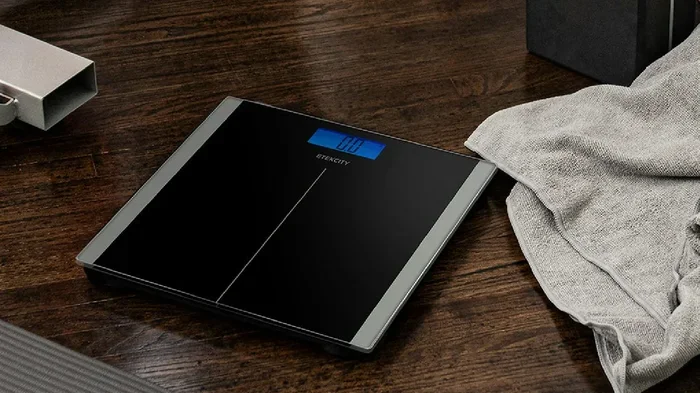
Here is the good news. Yes, the Withings scale does work without Wi-Fi. You can step on it, and it will give you a weight reading. The device stores that data in its memory. So nothing is lost when your network goes offline.
But there is a catch. Without Wi-Fi, the scale cannot send data to the Withings Health Mate app. This means you will not see your trends over time. You also miss out on body composition metrics like body fat percentage and muscle mass. The scale still collects some data, but the full picture is incomplete.
Think of it this way. The scale works like a standalone device when Wi-Fi is gone. It does its basic job. But it cannot do the smart stuff it was designed for. You lose the connected experience that makes these scales so useful.
Now, if you are wondering whether you can get Wi-Fi without a router, that is a different conversation entirely. Some people explore alternatives to traditional routers, and that topic is worth checking out separately. But for now, let us focus on the Withings scale.
What the Scale Can Do Offline
- Measure weight accurately. The scale uses its built-in sensors. These do not need Wi-Fi to function.
- Store data locally. The scale holds several readings in its memory.
- Display basic metrics. Some models show weight and BMI on the screen.
- Recognize multiple users. The scale remembers different profiles automatically.
What the Scale Cannot Do Offline
- Sync to the app. No data transfer to your phone or tablet.
- Update firmware. The scale needs a connection to download updates.
- Track long-term trends. Without syncing, historical data stays trapped on the device.
- Share data with your doctor. Cloud sharing requires an active connection.
- Receive notifications. You will not get weight goal alerts or reminders.
What Happens When You Use Your Withings Scale Offline?
Using your Withings scale without Wi-Fi is not ideal, but it is not the end of the world either. Let us walk through what actually happens step by step.
First, you step on the scale. It turns on and recognizes your profile. Then it takes your weight measurement. The reading shows up on the display. So far, so good. The scale has done its job.
But here is where it gets tricky. The scale tries to connect to your network. When it fails, it stores the reading in local memory. It will try to sync again later. This means your data is safe. It is just waiting for a connection to send it through.
Now, if you have been offline for a while, you might have several readings stored up. Once you reconnect, the scale will push all of that data at once. This is actually a nice feature. You do not lose anything during an outage.
However, there is a limit. Most Withings scales can store around 30 to 80 readings locally. If you exceed that, older readings may get overwritten. So it is best to reconnect as soon as possible.
Some users also ask whether they can extend their Wi-Fi range to keep the scale connected. The answer is yes. A Wi-Fi extender can help if your scale is far from the router. You can also look into whether getting a Wi-Fi extension is worth it for your setup. This is especially helpful in larger homes.
How to Set Up and Connect Your Withings Scale to Wi-Fi
Setting up your Withings scale with Wi-Fi is pretty straightforward. Here is how you do it.
- Download the Withings Health Mate app. It is free on both iOS and Android.
- Create an account. You need an account to use all the features.
- Turn on the scale. Step on it to wake it up.
- Follow the in-app setup. The app will guide you through the process.
- Select your Wi-Fi network. Choose your network from the list.
- Enter your password. Make sure it is correct.
- Wait for the confirmation. The scale will beep or show a checkmark.
Once connected, the scale will automatically sync every time you weigh yourself. This is where the real power of the device shines. You get instant updates on your phone. You can track progress, set goals, and view detailed charts.
But what if your Wi-Fi signal is weak? The scale might fail to connect even when the network is nearby. In that case, you may want to consider a Wi-Fi booster. A booster strengthens your signal and helps devices stay connected. It is a small investment that can make a big difference.
Tips for a Strong Wi-Fi Signal Near Your Scale
- Place your router closer to the scale. Even a few feet can help.
- Avoid thick walls between the router and scale. Concrete and brick block signals.
- Use a dual-band router. The 2.4 GHz band travels farther than 5 GHz.
- Restart your router regularly. This keeps the signal strong and stable.
- Consider a mesh network. Mesh systems cover large areas with strong signal.
Troubleshooting Common Wi-Fi Connectivity Issues
Even with a good setup, you might run into problems. Here are the most common issues and how to fix them.
The Scale Won’t Connect to Wi-Fi
This is the number one complaint from Withings users. The scale shows an error or just keeps trying to connect. What should you do?
- Check your Wi-Fi password. A simple typo is the most common cause.
- Make sure your router is on. Sounds obvious, but it happens all the time.
- Restart the scale. Turn it off and back on again.
- Restart your router. Unplug it for 30 seconds, then plug it back in.
- Move the scale closer to the router. Distance matters a lot for Wi-Fi signals.
The Scale Connects but Won’t Sync
Sometimes the scale connects to Wi-Fi but refuses to sync data. This is usually a software issue. Try these steps:
- Update the Health Mate app. Go to the App Store or Google Play and check for updates.
- Check for scale firmware updates. The app should notify you when an update is available.
- Force close the app and reopen it. This refreshes the connection.
- Remove and re-add the scale in the app. This resets the pairing.
Intermittent Connection Drops
If your scale connects sometimes but not others, your Wi-Fi signal might be unstable. Other devices on the network can cause interference. Microwaves, baby monitors, and even neighboring networks can disrupt the signal.
In some cases, users find that switching to the 2.4 GHz band solves the problem. Many smart home devices work better on this band because it has a longer range. You can also look into whether getting a Wi-Fi extension helps stabilize the connection in the room where your scale sits.
Can You Use a Withings Scale Without Any Connection at All?
Yes, you can. The scale will still measure your weight. But you will not get the full experience. No app sync. No trend tracking. No body composition data in the cloud.
This is fine for short-term use. Maybe your internet is down for a day or two. Or you are traveling and do not have access to your home network. In these cases, the scale still works as a basic weighing device.
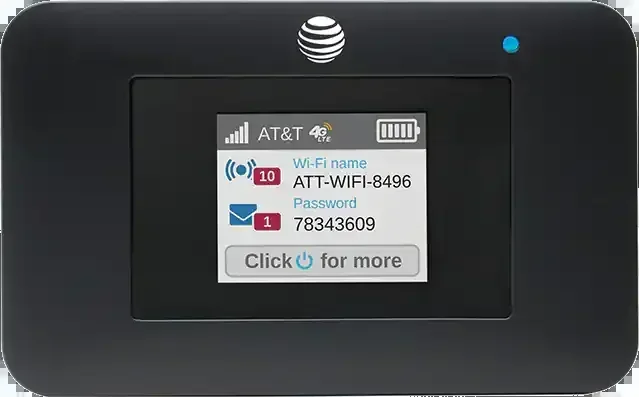
Some people also wonder if they can use a Withings scale with a hotspot without phone service. The answer is yes, as long as the hotspot provides a stable Wi-Fi connection. The scale does not care where the internet comes from. It just needs a connection.
But keep in mind that a personal hotspot drains your phone battery fast. It is not ideal for daily use. A permanent Wi-Fi setup is always better for smart scales.
Expert Tips for Getting the Most Out of Your Withings Scale
Want to make sure your Withings scale always works its best? Here are some expert tips that really help.
Weigh yourself at the same time every day. Morning is best, right after you wake up and use the bathroom. This gives you the most consistent readings. Your body weight fluctuates throughout the day based on food, water, and activity.
Place the scale on a hard, flat surface. Carpet and soft mats throw off the readings. The scale needs a solid floor to measure accurately. Tile or hardwood is ideal.
Keep the firmware updated. Withings releases updates that fix bugs and improve accuracy. A connected scale updates automatically. Without Wi-Fi, you miss out on these improvements.
Use the app regularly. Even if you only weigh yourself once a week, open the app and check your trends. This keeps you motivated and helps you spot patterns in your weight.
Consider a Wi-Fi extender if needed. If your scale is in a remote part of your home, a range extender can make a huge difference. These devices are affordable and easy to set up. They ensure your scale stays connected no matter where you place it.
Final Thoughts
So, does Withings scale work without Wi-Fi? Yes, it does, but with significant limitations. You can still weigh yourself and get accurate readings. The scale stores data locally and does not lose it during an outage. But you miss out on the smart features that make a Withings scale truly valuable.
Without Wi-Fi, there is no app sync. No trend tracking. No body composition analysis. No cloud backups. For many people, these features are the whole reason they bought the scale in the first place.
The best approach is to keep your scale connected whenever possible. If your Wi-Fi signal is weak in the room where the scale sits, invest in a booster or extender. A small fix like this can save you from a lot of frustration.
Ultimately, the Withings scale is a connected device at its core. It works best when it is online. Treat it that way, and you will get years of accurate, helpful data out of it.
Frequently Asked Questions
Can I use my Withings scale without Wi-Fi?
Yes, you can still weigh yourself without Wi-Fi. The scale stores readings in its local memory. However, you cannot sync data to the app or access full health insights until you reconnect.
How many readings can a Withings scale store offline?
Most Withings scales can store between 30 and 80 readings locally. Once that limit is reached, older readings may be overwritten. It is best to reconnect and sync as soon as possible.
Will I lose my data if my Wi-Fi is down?
No, your data is safe. The scale keeps all readings in its internal memory. Once Wi-Fi is restored, the scale automatically syncs everything to the app.
Can I use Bluetooth instead of Wi-Fi with my Withings scale?
Some Withings scale models support Bluetooth for data sync. Check your specific model to see if it has Bluetooth capability. Bluetooth has a shorter range but works well for nearby syncing.
How do I reconnect my Withings scale to Wi-Fi?
Open the Health Mate app, go to device settings, and select your Wi-Fi network. Follow the on-screen prompts to re-pair the scale. The process takes about two minutes.
Can I use a mobile hotspot with my Withings scale?
Yes, a mobile hotspot works as long as it provides a stable Wi-Fi connection. Just be aware that hotspots can drain your phone battery and may have data limits. Use this as a temporary solution, not a permanent one.