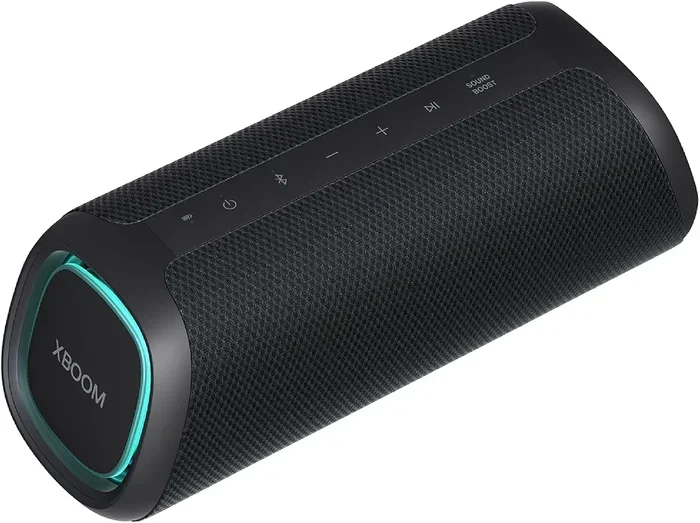
How Can I Amplify My Bluetooth Speaker for Better Sound
Want louder sound from your Bluetooth speaker? You can amplify your Bluetooth speaker using simple methods like adjusting equalizer settings, using amplifier apps, optimizing placement, and connecting external boosters. This guide covers everything from free software tricks to hardware upgrades that make your Bluetooth speaker significantly louder and clearer.
Bluetooth speakers are amazing. They let you carry your music anywhere without wires or hassle. But sometimes, the volume just isn’t enough. Maybe you are at a backyard barbecue, or perhaps you need louder sound for a small gathering. Whatever the reason, amplifying your Bluetooth speaker is something many people look for.
The good news is that you do not need expensive gear to get better sound. There are simple, effective ways to boost your Bluetooth speaker volume right now. In this guide, I will walk you through every method that actually works. From free apps to smart placement tricks, you will find practical solutions that fit any budget.
By the end of this article, you will know exactly how to make your Bluetooth speaker louder and clearer. Let us dive in.
Key Takeaways
- Adjust EQ settings: Tweaking equalizer settings on your phone or speaker can dramatically improve volume and clarity.
- Use amplifier apps: Free and paid apps can boost your Bluetooth speaker output without extra hardware.
- Optimize placement: Where you place your speaker affects volume and sound quality more than you think.
- Connect external amplifiers: For serious volume boosts, an external amplifier or DAC is the best solution.
- Check your speaker settings: Many speakers have hidden volume-boosting features you may not know about.
- Avoid common mistakes: Things like blocking speaker grills or pairing too many devices can reduce volume.
📑 Table of Contents
- Understanding Why Your Bluetooth Speaker Might Be Quiet
- Adjust Your Device and Speaker Settings
- Use Apps to Boost Your Bluetooth Speaker Volume
- Optimize Speaker Placement for Maximum Volume
- Connect External Hardware for Serious Amplification
- Common Mistakes That Reduce Your Bluetooth Speaker Volume
- Expert Tips for the Best Sound Experience
- When Should You Consider Buying a Bigger Speaker?
Understanding Why Your Bluetooth Speaker Might Be Quiet
Before we fix the volume problem, it helps to understand why your speaker might sound quiet in the first place. Several factors play a role here.
Speaker Size and Driver Limitations
Small Bluetooth speakers have small drivers. The driver is the part that actually moves air to create sound. A tiny driver simply cannot move as much air as a large speaker. This is a physical limit, not a defect. Even the best portable speakers have this constraint.
Volume Limits Set by Manufacturers
Many Bluetooth speakers come with built-in volume caps. Manufacturers do this to protect the speaker from damage. They also keep battery life reasonable. Pushing a small speaker to its max can cause distortion or overheating.
Bluetooth Compression
Bluetooth audio gets compressed during transmission. This compression can reduce sound quality and perceived loudness. The good news is that newer Bluetooth versions handle this better. But older devices may still suffer from noticeable volume loss.
Environmental Factors
Where you use your speaker matters a lot. Hard walls bounce sound around and make it seem louder. Open outdoor spaces absorb sound quickly. Even the angle of your speaker affects how loud it sounds to your ears.
Adjust Your Device and Speaker Settings
The simplest way to amplify your Bluetooth speaker is by tweaking the settings you already have. Most people never explore these options.
Turn Up Your Phone or Tablet Volume
This sounds obvious, but many people keep their device volume too low. Go to your media volume settings and push it all the way up. Some devices have separate media and notification volumes. Make sure you are adjusting the right one.
Use Equalizer Settings
Most smartphones come with built-in equalizer settings. On Android, look for “Sound Quality and Effects” in your settings. On iPhone, check out the “EQ” option in Music settings. Boosting the bass and midrange frequencies can make your speaker sound significantly louder without actually increasing the volume number.
Check Your Speaker’s Built-In Features
Many Bluetooth speakers have hidden features. Some models have a “loud” or “boost” mode. Others let you adjust the EQ directly on the device. Check your speaker manual or the companion app. You might find a setting you never noticed before.
Disable Volume Limiters
Some phones and apps have volume limiters turned on by default. These cap the maximum output. On Android, you can find this in the “Digital Wellbeing” settings. On iPhone, check the “Volume Limit” option in Music settings. Disabling these can give you an immediate volume boost.
Use Apps to Boost Your Bluetooth Speaker Volume
Did you know that certain apps can make your Bluetooth speaker louder? These apps work by amplifying the audio signal before it reaches your speaker. They are easy to use and many are free.
Volume Booster Apps
Apps like “Volume Booster” and “Equalizer FX” are popular choices for Android users. They boost the audio output beyond normal limits. You can fine-tune the frequencies to get the best sound for your speaker. Just be careful not to push the volume too high, as this can damage your speaker over time.
Equalizer and Sound Enhancement Apps
Apps like “Boom 3D” and “Equalizer+” offer preset sound profiles. These profiles are designed to enhance different types of music. They also let you create custom EQ settings. The result is a fuller, louder sound from your Bluetooth speaker.
Voice Assistant Integration
If you use voice assistants, you might be able to amplify your speaker through them. For example, you can use Alexa as a Bluetooth speaker and control volume with voice commands. This adds convenience and can help you find the perfect volume level quickly.
Quick Tips for App Usage
- Start with the lowest boost setting and increase gradually.
- Listen for distortion, which means you are pushing too hard.
- Use apps that allow custom EQ curves for your speaker type.
- Close other apps that might be competing for audio output.
- Keep your phone software updated for the best audio performance.
Optimize Speaker Placement for Maximum Volume
This is one of the most overlooked tips. Where you put your Bluetooth speaker has a huge impact on how loud and clear it sounds. A few small changes in placement can make a big difference.
Place Your Speaker Near a Wall
Sound bounces off walls and comes back to you. This makes your speaker seem louder without any extra power. Placing your speaker near a corner or against a wall can boost perceived volume by a noticeable amount. Just make sure the wall is not completely blocking the speaker grille.
Elevate Your Speaker
Putting your speaker on a table or shelf rather than the floor helps the sound travel better. Sound waves spread out more evenly when the speaker is at ear level or above. Try placing it on a higher surface and see the difference.
Avoid Enclosed Spaces
Putting your speaker inside a closet or under a blanket muffles the sound. The material absorbs the audio waves and reduces volume. Always keep your speaker in an open area for the best output.
Angle Your Speaker Toward the Listening Area
Point the speaker toward where you are sitting or standing. Most Bluetooth speakers project sound best from the top or front. Angling it correctly ensures the sound reaches your ears directly, making it feel louder.
Connect External Hardware for Serious Amplification
If you need real volume, software tricks will not be enough. You need external hardware. Here are the best options for amplifying your Bluetooth speaker setup.
Use a Bluetooth Amplifier
A Bluetooth amplifier connects to your speaker and boosts the audio signal. These devices are small and affordable. You simply pair the amplifier with your source device, and then connect the amplifier to your speaker using a cable. The result is much louder, cleaner sound.
Connect a DAC (Digital-to-Analog Converter)
A DAC improves the quality of the audio signal before it reaches your speaker. This means better clarity and more volume potential. DACs range from small portable units to larger desktop models. They are especially helpful if you use a laptop or phone as your source device.
Turn an Old Stereo Into a Bluetooth Receiver
If you have an old stereo system at home, you can turn it into a Bluetooth receiver. This gives you access to powerful speakers that can deliver much louder sound. You can turn your stereo into Bluetooth with a simple adapter or module. This is one of the best ways to get serious volume without buying a new speaker system.
Make Old Speakers Bluetooth-Compatible
If you have a pair of good old speakers sitting around, you can make them Bluetooth-enabled. Adding a Bluetooth receiver to wired speakers lets you stream music wirelessly while getting the benefit of larger, more powerful drivers. You can make your old Bose speakers Bluetooth with the right adapter, and the same principle applies to other speaker brands too.
Comparison: Hardware Amplification Options
| Option | Cost Range | Volume Boost | Ease of Setup |
|---|---|---|---|
| Bluetooth Amplifier | $20 – $80 | High | Easy |
| DAC | $30 – $200 | Medium-High | Moderate |
| Stereo Conversion | $10 – $50 | Very High | Moderate |
| Bluetooth Adapter for Old Speakers | $15 – $40 | High | Easy |
Each option has its benefits. A Bluetooth amplifier is the simplest solution. A stereo conversion gives you the most power. Choose based on your budget and how much volume you need.
Common Mistakes That Reduce Your Bluetooth Speaker Volume
Sometimes the problem is not your speaker. It is what you are doing wrong. Here are common mistakes that keep your Bluetooth speaker from reaching its full volume potential.
Blocking the Speaker Grille
Never put your speaker face-down on a soft surface. The grille needs to move freely to produce sound. A tablecloth, pillow, or even your hand can muffle the output significantly.
Pairing Too Many Devices
When multiple devices are connected to your speaker, the audio signal gets split. This reduces the volume and quality for each device. Keep only one active connection at a time for the best performance.
Using Low-Quality Audio Files
Compressed audio files like low-bitrate MP3s sound quieter and less clear than high-quality files. Use lossless formats like FLAC or WAV when possible. The difference in volume and clarity is noticeable.
Ignoring Firmware Updates
Speaker manufacturers release firmware updates that improve audio performance. Check your companion app regularly for updates. An outdated firmware can limit your speaker’s volume and features.
Letting the Battery Run Low
Bluetooth speakers produce less volume when the battery is low. The amplifier does not have enough power to push the driver fully. Keep your speaker charged for maximum output.
Expert Tips for the Best Sound Experience
Here are some extra tips from audio enthusiasts that will help you get the most out of your Bluetooth speaker.
- Warm up your speaker. Like any audio equipment, speakers sound better after a few minutes of use. The drivers loosen up and produce richer, louder sound.
- Use high-quality source files. Streaming at the highest quality your app supports makes a real difference in volume and clarity.
- Experiment with placement. Try different spots in the room. Even moving your speaker a few inches can change the sound dramatically.
- Clean your speaker regularly. Dust and debris in the grille can muffle the sound. A quick wipe with a soft cloth keeps things sounding fresh.
- Pair with other speakers. Some brands let you connect two speakers together for stereo sound and more volume. Check if your speaker supports this feature.
These small changes add up. You will notice a real improvement in how your Bluetooth speaker sounds and how loud it plays.
When Should You Consider Buying a Bigger Speaker?
Not every volume problem can be fixed with settings or tricks. If you have tried everything and your speaker still is not loud enough, it might be time to upgrade. Here are signs you need a bigger speaker.
- Your current speaker distorts at maximum volume.
- You regularly use your speaker outdoors or in large rooms.
- You need sound that fills a whole house or yard.
- Your speaker lacks bass even with EQ adjustments.
When shopping for a louder speaker, look for models with higher wattage and larger drivers. Brands like JBL, Bose, and Sony make excellent portable speakers with powerful output. Also consider speakers that support stereo pairing, which doubles your volume potential.
Remember, amplifying your Bluetooth speaker works best when you combine multiple methods. Use EQ settings, optimize placement, and keep your speaker well-maintained. Together, these steps give you the loudest, clearest sound possible from any Bluetooth speaker.
The key is to start simple. Adjust your settings first. Try placement changes. Then move to apps and hardware if you need more. This approach saves you money and helps you understand your speaker better.
With the right techniques, your Bluetooth speaker can sound louder and better than you ever thought possible. You do not need expensive equipment or technical skills. Just a little knowledge and some experimentation. Now go enjoy your music at the perfect volume.
Frequently Asked Questions
Can I make my Bluetooth speaker louder without buying anything?
Yes, absolutely. You can adjust your phone’s volume settings, use free equalizer apps, and optimize your speaker placement. These methods cost nothing and can make a noticeable difference in how loud your Bluetooth speaker sounds.
Do volume booster apps damage Bluetooth speakers?
Most volume booster apps are safe when used responsibly. The risk comes from pushing the volume too high for too long, which can strain the speaker driver. Start with low boost levels and increase gradually. If you hear distortion, turn the boost down immediately.
Why is my Bluetooth speaker quieter when connected to my phone?
This often happens because of Bluetooth audio compression or volume limiters on your phone. Check your phone’s media volume settings and disable any volume limiters. Also, make sure your speaker firmware is up to date for the best performance.
Can I connect multiple Bluetooth speakers for louder sound?
Some speaker brands support stereo pairing or multi-speaker connections. Check your speaker’s companion app to see if this feature is available. When supported, connecting two speakers can double your volume and create a richer stereo sound.
What is the best placement for a Bluetooth speaker outdoors?
Place your speaker on a raised surface near a wall or corner. This helps bounce sound toward your listening area. Keep it away from soft surfaces like grass or cushions that absorb sound and reduce volume.
How can I get better bass from my Bluetooth speaker?
Use the equalizer settings on your phone and boost the low-frequency range. Place your speaker near a wall to enhance bass response naturally. You can also try bass-boosting apps, but be careful not to overdo it, as excessive bass can cause distortion.
=== CONCLUSION ===
Amplifying your Bluetooth speaker is easier than you think. You have many options, from simple settings changes to external hardware. The key is to start with what you already have and build from there. Adjust your EQ settings, try placement tricks, use a volume booster app, and consider external amplifiers if you need more power.
Every method I shared in this guide is proven and practical. You do not need to be a tech expert to make your Bluetooth speaker louder. Just follow the steps, experiment a little, and enjoy the results. Your music deserves to sound its best, and now it can.