Can I Turn My Stereo Into Bluetooth And Stream Wirelessly
Yes, you can turn your stereo into Bluetooth and enjoy wireless music streaming from any device. Whether you have an old stereo system or a modern home audio setup, adding Bluetooth is simple and affordable. You can use a Bluetooth adapter, receiver, or even an FM transmitter to get wireless connectivity in minutes.
There is something magical about pulling out your phone and playing your favorite song through your stereo system. But if your stereo was built before the Bluetooth era, that simple joy can feel out of reach. You might wonder, can I turn my stereo into Bluetooth? The short answer is absolutely yes.
Turning your stereo into a Bluetooth device opens up a world of wireless music streaming. You can play songs from Spotify, Apple Music, YouTube, or any app on your phone without dealing with cables. It makes your old stereo feel new again and gives you the freedom to control your music from across the room.
This guide will walk you through every method, every option, and every tip you need to know. Whether you have a basic bookshelf stereo or a full-blown home audio setup, you will find a solution that works. Let us dive in and explore how to bring wireless connectivity to your favorite speaker system.
Key Takeaways
- Bluetooth adapters are the easiest way to add wireless streaming to any stereo system without expensive upgrades.
- Aux input and FM transmitter methods offer budget-friendly options for turning your stereo into Bluetooth.
- Audio quality stays great when you use the right Bluetooth codec and a quality adapter.
- Setup takes less than 15 minutes in most cases, and no technical skills are required.
- Multiple options exist for different stereo types, including older models and premium home audio systems.
- Wireless streaming lets you play music from your phone, tablet, or laptop without any cables.
- Understanding Bluetooth range and codecs helps you get the best wireless music experience.
📑 Table of Contents
- Why Turn Your Stereo Into Bluetooth?
- How Bluetooth Works With Stereo Systems
- Method 1: Use a Bluetooth Adapter
- Method 2: Use a Bluetooth Receiver
- Method 3: Use an FM Transmitter
- Common Mistakes to Avoid
- Expert Tips for the Best Wireless Audio Experience
- Comparison Table: Bluetooth Methods for Stereos
- Frequently Asked Questions
- Conclusion
Why Turn Your Stereo Into Bluetooth?
You might be happy with your current stereo setup. Maybe it sounds great. Maybe it has been with you for years. So why bother adding Bluetooth? There are some really good reasons that go beyond just convenience.
Wireless Freedom
The biggest benefit of wireless streaming is freedom. You are not tied to your phone by a cable anymore. You can leave your phone on the couch and still control the music from the kitchen. You can sit on the porch and play tunes through your living room stereo. That kind of flexibility changes how you enjoy music at home.
Modern Compatibility
Most modern devices no longer have headphone jacks or CD players. Your phone, tablet, and laptop all rely on Bluetooth for audio output. If your stereo does not have Bluetooth, you miss out on seamless connections with these devices. Adding wireless capability makes your stereo compatible with everything you already own.
Cost Savings
Buying a new Bluetooth speaker system can cost hundreds of dollars. A Bluetooth adapter or receiver costs a fraction of that. You get to keep your beloved stereo and upgrade it for under $50 in many cases. It is one of the best value upgrades you can make for your home audio setup.
How Bluetooth Works With Stereo Systems
Before you start shopping for gear, it helps to understand the basics of Bluetooth audio. Knowing how wireless streaming works will help you choose the right method and avoid common pitfalls.
The Basics of Bluetooth Connectivity
Bluetooth is a short-range wireless technology that sends audio data between devices. When you pair your phone with a Bluetooth stereo, your phone sends the music signal through the air to the stereo. The stereo then plays that signal as sound through its speakers. It happens in real time and feels instant.
The range of Bluetooth is typically around 30 feet. This means you can move around your room or even go to another room and still stream music. Walls and obstacles can reduce the range, but in most homes, 30 feet is more than enough.
Bluetooth Codecs Explained Simply
A codec is the format your devices use to compress and send audio data. Different codecs affect audio quality and range. The most common ones for stereo use include SBC, AAC, and aptX.
- SBC is the default codec for most devices. It works well but is not the best for high-quality sound.
- AAC is used by Apple devices and offers good quality for everyday listening.
- aptX delivers near-CD quality audio and is great for audiophiles who care about sound quality.
When choosing a Bluetooth adapter or receiver, check which codecs it supports. If you want the best wireless audio quality, look for one that supports aptX or aptX HD.
Method 1: Use a Bluetooth Adapter
A Bluetooth adapter is the simplest and most popular way to add wireless streaming to your stereo. It plugs right into your stereo and creates a Bluetooth connection instantly.
What Is a Bluetooth Adapter?
A Bluetooth adapter is a small device that receives Bluetooth signals and sends them to your stereo. Most adapters plug into the aux input or headphone jack on your stereo. Some adapters connect via USB or optical cable, depending on your stereo model.
These adapters are small, affordable, and easy to use. You do not need any technical skills to set one up. Most people can go from unboxing to streaming music in under 10 minutes.
Top Bluetooth Adapters to Consider
Here are some popular options that work well with most stereo systems:
- 1Mii Bluetooth 5.0 Adapter – Offers long range and supports aptX codec for great audio quality.
- TaoTronics Bluetooth 5.0 Transmitter – Budget-friendly and easy to set up with a simple plug-and-play design.
- Avantree DG40S USB Bluetooth Adapter – Great for stereos with USB ports and supports multiple Bluetooth codecs.
- 1Mii B06 Bluetooth 5.3 Transmitter – The latest Bluetooth version with improved range and lower latency.
How to Set Up a Bluetooth Adapter
Setting up a Bluetooth adapter is straightforward. Follow these steps for a smooth setup:
- Plug the adapter into your stereo’s aux input, USB port, or optical output.
- Power on the adapter if it has a separate power source.
- Put your stereo into pairing mode by pressing the adapter’s button.
- On your phone or tablet, go to Bluetooth settings and search for available devices.
- Select the adapter from the list and wait for the connection to complete.
- Play music on your phone and adjust the volume on your stereo.
That is it. You are now streaming wireless music through your stereo. The whole process takes less time than making a cup of coffee.
Quick Tips for Best Results
- Keep your phone within 30 feet of the stereo for a stable connection.
- Remove obstacles like thick walls between your phone and the adapter.
- Update the adapter’s firmware if the manufacturer provides an update tool.
- Use a high-quality aux cable if your adapter requires one for the audio connection.
Method 2: Use a Bluetooth Receiver
A Bluetooth receiver is similar to an adapter but often offers better audio quality and more connection options. If you want a more permanent and premium wireless audio setup, a receiver is the way to go.
Bluetooth Adapter vs Receiver: What Is the Difference?
People often use these terms interchangeably, but there is a subtle difference. A Bluetooth transmitter sends audio OUT from a device, like from your phone to your stereo. A Bluetooth receiver takes the Bluetooth signal IN and sends it to your stereo’s speakers.
In practice, most products labeled as “Bluetooth adapters” for stereos function as receivers. They receive the Bluetooth signal from your phone and output it through an aux cable or RCA connection. For this article, we will focus on receiver-style devices since those are what you need for your stereo.
When to Choose a Receiver Over an Adapter
You might want to choose a dedicated Bluetooth receiver if:
- Your stereo has multiple audio inputs and you want the best possible connection quality.
- You care about audio quality and want support for advanced Bluetooth codecs like aptX or LDAC.
- You plan to use the stereo for both wireless and wired sources and want a clean setup.
- You have a premium home audio system that deserves a high-quality wireless input.
Setting Up a Bluetooth Receiver
The setup process for a Bluetooth receiver is very similar to an adapter:
- Connect the receiver to your stereo using an aux cable, RCA cables, or optical cable.
- Power on the receiver.
- Put the receiver into pairing mode.
- On your phone, go to Bluetooth settings and find the receiver.
- Pair the devices and start streaming.
The main advantage of a receiver is that you can leave it connected permanently. You do not need to unplug it every time you want to use a wired source. It stays ready for wireless streaming whenever you need it.
Method 3: Use an FM Transmitter
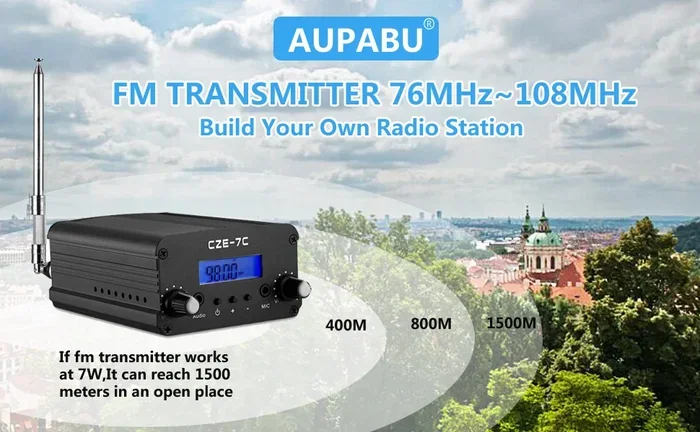
If your stereo has an FM radio but no aux input, an FM transmitter is a clever workaround. This method works by broadcasting your phone’s audio over an FM frequency that your stereo can pick up.
How Does an FM Transmitter Work?
An FM transmitter plugs into your phone’s charging port or headphone jack. It then broadcasts the audio signal on an FM frequency, like 88.1 or 107.9. You tune your stereo to that same frequency, and the music plays through your speakers.
This method is not as common as using a Bluetooth adapter, but it works well for older stereos that lack modern inputs. It is also a great option if you want a wireless solution without buying a dedicated Bluetooth device.
Pros and Cons of FM Transmitters
- Pros: Works with any stereo that has an FM radio. No aux input needed. Very affordable. Easy to set up.
- Cons: Audio quality is not as good as a Bluetooth adapter. You may experience static or interference. Limited range compared to Bluetooth. You need to find an unused FM frequency in your area.
Overall, an FM transmitter is a decent backup option. If you have a Bluetooth adapter available, that is usually the better choice for wireless music streaming.
Common Mistakes to Avoid
When setting up Bluetooth on your stereo, some common mistakes can cause frustration. Here is what to watch out for so you get a smooth experience from day one.
Using a Low-Quality Adapter
Cheap Bluetooth adapters often have poor range, laggy connections, and weak audio quality. They may also drop the connection frequently. Investing in a well-reviewed adapter from a reputable brand saves you from these headaches. Look for adapters that support Bluetooth 5.0 or later for the best performance.
Ignoring Audio Codec Compatibility
If you care about sound quality, check that your adapter and phone support the same Bluetooth codec. If your phone supports aptX but your adapter only supports SBC, you will get lower-quality audio. Matching codecs ensures you get the best possible wireless audio from your setup.
Placing the Adapter Too Far Away
Even though Bluetooth range is about 30 feet, walls, furniture, and electronics can weaken the signal. Keep your phone in the same room as your stereo for the most reliable connection. If you experience dropouts, move closer to the stereo and see if the problem goes away.
Forgetting to Update Firmware
Many Bluetooth adapters and receivers receive firmware updates that improve performance and fix bugs. Check the manufacturer’s app or website to see if updates are available. A simple update can solve connection issues and improve your wireless streaming experience.
Expert Tips for the Best Wireless Audio Experience
Once you have your stereo set up with Bluetooth, a few expert tips can help you get the most out of your wireless music setup.
Position Your Stereo Smartly
Place your stereo in a central location in your home for the best wireless coverage. Bluetooth signals travel well through open spaces but struggle with thick walls and metal objects. If you have a large home, consider placing the stereo on the main floor where you spend most of your time.
Use a Dedicated Music App
Apps like Spotify, Apple Music, and YouTube Music all support Bluetooth streaming. Some apps also offer features like equalizer settings and offline downloads. Using a dedicated music app gives you more control over your wireless audio experience.
Keep Your Devices Charged
Bluetooth streaming uses more battery on your phone than regular use. If you plan to stream music for a long time, keep your phone plugged in or at a good battery level. A low battery can also cause connection issues and audio stuttering.
Consider a Multi-Room Setup
If you love wireless music, consider adding Bluetooth to multiple stereos around your home. Many Bluetooth adapters support multi-device connections, so you can switch between rooms easily. This creates a whole-home wireless audio system that rivals expensive smart speaker setups.
Comparison Table: Bluetooth Methods for Stereos
| Method | Cost Range | Audio Quality | Ease of Setup | Best For |
|---|---|---|---|---|
| Bluetooth Adapter | $15 – $50 | Good to Excellent | Very Easy | Most stereo systems |
| Bluetooth Receiver | $30 – $100 | Excellent | Easy | Premium home audio |
| FM Transmitter | $10 – $30 | Fair | Very Easy | Older stereos without aux input |
| Bluetooth Speaker System | $100 – $500+ | Very Good | Very Easy | Complete system replacement |
As you can see from the comparison table, a Bluetooth adapter or receiver offers the best balance of cost, quality, and ease of use for most people. You do not need to replace your entire stereo system to enjoy wireless music streaming.
Frequently Asked Questions
Can I turn any stereo into Bluetooth?
Yes, you can turn almost any stereo into Bluetooth. If your stereo has an aux input, a Bluetooth adapter is the easiest solution. If it has an FM radio, you can use an FM transmitter. Even older stereos with only RCA inputs can be upgraded with a Bluetooth receiver that connects via RCA cables.
Does adding Bluetooth reduce audio quality?
Not necessarily. Modern Bluetooth codecs like aptX and aptX HD deliver audio quality that is very close to wired connections. The biggest factor in audio quality is the quality of the Bluetooth adapter or receiver you choose. A good adapter will maintain excellent sound quality while giving you the convenience of wireless streaming.
How far can I move away from my stereo with Bluetooth?
The range of Bluetooth is typically about 30 feet in open spaces. Walls and obstacles can reduce this range. In most homes, you can move freely between rooms and still maintain a solid Bluetooth connection. If you need more range, look for adapters that support Bluetooth 5.0 or later, as they offer improved range and stability.
Is it hard to set up Bluetooth on my stereo?
No, it is very easy. Most Bluetooth adapters and receivers use a simple plug-and-play setup. You plug the device in, put it in pairing mode, connect from your phone, and start streaming. The entire process takes less than 10 minutes and requires no technical expertise.
Can I connect multiple devices to my Bluetooth stereo?
Many modern Bluetooth adapters and receivers support multi-device pairing. This means you can connect your phone, tablet, and laptop to the same stereo and switch between them easily. Check the product specifications to confirm multi-device support before purchasing.
What is the difference between Bluetooth streaming and aux input?
Aux input uses a physical cable to send audio from your device to the stereo. Bluetooth streaming sends the same audio wirelessly through the air. Bluetooth offers more convenience and freedom, while aux input can sometimes provide slightly better audio quality. In practice, the difference is minimal with a good Bluetooth adapter.
Conclusion
Turning your stereo into Bluetooth is one of the best upgrades you can make for your home audio setup. It is affordable, easy to do, and transforms how you enjoy music every day. Whether you choose a Bluetooth adapter, a receiver, or an FM transmitter, the result is the same: wireless music streaming that works with your favorite devices.
The Bluetooth adapter method is the most popular and practical choice for most people. It is affordable, delivers great audio quality, and takes minutes to set up. You get to keep your beloved stereo while adding modern wireless connectivity that makes life so much more convenient.
Do not let an old stereo hold you back from enjoying your music the way you want. With the right Bluetooth connectivity solution, your stereo can stream music wirelessly from any device in your home. Start with one of the methods in this guide, and you will be enjoying wireless audio in no time. Your stereo is ready for the future, and all it takes is one simple upgrade to make it happen.