How Can I Get Free Hotspot on Any Device Right Now
Getting a free hotspot is easier than you think. You can share your phone’s data, use free Wi-Fi apps, or connect devices without paying extra. This guide walks you through every method step by step. Whether you travel often or just need backup internet, you will find a solution that works for you.
Key Takeaways
- Phone hotspot tethering is the easiest way to get a free hotspot. Most smartphones already have this built in.
- You do not always need a paid plan. Some carriers and apps offer free hotspot data.
- Setting up a hotspot takes just a few minutes. You can do it on Android, iPhone, and even tablets.
- Security matters. Always use a strong password and turn off your hotspot when not in use.
- Free Wi-Fi finder apps can help you locate nearby networks. This saves your mobile data.
- Check your data limits. Even free hotspots can slow down if you go over your plan limits.
📑 Table of Contents
- What Is a Free Hotspot and Why Do You Need One?
- Ways to Get a Free Hotspot on Your Phone
- Free Hotspot Options Without a Phone Service
- How to Set Up Your Free Hotspot Step by Step
- Tips to Keep Your Free Hotspot Fast and Secure
- Common Mistakes People Make With Free Hotspots
- Frequently Asked Questions
- Conclusion
What Is a Free Hotspot and Why Do You Need One?
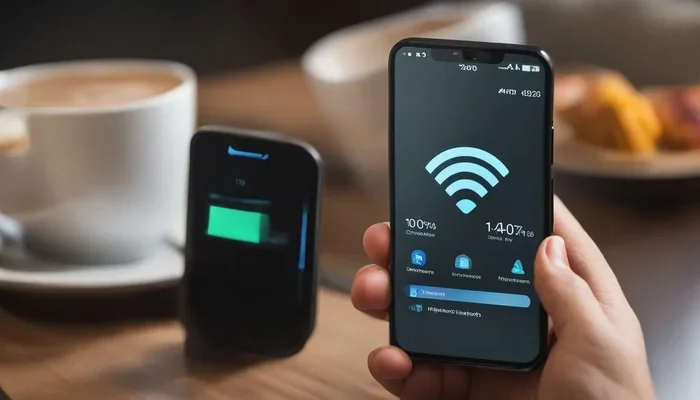
A free hotspot is a way to share your internet connection with other devices at no cost. Think of it as a mini Wi-Fi router built into your phone or tablet. You turn it on, and nearby devices can connect to the internet through you.
So why would you need one? Well, imagine you are at a coffee shop, and your laptop has no Wi-Fi. Or maybe you are traveling and your iPad needs internet but you do not want to buy a separate data plan. A mobile hotspot solves all of these problems in seconds.
People use Wi-Fi tethering every day. It is not just for tech experts anymore. Anyone with a smartphone can set one up. And the best part? You can often do it without spending a single dollar. In this guide, we will show you exactly how to get a free hotspot on any device right now.
We will cover every method from simple phone settings to third-party apps. By the end, you will know the fastest, easiest, and safest ways to share your internet. Let us dive in.
Ways to Get a Free Hotspot on Your Phone
Your phone is the most powerful tool for creating a free hotspot. Almost every modern smartphone comes with built-in hotspot features. You just need to know where to look and how to set it up. Here are the most popular methods.
Using Android Phone Hotspot
If you have an Android phone, you are in luck. The hotspot feature is built right into the settings. Here is how to turn it on:
- Open the Settings app on your phone.
- Tap on Network and Internet or Connections, depending on your phone brand.
- Look for Hotspot and Tethering or Mobile Hotspot.
- Toggle the switch to turn it on.
- Set a name and password for your hotspot.
- Now other devices can find and connect to your network.
That is it! You now have a working Wi-Fi hotspot without paying anything extra. Your phone shares its cellular data connection with any nearby device. Just keep an eye on your data usage so you do not go over your plan limits.
Using iPhone Personal Hotspot
iPhone users can also create a free hotspot easily. Apple calls it Personal Hotspot. Here is how to set it up:
- Go to Settings on your iPhone.
- Tap Personal Hotspot.
- Toggle Allow Others to Join to on.
- Set a strong password.
- On your other device, look for your iPhone name in the Wi-Fi list.
- Enter the password and connect.
Your iPhone now acts as a wireless router. This is one of the simplest ways to get free internet for your laptop, iPad, or any other Wi-Fi device. It works anywhere your phone has a signal.
What If Your Carrier Blocks Hotspot?
Some carriers limit or block hotspot tethering on certain plans. This can be frustrating. But there are workarounds. First, check if your plan includes hotspot data. Many plans today do include it at no extra charge.
If your carrier blocks it, you can try a few things. Some users switch to a different plan that allows tethering. Others explore options like how to get unlimited hotspot through specific carriers or plans. You can also look into MVNOs (Mobile Virtual Network Operators) that often include hotspot data in their plans.
Also, some people use Wi-Fi tethering apps from third parties. These can sometimes bypass carrier restrictions. Just make sure to read reviews and only download trusted apps from the Google Play Store or Apple App Store.
Free Hotspot Options Without a Phone Service
Not everyone has a traditional phone plan. Good news: you can still get a hotspot without phone service. Let us look at some clever ways to do this.
Using a Prepaid SIM or Data-Only SIM
You can buy a prepaid SIM card or a data-only SIM for very low cost. These give you mobile data without a full phone plan. Insert the SIM into your phone or a dedicated hotspot device, and you are good to go.
This is a great option if you just need internet access for a few days or weeks. You can find prepaid data plans starting at just a few dollars. Some carriers even offer free data bundles for new users as a promotion.
Can You Get Hotspot Without Phone Service?
Yes! Many people ask, can I get hotspot without phone service, and the answer is yes. You do not need a voice plan to use mobile hotspot. A data-only SIM or a Wi-Fi-only device with a data plan works perfectly. Your phone just needs access to cellular data to share it with other devices.
This is especially useful for tablets, e-readers, and portable gaming devices. You can keep them online without paying for a full phone line. It is a smart and affordable way to stay connected.
Free Public Wi-Fi as a Hotspot Alternative
Another option is to use free public Wi-Fi networks. Libraries, cafes, airports, and malls often offer free internet. You can connect your laptop or tablet to these networks for free.
However, public Wi-Fi comes with risks. Always use a VPN to protect your data. Avoid logging into sensitive accounts on public networks. And remember, public Wi-Fi is not a personal hotspot — it is shared with everyone nearby.
How to Set Up Your Free Hotspot Step by Step
Setting up a free hotspot does not have to be complicated. Follow these simple steps for any device.
Step 1: Check Your Data Connection
Before you start, make sure your phone has an active data connection. You need mobile data to share with other devices. Try opening a webpage on your phone to confirm it is working.
Step 2: Enable Hotspot in Settings
Go to your phone settings and find the hotspot or tethering option. This is usually under Network, Connections, or Cellular settings. Toggle it on and create a unique name and strong password.
Step 3: Connect Your Other Device
On the device you want to connect, open the Wi-Fi settings. Look for your hotspot name in the list of available networks. Enter the password you created, and you should be connected within seconds.
Step 4: Test the Connection
Open a browser on the connected device and try loading a webpage. If it works, you are all set! If not, try turning the hotspot off and on again. You can also restart both devices to refresh the connection.
Quick Tip: If you are wondering how to extend my Wi-Fi to 200 feet away, consider using a dedicated mobile hotspot device instead of your phone. These often have stronger antennas and better range.
Tips to Keep Your Free Hotspot Fast and Secure
A free hotspot is great, but you want it to be fast and safe. Here are some tips to get the best experience.
Use a Strong Password
Never leave your hotspot open or with a default password. Anyone nearby could connect to it and slow down your speed. Use a strong password with at least 12 characters, mixing letters, numbers, and symbols.
Turn Off Hotspot When Not in Use
This is a simple habit that saves battery and data. When you are done sharing your connection, turn the hotspot off. It also keeps strangers from using your data without permission.
Monitor Your Data Usage
Most phones let you track how much data your hotspot uses. Go to your settings and check your data usage regularly. This helps you avoid surprises on your bill and keeps your connection running smoothly.
Keep Your Device Cool
Using your phone as a hotspot generates heat. If your phone gets too hot, it may slow down or even shut off the hotspot. Keep your phone in a cool, shaded place while using it for tethering. A small fan or cooling pad can also help.
Update Your Phone Software
Regular software updates fix bugs and improve performance. They also patch security holes that could let unauthorized users access your hotspot. Keep your phone updated for the best and safest experience.
Expert Insight: Why a Dedicated Hotspot Device Can Help
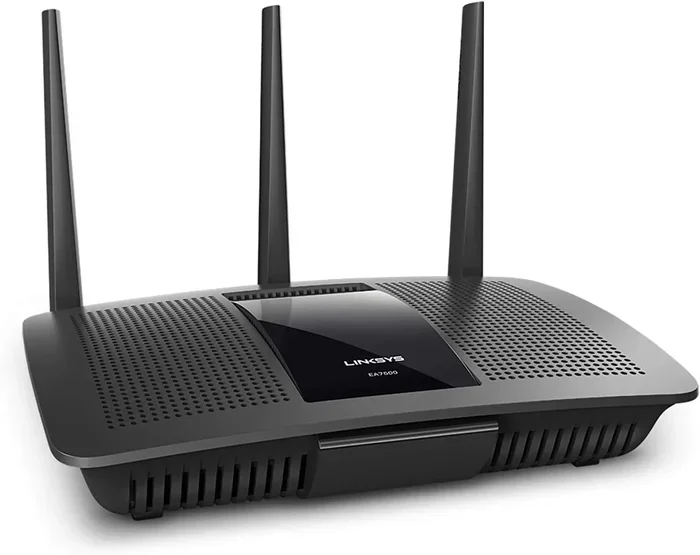
Some users prefer a standalone mobile hotspot device or a portable Wi-Fi gadget instead of using their phone. These devices are designed specifically for sharing internet. They often have better battery life, stronger signals, and can connect more devices at once. If you travel frequently or need a reliable connection, investing in a dedicated device is worth considering.
Common Mistakes People Make With Free Hotspots
Even though setting up a free hotspot is easy, people make mistakes that cause problems. Here are the most common ones to avoid.
- Forgetting to set a password. This leaves your connection open to anyone nearby. Always set a strong password.
- Ignoring data limits. Even if your plan says “unlimited,” there are often fair-use limits. Check your plan details to avoid slow speeds.
- Leaving the hotspot on all day. This drains your battery fast and uses up your data. Turn it off when you are done.
- Connecting too many devices. Most phone hotspots work best with 3 to 5 devices. Too many connections slow everything down.
- Using your hotspot in areas with weak signal. A weak phone signal means a weak hotspot connection. Move to a spot with better coverage first.
By avoiding these mistakes, you will have a much better hotspot experience. Your connection will be faster, safer, and more reliable.
Frequently Asked Questions
Can I get a free hotspot without any data plan?
It is very difficult to get a truly free hotspot without any data plan. A hotspot needs cellular data to work. However, some carriers offer small free data bundles or promotional data that you can use for tethering. You can also look into how to get unlimited hotspot through low-cost plans that include data. Without any data at all, a hotspot cannot function.
Is using my phone as a hotspot safe?
Yes, it is safe as long as you take basic precautions. Always set a strong password, keep your phone software updated, and turn off the hotspot when you are not using it. Avoid sharing sensitive information over a mobile hotspot in public places. Using a VPN adds an extra layer of security.
How many devices can connect to my free hotspot?
Most phones allow 5 to 10 devices to connect at once. However, the more devices you connect, the slower the speed for each one. For the best performance, keep it to 3 or 4 devices. If you need to connect many devices, consider a dedicated portable hotspot device instead.
Will using a hotspot drain my phone battery?
Yes, using your phone as a Wi-Fi hotspot uses a lot of battery power. The phone has to keep a Wi-Fi signal active while also using its cellular data connection. To save battery, turn off the hotspot when you are done, reduce the number of connected devices, and keep your phone plugged in if possible.
Can I use a hotspot while traveling internationally?
It depends on your carrier and plan. Some carriers offer international data roaming that includes hotspot use. Others do not. Before you travel, check with your carrier about roaming options. You can also buy a local SIM card or a travel eSIM for affordable data in other countries. This is a great way to get a free hotspot while abroad without paying roaming fees.
What is the difference between a mobile hotspot and portable Wi-Fi?
A mobile hotspot uses your phone to share its data connection. A portable Wi-Fi device (also called a MiFi or pocket Wi-Fi) is a separate gadget that has its own data plan and battery. Portable Wi-Fi devices are often more reliable, have better battery life, and can connect more devices. But they cost extra money. For most people, using their phone as a free hotspot works perfectly fine.
Conclusion
Getting a free hotspot on any device is simpler than most people think. You can use your phone’s built-in mobile hotspot feature, try a data-only SIM, or explore free public Wi-Fi options. Each method has its own benefits, and the best one depends on your needs and situation.
Remember to always set a strong password, monitor your data usage, and turn off your hotspot when you are done. These simple habits keep your connection fast, safe, and reliable. Whether you are at home, at work, or on the road, a free hotspot keeps you connected without breaking the bank.
Now that you know all the methods, it is time to take action. Pick the option that works best for you, set it up today, and enjoy free internet wherever you go. Share this guide with friends who might need it too. Staying connected should always be easy and affordable.