Does Amtrak Wi Fi Ever Work Or Is It Worth The Effort
Does Amtrak Wi Fi ever work? The short answer is yes, but it comes with major caveats. Amtrak WiFi can be slow, unreliable, and downright frustrating depending on your route, the time of day, and how many passengers are online. This guide breaks down everything we learned from real trips, so you know exactly what to expect before you board.
Let us get one thing straight. Does Amtrak Wi Fi ever work? Yes, it does. But does it work well enough to count on? That is a very different question. If you have ever tried to load a webpage on a train and watched the spinner circle for what felt like forever, you are not alone. Amtrak WiFi has improved over the years, but it still has a long way to go before it feels like your home internet.
In this article, we will walk you through everything you need to know about Amtrak WiFi. We will cover how it works, which routes give you the best experience, and what you can do to make the most of it. Whether you are a daily commuter or planning a cross-country trip, this guide has you covered.
The truth is that Amtrak Wi Fi is a mixed bag. Some passengers breeze through their trips with smooth video calls and fast browsing. Others sit in dead silence, staring at a loading screen. The difference comes down to a few key factors that we will break down in detail. So grab a snack, settle in, and let us dig into this.
Key Takeaways
- Amtrak Wi Fi exists and works: Amtrak offers free WiFi on most routes, but speeds vary widely.
- It is not reliable for heavy use: Streaming video or large downloads can be a struggle on many routes.
- Route matters a lot: Northeast Corridor routes tend to perform better than long-distance cross-country trips.
- Signal drops are common: Dead zones through tunnels and rural areas will interrupt your connection.
- You can improve your experience: Simple tips like timing your usage and bringing a hotspot can make a big difference.
- It is still worth trying: For basic tasks like email and browsing, Amtrak WiFi gets the job done.
- Security is a concern: Use a VPN on public train WiFi to protect your personal data.
📑 Table of Contents
How Amtrak Wi Fi Actually Works
Understanding how Amtrak WiFi works helps you set realistic expectations. The system is not magic. It relies on a network of cell towers, ground-based antennas, and satellite connections to deliver internet to your train.
The Technology Behind Amtrak WiFi
Amtrak uses a technology called train WiFi that connects to cell towers along the route. As the train moves, the system switches from one tower to the next. This handoff process is what causes connection drops. When the train passes through a tunnel or a rural stretch with no tower coverage, your signal disappears entirely.
Amtrak also partners with cellular providers to boost coverage. On some routes, the train carries its own mobile hotspot equipment that connects to nearby cell networks and rebroadcasts them inside the train. Think of it like a big Wi-Fi router on wheels.
The type of connection your train uses depends on the route and the equipment installed. Newer trains tend to have better hardware. Older routes may still rely on older technology that struggles with modern data demands.
Why Amtrak WiFi Is Different From Home WiFi
Your home Wi-Fi connection stays in one place. The router is fixed, the signal path is short, and you are not competing with hundreds of other users. Amtrak WiFi is a completely different animal. The train is moving at high speeds, the signal source is constantly changing, and you are sharing bandwidth with every other passenger on board.
This is why you cannot expect Amtrak WiFi to feel like your home internet. It is a shared, mobile network with all the limitations that come with it. Even the best train internet setup will slow down when everyone on the train is streaming Netflix at the same time.
Real-World Performance: Does It Deliver?
The honest answer to does Amtrak Wi Fi ever work depends heavily on the route you are taking. Let us look at the real-world performance across different Amtrak routes.
Northeast Corridor Routes
The Northeast Corridor, which runs from Boston to Washington D.C., is Amtrak’s busiest and best-equipped route. Amtrak WiFi on this corridor generally performs the best. You will get decent speeds for email, browsing, and even light video streaming.
Why does it work better here? The route passes through dense urban areas with lots of cell towers. The trains on this corridor are also newer and equipped with better WiFi hardware. If you are taking the Acela or Northeast Regional, your chances of getting a solid connection are much higher.
Long-Distance Routes
Now let us talk about the long-distance routes. Routes like the California Zephyr, the Coast Starlight, and the Empire Builder cross vast stretches of rural America. On these routes, Amtrak internet can be painfully slow or completely unavailable for hours at a time.
The problem is simple. There are long stretches with no cell towers. The train passes through mountains, deserts, and remote areas where coverage is nonexistent. When the train does pass through a town, the connection might spike for a few minutes before dropping again. It is a frustrating cycle for anyone trying to get work done.
Mid-Distance Routes
Routes like the Capitol Limited, the Lake Shore Limited, and the Cardinal fall somewhere in between. They have some urban coverage and some rural dead zones. Your experience will depend on which part of the route you are on at any given moment. These are the routes where you might get a few good hours of connectivity followed by a long stretch of nothing.
Tips To Get The Most Out Of Amtrak Wi Fi
If you are planning a trip and want to make the most of Amtrak WiFi, there are several things you can do to improve your experience. These tips come from real travelers who have learned the hard way.
Download Everything Before You Board
This is the single best tip we can give you. Before you leave for the station, download any movies, shows, music, or documents you will need during the trip. If Amtrak Wi Fi fails or is too slow, you will still have entertainment and work materials ready to go.
Use your home WiFi or cellular data to download content the night before. This way, you are not relying on the train connection at all for your most important needs.
Time Your Heavy Tasks
Not all times on the train are equal for internet use. Early morning and late evening tend to have fewer passengers online, which means more bandwidth for you. Midday and evening hours are when the train is busiest, and the WiFi slows to a crawl.
If you need to upload a large file or join a video call, try to do it during off-peak hours on the train. You will notice a big difference in speed and reliability.
Bring a Mobile Hotspot as Backup
If you absolutely need reliable internet, consider bringing a mobile hotspot device or using your phone’s personal hotspot. Your cellular carrier’s data plan may give you a better connection than Amtrak WiFi, especially if you are on a major carrier with good coverage along your route.
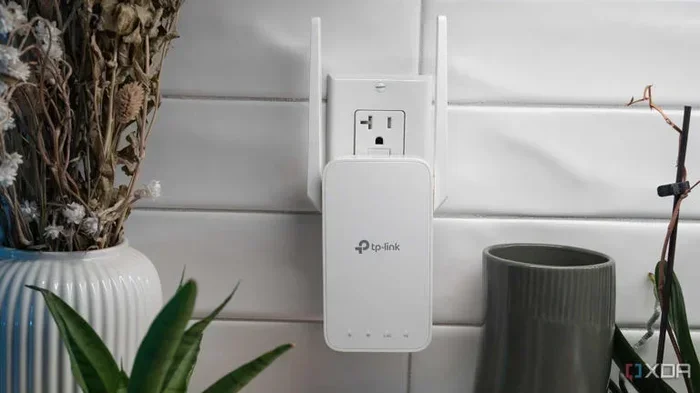
Some travelers also use Wi-Fi boosters to improve their signal on the train. If you are interested in learning more about boosters, check out our guide on whether you should buy a Wi-Fi booster for travel.
Use Offline Apps and Tools
Many apps now offer offline modes. Google Docs, Spotify, Netflix, and even Google Maps all let you download content for offline use. Take advantage of these features before your trip. You will be amazed at how much you can accomplish without a live internet connection.
Protect Your Data
Public WiFi networks are always a security risk, and Amtrak WiFi is no exception. Anyone on the same network could potentially intercept your data if you are not careful. Use a VPN whenever you connect to Amtrak WiFi, especially if you are accessing email, banking, or any sensitive accounts.
If you are curious about Wi-Fi security risks, our article on what people can do with Wi-Fi passwords covers this topic in detail.
Common Amtrak Wi Fi Problems And How To Fix Them
Even when Amtrak Wi Fi is working, you will likely run into some common issues. Here are the problems travelers face most often and what you can do about them.
Slow Speeds
Slow speeds are the number one complaint about Amtrak WiFi. When dozens of passengers are all connected to the same network, bandwidth gets stretched thin. The result is pages that take forever to load and videos that buffer constantly.
To deal with slow speeds, try the following:
- Close background apps on your device
- Turn off auto-play videos on social media
- Use text-based versions of websites when possible
- Avoid peak hours when the train is most crowded
- Switch to a lighter browser like Opera Mini
Connection Drops
Nothing is more annoying than losing your connection right in the middle of something important. Amtrak WiFi drops frequently, especially when the train passes through tunnels or areas with poor cell coverage.
There is not much you can do to prevent connection drops. They are a fact of life with mobile WiFi on trains. The best strategy is to save your work frequently and expect to reconnect multiple times during your journey.
Login Loops and Captcha Pages
Amtrak WiFi requires you to log in through a captive portal the first time you connect. Sometimes this portal gets stuck in a loop, or the login page refuses to load. This is a known issue on many routes.
If you get stuck in a login loop, try these fixes:
- Clear your browser cache and cookies
- Try a different browser
- Toggle airplane mode on and off
- Restart your device
- Forget the network and reconnect
No Signal at All
There are stretches of every long-distance route where Amtrak WiFi simply does not work. No signal, no connection, nothing. These dead zones can last for 30 minutes to several hours depending on the route.
The best approach is to accept that you will be offline during these stretches and plan accordingly. Use this time to read a book, enjoy the scenery, or take a nap. Fighting the lack of signal will only ruin your trip.
Is Amtrak Wi Fi Worth The Effort?
So, after all of this, is Amtrak Wi Fi worth the effort? The answer depends on what you need and what kind of traveler you are.
If you are a light user who only checks email, sends messages, and browses the occasional webpage, then yes, Amtrak WiFi is worth it. It works well enough for these basic tasks on most routes. You may get frustrated from time to time, but overall you will be able to stay connected.
If you are a heavy user who needs to stream video, join video calls, or upload large files, you will likely be disappointed. Amtrak Wi Fi is simply not built for these demands yet. You are better off downloading everything you need before you board and treating the train as a offline workspace.
One thing we always recommend is to manage your expectations. Amtrak WiFi is a nice-to-have, not a must-have. When it works, it is great. When it does not work, you should not be surprised. Go into your trip knowing that connectivity is a bonus, not a guarantee.
If you are also wondering about charging your phone during the trip, we have a helpful guide on whether you can charge your phone on Amtrak that covers this topic thoroughly.
How Amtrak Wi Fi Compares To Other Travel WiFi Options
To put Amtrak WiFi in perspective, let us compare it to other ways of staying connected while traveling.
| Option | Speed | Reliability | Cost | Best For |
|---|---|---|---|---|
| Amtrak WiFi | Slow to moderate | Unreliable | Free | Basic browsing and email |
| Mobile Hotspot | Fast to moderate | Depends on carrier | Data plan cost | Video calls and streaming |
| Personal Hotspot | Fast to moderate | Depends on carrier | Included in phone plan | Light to moderate use |
| Offline Prep | N/A | Perfect (pre-downloaded) | One-time download cost | Entertainment and documents |
As you can see, Amtrak Wi Fi is the free option, but it comes with trade-offs in speed and reliability. A mobile hotspot gives you much better performance, but it costs data. The smartest travelers use a combination of all these options to stay connected without breaking the bank.
If you are interested in extending your Wi-Fi coverage at home or in other settings, check out our article on extending Wi-Fi to 200 feet away for practical solutions.
The Future Of Amtrak Wi Fi
Amtrak is aware that passengers want better internet on their trains. The company has been investing in upgrades to its WiFi infrastructure over the past few years. Newer trains come equipped with improved connectivity hardware, and Amtrak continues to partner with technology providers to boost coverage.
In the future, we may see 5G-based train WiFi that offers speeds comparable to home internet. Satellite-based solutions could also eliminate dead zones on rural routes. But for now, Amtrak WiFi is still a work in progress.
If you are a frequent Amtrak traveler, keep an eye on these developments. The WiFi experience is likely to improve over time, but it is not there yet. For the current state of affairs, go in with realistic expectations and you will be just fine.
For those who also deal with Wi-Fi at home, you might find our article on getting a Wi-Fi extension helpful for improving your home setup.
Final Thoughts
So, does Amtrak Wi Fi ever work? Absolutely. But it works inconsistently, and it works best for light internet use. If you need to send a few emails, write a quick message, or browse a webpage, Amtrak WiFi will get the job done most of the time.
If you need to stream a movie or hop on a Zoom call, you will probably be frustrated. The key is to plan ahead, download what you need, and treat the train as a place to relax rather than a mobile office.
Amtrak Wi Fi is a free service that has gotten better over the years but still has a long way to go. Use it when it works, prepare for it when it does not, and you will have a much more enjoyable train experience. Safe travels, and happy connected riding.
Frequently Asked Questions
Does Amtrak Wi Fi work on all routes?
Amtrak WiFi is available on most routes, but the quality of the connection varies significantly. Northeast Corridor routes generally have the best performance, while long-distance rural routes often experience dead zones and slow speeds. Always check with Amtrak or recent traveler reviews for the specific route you plan to take.
Is Amtrak Wi Fi really free?
Yes, Amtrak WiFi is free for all passengers. You do not need to pay extra to access the network. You simply connect to the Amtrak WiFi network on your device and log in through the captive portal when prompted. There are no data caps or time limits, though speeds may be throttled during peak usage.
Can I stream Netflix on Amtrak Wi Fi?
Streaming Netflix on Amtrak WiFi is possible but not reliable. The connection is often too slow and too inconsistent for smooth streaming, especially on long-distance routes. We recommend downloading content before your trip and watching it offline instead. This way you will not be at the mercy of the train’s connection.
Why does Amtrak Wi Fi keep disconnecting?
Amtrak WiFi disconnects frequently because the train is constantly moving between cell towers. When the train passes through tunnels, rural areas, or zones with poor coverage, the signal drops. This is a fundamental limitation of mobile WiFi on trains and is not something Amtrak can fully eliminate with current technology.
Should I use a VPN on Amtrak Wi Fi?
Yes, you should absolutely use a VPN on Amtrak WiFi. Public WiFi networks on trains are less secure than your home network, and a VPN encrypts your data to protect your privacy. This is especially important if you are accessing email, banking, or any other sensitive accounts while traveling.
How fast is Amtrak Wi Fi compared to home internet?
Amtrak WiFi is significantly slower than most home internet connections. Speeds can range from very slow (under 1 Mbps) on crowded routes to moderate (5-15 Mbps) on less busy routes with good coverage. It is not designed for heavy use and should be treated as a basic connectivity option rather than a replacement for home broadband.