How Can I Use Headphones Without A 3 5 Mm Jack Guide
Using headphones without a 3.5mm jack is easier than you think. Whether your phone, laptop, or TV lacks a traditional audio port, you can still enjoy wireless or wired sound through Bluetooth, USB-C adapters, and transmitters. This guide covers every practical method so you can listen wirelessly in any situation.
Let’s face it. The 3.5mm headphone jack is disappearing from our devices fast. Your brand-new smartphone might not have one. Your slim laptop might skip it too. And your TV remote probably doesn’t include an adapter for wired headphones anymore.
But here is the good news. You do not need a 3.5mm jack to enjoy great audio. There are many simple ways to use headphones without a 3.5mm jack, and most of them are affordable and easy to set up. Whether you want wireless listening or a quick wired fix, this guide has you covered.
In this article, we will walk through every practical method. You will learn about Bluetooth headphones, USB-C adapters, Bluetooth transmitters, and more. By the end, you will know exactly which solution works best for your devices and your budget.
Key Takeaways
- Bluetooth is the most popular wireless option: Most modern devices support Bluetooth audio, making it the simplest path to jack-free listening.
- USB-C and USB Bluetooth adapters work great: If your device has a USB port but no headphone jack, these tools bridge the gap easily.
- Bluetooth transmitters add wireless capability to any device: Even older gear with only a 3.5mm output can become wireless-ready.
- Wireless earbuds and over-ear headphones offer real freedom: You can ditch cables entirely and still get premium sound quality.
- Multiple solutions exist for every device type: Phones, laptops, TVs, and cars all have compatible options available today.
📑 Table of Contents
- Why Do Devices Keep Removing the Headphone Jack?
- Method 1: Use Bluetooth Headphones (The Easiest Wireless Option)
- Method 2: Use a Bluetooth Adapter or Transmitter
- Method 3: Use USB-C or USB Audio Adapters
- Method 4: Use Wireless Earbuds with Built-In Bluetooth
- Method 5: Use a Headphone Jack Adapter (Wired Solution)
- Which Method Should You Choose?
- Common Mistakes to Avoid
- Expert Tips for the Best Audio Experience
- Final Thoughts
Why Do Devices Keep Removing the Headphone Jack?
The 3.5mm audio jack has been around for decades. It is a simple, reliable connector. So why are manufacturers dropping it? The reasons are actually pretty straightforward.
First, removing the jack frees up internal space. That space lets manufacturers make phones and laptops thinner or add bigger batteries. Second, wireless audio technology has improved dramatically. Bluetooth headphones now deliver sound quality that rivals wired connections. Third, manufacturers push wireless solutions because they can sell you accessories like wireless earbuds and Bluetooth adapters.
None of this means you are stuck without audio options. It just means you need to know what alternatives exist. And trust me, there are plenty.
Method 1: Use Bluetooth Headphones (The Easiest Wireless Option)
The most popular way to listen without a 3.5mm jack is through Bluetooth headphones. Almost every modern phone, tablet, and laptop supports Bluetooth audio natively. This method requires zero extra hardware in most cases.
How Bluetooth Headphones Work
Bluetooth headphones connect to your device using short-range wireless signals. You pair them once, and they remember each other. After that, you just turn them on and they connect automatically. The audio streams directly from your device to the headphones through the air.
The latest Bluetooth versions offer excellent sound quality and low latency. Bluetooth 5.0 and newer versions handle high-resolution audio with ease. You get clear mids, strong bass, and minimal delay.
Best Bluetooth Headphones for Different Uses
- For commuting: Over-ear Bluetooth headphones with active noise cancellation block out train and bus noise effectively.
- For workouts: True wireless earbuds are sweat-resistant and stay secure in your ears during movement.
- For home use: Wireless over-ear headphones with long battery life work great for watching TV or listening to music for hours.
- For calls: Headphones with built-in microphones let you take calls without plugging anything in.
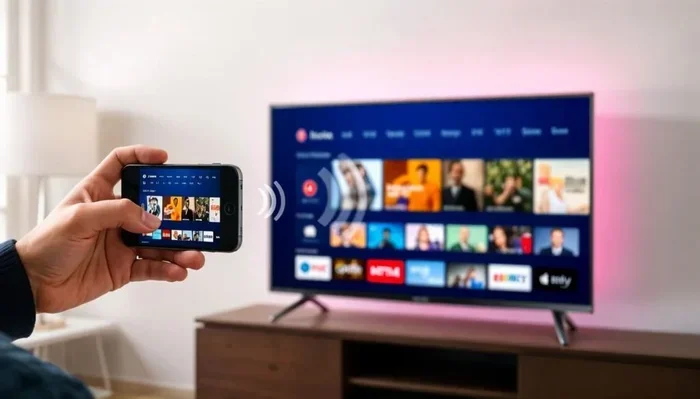
If you want to use Bluetooth headphones with your TV, check our detailed guide on that topic. Many modern smart TVs support Bluetooth audio output directly. You simply go into your TV settings, search for nearby devices, and pair your headphones. It works just like pairing with a phone.
Quick Tips for Bluetooth Headphone Users
- Keep your headphones charged. Most last between 20 and 40 hours on a single charge.
- Update your device firmware. Updates often improve Bluetooth stability and audio quality.
- Keep your headphones within 30 feet of your device for the best connection.
- Turn off Bluetooth on unused devices to reduce interference and save battery.
Method 2: Use a Bluetooth Adapter or Transmitter
What if your device does not support Bluetooth? Maybe you have an older TV, a desktop computer, or a car stereo. A Bluetooth adapter or Bluetooth transmitter solves this problem perfectly.
Bluetooth Adapter vs. Bluetooth Transmitter
These two devices do similar jobs but work in opposite directions. A Bluetooth adapter receives Bluetooth signals and sends them to your device through a cable or port. A Bluetooth transmitter does the reverse. It takes audio from your device and sends it wirelessly to Bluetooth headphones or speakers.
For using headphones without a jack, you typically need a transmitter. It plugs into your device’s audio output and broadcasts the sound to your wireless headphones. This works with TVs, computers, and even older music players.
If you want to add wireless audio to your car, a Bluetooth transmitter for your car is an excellent choice. It plugs into your car’s audio system and streams music from your phone without any wires. Check our guide on using a Bluetooth transmitter for your car for full details.
How to Set Up a Bluetooth Transmitter
- Plug the transmitter into your device’s audio output port.
- Put your headphones in pairing mode.
- Press the pairing button on the transmitter.
- Wait for the connection to establish.
- Play audio and enjoy wireless sound.
Most transmitters cost between $15 and $50. They are a budget-friendly way to add wireless capability to almost any audio device. If you are using a TV, a Bluetooth adapter for your TV works similarly. You can find options that connect via USB or through the audio-out port.
Method 3: Use USB-C or USB Audio Adapters
Many newer laptops and phones use USB-C instead of a traditional headphone jack. USB-C is a versatile port that can handle audio, charging, and data transfer. But you still need the right adapter or cable to connect wired headphones.
USB-C to 3.5mm Adapter
This is the simplest solution. A USB-C to 3.5mm adapter plugs into your device’s USB-C port and gives you a standard headphone jack. You can then connect any wired headphones just like you normally would.
These adapters are small, affordable, and easy to carry. You can keep one in your bag, your car, or your desk drawer. They work with phones, tablets, and laptops that use USB-C.
Some USB-C adapters also include a built-in digital-to-analog converter, or DAC. This improves audio quality by processing the digital signal before it reaches your headphones. If you care about sound quality, look for adapters with a DAC chip.
USB Bluetooth Dongle
If you want wireless audio through a USB port, a USB Bluetooth dongle is a great option. This small device plugs into any USB port and adds Bluetooth capability to your device. You can then pair any Bluetooth headphones with it.
This method works especially well with smart TVs and desktop computers that do not have built-in Bluetooth. Check our guide on using a USB Bluetooth dongle on your TV for more details on this setup.
Connecting USB-C Devices to USB-A Ports
If your headphones use a USB-C connector but your device only has USB-A ports, you can use a USB-C to USB-A cable or adapter. This lets you connect USB audio devices directly without any extra adapters. It works for wired USB headphones, external DACs, and audio interfaces.
Method 4: Use Wireless Earbuds with Built-In Bluetooth
Wireless earbuds have become incredibly popular. They are small, portable, and completely cable-free. You just pull them out of their case, and they connect to your phone instantly.
Modern wireless earbuds offer surprisingly good sound quality. Many models include noise cancellation, transparency mode, and touch controls. They are perfect for people who want a simple, no-fuss audio solution.
The battery life on wireless earbuds varies. Most cases provide 4 to 8 hours of listening per charge, with the case offering multiple additional charges. This means you can get 24 to 40 hours of total listening time from a single charge of the case.
One thing to keep in mind. Wireless earbuds connect directly to your phone or tablet. They do not work with devices that lack Bluetooth. So if you want to use them with a TV or older computer, you still need a Bluetooth transmitter or adapter.
Method 5: Use a Headphone Jack Adapter (Wired Solution)
Not everyone wants to go wireless. Some people prefer the simplicity and reliability of wired headphones. If your device has a different port but you still want to use wired headphones, adapters are your best friend.
Common Wired Adapter Types
- USB-C to 3.5mm adapter: Converts a USB-C port into a standard headphone jack.
- Lightning to 3.5mm adapter: Lets you plug wired headphones into Apple devices with Lightning ports.
- USB-C to USB-C audio cable: Connects USB-C headphones directly to USB-C devices.
- RCA to 3.5mm adapter: Useful for connecting to older audio equipment with RCA outputs.
Wired adapters are reliable because they do not depend on battery life or wireless signals. You just plug them in and listen. The downside is that they tether you to your device. You cannot move freely around the room while wearing wired headphones.
For a portable wired solution, consider carrying a USB-C to USB-A cable or adapter. Many audio devices and external DACs use USB-A connections. Having the right cable in your bag ensures you can always connect wired headphones wherever you go.
Which Method Should You Choose?
Choosing the right method depends on your device, your budget, and your listening preferences. Here is a quick comparison to help you decide.
| Method | Best For | Cost Range | Wireless? | Setup Difficulty |
|---|---|---|---|---|
| Bluetooth Headphones | Everyday use, mobility | $30 – $300+ | Yes | Very Easy |
| Bluetooth Transmitter | TVs, older devices | $15 – $60 | Yes | Easy |
| USB-C Adapter | Laptops, newer phones | $5 – $30 | No | Very Easy |
| USB Bluetooth Dongle | Devices without Bluetooth | $10 – $25 | Yes | Easy |
| Wireless Earbuds | On-the-go convenience | $25 – $250+ | Yes | Very Easy |
| Wired Adapter | Reliable, no-battery use | $3 – $15 | No | Very Easy |
Most people find that Bluetooth headphones are the best all-around solution. They offer freedom, good sound quality, and work with nearly every modern device. If you need a backup option or want to use wired headphones with a USB-C laptop, a simple adapter does the job perfectly.
Common Mistakes to Avoid
When setting up headphones without a 3.5mm jack, people often make a few common mistakes. Here are some things to watch out for.
- Buying the wrong adapter: Make sure you get the right adapter for your specific port type. USB-C is not the same as USB-A, and Lightning is not the same as USB-C.
- Ignoring Bluetooth version compatibility: Older Bluetooth versions may not support the latest audio codecs. Check that your device supports at least Bluetooth 4.2 for decent performance.
- Forgetting to charge wireless devices: Bluetooth headphones and transmitters need power. A dead battery means no audio.
- Placing Bluetooth devices too far apart: Bluetooth works best within 30 feet. Walls and obstacles reduce the range further.
- Skipping firmware updates: Keeping your device and headphones updated ensures the best performance and security.
Expert Tips for the Best Audio Experience
Want to get the most out of your wireless audio setup? Here are some expert-backed tips.
- Invest in a good DAC: A digital-to-analog converter improves sound quality significantly. Many Bluetooth adapters include built-in DACs for better audio output.
- Use high-resolution audio codecs: If your device supports aptX, LDAC, or AAC codecs, enable them for superior sound quality over Bluetooth.
- Keep your audio drivers updated: On computers, outdated Bluetooth drivers can cause connection drops and poor audio quality.
- Test in a quiet environment first: Before using your headphones in noisy places, test them in a quiet room to make sure the sound quality meets your expectations.
- Clean your headphone jacks and ports: Dust and lint in audio ports can cause connection issues. A quick clean with a soft brush keeps everything working smoothly.
Final Thoughts
Using headphones without a 3.5mm jack is no longer a problem. You have more options than ever before. Bluetooth headphones give you wireless freedom. USB-C adapters let you keep using wired headphones with modern devices. Bluetooth transmitters add wireless capability to older gear.
The best method depends on your specific needs. If you want simplicity and freedom, go with Bluetooth headphones. If you want reliability and do not mind a cable, grab a USB-C adapter. If you need wireless audio on a device that lacks Bluetooth, a transmitter or dongle is your answer.
Whichever path you choose, you will enjoy great audio without needing that traditional headphone jack. The world of wireless and adapter-based listening has opened up, and there has never been a better time to explore it. Try one of these methods today, and you will wonder how you ever managed without them.
Frequently Asked Questions
Can I use Bluetooth headphones with any TV?
Most modern smart TVs support Bluetooth audio. You can pair Bluetooth headphones directly through your TV’s settings menu. If your TV does not have built-in Bluetooth, you can add it with a Bluetooth transmitter or adapter plugged into the audio output.
Do USB-C to 3.5mm adapters affect sound quality?
Most USB-C to 3.5mm adapters deliver solid sound quality. Adapters with built-in DACs can actually improve audio performance. Cheap adapters without DACs may produce slightly lower quality audio, so look for ones with good reviews for the best experience.
Can I use wireless earbuds with my laptop?
Yes, most laptops made after 2018 have built-in Bluetooth. You can pair wireless earbuds directly with your laptop just like you would with a phone. If your laptop lacks Bluetooth, a USB Bluetooth dongle adds wireless capability easily.
What is the difference between a Bluetooth transmitter and a Bluetooth adapter?
A Bluetooth transmitter sends audio wirelessly from your device to your headphones or speakers. A Bluetooth adapter receives wireless audio and sends it to your device through a wired connection. For headphone use without a jack, a transmitter is typically what you need.
How far can Bluetooth headphones be from the source device?
Bluetooth headphones work best within 30 feet of the connected device. Walls, furniture, and other obstacles can reduce this range. Bluetooth 5.0 offers improved range and stability compared to older versions, so check your device’s Bluetooth version for the best experience.
Are wireless headphones worth the extra cost?
Wireless headphones offer real convenience and freedom of movement. They eliminate cable tangles and let you move around your home or office without being tethered. While they cost more upfront, the added convenience and modern features make them worth it for most users.