Do Soundbars Work With Any Tv Heres What You Need To Know
Do soundbars work with any TV? The short answer is yes, but with some important caveats. Most modern soundbars can connect to virtually any television using HDMI ARC, optical cables, or Bluetooth. However, older TVs or budget models may lack the right ports or audio outputs needed for full functionality. Understanding your TV’s audio capabilities before buying a soundbar saves time, money, and frustration.
Do soundbars work with any TV? It is one of the most common questions people ask when they want to improve their home audio setup. The good news is that soundbars are designed to be pretty universal. Whether you own a Samsung, LG, Sony, Vizio, or any other brand, there is a good chance a soundbar will work just fine with your set. But “works” can mean different things depending on your TV model, its age, and the ports it has available.
In this guide, we will walk through everything you need to know about soundbar and TV compatibility. We will cover connection types, setup steps, common problems, and how to choose the right soundbar for your specific television. By the end, you will feel confident about making the right choice for your home entertainment system.
## What Is a Soundbar and Why Do People Use Them
A soundbar is a long, slim speaker system designed to sit in front of your TV or mount it on the wall underneath your screen. It replaces or enhances the built-in speakers that come with most televisions. The built-in speakers on TVs have gotten better over the years, but they still cannot match the audio quality of a dedicated speaker system.
People buy soundbars for a few key reasons. First, they want better dialogue clarity. Many TV shows and movies have mumbled or quiet speech that is hard to hear through small TV speakers. Second, people want deeper bass and richer sound. A soundbar can deliver a much more immersive audio experience without the hassle of setting up a full surround sound system. Third, soundbars look clean and modern. They take up very little space and keep your living room looking tidy.
Soundbar compatibility is a big part of the buying decision. You do not want to spend money on a great soundbar only to find out it does not work well with your TV. That is why understanding how soundbars connect to televisions is so important.
## Do Soundbars Work With Any TV
Do soundbars work with any TV? In most cases, yes. The vast majority of soundbars on the market today are designed to be universal. They work with almost any TV that was made in the last 15 years or so. However, the experience can vary depending on the connection method and the features your TV supports.
Here is the thing to keep in mind. A soundbar needs some kind of audio output from your TV to function. If your TV has the right ports, you are good to go. If it does not, you may need a workaround or an adapter. Let us break down the different ways a soundbar connects to a TV so you know exactly what to look for.
### Understanding TV Audio Outputs
Every TV has at least one way to send audio to an external device. The most common options are HDMI ARC, optical audio, Bluetooth, and RCA ports. Let us look at each one.
HDMI ARC (Audio Return Channel) is the best and most popular connection method. It uses a single HDMI cable to send both video and audio between your TV and soundbar. HDMI ARC also supports CEC (Consumer Electronics Control), which means you can control the soundbar volume with your TV remote. Most TVs made after 2009 have at least one HDMI ARC port. If your TV has an HDMI port labeled “ARC” or “eARC,” you have the best option available.
Optical audio uses a square-shaped cable with red and white tips. It sends digital audio from your TV to the soundbar. Optical connections deliver great sound quality but do not support CEC, so you will need the soundbar remote to adjust volume. Almost all TVs made in the last 20 years have an optical output.
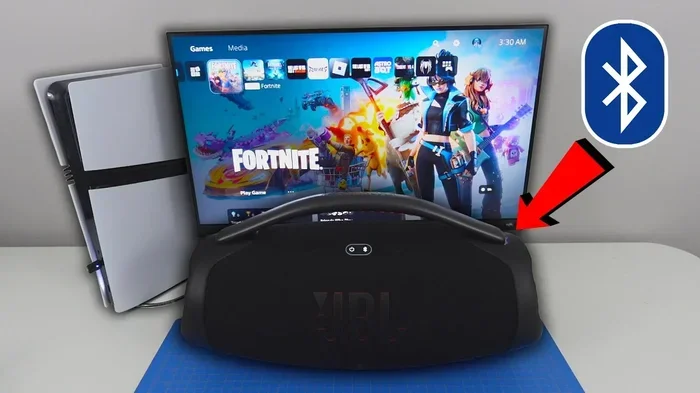
Bluetooth is a wireless option that many modern soundbars support. You can pair your soundbar to your TV without any cables. The catch is that not all TVs have Bluetooth built in. If your TV does not have Bluetooth, you can still use a wireless adapter to add it. If you have been wondering whether you can make your TV Bluetooth-capable, the answer is yes with the right adapter.
RCA ports are the older red and white analog audio connections found on many older TVs. Some soundbars still include RCA inputs, but this is becoming less common. If your TV only has RCA outputs, you may need a converter to connect to a modern soundbar.
### Connection Methods Compared
Here is a quick look at how the different connection methods stack up.
| Connection Type | Audio Quality | Ease of Setup | CEC Support | Works With Older TVs |
|—|—|—|—|—|
| HDMI ARC | Excellent | Very Easy | Yes | Most models from 2009+ |
| Optical | Very Good | Easy | No | Most models from 2005+ |
| Bluetooth | Good | Very Easy | No | Only if TV has Bluetooth |
| RCA | Good | Moderate | No | Almost all TVs |
### Can You Use Any Soundbar Brand With Any TV
You do not need to match your soundbar brand to your TV brand. A Sony soundbar works just as well with a Samsung TV as it does with another Sony TV. The connection standards are universal across brands. HDMI ARC, optical, and Bluetooth are not brand-specific. They are industry-wide standards that every TV and soundbar manufacturer follows.
That said, some brands offer smart features that work best with their own TVs. For example, a Samsung soundbar paired with a Samsung TV may give you access to Samsung’s Q-Symphony feature, which uses both the TV speakers and the soundbar together for a richer sound. These features are nice but not necessary for the soundbar to work.
## How to Connect a Soundbar to Your TV
Setting up a soundbar is usually straightforward. Here is a step-by-step guide that works for most setups.
- Check your TV ports. Look at the back or side of your TV. Find the HDMI ARC port, the optical output, or check if Bluetooth is available in your TV settings.
- Choose your connection method. HDMI ARC is the best option. If your TV does not have HDMI ARC, use an optical cable. If neither is available, use Bluetooth or an adapter.
- Connect the cable. Plug the HDMI cable into the ARC port on both the TV and the soundbar. Or plug the optical cable into both devices.
- Turn on the soundbar and select the input. Most soundbars auto-detect the connection when you turn them on. If not, use the soundbar remote to select the right input source.
- Test the audio. Play a video or music and make sure sound is coming through the soundbar. Adjust the volume using either the TV remote or the soundbar remote.
If you also want to connect other devices like a streaming stick or gaming console to your TV, you may run into port limitations. In some cases, you can connect your phone directly to your TV using an HDMI cable to mirror content or use it as a secondary display. This can be handy when testing audio output or casting content while your soundbar is connected.
## Common Compatibility Issues and How to Fix Them
Even though most soundbars work with most TVs, you may run into a few issues. Here are the most common problems and how to solve them.
### No Sound After Connecting
This is the most common issue. If you plug in your soundbar but hear no sound, try these steps. First, make sure the soundbar is set to the correct input source. Second, check your TV audio settings and make sure the audio output is set to HDMI ARC or optical instead of the TV speakers. Third, try unplugging the cable and plugging it back in. Sometimes a simple reset fixes the problem.
### Soundbar and TV Volume Controls Do Not Sync
If you cannot control the soundbar volume with your TV remote, the CEC feature may not be enabled. Go into your TV settings and look for HDMI CEC, Consumer Electronics Control, or a similar option. Turn it on. The exact name varies by TV brand. On Samsung TVs, it is called Anynet+. On LG TVs, it is called SimpLink. On Sony TVs, it is called BRAVIA Sync.
### Bluetooth Connection Keeps Dropping
If you are using a Bluetooth connection and the audio keeps cutting out, try moving the soundbar closer to the TV. Walls and other electronics can interfere with Bluetooth signals. Also, make sure both devices are using the same Bluetooth version for the best stability. If your TV does not have built-in Bluetooth, consider using a Bluetooth adapter. You can also check whether your specific TV supports Bluetooth audio devices by looking at the manufacturer’s guide or checking if your TV model works with wireless headphones.
### No Surround Sound or Dolby Audio
Some soundbars support advanced audio formats like Dolby Atmos or DTS:X. If you are not getting the surround sound experience you expected, check that your TV is set to pass through these audio formats. Go to your TV audio settings and look for options like “Bitstream” or “Passthrough” for Dolby Digital or Dolby Atmos. Not all TVs support these formats, so your experience may be limited by your TV’s capabilities.
## Quick Tips for Getting the Best Soundbar Performance
Here are some practical tips to help you get the most out of your soundbar and TV setup.
- Place the soundbar at ear level. If your TV is on a stand, put the soundbar directly in front of it at about ear height. This gives the best audio experience.
- Use HDMI ARC whenever possible. It gives the best audio quality and lets you control everything with one remote.
- Keep cables short and organized. Long cables can cause signal loss. Keep your HDMI or optical cable as short as possible for the best performance.
- Update your soundbar firmware. Many soundbar brands release updates that improve performance and fix bugs. Check the manufacturer’s app for updates.
- Use the right audio settings on your TV. Set your TV audio output to PCM or Bitstream depending on what your soundbar supports. PCM is simpler and works with almost everything. Bitstream passes the raw audio format to the soundbar for better quality.
- Consider a soundbar with a subwoofer. If you want deeper bass, a 2.1 or 5.1 soundbar system with a wireless subwooper makes a big difference in movie and music playback.
## Expert Insights on Soundbar Compatibility
Audio engineers and TV reviewers agree on a few key points about soundbar compatibility. First, do not assume that just because a soundbar is expensive, it will work better with your TV. Compatibility depends on the connection standards, not the price tag. A budget soundbar with HDMI ARC will work just as well as a premium model with HDMI ARC.
Second, always check your TV manual or the manufacturer’s website for a list of compatible audio formats. Some older TVs only support stereo audio over HDMI, which means you will not get surround sound even with a premium soundbar. This is an important detail that many people overlook when shopping.
Third, if you are planning to use your soundbar for gaming, look for a model with low latency. Bluetooth connections introduce a slight delay that can make lip sync feel off during fast-paced games. For gaming, a wired connection through HDMI ARC or optical is always the better choice.
Finally, if you are trying to decide between a soundbar and other audio solutions, keep in mind that your options are not limited to just soundbars. Some people explore wireless audio devices for their TVs, and the options have expanded significantly. For instance, wireless headphones can also be a great way to enjoy private listening without disturbing others in the household.
## Key Takeaways
Key Takeaways
- Most soundbars work with most TVs: Modern soundbars are designed to be universal and compatible with the vast majority of television sets on the market today.
- Check your TV’s audio outputs first: HDMI ARC, optical, and Bluetooth are the three main connection types you need to look for on your television.
- Older TVs may need adapters: If your TV lacks HDMI ARC or optical ports, you can use a Bluetooth adapter or RCA-to-optical converter to make things work.
- Soundbar setup is usually simple: Most brands offer plug-and-play experiences with clear setup instructions and remote controls.
- Not all connections deliver the same quality: HDMI ARC supports the best audio formats, while Bluetooth and optical are good but have some limitations.
- Brand matching is not required: You do not need to buy a soundbar from the same manufacturer as your TV for it to work properly.
Key Takeaways
- Do soundbars work with any TV: Yes, most soundbars are universal and work with virtually any modern TV as long as it has the right audio output ports.
- HDMI ARC is the gold standard: It provides the best audio quality, supports CEC for volume control, and is easy to set up with a single cable.
- Older TVs may need adapters: If your TV lacks HDMI ARC or optical ports, Bluetooth adapters or RCA converters can bridge the gap.
- Brand matching is unnecessary: Soundbars and TVs communicate through universal standards, so you can mix and match brands freely.
- Bluetooth soundbars offer flexibility: If your TV does not have Bluetooth, a simple adapter can add wireless capability to your setup.
- Check your TV settings after setup: Make sure audio output is set to the external device and CEC is enabled for the best experience.
## Frequently Asked Questions
Can I use any soundbar with my Samsung TV?
Yes, you can use any soundbar with a Samsung TV. Samsung TVs support HDMI ARC, optical audio, and Bluetooth, which are all universal connection standards. You do not need to buy a Samsung-branded soundbar for it to work. Just make sure your soundbar has one of these connection options, and you will be good to go.
What if my TV does not have HDMI ARC or optical output?
If your TV does not have HDMI ARC or an optical output, you can still use a soundbar through Bluetooth if your TV supports it. If your TV does not have Bluetooth either, you can purchase a Bluetooth audio adapter that plugs into your TV’s headphone jack or RCA output. This adapter sends the audio wirelessly to your soundbar.
Do I need any special cables to connect a soundbar to my TV?
For HDMI ARC, you just need a standard HDMI cable. For optical connections, you need a TOSLINK optical cable. For Bluetooth, you need no cables at all. Most soundbars come with the necessary cables in the box, but it is always a good idea to check before you buy. Using a high-quality HDMI cable ensures the best audio and video performance.
Can I connect my phone to my TV and use the soundbar for audio?
Yes, you can connect your phone to your TV and have the audio play through your soundbar. If you use an HDMI cable to connect your phone to your TV, the audio will typically route through the soundbar if it is connected via HDMI ARC. You can also cast content wirelessly from your phone if both your TV and soundbar are on the same Wi-Fi network.
Will a soundbar improve dialogue clarity on my TV?
Absolutely. One of the main reasons people buy soundbars is for better dialogue clarity. TV built-in speakers are small and often struggle with clear speech. A soundbar has larger drivers and dedicated processing that makes dialogue much easier to hear, especially during quiet scenes or when there is a lot of background noise in the content you are watching.
Can I use a soundbar with an older CRT or flat-screen TV from the 2000s?
Yes, you can use a soundbar with older TVs, but you may need to use the optical audio output or an RCA connection. Many older TVs do not have HDMI ARC, so you will need to rely on optical or analog connections. Some modern soundbars may not include RCA inputs, so you might need a simple RCA-to-optical converter to make it work.
## Final Thoughts
Do soundbars work with any TV? The answer is a resounding yes for the vast majority of setups. Soundbars are built using universal connection standards that work across brands and TV models. Whether you have a brand-new 4K TV or an older model from a few years ago, there is a good chance a soundbar will connect and work beautifully with your setup.
The key is to check your TV’s audio outputs before you buy. Look for HDMI ARC, optical, or Bluetooth support. Match your connection method to what your TV offers, and you will be enjoying richer, clearer audio in no time. Soundbars are one of the easiest and most impactful upgrades you can make to your home entertainment system. They transform the viewing experience without the complexity of a full surround sound setup.
Take your time, do a little research on your TV model, and pick a soundbar that fits your budget and your room. You will be amazed at how much better your favorite shows, movies, and music sound with the right soundbar connected to your TV.
Frequently Asked Questions
What is Do Soundbars Work With Any Tv?
Do Soundbars Work With Any Tv is an important topic with many practical applications.