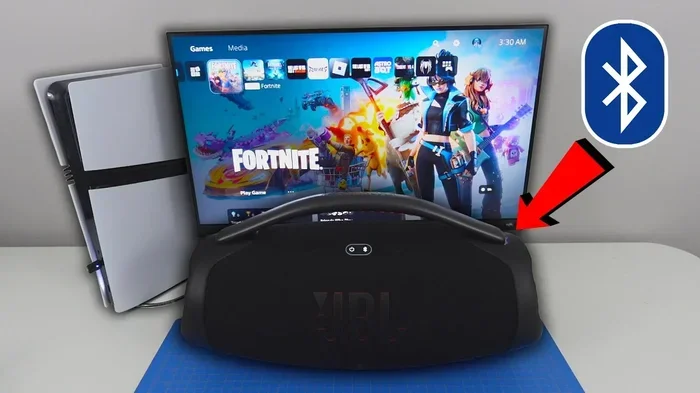
Can Ps5 Connect To Bluetooth Speaker For Better Sound
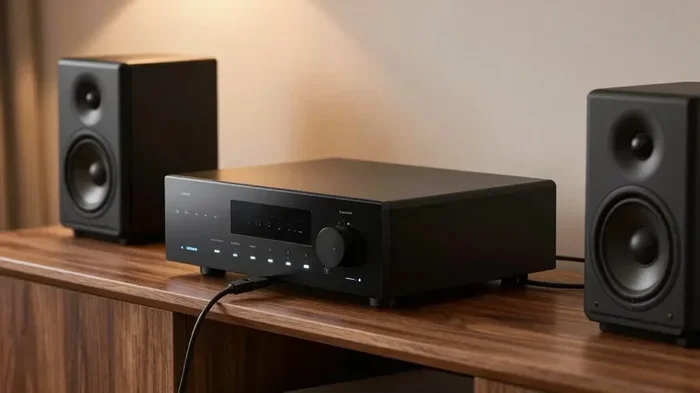
Yes, you can connect a Bluetooth speaker to your PS5, but it is not as simple as pressing a button. The PS5 does not support direct Bluetooth audio output for most wireless speakers, which surprises many gamers. However, you can use a Bluetooth adapter, the USB port, or even the 3.5mm audio jack to get your PS5 Bluetooth speaker working. This guide walks you through every method, common problems, and expert tips to improve your PS5 sound quality without spending a fortune.
You just got a new Bluetooth speaker. You want to use it with your PS5. You plug it in, wait, and nothing happens. Sound familiar? You are not alone. Many PlayStation 5 owners run into the same frustration when trying to set up PS5 Bluetooth speaker connections.
The PS5 is a powerful console. It delivers stunning graphics and immersive gameplay. But when it comes to wireless audio, things get tricky. Sony designed the PS5 with a specific audio ecosystem in mind. That ecosystem does not include native Bluetooth audio output. This means you cannot just pair any Bluetooth speaker to your PS5 the way you would with your phone.
But here is the good news. There are several workarounds and solutions that make it totally possible. Whether you want to use a Bluetooth speaker for PS5 in your bedroom, your living room, or at a LAN party, this guide has you covered. We will walk through every method, every problem, and every tip you need to know.
Key Takeaways
- The PS5 lacks native Bluetooth audio support: You need extra hardware like a Bluetooth adapter to connect wireless speakers.
- Multiple connection methods exist: USB Bluetooth adapters, optical audio, and aux cables all work with the PS5.
- Audio delay is a real issue: Bluetooth latency can cause lip-sync problems during gaming.
- Not all Bluetooth speakers work equally: Low-latency speakers give you a much better experience.
- The PS5 audio settings matter: Tweaking your output settings can significantly improve sound quality.
- A Bluetooth adapter is the best fix: It adds wireless capability without extra cables cluttering your setup.
📑 Table of Contents
- Can Ps5 Connect To Bluetooth Speaker Directly?
- How To Connect A Bluetooth Speaker To PS5
- Best Bluetooth Speakers For PS5 Gaming
- PS5 Audio Settings For Bluetooth Speakers
- Bluetooth Speaker Vs Other Audio Options For PS5
- Common Mistakes When Connecting PS5 To Bluetooth Speakers
- Expert Tips For The Best PS5 Bluetooth Speaker Experience
- Final Thoughts On Using A Bluetooth Speaker With Your PS5
Can Ps5 Connect To Bluetooth Speaker Directly?
The short answer is no. The PS5 does not have a built-in Bluetooth audio transmitter. This is the biggest surprise for people asking can PS5 connect to Bluetooth speaker for the first time. Your PS5 can connect to Bluetooth controllers and PlayStation VR headsets. But it cannot send audio to a standard Bluetooth speaker without help.
Why did Sony make this choice? There are a few reasons. First, Bluetooth audio has latency issues. When you are playing a fast-paced game, even a small delay between the action on screen and the sound can ruin the experience. Second, Sony wants you to use their official audio products like the Pulse 3D headset. Third, Bluetooth audio can compress sound quality. Sony wants to preserve the high-fidelity audio experience the PS5 is known for.
So if you cannot connect directly, what can you do? Let us look at the options.
Why Direct Bluetooth Connection Does Not Work
The PS5 uses Bluetooth for input devices, not output devices. This is a common point of confusion. Your PS5 receives signals from Bluetooth controllers, headsets, and keyboards. But it does not send audio signals out through Bluetooth. The console treats Bluetooth as an input protocol, not an output one for audio.
This means your standard Bluetooth speaker will not show up in the PS5 Bluetooth device list. You will search, search, and search. And nothing will appear. That is not a problem with your speaker. It is a limitation built into the PS5 system software.
How To Connect A Bluetooth Speaker To PS5
Now that we know direct connection is not possible, let us talk about the solutions. There are several reliable ways to get PS5 Bluetooth speaker audio working. Each method has its pros and cons. Let us break them down one by one.
Method 1: Use A Bluetooth Audio Transmitter
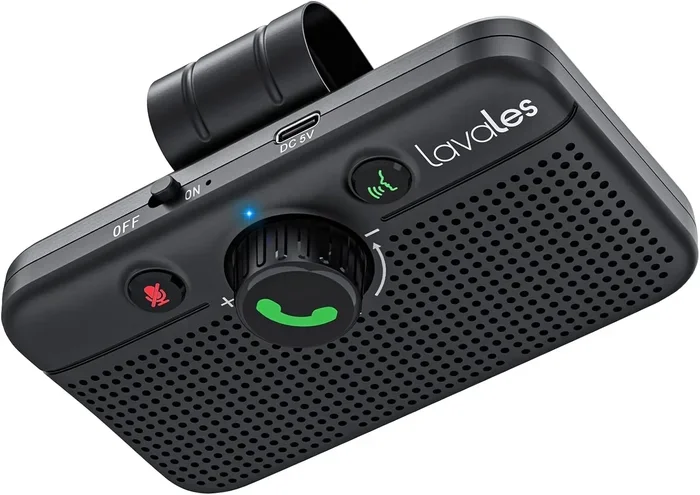
This is the most popular and effective method. A Bluetooth audio transmitter plugs into your PS5 and sends audio wirelessly to your speaker. You connect the transmitter to your PS5 using the optical audio port or the USB port. Then you pair your Bluetooth speaker to the transmitter just like you would with any other device.
Here is how it works step by step:
- Buy a Bluetooth audio transmitter with a 3.5mm jack or optical output.
- Plug the transmitter into your PS5’s optical port or use the 3.5mm audio jack on your DualSense controller.
- Turn on your Bluetooth speaker and put it in pairing mode.
- Pair the speaker with the transmitter.
- Go to your PS5 audio settings and select the optical or aux output as your primary audio device.
This method adds a small device to your setup. But it gives you true wireless freedom. You can place your speaker anywhere in the room. No cables running across the floor. No messy wires. Just clean, wireless sound.
Method 2: Connect Through The DualSense Controller
Your DualSense controller has a 3.5mm audio jack on the bottom. You can plug a cable from your controller into your Bluetooth speaker if it has an aux input. Some Bluetooth speakers also support USB connections. You can plug a USB cable from your PS5 into the speaker if it supports USB audio.
This method is simple and cheap. You do not need any extra adapters. But it does involve a cable running from your controller to your speaker. That might not be ideal if you want a clean, wireless setup.
Here is what you need to do:
- Get a 3.5mm aux cable.
- Plug one end into your DualSense controller.
- Plug the other end into your Bluetooth speaker’s aux input.
- Go to PS5 Settings, then Sound, then Audio Output.
- Select “Output to Headphones” and choose “All Audio.”
This sends all PS5 audio through your controller and out to your speaker. It works well for casual gaming. But for competitive or fast-paced games, the slight delay might bother you.
Method 3: Use A USB Bluetooth Adapter
Some PS5 owners have had success with a USB Bluetooth audio adapter. You plug this small device into your PS5’s USB port. The adapter acts as a Bluetooth transmitter. It sends audio to your wireless speaker without needing extra cables.
Not all USB Bluetooth adapters work with the PS5. You need one that supports the A2DP profile. This is the Bluetooth profile used for audio streaming. Cheap adapters might not work or might cause audio glitches. Look for adapters that specifically advertise low latency and PS5 compatibility.
The advantage of this method is simplicity. You plug it in and go. No extra cables on the floor. No optical port needed. Just a small dongle that stays hidden behind your console.
Best Bluetooth Speakers For PS5 Gaming
Not all Bluetooth speakers are created equal. Some are great for music but terrible for gaming. When you are looking for a Bluetooth speaker for PS5, you need to think about a few key factors. Latency is the biggest one. Sound quality matters too. And portability can be a nice bonus.
What To Look For In A PS5 Bluetooth Speaker
Before you buy any speaker, check for these features:
- Low latency support: This reduces the audio delay between what you see and what you hear.
- A2DP profile compatibility: This ensures the speaker can receive audio via Bluetooth.
- Good battery life: You do not want your speaker dying mid-game.
- 3.5mm aux input: This gives you a wired backup option if Bluetooth gives you trouble.
- USB audio support: Some speakers can connect directly via USB for zero latency.
Top Picks For PS5 Gaming Speakers
Here are some popular options that work well with the PS5:
- JBL Flip 6: Great sound quality and solid Bluetooth range. Works well with a transmitter adapter.
- Sony SRS-XB43: Extra bass makes games feel more immersive. Compatible with most Bluetooth transmitters.
- Anker Soundcore Motion+: Good balance of price and performance. Low latency mode available.
- Bose SoundLink Flex: Excellent build quality and clear audio. Great for both music and gaming.
- Tribit StormBox Blast: Loud and powerful. Good for larger rooms and outdoor gaming sessions.
Keep in mind that none of these speakers will work directly with the PS5. You still need a Bluetooth transmitter or an aux cable. The speaker itself just needs to be good at receiving audio wirelessly.
PS5 Audio Settings For Bluetooth Speakers
Once you get your PS5 Bluetooth speaker connected, you need to tweak your audio settings. The default settings are not always optimized for wireless speakers. A few changes in the menu can make a big difference.
Step By Step Audio Settings Guide
Here is exactly what to do on your PS5:
- Go to Settings from the home screen.
- Select Sound.
- Choose Audio Output.
- Under Primary Output Port, select Optical or HDMI depending on your setup.
- Set Bitstream (Dolby) to Bitstream (Dolby).
- Go to Audio Format (Priority) and set it to Linear PCM.
- Under Volume Control, set the output device to your Bluetooth speaker or auxiliary device.
These settings ensure your PS5 sends the best possible audio signal to your speaker. Linear PCM gives you uncompressed audio, which sounds much better than compressed formats.
Troubleshooting Common Audio Issues
Sometimes things do not work right away. Here are common problems and how to fix them:
- No sound at all: Check that your speaker is paired and your PS5 audio output is set correctly.
- Audio is quiet: Increase the volume on both your PS5 and your speaker. Also check the volume limit setting in PS5 audio options.
- Audio cuts out randomly: Move your Bluetooth speaker closer to the transmitter. Walls and obstacles weaken the signal.
- Sound is distorted: Your speaker might be too far away. Interference from other devices can also cause distortion.
- Audio delay or lip sync issues: This is the most common Bluetooth problem. Use a low-latency transmitter or switch to a wired connection.
Bluetooth Speaker Vs Other Audio Options For PS5
A Bluetooth speaker for PS5 is not the only way to improve your audio. Let us compare it with other popular options so you can make the best choice for your setup.
| Audio Option | Wireless? | Latency | Sound Quality | Price Range |
|---|---|---|---|---|
| Bluetooth Speaker | Yes | Medium to High | Good | $30-$200 |
| PS5 Pulse 3D Headset | Yes (USB dongle) | Low | Very Good | $100 |
| Gaming Headset (Wired) | No | None | Excellent | $30-$150 |
| Soundbar | Some Models | Low | Excellent | $100-$500 |
| Bluetooth Speaker + Transmitter | Yes | Medium | Good | $50-$250 |
As you can see, each option has trade-offs. Bluetooth speakers give you portability and wireless freedom. But they have higher latency than wired options or the Pulse 3D headset. If you care most about competitive gaming, a wired headset or the Pulse 3D is your best bet. If you want casual gaming with great music quality, a Bluetooth speaker shines.
Common Mistakes When Connecting PS5 To Bluetooth Speakers
Even with the right setup, people make mistakes that cause frustration. Here are the most common ones and how to avoid them.
Mistake 1: Trying To Pair Directly Without A Transmitter
This is the number one mistake. People try to pair their Bluetooth speaker to the PS5 through the PS5 settings menu. It does not work. The PS5 does not support Bluetooth audio output natively. You need a transmitter or an aux cable. Do not waste time searching the PS5 Bluetooth settings for your speaker. It will not appear.
Mistake 2: Ignoring Audio Delay
Bluetooth audio always has some delay. For music, this does not matter. For gaming, it matters a lot. If you notice that sounds do not match what is happening on screen, your Bluetooth connection is too slow. You need a low-latency transmitter or you should consider a wired connection instead.
Mistake 3: Using The Wrong Cable Or Port
Not all cables work the same way. Using a regular USB cable instead of one that supports audio will not work. Using the wrong optical cable can cause signal loss. Make sure you have the right cables for your setup. Check the specifications of your Bluetooth transmitter before buying cables.
Mistake 4: Not Updating PS5 System Software
Sony regularly updates the PS5 system software. Some updates improve audio compatibility. If your Bluetooth speaker or transmitter is not working, check for a system update. Go to Settings, then System, then System Software Update. Keeping your console updated can solve unexpected audio problems.
Expert Tips For The Best PS5 Bluetooth Speaker Experience
Here are some pro tips that will help you get the most out of your wireless speaker setup with your PlayStation 5.
Keep Your Speaker Close To The Transmitter
Bluetooth signals weaken over distance and through walls. Keep your speaker within 10 to 15 feet of the transmitter for the best connection. If you move your speaker to another room, expect signal drops and audio glitches.
Use A Dedicated Bluetooth 5.0 Transmitter
Older Bluetooth versions have worse latency and weaker signals. A Bluetooth 5.0 transmitter gives you better range, better sound quality, and lower delay. It is a small investment that makes a big difference.
Set Your PS5 To Output Linear PCM
This setting sends uncompressed audio to your speaker. It preserves the full quality of the game soundtrack and effects. Compressed audio formats like Dolby Digital can sound flat through Bluetooth speakers. Linear PCM keeps everything rich and clear.
Test Different Speaker Placements
Where you place your speaker affects the sound a lot. Put it on a table at ear level for the best balance. Avoid placing it in corners or against walls. This reduces bass boom and makes the audio clearer.
Consider A Speaker With Built-In Bluetooth
Some speakers have both Bluetooth and aux inputs. This gives you flexibility. You can switch between wireless and wired modes depending on what you need. The JBL Flip series and Soundcore Motion series are great examples.
Final Thoughts On Using A Bluetooth Speaker With Your PS5
So, can PS5 connect to Bluetooth speaker for better sound? The answer is yes, but with some extra steps. You cannot do it natively. You need a Bluetooth transmitter, an aux cable, or a USB adapter to make it work. Once you set it up correctly, the experience is genuinely great.
A Bluetooth speaker for PS5 gives you freedom from wires. It fills your room with rich, immersive sound. It is perfect for casual gaming sessions, movie nights, and listening to music between games. Just be aware of the latency limitations and choose your setup accordingly.
The key is patience. Take your time setting things up. Follow the steps in this guide. Adjust your PS5 audio settings. Test different placements. And do not give up if it does not work perfectly the first time. With the right equipment and a little tweaking, you will be enjoying wireless audio from your PS5 in no time.
Your gaming experience is about more than just graphics. Sound plays a huge role in how immersive and enjoyable your games feel. A good PS5 Bluetooth speaker setup can transform the way you play. Whether you are exploring open worlds, racing through tracks, or battling enemies online, better audio makes everything more exciting.
Start with one of the methods in this guide. Pick the setup that fits your budget and your room. Experiment until you find what works best for you. And most importantly, have fun with it. Gaming should always be an enjoyable experience, and great sound is a big part of that.
Frequently Asked Questions
Can I connect any Bluetooth speaker to my PS5?
Not directly. The PS5 does not support native Bluetooth audio output. You need a Bluetooth audio transmitter, a USB Bluetooth adapter, or an aux cable connected through your DualSense controller to make it work with any Bluetooth speaker.
Why is there audio delay when using a Bluetooth speaker with PS5?
Bluetooth audio naturally has latency because it takes time to compress, transmit, and decompress the audio signal. This delay is more noticeable in fast-paced games. Using a low-latency Bluetooth transmitter or switching to a wired connection can significantly reduce this problem.
Can I use a Bluetooth speaker for PS5 parties and chat?
Yes, but with limitations. You can route game audio to a Bluetooth speaker, but voice chat from other players typically still comes through your DualSense controller or a wired headset. The PS5 does not currently support routing party chat audio to Bluetooth speakers.
Is a Bluetooth adapter worth buying for PS5 gaming?
It depends on your needs. If you want wireless freedom and do not play competitive games where split-second audio cues matter, a Bluetooth adapter is a great investment. For competitive or fast-paced gaming, a wired connection or the official Pulse 3D headset will give you better results.
What is the best budget option for PS5 Bluetooth audio?
The cheapest option is using a 3.5mm aux cable from your DualSense controller to a Bluetooth speaker with an aux input. If you want wireless, a basic Bluetooth audio transmitter costs around $15 to $30 and works well with most speakers.
Will a PS5 system update add native Bluetooth audio support?
There is no official indication from Sony that native Bluetooth audio output will be added to the PS5. The console has maintained this limitation since its launch. For now, you will need external hardware to connect Bluetooth speakers to your PS5.
=== CONCLUSION ===
Connecting a Bluetooth speaker to your PS5 for better sound is absolutely possible. It just requires a little more effort than plugging in a wired speaker. Whether you choose a Bluetooth transmitter, a USB adapter, or a simple aux cable, the result is worth it. You get wireless freedom, richer sound, and a more immersive gaming experience.
Remember the key steps: get the right hardware, set up your PS5 audio settings correctly, and be patient with the process. Avoid common mistakes like trying to pair directly or ignoring audio delay. And always keep your PS5 system software updated for the best compatibility.
The bottom line is this: your PS5 can absolutely work with a Bluetooth speaker. It just needs a little help to get there. Follow this guide, pick the method that suits your setup, and enjoy your games with better sound today.