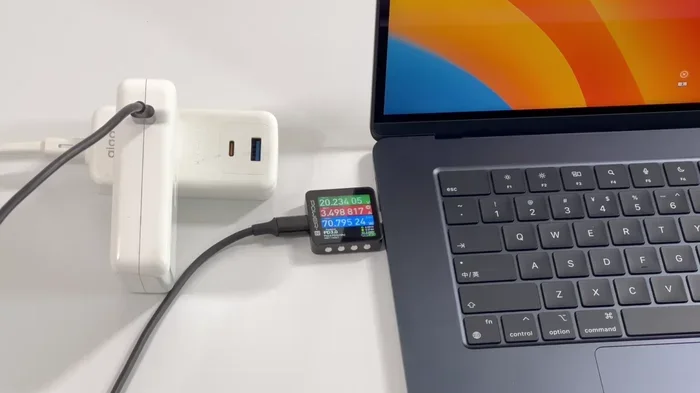
Can You Charge Your Macbook Air With Phone Charger
Yes, you can charge a Macbook Air with a phone charger, but there are important trade-offs. Using a standard phone charger works in emergencies, yet it charges much slower than the original Macbook Air power adapter. This guide covers wattage differences, USB-C compatibility, risks, and when it is safe to use a phone charger for your laptop.
Have you ever been stuck with a dead Macbook Air and nothing but your phone charger nearby? It is a frustrating situation that many laptop users face. Maybe you left your power adapter at home, or perhaps your charger stopped working unexpectedly. In those moments, the question can you charge Macbook Air with phone charger becomes very real and very urgent.
The short answer is yes. You can charge a Macbook Air using a phone charger. But the real question is whether you should, and what happens when you do. Charging your laptop with a phone charger is not the same as using the original Macbook Air power adapter. There are differences in speed, compatibility, and long-term effects on your laptop battery. This article breaks down everything you need to know about using a phone charger for your Macbook Air.
Whether you have a Macbook Air M1, M2, or an older Intel model, this guide covers the technical details in simple terms. You will learn about USB-C charging, wattage requirements, charging times, risks, and the best practices for keeping your laptop powered up safely. Let us dive in.
Key Takeaways
- It works in a pinch: You can use a phone charger to charge your Macbook Air via USB-C, but expect slower charging speeds.
- Wattage matters: Phone chargers typically deliver 5 to 20 watts, while Macbook Air chargers provide 30 to 67 watts.
- USB-C is the key: Only newer Macbook Air models with USB-C ports can accept a phone charger connection.
- Battery health risks: Consistently charging on a low-wattage phone charger may not harm your battery but will take much longer.
- Power banks work too: Portable USB-C power banks can serve as an alternative to both phone chargers and Macbook Air chargers.
- Always check compatibility: Make sure your phone charger supports USB Power Delivery before plugging it into your Macbook Air.
- Use the original charger when possible: The Macbook Air power adapter is designed for optimal speed and safety.
📑 Table of Contents
- Understanding Your Macbook Air Charging Requirements
- Can You Actually Use a Phone Charger for Your Macbook Air?
- Charging Speed: Phone Charger vs Macbook Air Charger
- When Is It Safe to Use a Phone Charger?
- Risks and Downsides of Using a Phone Charger
- Best Practices for Charging Your Macbook Air
- Key Takeaways
- Conclusion
Understanding Your Macbook Air Charging Requirements
Before you plug anything into your Macbook Air, it helps to understand what your laptop actually needs to charge properly. Every laptop has specific power requirements, and the Macbook Air is no different. Knowing these basics saves you from potential charging problems.
What Port Does Your Macbook Air Use?
Newer Macbook Air models use USB-C ports for charging. If you have a Macbook Air from 2018 or later, you will find a USB-C charging port on the left side of the laptop. Older Macbook Air models, especially those released before 2018, use a proprietary MagSafe or barrel-style connector. Those older models cannot accept a phone charger at all.
The USB-C port is a small, oval-shaped connector. It is reversible, meaning you can plug it in either way. Many modern phones now use USB-C cables too, which is why the idea of using a phone charger for your laptop makes sense in the first place. But the cable shape being the same does not mean the power output is the same.
How Much Power Does a Macbook Air Need?
The Macbook Air needs between 30 and 67 watts to charge properly, depending on the model. Here is a quick breakdown:
- Macbook Air M1 (2020): Requires a 30W USB-C power adapter
- Macbook Air M2 (2022): Requires a 30W USB-C power adapter
- Macbook Air M3 (2024): Requires a 30W USB-C power adapter
- Macbook Air Intel (2018-2020): Requires a 30W or 45W USB-C power adapter
Your original Macbook Air charger is specifically designed to deliver the right amount of power. When you use a different charger, you are essentially changing the power supply your laptop receives. This is where things get interesting.
Can You Actually Use a Phone Charger for Your Macbook Air?
The answer depends on the type of phone charger you have and the Macbook Air model you own. Not all phone chargers are created equal, and not all of them will work with your laptop. Let us explore the details.
The USB-C Connection
Most modern phones use USB-C charging, especially Android devices and newer iPhones. If you have a USB-C phone charger, you can physically plug it into your Macbook Air. The connection will fit, and your laptop will recognize the power source.
However, the key question is whether the charger delivers enough wattage to charge your laptop effectively. A standard iPhone charger with a Lightning to USB-C cable may not work at all for charging the Macbook Air. Some older phone chargers output only 5 watts, which is far too low for a laptop.
Newer USB Power Delivery (USB-PD) phone chargers can output higher wattages, sometimes up to 20 or 30 watts. These chargers are more likely to work with your Macbook Air, though they still may not charge as fast as the original adapter.
What Happens When You Plug In a Phone Charger?
When you connect a phone charger to your Macbook Air, several things can happen:
- It charges slowly: The laptop battery gains power, but at a much slower rate than with the original charger.
- It does not charge at all: Some low-wattage chargers cannot provide enough power, and the laptop may not recognize the charger.
- It charges while you use the laptop: If you are using your Macbook Air while plugged in, a low-wattage charger may barely add power or may even drain the battery while you work.
- It works perfectly: If your phone charger supports 30W or more USB-PD, it may charge your Macbook Air at a reasonable speed.
The outcome depends entirely on the charger wattage, the USB-C cable quality, and your specific Macbook Air model.
Charging Speed: Phone Charger vs Macbook Air Charger
This is where the comparison really matters. Speed is one of the biggest differences between using a phone charger and the original Macbook Air adapter. Let us look at the numbers.
Wattage Comparison
Wattage determines how fast your laptop charges. Higher wattage means faster charging. Here is a simple comparison:
| Charger Type | Typical Wattage | Macbook Air Charging Speed |
|---|---|---|
| Original Macbook Air Charger | 30W – 67W | Full charge in about 2 hours |
| Fast USB-C Phone Charger | 18W – 30W | Full charge in 4-6 hours |
| Standard Phone Charger | 5W – 10W | Full charge in 8-12+ hours |
| USB-C Power Bank | 20W – 65W | Full charge in 4-6 hours |
| Car Charger (USB-C) | 15W – 30W | Full charge in 5-7 hours |
As you can see, the original Macbook Air charger is significantly faster. A standard phone charger at 5 watts could take all day or longer to fully charge your laptop.
Real-World Charging Times
Here is what a typical charging scenario looks like in real life:
- Starting from 0%: With a 30W Macbook Air charger, you can reach 50% in about 30 minutes. With a 10W phone charger, you might only reach 15-20% in the same time.
- Charging while working: If you are browsing the web or typing documents, a phone charger may add only 1-2% battery per hour. The original charger adds much more.
- Emergency top-up: A phone charger is great for a quick 10-15% boost when you need to send an email or finish a task before finding your proper charger.
So yes, your Macbook Air will charge with a phone charger, but patience is required.
When Is It Safe to Use a Phone Charger?
Not every charging situation is the same. Some scenarios make using a phone charger perfectly fine, while others could cause problems. Understanding when it is safe helps you make smart decisions.
Emergency Charging Situations
The best time to use a phone charger is during an emergency. Maybe you are at a coffee shop and forgot your adapter. Perhaps you are traveling and packed the wrong charger. In these situations, plugging in your phone charger is a smart move. Even a slow charge is better than a dead battery.
Emergency charging works well when you only need enough power to get through a few hours of work. You do not need to fully charge your laptop. A quick boost from a phone charger can keep you going until you find your proper Macbook Air power adapter.
Using a Power Bank Instead
A portable power bank is another alternative to a phone charger. High-capacity USB-C power banks can deliver 20W to 65W of power. These are excellent travel companions for laptop users.
Some power banks even support fast charging protocols like USB Power Delivery. They can charge your Macbook Air at speeds close to the original charger. Just make sure the power bank has enough capacity (measured in mAh) to actually charge your laptop meaningfully.
Overnight Charging
Using a phone charger overnight is generally safe. Your Macbook Air has built-in battery management that stops charging once the battery reaches 100%. However, it will take many hours to reach full charge on a low-wattage phone charger. This is fine if you do not need the laptop until the next morning.
Risks and Downsides of Using a Phone Charger
While using a phone charger is not dangerous, there are some real downsides to be aware of. Understanding these risks helps you use phone chargers wisely without damaging your laptop.
Slow Charging Issues
The most obvious downside is slow charging. As we covered above, a phone charger delivers much less power than a Macbook Air charger. If you need your laptop ready to go quickly, a phone charger will not cut it.
Slow charging becomes a bigger problem if you are actively using your laptop while it charges. Running apps, browsing the web, or watching videos all consume power. A phone charger may not supply enough wattage to keep up with your usage, meaning your battery could actually drain even while plugged in.
Battery Health Concerns
There is a common concern about whether slow charging harms your laptop battery in the long run. The good news is that charging slowly does not damage your battery. In fact, slower charging can sometimes be gentler on the battery cells.
The real threat to battery health comes from heat. If your laptop gets hot while charging on a low-power charger, that could affect long-term battery performance. But this is rare with modern Macbook Air models, which have excellent thermal management.
Incompatibility Issues
Not every phone charger will work with every Macbook Air. Some older phone chargers use non-standard USB-C protocols that your laptop may not recognize. In some cases, you might see a message saying the accessory is not compatible.
Always look for phone chargers that support USB Power Delivery (USB-PD). This is the standard protocol that ensures safe and effective charging for your Macbook Air.
Best Practices for Charging Your Macbook Air
Whether you use your original charger or occasionally rely on a phone charger, following best practices keeps your laptop and battery healthy.
Quick Tips
- Use the original charger whenever possible: It is designed specifically for your Macbook Air and delivers optimal power.
- Invest in a quality USB-C cable: Cheap cables can limit charging speed and may not support higher wattage.
- Check your charger wattage: Look for a phone charger that supports at least 20W USB-PD for reasonable charging speeds.
- Avoid using your laptop heavily while charging on a low-wattage charger: This prevents battery drain instead of charge.
- Keep your laptop cool while charging: Good airflow helps maintain battery health regardless of the charger you use.
- Carry a portable USB-C charger when traveling: A compact 30W or 65W charger is a great backup option.
Common Mistakes to Avoid
Here are some mistakes people make when charging their Macbook Air:
- Using a damaged or frayed cable: This can cause inconsistent charging and may damage the charging port.
- Ignoring overheating: If your laptop feels very hot while charging, unplug it and let it cool down.
- Using the wrong charger repeatedly: Relying on a phone charger every day will not give your Macbook Air the power it needs.
- Believing all USB-C cables are the same: Different cables support different wattages. Always use a high-quality cable rated for the wattage you need.
- Letting the battery drain to 0% regularly: This stresses the battery, regardless of which charger you use.
Expert Insights
According to Apple support guidelines, using USB-C chargers that meet USB Power Delivery specifications is safe for all Macbook Air models with USB-C ports. Apple designed the Macbook Air to accept a range of USB-C power sources, not just the original adapter included in the box.
However, Apple recommends using the 30W USB-C power adapter or higher for best results. Third-party chargers from reputable brands like Anker, Belkin, and Baseus also work well, as long as they support USB-PD and provide adequate wattage.
For those wondering about MagSafe charging, it is worth noting that MagSafe is no longer available on newer Macbook Air models. The shift to USB-C means all charging, whether from the original adapter or a phone charger, goes through the same USB-C port.
Key Takeaways
Let us recap the most important points from this guide:
- Yes, you can charge your Macbook Air with a phone charger. It works through the USB-C port on newer models.
- Charging speed depends on wattage. Phone chargers typically deliver 5 to 30 watts, while Macbook Air chargers provide 30 to 67 watts.
- USB Power Delivery support is essential. Make sure your phone charger supports USB-PD for compatibility and safe charging.
- Phone chargers are best for emergencies. They are not ideal for daily use but work well when you need a quick boost or are in a pinch.
- Battery health is not at risk. Slow charging does not harm your laptop battery. Heat is the bigger concern.
- Portable power banks are a great alternative. They offer more wattage than phone chargers and are perfect for travel.
- Always use the original charger when you can. It provides the best balance of speed, safety, and reliability for your Macbook Air.
Conclusion
So, can you charge Macbook Air with phone charger? Absolutely. The USB-C port on modern Macbook Air models makes this possible, and it can save you in a pinch. Whether you are dealing with a lost charger, a dead outlet, or just forgot your adapter at home, a phone charger is a viable backup option.
However, it is important to understand the trade-offs. Charging speed is significantly slower, and a low-wattage phone charger may not keep up with your usage while you work. For daily charging, always go with the original Macbook Air power adapter or a compatible USB-C charger that meets the wattage requirements.
The key is to be informed and prepared. Carry a quality USB-C cable, know your charger wattage, and invest in a reliable backup power source when you travel. With the right knowledge, you can keep your Macbook Air powered up no matter where you are.
Next time someone asks you, can you charge Macbook Air with phone charger, you will know the answer with confidence. Share this guide with friends who might benefit from it, and always keep a backup charging solution in your bag.
Frequently Asked Questions
Can I charge my Macbook Air with an iPhone charger?
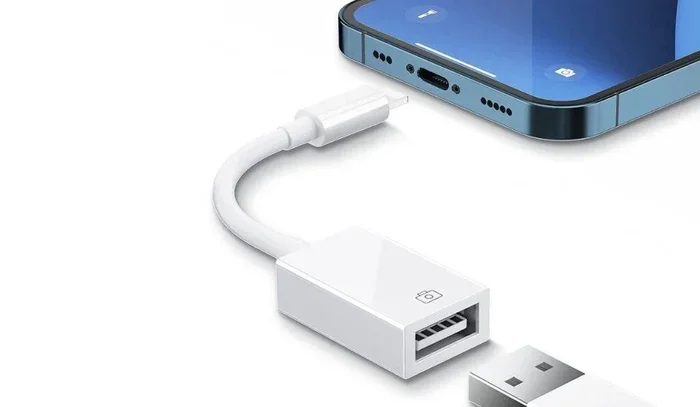
Yes, if your iPhone charger has a USB-C output and supports USB Power Delivery. Older iPhone chargers with a Lightning connector will not charge a Macbook Air directly. You would need a USB-C to Lightning cable and a compatible USB-C power adapter for that setup to work.
How long does it take to charge a Macbook Air with a phone charger?
It depends on the phone charger wattage. A 5W phone charger can take 10 hours or more for a full charge. A 20W USB-C phone charger typically takes 5 to 7 hours. The original 30W Macbook Air charger takes about 2 hours for a full charge.
Will using a phone charger damage my Macbook Air battery?
No, using a phone charger will not damage your Macbook Air battery. The laptop’s built-in battery management system regulates the charging process regardless of the charger. The only downside is slower charging, not battery damage.
Can I use any USB-C phone charger with my Macbook Air?
Not all USB-C phone chargers work with every Macbook Air. Look for chargers that support USB Power Delivery (USB-PD) and provide at least 20 watts of power. Cheap or non-compliant chargers may not work or could charge very slowly.
Is it safe to use a phone charger for my Macbook Air overnight?
Yes, it is safe. Your Macbook Air stops charging automatically once the battery reaches 100%. However, since a phone charger is slow, it may take many hours to reach full charge. Make sure your laptop is on a flat, well-ventilated surface while charging overnight.
What is the best phone charger to use with a Macbook Air?
The best phone charger for a Macbook Air is one that supports USB Power Delivery and delivers at least 30 watts. Apple’s 20W USB-C charger works well. Third-party options from brands like Anker, Belkin, and Baseus also provide excellent compatibility and fast charging speeds.