Can I Get Wi Fi In My Car With Verizon Today For Sure
Yes, you can absolutely get Wi-Fi in your car with Verizon, and it is simpler than most people think. This guide walks you through every option for setting up a mobile hotspot, choosing the right Verizon hotspot plan, and picking the best in-car Wi-Fi device. Whether you need on-the-go internet for a road trip or daily commuting, Verizon has reliable solutions. You will learn about tethering, dedicated hotspot devices, and built-in vehicle Wi-Fi systems. By the end, you will know exactly how to stay connected on the road.
Have you ever been stuck in traffic or on a long road trip and wished you had internet access in your car? The good news is that you can get Wi-Fi in your car with Verizon, and it is easier than you might think. Whether you need to stay connected for work, keep the kids entertained on a family drive, or navigate with real-time updates, having Wi-Fi in your vehicle changes everything.
Verizon offers several options for bringing wireless connectivity to your car. From simple phone tethering to dedicated mobile hotspot devices, there is a solution for every driver. In this guide, we will walk you through all the ways you can set up in-car Wi-Fi with Verizon, what plans cost, which devices work best, and how to avoid common pitfalls.
By the end of this article, you will know exactly how to get internet in your car using Verizon’s network. You will also understand the difference between built-in vehicle Wi-Fi solutions and portable options. Let us dive in and explore everything you need to know about getting Wi-Fi in your car with Verizon.
Key Takeaways
- Verizon offers multiple ways to get Wi-Fi in your car: from built-in plans to portable hotspot devices and phone tethering.
- You will need a compatible data plan: Verizon provides several hotspot and tethering options to fit different needs and budgets.
- Devices like the Verizon MiFi and wireless hotspot devices work great for in-vehicle internet without draining your phone battery.
- Setting up car Wi-Fi is simple: most devices take less than five minutes to configure and connect.
- Common issues like weak signals and data limits can be managed with the right tips and planning.
- Car Wi-Fi with Verizon is worth it for families, road trips, and anyone who needs reliable connected car features.
📑 Table of Contents
What Is Wi-Fi in a Car With Verizon and Why Do You Need It?
Car Wi-Fi is a wireless internet connection that works inside your vehicle. It uses a cellular network, like Verizon’s 4G LTE or 5G network, to deliver internet to devices in your car. Think of it as a portable router that travels with you wherever you drive.
There are many reasons why on-the-go internet in your car is a game changer. Here are some of the top benefits:
- Stay connected on road trips: Passengers can stream movies, browse social media, or video call without using their phone data.
- Work from your car: Remote workers can attend virtual meetings or answer emails from the parking lot or during commutes.
- Keep kids entertained: Long drives become much easier when children can watch shows or play games on tablets.
- Real-time navigation: GPS apps work better with a dedicated in-vehicle internet connection that does not depend on your phone.
- Smart car technology: Many modern vehicles support connected car features that need a constant internet link.
The beauty of using Verizon for car Wi-Fi is that their network covers more of the country than any other carrier. This means your wireless hotspot will work in more places, from busy cities to remote rural areas. That kind of broad coverage is hard to beat.
How Does Car Wi-Fi Differ from Home Wi-Fi?
Home Wi-Fi uses a fixed router connected to a cable or fiber line. Car Wi-Fi uses a cellular hotspot that connects to Verizon’s cell towers. This means your internet signal depends on cell coverage, not a fixed line. But with Verizon’s extensive network, you get surprisingly strong and fast mobile internet in most places you drive.
How Does Verizon Enable Wi-Fi in Your Car?
Verizon makes it easy to add internet to your car through several different methods. You do not need to be a tech expert to set things up. Let us look at the main ways Verizon enables Wi-Fi in your vehicle.
Method 1: Phone Tethering
The simplest way to get Wi-Fi in your car is by using your phone as a hotspot. This is called tethering. You turn on the hotspot feature on your Verizon phone, and other devices connect to it just like they would connect to a home router.
Here is how it works:
- Open your phone’s settings.
- Find the hotspot and tethering option.
- Turn on the mobile hotspot.
- Set a password for security.
- Connect your laptop, tablet, or other devices to the new network.
Phone tethering is free if you already have a data plan. However, it drains your phone battery quickly and can overheat your device during long drives. It is fine for short trips but not ideal for all-day use.
Method 2: Verizon Hotspot Plans with a Dedicated Device
Verizon offers dedicated hotspot devices that you can add to your plan. These small gadgets plug into your car’s power outlet and create a strong Wi-Fi signal inside your vehicle. They work independently of your phone, so you do not have to worry about battery drain.
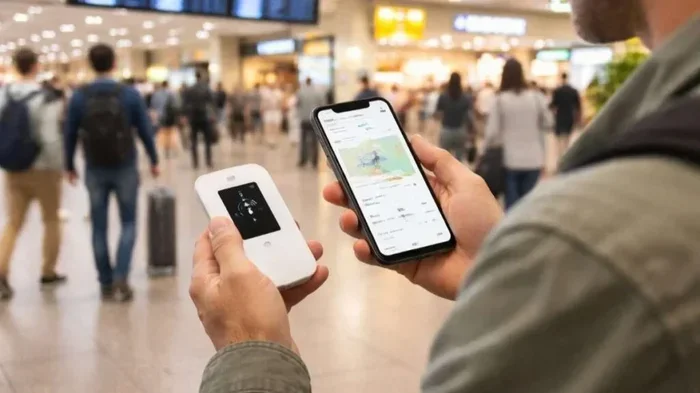
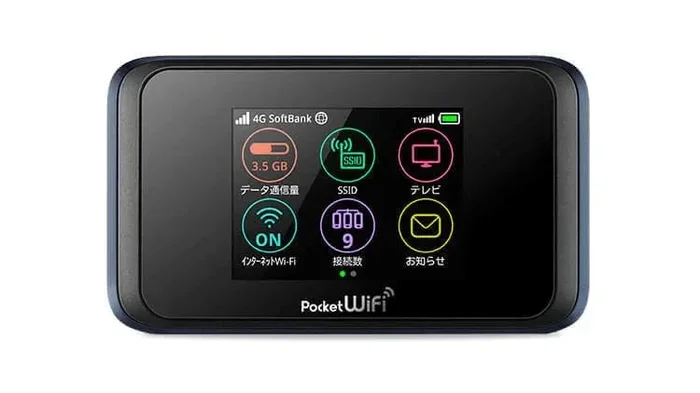
Popular options include the Verizon Jetpack and the Verizon MiFi device. These are small, portable wireless routers designed specifically for on-the-go internet. They create a personal Wi-Fi network that multiple devices can join at the same time.
Method 3: Built-In Vehicle Wi-Fi
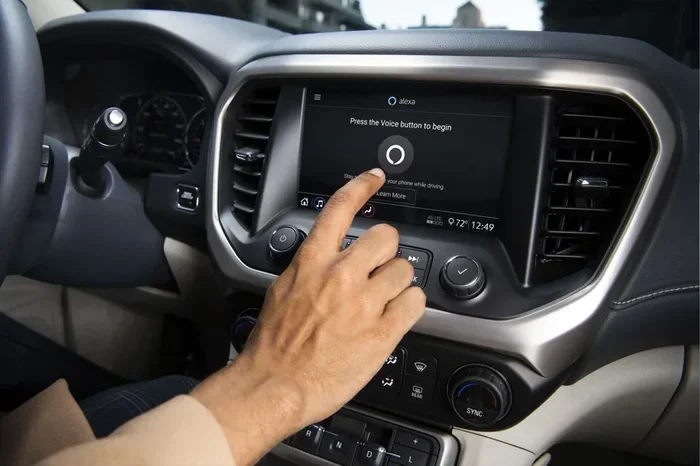
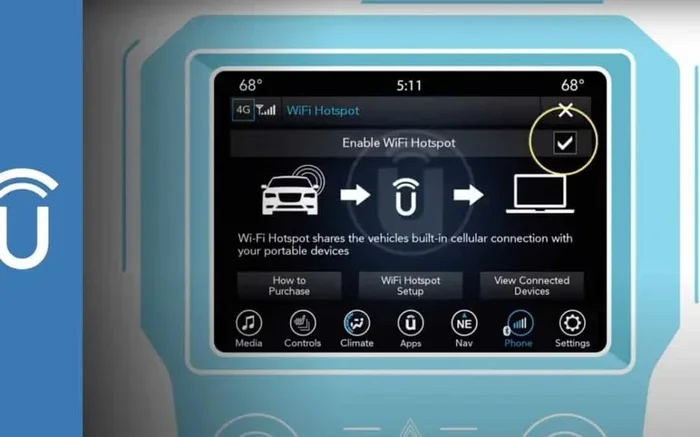
Many new cars come with built-in Wi-Fi that is powered by Verizon’s network. Brands like Chrysler, Ford, and GM partner with Verizon to offer factory-installed connected car features. If your car has this option, you just need to activate the service through Verizon.
This is the most seamless option because everything is built into the car’s system. You get a dedicated in-car Wi-Fi solution that does not rely on your phone at all. The downside is that it requires buying a newer vehicle with this feature.
Verizon Hotspot Plans and Data Options
Choosing the right Verizon hotspot plan is one of the most important steps. You need enough data to stay connected but do not want to overspend. Let us break down the options.
Verizon Prepaid Hotspot Plans
Verizon’s prepaid plans are great for people who want simple, no-contract hotspot service. These plans start at around $20 to $40 per month and include a set amount of high-speed data. Once you use up your data, speeds may slow down, but you usually keep your connection.
Key features of Verizon prepaid hotspot plans include:
- No contracts or credit checks required.
- Flexible data options from 5GB to 100GB per month.
- Easy to manage through the Verizon app or online account.
- Good for occasional use like weekend road trips or daily commutes.
Verizon Postpaid Hotspot Add-Ons
If you already have a Verizon postpaid phone plan, you can add a hotspot and tethering add-on. This lets you use your existing plan’s data for car Wi-Fi. Some plans include a generous amount of hotspot data built in.
Here is a quick comparison of popular Verizon options:
| Plan Type | Starting Price | Data Included | Best For |
|---|---|---|---|
| Prepaid Hotspot | $20/month | 5GB – 100GB | Occasional use and budget users |
| Postpaid Add-On | $10-$20/month | 5GB – 15GB | Existing Verizon customers |
| Unlimited with Hotspot | $60-$90/month | Up to 50GB hotspot | Heavy users and families |
| Built-In Vehicle Plan | $15-$40/month | Varies by car brand | New cars with factory Wi-Fi |
Keep in mind that data limits are the biggest consideration. Streaming video and music use a lot of data. If you plan to use car Wi-Fi for hours at a time, you will want a plan with plenty of data or an unlimited option.
How Much Data Do You Really Need?
Your data needs depend on how you use the internet in your car. Here is a simple guide:
- Light use (browsing, emails): About 1-2 GB per month.
- Music streaming: About 3-5 GB per month.
- Video streaming: About 10-15 GB per month for a few hours a day.
- Heavy use (video calls, gaming): 20 GB or more per month.
If you are not sure, start with a smaller plan and upgrade if you find you need more data. Verizon makes it easy to change plans at any time.
Devices You Can Use for Car Wi-Fi With Verizon
Not all wireless hotspot devices are the same. Some are small and portable, while others are designed for permanent installation in your car. Let us look at the best options for getting Wi-Fi in your car with Verizon.
Verizon Jetpack Devices
The Verizon Jetpack is one of the most popular mobile hotspot devices on the market. It is a small, portable wireless router that fits in your pocket or glove box. Jetpacks connect to Verizon’s 4G LTE and 5G networks and can support up to 10-15 connected devices at once.
Benefits of using a Verizon Jetpack for car Wi-Fi include:
- Long battery life: Many Jetpacks last 8-10 hours on a single charge.
- Multiple device support: Connect phones, tablets, laptops, and even gaming consoles.
- Built-in battery: Works even if your car is turned off.
- Easy setup: No complicated installation needed.
Verizon MiFi Devices
The Verizon MiFi is similar to the Jetpack but often smaller and more affordable. MiFi devices are personal portable routers that create a Wi-Fi network wherever you go. They are great for on-the-go internet in your car.
MiFi devices work well for single users or small families who need basic internet access. They are not as powerful as Jetpacks but are more than enough for browsing, streaming music, and light video watching.
Built-In Car Wi-Fi Systems
If you drive a newer vehicle, it may already have a built-in Wi-Fi system that works with Verizon. These systems are installed during manufacturing and connect directly to Verizon’s network. They offer the most seamless in-car Wi-Fi experience because there is no extra device to manage.
Some popular vehicles with Verizon-powered built-in Wi-Fi include models from Chrysler, Dodge, Ford, GM, and Lincoln. If you are shopping for a new car, this is definitely worth considering.
USB Wi-Fi Dongles
A Wi-Fi dongle is a small USB device that plugs into your car’s power outlet or USB port. It connects to Verizon’s network and creates a local Wi-Fi network. Dongles are the most affordable option but usually support fewer devices than Jetpacks or MiFi devices.
Setting Up Wi-Fi in Your Car With Verizon
Setting up Wi-Fi in your car with Verizon is straightforward. The exact steps depend on which method you choose, but here is a general guide that covers the most common approaches.
Step-by-Step Setup for Phone Tethering
If you want to start quickly using your phone, follow these steps:
- Make sure your phone is connected to Verizon’s network and has an active data plan.
- Open the Settings app on your phone.
- Look for Network & Internet or Connections.
- Tap on Hotspot and Tethering or Personal Hotspot.
- Toggle the Mobile Hotspot switch to On.
- Set a network name and password.
- On your other devices, find the new network and enter the password.
That is it! You now have Wi-Fi in your car using your phone. Remember that this method works best for short trips because it drains your phone battery.
Step-by-Step Setup for a Verizon Jetpack or MiFi
For a dedicated hotspot device, the setup is just as easy:
- Charge your Jetpack or MiFi device fully before first use.
- Insert the SIM card that came with your device (or activate it through your Verizon account).
- Turn on the device and wait for the signal light to become solid.
- On your laptop or tablet, open the Wi-Fi settings.
- Find the network name (SSID) printed on the device or in its manual.
- Enter the password and connect.
- Place the device in a central location in your car for the best signal.
Pro tip: Place your hotspot device near the center of the car and away from metal surfaces. This helps the signal reach all passengers more evenly.
Quick Tips for the Best Car Wi-Fi Experience
Here are some practical tips to get the most out of your Verizon car Wi-Fi:
- Use a signal booster: If you frequently drive in areas with weak cell coverage, a signal booster can dramatically improve your connection.
- Park in open areas: Signal strength improves when you are not surrounded by tall buildings or mountains.
- Keep your device charged: Plug your hotspot device into your car’s USB port or power outlet to keep it running.
- Limit connected devices: The more devices connected, the slower the speed for each one. Keep connections to only what you need.
- Update your device firmware: Regular updates keep your hotspot running smoothly and securely.
Common Mistakes and How to Avoid Them
Many people run into problems with car Wi-Fi because of simple mistakes. Here are the most common ones and how to avoid them:
- Not checking your data usage: Streaming video can eat through your data fast. Set up data alerts in the Verizon app to avoid surprises.
- Forgetting to turn off the hotspot: Leaving your hotspot on when not in use drains battery and wastes data. Always turn it off after your trip.
- Using an old or incompatible device: Make sure your hotspot device supports Verizon’s current network bands (4G LTE and 5G).
- Placing the device in a poor location: Putting your hotspot in the trunk or behind metal panels weakens the signal significantly.
- Ignoring network congestion: In crowded areas like stadiums or highways, the network may be slow. This is normal and not a device issue.
Common Problems and Is Car Wi-Fi With Verizon Worth It?
Even with the best setup, you may run into some issues. Let us address the most common problems and then answer the big question: is car Wi-Fi with Verizon really worth it?
Weak or Dropping Signals
If your Wi-Fi signal in the car keeps dropping, the first thing to check is your location. Verizon’s 5G and 4G LTE coverage is excellent, but no network is perfect everywhere. In remote areas or underground parking garages, the signal may be weak.
To fix weak signals:
- Move to an area with better coverage (near a window or outside the car).
- Use a cellular signal booster designed for vehicles.
- Restart your hotspot device to re-connect to the nearest tower.
- Check Verizon’s coverage map for your area before long trips.
Slow Speeds
Slow internet speeds in your car can be frustrating. This usually happens when too many devices are connected or when you are in a congested area. To improve speeds:
- Limit the number of connected devices.
- Switch to a less crowded Wi-Fi channel if your device allows it.
- Move to a location with better cell reception.
- Check if your data plan has been throttled due to heavy usage.
Data Overages
One of the biggest concerns with in-car Wi-Fi is going over your data limit. Verizon offers several ways to manage this:
- Set data limits: Most Verizon plans let you set a data cap to avoid surprise charges.
- Monitor usage: Use the Verizon app to track your data in real time.
- Choose unlimited plans: If you use a lot of data, an unlimited plan eliminates overage worries.
- Connect to Wi-Fi when available: At home or work, use your home network to save your mobile data.
Is Car Wi-Fi With Verizon Worth the Investment?
After looking at all the options, the answer is clear: yes, getting Wi-Fi in your car with Verizon is worth it for most people. The convenience of staying connected on the road is invaluable. Whether you are a remote worker, a family on a road trip, or someone who just wants to stay productive during commutes, the benefits far outweigh the costs.
The cost is reasonable too. A basic Verizon hotspot plan starts at around $20 per month, and a dedicated hotspot device costs between $50 and $200 upfront. Compare that to the cost of going without internet and you will see the value quickly.
Expert Insight: According to networking professionals, Verizon’s network reliability is one of the best in the industry. Their 5G coverage continues to expand, making car Wi-Fi faster and more dependable every year. If you invest in a good hotspot device and a solid data plan, you will have reliable internet on the road for years to come.
For families with kids, the value is even clearer. Keeping children entertained and connected during long drives reduces stress for everyone. For professionals, the ability to work from your car opens up new productivity possibilities that were not possible before.
In short, Wi-Fi in your car with Verizon is not just a luxury anymore. It is a practical tool that enhances your daily life and travel experiences. With the right device, plan, and setup, you can enjoy seamless connected car experiences wherever the road takes you.
Conclusion
Getting Wi-Fi in your car with Verizon is simple, affordable, and incredibly useful. You have several options to choose from, including phone tethering, dedicated hotspot devices like the Verizon Jetpack and MiFi, and built-in vehicle Wi-Fi systems. Each option has its own benefits, so you can pick the one that fits your needs and budget best.
The key to success is choosing the right Verizon hotspot plan, using the right device, and following the setup tips we shared. Avoid common mistakes like ignoring data limits and placing your device in poor locations. With a little planning, you will have reliable internet in your car wherever you go.
So the next time you ask yourself whether you can get online while driving, the answer is a resounding yes. Explore the options we covered, pick the best solution for your lifestyle, and enjoy connected driving like never before.
Frequently Asked Questions
Can I use my existing Verizon phone plan for car Wi-Fi?
Yes, most Verizon phone plans support hotspot tethering. You can turn on the mobile hotspot feature on your phone and connect other devices. Just check your plan to see how much hotspot data is included, and keep an eye on your usage to avoid extra charges.
What is the difference between a Verizon Jetpack and a MiFi device?
A Verizon Jetpack is generally a more powerful mobile hotspot device with longer battery life and more features. A MiFi device is smaller, more affordable, and better for light use. Both connect to Verizon’s network and create a Wi-Fi hotspot in your car.
Does Verizon have 5G coverage for car Wi-Fi?
Yes, Verizon has been expanding its 5G network across the country. If you have a 5G-compatible hotspot device and are in a coverage area, you can enjoy very fast in-car internet speeds. Check Verizon’s coverage map to see if 5G is available in your area.
Can I connect multiple devices to car Wi-Fi with Verizon?
Absolutely. Most Verizon hotspot devices can support 10 to 15 connected devices at once. This means everyone in the car can browse the web, stream content, or video call at the same time. Just keep in mind that more devices may slow down the overall speed.
How much does it cost to add Wi-Fi to my car with Verizon?
The cost depends on your choice. Phone tethering is free if you already have data. A dedicated hotspot device costs $50 to $200 upfront plus a monthly plan starting at $20. Built-in vehicle Wi-Fi plans typically range from $15 to $40 per month. There are options for every budget.
Will a Verizon car Wi-Fi hotspot work in remote areas?
Verizon has one of the largest wireless networks in the US, so coverage is extensive. However, in very remote or rural areas, the signal may be weaker. Using a signal booster can help improve reception in these locations. Always check Verizon’s coverage map before traveling to unfamiliar areas.