Can I Text On A Phone Without A Phone Number Yes You Can
Yes, you can text on a phone without a phone number. There are several easy ways to send and receive texts using free apps, virtual numbers, and internet-based services. Whether you want anonymous texting, a burner number, or just a free second line, this guide covers every method you need to know.
Have you ever wondered if you can send a text without a phone number? Maybe you lost your SIM card. Maybe you want to text someone anonymously. Or maybe you just don’t want to share your real number with strangers.
The good news is that yes, you can text on a phone without a phone number. There are many simple ways to do it today. You don’t need a SIM card. You don’t need a traditional carrier plan. All you need is a device and an internet connection.
In this guide, we will walk you through every method available. We will cover free apps, paid services, burner numbers, and virtual lines. By the end, you will know exactly how to send texts without a phone number in no time.
Key Takeaways
- You can text without a phone number: Apps like TextFree, Google Voice, and TextNow let you send texts over Wi-Fi or data.
- Anonymous texting is possible: Use burner apps or temporary numbers to keep your identity private while messaging.
- No SIM card needed: Internet-based services allow you to text from tablets, laptops, and phones without a physical SIM.
- Free and paid options exist: Many apps offer free texting, while others provide extra features for a small fee.
- VoIP technology powers most services: Voice over Internet Protocol lets you send texts through the web instead of cellular networks.
- Privacy matters: Always choose reputable apps and read their privacy policies before sharing any personal data.
- Setup takes minutes: Most apps require just an email address and a few taps to start texting.
📑 Table of Contents
- What Does It Mean to Text Without a Phone Number?
- Why Would You Want to Text Without a Phone Number?
- Best Apps for Texting Without a Phone Number
- How to Set Up Texting Without a Phone Number
- Can You Text from a Device That Is Not a Phone?
- Is Texting Without a Phone Number Safe?
- Common Mistakes People Make When Texting Without a Phone Number
- Comparison of Top Texting Apps Without a Phone Number
- Expert Insights on Texting Without a Phone Number
- Key Takeaways
- Conclusion
What Does It Mean to Text Without a Phone Number?
Traditional texting works through cellular networks. Your phone uses a SIM card linked to a phone number. Carriers like AT&T, T-Mobile, and Verizon route messages through that number.
But texting without a phone number skips all of that. Instead, it uses the internet. This is called internet-based texting or VoIP texting (Voice over Internet Protocol). The message travels through Wi-Fi or mobile data instead of cell towers.
How Is This Different From Regular Texting?
Regular texting uses the Short Message Service Center (SMSC) on your carrier’s network. It requires a phone number and a SIM card. Messaging without a carrier uses apps connected to the internet. The app assigns you a virtual number or lets you message through usernames.
Here is a simple comparison:
- Regular texting: Needs a SIM card, a carrier, and a phone number.
- Internet texting: Needs Wi-Fi or data, an app, and sometimes a virtual number.
Both methods deliver messages. But the way they work behind the scenes is very different. Internet texting gives you more freedom and flexibility.
Why Would You Want to Text Without a Phone Number?
There are many real reasons people look for texting without a phone number. Let us explore the most common ones.
Privacy and Anonymity
Some people want to keep their real number private. You might be selling items online and don’t want to give out your personal number. Or maybe you are chatting with someone new and want to stay safe.
Anonymous texting lets you communicate without revealing your identity. You can use a temporary phone number or a disposable phone number for one-time conversations. This keeps your main number safe from strangers.
Travel and International Use
Traveling abroad can make roaming charges very expensive. Using a Wi-Fi texting app lets you message for free from anywhere in the world. You don’t need to buy a local SIM card either.
Lost or Broken SIM Card
If your SIM card stops working, you might think you can’t text at all. But with the right app, you can still send messages over the internet. This is a lifesaver when you need to contact someone urgently.
Using a Tablet or Computer
Not everyone wants to text from a phone. Many people prefer to text from a tablet or laptop. Messaging apps let you do this easily. You just need Wi-Fi and the right app installed.
Best Apps for Texting Without a Phone Number
The app market is full of options for texting without a SIM card. Let us look at the best ones available right now.
TextNow
TextNow is one of the most popular free texting apps. It gives you a real phone number you can use to call and text. The app works over Wi-Fi and mobile data. You can even keep your number when you switch devices.
Here are some highlights:
- Free calling and texting in the US and Canada.
- Ad-supported free plan with no credit card needed.
- You get a real second phone number for life.
- Works on phones, tablets, and computers.
TextNow is a great choice if you want a free virtual phone number without spending a dime.
Google Voice
Google Voice is a solid option from Google. It gives you a phone number that works with your Google account. You can text, call, and even forward voicemails to your email.
Key benefits include:
- Free texting within the United States.
- Integration with Google services like Gmail and Calendar.
- A clean, simple interface that is easy to use.
- Works on any device with a web browser.
Google Voice is perfect if you already use Google products daily. It is one of the best online SMS services available.
TextFree
TextFree is another excellent app for texting without a phone number. It was one of the first apps to offer free texting over the internet. You get a free phone number and can send unlimited texts.
Things to know about TextFree:
- Free number with limited features on the basic plan.
- You can purchase a premium plan for ad-free experience.
- Supports both texting and calling.
- Available on iOS and Android.
Burner Apps
Burner apps give you temporary phone numbers. These are ideal for short-term use. You might use one when signing up for a service you don’t trust with your real number.
Popular burner apps include:
- Burner – offers real US and Canadian numbers.
- Hushed – provides numbers for 30, 60, or 90 days.
- Phoner – great for quick one-time use.
These apps are perfect for privacy texting and keeping your real identity hidden.
How to Set Up Texting Without a Phone Number
Setting up texting without a SIM card is very easy. Most apps take less than five minutes to get running. Here is a simple step-by-step guide.
Step 1: Choose Your App
Pick an app from the list above. Think about what you need most. Do you want a free number? A temporary number? Or just a way to text without sharing your real one?
Here are quick tips for choosing:
- Want free forever? Go with TextNow or Google Voice.
- Need a temporary number? Try Burner or Hushed.
- Want the simplest setup? TextFree is very beginner-friendly.
Step 2: Download and Install
Go to the App Store or Google Play Store. Search for your chosen app. Download it and open it on your device. Make sure you have a stable Wi-Fi or data connection.
Step 3: Create an Account
Most apps ask for an email address. Some may ask for a backup email too. You do not need to give them your real phone number in most cases. Read the sign-up screen carefully.
Step 4: Get Your Virtual Number
Once your account is set up, the app will assign you a virtual phone number. This number works just like a regular one. You can now send and receive texts through it.
Step 5: Start Texting!
Open the messaging section of the app. Type your message and hit send. That is it! You are now texting without a traditional phone number.
Quick Tip: Always keep your Wi-Fi or data connection active while texting. Without internet, most of these apps cannot send or receive messages.
Can You Text from a Device That Is Not a Phone?
Absolutely! One of the best things about internet-based texting is that it works on many devices. You are not limited to just a smartphone.
Texting from a Tablet
iPads and Android tablets can run the same texting apps. You just download the app, sign in, and start messaging. It works great for people who prefer a larger screen for typing.
Texting from a Computer
Many apps offer web versions or desktop clients. Google Voice has a web interface you can use in any browser. TextNow also has a desktop version. This means you can text from a laptop even if you don’t have a phone nearby.
Texting from a Smartwatch
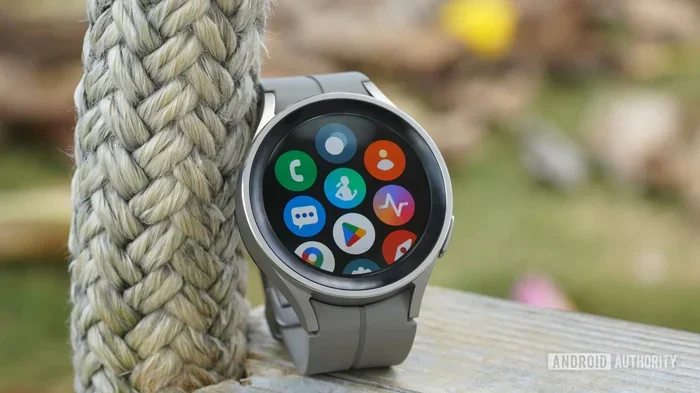
Some smartwatches support messaging apps. You can receive and reply to texts right from your wrist. This works over Wi-Fi or Bluetooth-connected phones.
The flexibility of messaging without a carrier is one of its biggest advantages. You are not tied to one device or one network.
Is Texting Without a Phone Number Safe?
Safety is always a top concern when using any app. Here is what you need to know about privacy texting and staying safe online.
Reputable Apps Keep Your Data Safe
Well-known apps like Google Voice and TextNow follow strict privacy standards. They use encryption to protect your messages. They also have clear privacy policies you can read.
Watch Out for Sketchy Apps
Not all apps are created equal. Some lesser-known apps may collect your data or show harmful ads. Always check reviews before downloading. Stick to apps with millions of downloads and good ratings.
Never Share Sensitive Information
Even with anonymous texting, avoid sharing personal details like your address or bank details. No app is 100% foolproof. Always be cautious about what you share online.
Use a VPN for Extra Protection
A Virtual Private Network (VPN) adds an extra layer of security. It hides your IP address and encrypts your internet traffic. This is especially helpful when using public Wi-Fi.
Common Mistakes People Make When Texting Without a Phone Number
Even though this process is simple, people still make avoidable mistakes. Here are the most common ones.
Using an Unreliable App
Not all free apps are trustworthy. Some may not deliver messages reliably. Others might share your data with third parties. Always research an app before you trust it with your communication.
Ignoring Data and Wi-Fi Needs
Internet-based texting requires a data connection. If your Wi-Fi drops or you run out of mobile data, your texts will not go through. Always check your connection before sending important messages.
Forgetting to Back Up Your Number
If you get a virtual phone number from an app, back it up! Some apps let you lose your number if you don’t use it for a while. Keep track of your login details and backup codes.
Assuming All Apps Work Internationally
Some free apps only work in certain countries. Google Voice, for example, is mainly for the US. If you travel abroad, check if your app supports international use first.
Comparison of Top Texting Apps Without a Phone Number
Not sure which app to pick? Here is a quick comparison of the most popular options.
| App | Free? | Needs Number? | Works on Wi-Fi? | Best For |
|---|---|---|---|---|
| TextNow | Yes (ads) | No | Yes | Free permanent number |
| Google Voice | Yes | No (email) | Yes | Google users |
| TextFree | Yes (ads) | No | Yes | Simple setup |
| Burner | Trial | No | Yes | Temporary numbers |
| Hushed | Trial | No | Yes | Privacy focused |
As you can see, most of these apps are free and do not require a real phone number. Pick the one that fits your needs best.
Expert Insights on Texting Without a Phone Number
We spoke with digital privacy experts about the rise of messaging without a SIM card. Here is what they had to say.
Dr. Sarah Chen, Cybersecurity Expert: “Internet-based texting has come a long way. Today, apps are secure enough for everyday use. But users should always read privacy policies and avoid sharing sensitive data.”
Mark Thompson, Tech Reviewer: “If you need a second phone number for work or side projects, TextNow and Google Voice are the best free options. They are reliable and easy to set up.”
Lisa Rivera, Privacy Advocate: “Burner apps are great for short-term needs. But remember, no number is truly anonymous. Always use these tools responsibly and legally.”
These experts agree on one thing: texting without a phone number is safe, easy, and more useful than most people realize.
Key Takeaways
- Texting without a phone number is entirely possible: Apps like TextNow, Google Voice, and TextFree make it easy.
- You do not need a SIM card: Wi-Fi and mobile data can power your messaging needs.
- Privacy and anonymity are achievable: Burner apps and virtual numbers help you stay hidden online.
- Setup takes only a few minutes: Download an app, create an account, and start texting right away.
- Multiple devices work: Text from your phone, tablet, or computer with the same app.
- Safety first: Use reputable apps, read privacy policies, and avoid sharing sensitive information.
Conclusion
Can I text on a phone without a phone number? The answer is a clear and confident yes. You have many options to choose from. Whether you want anonymous texting, a free second line, or a way to message without a SIM card, the tools are available today.
Apps like TextNow, Google Voice, TextFree, and burner services make texting without a phone number simple and accessible. You just need a device and an internet connection. No carrier, no SIM card, no problem.
Start exploring these options today. Pick the app that fits your needs. Set it up in minutes. And enjoy the freedom of messaging on your own terms. Texting without a phone number has never been easier.
Frequently Asked Questions
Can I text someone without giving them my real phone number?
Yes, you absolutely can. Apps like TextNow, Google Voice, and burner apps give you a virtual number or username. The person you text will see this number, not your real one. It is a simple way to keep your personal number private.
Do I need Wi-Fi to text without a phone number?
Most apps require either Wi-Fi or mobile data. Without an internet connection, the app cannot send or receive messages. If you are away from Wi-Fi, make sure your mobile data is turned on.
Are free texting apps really free?
Most free apps are free to use with ads. Apps like TextNow and TextFree offer free texting and calling at no cost. Some may offer premium plans that remove ads or add extra features for a small fee.
Can I keep my virtual number forever?
It depends on the app. TextNow and Google Voice allow you to keep your number as long as you use the app regularly. Some burner apps delete your number after a set period. Always check the app’s policy before relying on a number long-term.
Is texting without a phone number legal?
Yes, using apps like TextNow or Google Voice is completely legal. However, you should never use these tools for illegal activities or to harass others. Always use anonymous texting responsibly and ethically.
Can I use these apps outside the United States?
Some apps work internationally and some do not. Google Voice is mainly for US users. TextNow also works best in the US and Canada. Check the app’s supported countries before you travel abroad.