Does Wifi Qr Code Change With Password Every Single Time
Does a wifi qr code change with password every time you update it? The short answer is yes, but with a few important nuances. When you alter your network security key, the wifi qr code must be regenerated to reflect the new wireless password. Understanding this process saves you time and keeps your network sharing seamless.
Have you ever wondered if a wifi qr code change happens every single time you update your network password? It is a common question for anyone who loves the convenience of wireless sharing. Whether you are setting up a guest network or just tweaking your router settings, knowing how wifi credentials work is essential.
The truth is, your wifi qr code is not a static image. It is a dynamic representation of your network setup. When you change your password, the code itself changes too. This ensures that only people with the correct internet connection details can join your network. Let us dive deep into how this works and why it matters for your daily network security.
Key Takeaways
- QR codes update instantly: Any change to your wifi password forces a new qr code to be created.
- Manual regeneration is required: You cannot keep the old qr code if your network security key changes.
- Sharing becomes easier: Using a qr code generator makes connecting friends to your wifi network a breeze.
- Router settings matter: Your router settings control how and when the qr code is displayed.
- Security stays intact: Changing your password and updating the qr code keeps your access point safe.
📑 Table of Contents
How Does a Wifi Qr Code Work?
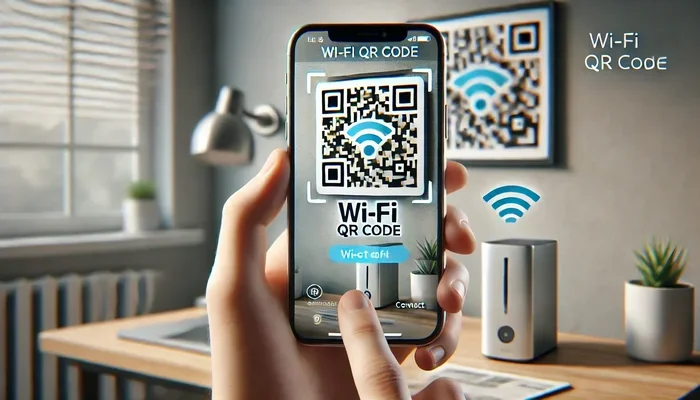
A wifi qr code is basically a digital key. It holds all the information needed to connect to your wireless network. When someone scans it with their phone, the device reads the data and prompts them to join. You do not need to type out long, complicated passwords anymore.
The Anatomy of a Wifi Qr Code
Every qr code generator uses a specific format to embed your wifi credentials. The format usually looks like this: WIFI:T:WPA;S:YourNetworkName;P:YourPassword;;. Let us break this down so it makes perfect sense:
- T: This stands for the wifi network type. It tells your phone if it is an open network or one using WPA2 encryption.
- S: This is your SSID, or the name of your wireless network.
- P: This is your wifi password. It is the secret key that keeps strangers out.
Because the password sits right inside the code, any tweak to that password alters the entire string. This means the qr code must change too. It is just math and data. You cannot have a mismatched digital key and expect it to work. When the data changes, the barcode image must regenerate completely.
Does Wifi Qr Code Change With Password Every Time?
The direct answer to does wifi qr code change with password is absolutely yes. Every single time you modify your wireless password, the qr code becomes invalid. The old code will not work anymore. You must generate a fresh one to share your internet connection properly.
Why the Qr Code Must Update
Think of the qr code as a lock and the password as the key. If you change the lock, the old key no longer fits. The same rule applies to your network setup. If you change your wifi password from “Apple123” to “Banana456”, the qr code that held “Apple123” will fail to connect anyone. This protects your access point from unauthorized users who might have saved the old qr code on their phones.
What Happens If You Use the Old Qr Code?
If someone tries to scan an outdated qr code, their phone will attempt to connect using the old password. The router settings will reject the request because the password no longer matches. You will see an error message on their screen. This is a built-in safety feature of network security. It ensures that only people with the latest wifi credentials can get through. It is a simple but effective way to keep your connect wifi experience safe for everyone.
When Do You Need to Regenerate Your Qr Code?
You do not need to regenerate your qr code every day. However, there are specific moments when a new qr code becomes absolutely necessary. Knowing these moments helps you maintain smooth wifi sharing without any confusion or connection errors.
Changing Your Network Password
The most obvious time is when you update your wireless password. Maybe you forgot it and set a new one. Or perhaps you want to boost network security by using a stronger passphrase. In both cases, the old qr code is dead. You need a new one immediately. This applies whether you are changing a simple home password or a complex enterprise network setup.
Updating Your Network Name or Ssid
Sometimes you change the network name or SSID instead of the password. Even a small tweak to the network name changes the qr code. If you set up a separate guest network, that requires its own unique qr code. Each access point has its own set of credentials, so each needs its own digital barcode. Always remember that the qr code reflects the exact network name and password combination.
Switching Encryption Types
Another time you need a fresh code is when you change your encryption type. For example, moving from WPA to WPA2 or WPA3 alters the data string inside the barcode. Your phone needs to know exactly how to secure the wifi login process. If the encryption type in the code does not match your router settings, the connection will fail. Always double-check that the encryption type in your new qr code matches your actual network settings.
Comparing Old and New Qr Codes
It helps to see the difference between an old and a new qr code side by side. When the wifi password changes, the barcode image looks completely different. Even if the network name stays the same, the password data alters the entire pattern. Here is a simple comparison to help you understand:
| Feature | Old Qr Code | New Qr Code |
|---|---|---|
| Password Status | Contains old password | Contains updated password |
| Connection Result | Fails to connect | Connects successfully |
| Security Level | Compromised if shared | Secure and current |
| Usability | Invalid for login | Ready for scanning |
As you can see, the old qr code is useless once the password changes. Always destroy or update the old digital key to keep your share wifi process smooth and secure.
How to Generate a New Wifi Qr Code After a Password Change
Updating your qr code is not hard. You do not need to be a tech wizard to do it. With the right qr code generator, you can have a brand new digital key ready in just a few minutes. It is a much better way to handle wifi sharing than reading out long strings of letters and numbers.
Step-by-Step Guide
- Open your preferred qr code generator website or app.
- Select the wifi option from the menu.
- Type in your network name or SSID.
- Enter your new wifi password.
- Choose your encryption type, usually WPA2.
- Click generate and download the new image.
That is it! Now you can print the new qr code or send it digitally to your friends. It saves everyone time and keeps your internet connection flowing smoothly.
Quick Tips for Qr Code Sharing
- Always test the new code: Scan it with your own phone first to make sure it works before sharing it with others.
- Use high contrast: Print the code in black and white for the best scanning results on paper.
- Keep it updated: If you change your password again, repeat the process to keep your wifi network accessible.
Common Mistakes With Wifi Qr Codes and Passwords
Even though generating a qr code is simple, people still make errors. Avoiding these pitfalls keeps your network security strong and your connect wifi experience frustration-free. Let us look at the most common mistakes you should avoid.
Forgetting to Update the Code
The biggest mistake is thinking the old qr code will still work. It will not. If you change your wireless password and do not update the qr code, your guests will face connection errors. Always remember that a wifi qr code change is mandatory whenever the password shifts. This simple habit prevents a lot of confusion at gatherings and in offices.
Using Weak Passwords
Some people create easy passwords just to make the qr code simpler to manage. This is a huge risk for your network setup. A weak password invites hackers into your access point. They can easily scan the code and join your wifi network. Always use a strong, unique password, even if it makes the qr code data string longer. Security should always come first when you are sharing your wifi credentials.
Sharing the Qr Code Publicly
Posting your qr code on social media is a bad idea. Anyone can scan it and join your wifi network. This drains your bandwidth and puts your network security at risk. Only share the qr code privately with trusted guests. If you run a business, consider using a separate guest network so your main wireless network stays protected.
Expert Insights on Wifi Qr Codes and Network Security
Security professionals always emphasize the importance of keeping your wifi credentials current. When you change your password, you are not just protecting your internet connection. You are also controlling who can access your router settings and personal data. Let us look at what the experts have to say about this.
According to network security experts, updating your qr code whenever your password changes is a best practice. It ensures that your wireless network remains a closed loop. Only the people you explicitly share the new qr code with can enter. This simple habit prevents unauthorized wifi login attempts and keeps your smart home devices safe. It is a small step that makes a big difference.
Why Regular Password Updates Matter
Changing your wireless password regularly is a smart move. It stops neighbors or strangers from piggybacking on your internet connection. Every time you do this, remember to regenerate your qr code. This keeps your network sharing convenient without sacrificing your digital key security. Think of the qr code as a temporary pass. Once the password changes, the old pass is no longer valid.
Another expert tip is to use a qr code generator that allows you to customize the design. You can add your logo to the center of the code. This makes it look professional when you print it for your office or coffee shop. Just make sure you do not make the code too busy, or phones will struggle to scan qr code and connect wifi properly.
Conclusion
To wrap things up, the answer to does wifi qr code change with password is a definitive yes. Your wifi qr code is a living representation of your network credentials. Whenever you tweak your wireless password or network name, the code must be regenerated. This ensures your network security remains tight and your wifi sharing stays seamless.
Do not let outdated qr codes cause confusion for your guests. Make it a habit to generate a fresh code every time you update your password. It takes just a few minutes and saves you a lot of hassle in the long run. Keep your internet connection secure, your qr codes up to date, and enjoy the easy way to share wifi with everyone around you.
Frequently Asked Questions
Will my old wifi qr code still work if I just change my password?
No, it will not work. Changing your password alters the data inside the barcode. The old qr code contains the previous password, so your device will fail to connect. You must generate a brand new code to match your updated credentials.
Do I need a special app to scan a wifi qr code?
Most modern smartphones can scan wifi qr codes natively using their standard camera app. You do not need to download a third-party qr code reader unless your phone is very old. Just point your camera at the code and tap the notification to connect wifi instantly.
Can I change my wifi password without changing the qr code?
Technically, no. The qr code is a direct encoding of your password. If the password changes, the encoded data changes, which means the qr code image must change too. You cannot have a valid qr code with an incorrect password embedded inside it.
Is it safe to share my wifi qr code with guests?
It is generally safe for short-term visits. However, anyone who scans the code gets your wifi credentials. If you are concerned about network security, consider setting up a separate guest network. This keeps your main wireless network private while still offering internet access to visitors.
How often should I update my wifi password and qr code?
There is no strict rule, but updating your password every three to six months is a good practice. If you suspect someone unauthorized has your wifi credentials, change the password immediately and regenerate your qr code. This keeps your access point secure and your bandwidth private.
Can I use a wifi qr code for my business guest network?
Absolutely! Businesses love using qr codes for guest wifi sharing. It saves staff time and provides a professional experience for visitors. Just remember to change the password periodically and update the qr code to maintain strong network security for your business.