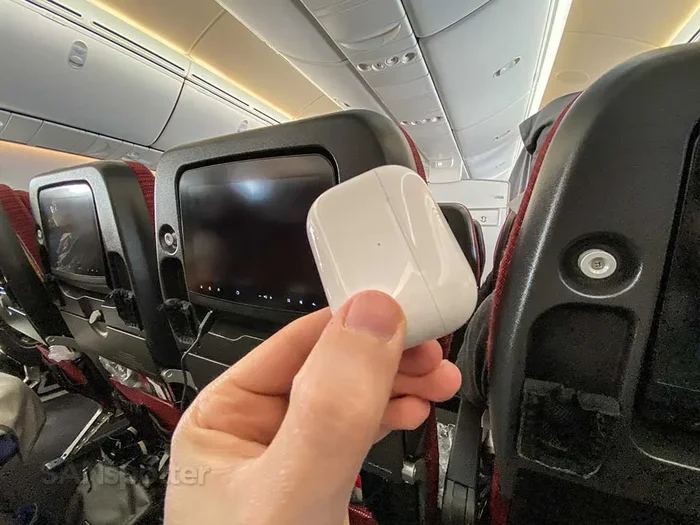
Can You Use Airpods On A Plane Tv And The Answer Is Yes
Yes, you can use AirPods on a plane TV, but the method depends on your airline and the type of AirPods you have. Many modern airlines now support Bluetooth connectivity for wireless headphones, while older systems may require a Bluetooth transmitter or adapter. This guide walks you through every scenario so you can enjoy wireless audio during your next flight.
Traveling by air can be a mixed bag. The cramped seats, the endless meal carts, and the questionable movie selection. But one thing that can genuinely make or break your flight experience is the audio setup. If you are someone who loves to watch movies or listen to music during a flight, you know the struggle of tangled wires and bulky headphones. That is where AirPods come in. They are sleek, wireless, and promise a clutter-free experience. But can you actually use AirPods on a plane TV? The short answer is yes. The longer answer is where things get interesting.
In this guide, we will walk you through everything you need to know about using AirPods with airplane entertainment systems. We will cover which airlines support Bluetooth connectivity, what adapters you might need, and how to avoid common pitfalls. Whether you are on a short domestic hop or a long-haul international flight, this article has you covered. Let us dive in.
Key Takeaways
- AirPods work on most airlines: Many carriers now support Bluetooth headphones directly through their in-flight entertainment systems.
- Two main connection methods exist: You can connect via Bluetooth directly or use a Bluetooth transmitter for older systems.
- AirPods Pro and AirPods 3 are ideal: They offer active noise cancellation and longer battery life for long flights.
- Airplane mode is still required: You must enable airplane mode on your device but can toggle Bluetooth back on.
- Not all airlines are equal: Some budget carriers still restrict wireless audio, so check before you fly.
- A Bluetooth transmitter is a great backup: It works with almost any seatback screen or audio jack setup.
📑 Table of Contents
- Can You Use Airpods On A Plane Tv
- How To Connect Airpods To A Plane Tv
- Airplane Mode And Bluetooth: Can They Work Together
- Best Airpods For Plane Travel
- Common Mistakes To Avoid When Using Airpods On A Plane
- Quick Tips For The Best Airpods Experience On A Plane
- Can I Use Any Bluetooth Headphones With My Tv
- Can I Use A Bluetooth Adapter On My Tv
- Conclusion
Can You Use Airpods On A Plane Tv
The idea of using wireless earbuds on a plane might feel like a modern convenience that airlines are slowly adopting. And you would be right. Many major airlines have upgraded their in-flight entertainment systems to support Bluetooth headphones directly. But not every airline has made this leap yet. The ability to connect your AirPods to a plane TV depends on several factors. These include the airline, the type of aircraft, and the age of the entertainment system installed.
AirPods use Bluetooth technology to connect to devices. Most modern smartphones and laptops support Bluetooth. However, airplane entertainment systems are a different beast. They are often locked down and customized by the airline or the seat manufacturer. Some systems have native Bluetooth support built in. Others rely on traditional wired connections only. And a few older systems might not support any form of wireless audio at all.
So what does this mean for you? It means you need to know your airline and your aircraft type before you board. Some airlines like Delta, Alaska Airlines, and JetBlue now offer Bluetooth audio on many of their flights. Others, particularly regional carriers or budget airlines, may still require wired headphones. The good news is that even if your airline does not support Bluetooth directly, there are workarounds. We will get to those in a moment.
How Bluetooth Connectivity Works On Airplanes
Bluetooth connectivity on airplanes works a bit differently than at home. When you are in your living room, your phone connects to your TV or speaker through a direct Bluetooth handshake. On a plane, the in-flight entertainment system acts as the host device. Your AirPods need to pair with that system, not with your phone.
Here is how it typically works. The airline provides a seatback screen or a streaming app that you access through the airline’s WiFi network. The entertainment system sends audio through its built-in Bluetooth module. Your AirPods receive that signal and play the audio. This process is seamless on supported systems. You simply put your AirPods in pairing mode, select them from the entertainment system’s Bluetooth menu, and you are good to go.
The key thing to understand is that this Bluetooth connection is separate from your phone’s Bluetooth. Your phone stays in airplane mode the entire time. You are not using your phone to stream audio. The plane’s entertainment system is doing all the heavy lifting. This is important because it means your AirPods will work even if you do not have a WiFi connection or cellular service at 30,000 feet.
Which Airlines Support Bluetooth Headphones Directly
Not all airlines have jumped on the Bluetooth headphones bandwagon. But many of the major carriers have made significant strides. Here are some airlines that currently support wireless audio on their in-flight entertainment systems:
- Delta Air Lines: Delta offers Bluetooth audio on most of its mainline flights. You can connect your AirPods directly to the seatback screen or use the Delta WiFi streaming app.
- Alaska Airlines: Alaska Airlines supports Bluetooth headphones on many of its aircraft. The airline has been investing heavily in upgrading its in-flight entertainment systems.
- JetBlue: JetBlue offers free WiFi and Bluetooth audio on most flights. Their entertainment system works well with wireless earbuds.
- American Airlines: American Airlines has been rolling out Bluetooth support on newer aircraft. Check your specific flight to confirm compatibility.
- United Airlines: United offers Bluetooth audio on select flights and aircraft types. The airline’s entertainment portal supports wireless headphones on many routes.
Keep in mind that even within these airlines, not every aircraft may support Bluetooth. Regional jets and older planes in the fleet might still rely on wired audio only. Always check with your airline before your flight or look up your specific aircraft type online.
How To Connect Airpods To A Plane Tv
Connecting your AirPods to a plane TV is straightforward if your airline supports it. But the steps can vary depending on the system. Here is a general walkthrough of the process.
Step 1: Put your AirPods in pairing mode. For most AirPods, this means opening the case lid and pressing and holding the button on the back until the LED light flashes white.
Step 2: On the seatback screen or your personal device, go to the Bluetooth settings within the entertainment system. Look for a menu that says “Audio Devices” or “Bluetooth Accessories.”
Step 3: Select your AirPods from the list of available devices. The screen should confirm the connection.
Step 4: Start playing your movie or show. The audio should now come through your AirPods instead of the seatback speakers.
Step 5: Adjust the volume using either the seatback screen controls or the volume controls on your AirPods.
That is it. The whole process usually takes less than a minute once you know where to look. Some airlines make it even easier by having a dedicated “Wireless Headphones” option right on the main menu of their entertainment system.
What If Your Airline Does Not Support Bluetooth
Here is where things get tricky. If your airline does not support Bluetooth audio on its entertainment system, you are not completely out of luck. There are several workarounds that can help you use AirPods anyway. Let us look at the most common options.
Using A Bluetooth Transmitter
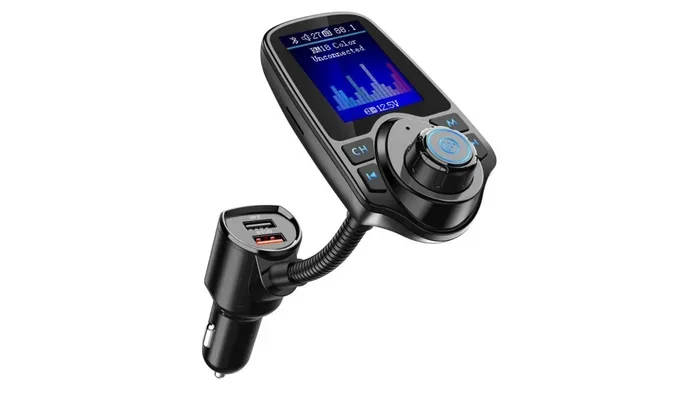
A Bluetooth transmitter is a small device that converts the audio output from a wired connection into a Bluetooth signal. This is one of the most reliable ways to use AirPods on any plane, regardless of the airline’s entertainment system.
Here is how it works. Most airplane seatback screens have a headphone jack, usually a standard 3.5mm audio output. You plug the Bluetooth transmitter into that jack. Then you pair your AirPods with the transmitter. The audio from the seatback screen is sent wirelessly to your earbuds. It is a simple and effective solution.
You can find compact Bluetooth transmitters for under $20. They are small enough to fit in your carry-on bag and do not add much weight. Some models even come with built-in microphones, which can double as a hands-free calling device during your flight.
One thing to keep in mind. The Bluetooth range on a plane is generally not an issue. You are sitting in one seat, and the transmitter is right there with you. The signal stays strong and stable. However, if you want to walk around the cabin, you might experience occasional dropouts. Stay within about 10 feet of the transmitter for the best experience.
Using The Airline Streaming App On Your Phone
Many airlines now offer streaming apps that let you download movies and shows to your phone or tablet before the flight. You can then watch the content on your device with your AirPods connected directly to your phone. This bypasses the seatback screen entirely.
Can you use Airpods while riding a motorcycle? That might sound like an odd question, but the underlying principle is the same. Just like with a motorcycle, you can connect AirPods to your personal device for audio playback. On a plane, the difference is that you need to keep your phone in airplane mode while using the airline’s WiFi for streaming.
To use this method, follow these steps:
- Download the airline’s app before your flight.
- Log in to your frequent flyer account and browse the entertainment library.
- Download your chosen movies or shows for offline viewing.
- Enable airplane mode on your phone.
- Turn on WiFi and connect to the airline’s inflight network.
- Turn on Bluetooth and connect your AirPods.
- Open the app and start streaming.
This method works well because you are using your own device as the audio source. The airline’s WiFi handles the content delivery, and your AirPods handle the audio output. It is a clean and reliable setup that works on virtually any flight.
Airplane Mode And Bluetooth: Can They Work Together
One of the most common questions travelers ask is whether airplane mode and Bluetooth can work together. The answer is yes, and this is a crucial piece of knowledge for anyone who wants to use AirPods on a plane.
When you turn on airplane mode, it disables all wireless radios on your device. This includes cellular, WiFi, and Bluetooth. However, most modern devices allow you to re-enable Bluetooth manually even while airplane mode is active. This is by design. The Federal Aviation Administration (FAA) permits the use of Bluetooth devices during all phases of flight, including takeoff and landing.
So here is what you do. Turn on airplane mode. Then go to your phone’s settings and manually toggle Bluetooth back on. Your AirPods will connect to your phone or to the airline’s entertainment system without any issues. This is the standard practice recommended by the FAA and followed by all major airlines.
The reason airlines allow this is that Bluetooth operates on a very low power and short range. It does not interfere with the aircraft’s navigation or communication systems. The Bluetooth range is typically about 30 feet, which is not enough to cause any disruption to cockpit instruments. So feel free to keep your AirPods connected throughout the entire flight.
Can You Airplay Without Being On The Same Network
Some travelers wonder about using AirPlay to stream audio from their iPhone to the plane’s entertainment system. The question “can you Airplay without being on the same network” is relevant here. On a plane, you and the entertainment system are on different networks. Your phone is on the airline’s WiFi network, while the seatback screen operates on a separate system.
In most cases, AirPlay will not work between your phone and the seatback screen because they are on different networks. This is why direct Bluetooth connection or using the airline’s app is the preferred method for wireless audio on planes. If you want to explore AirPlay options, check out our guide on whether you can AirPlay without being on the same network for more details.
Best Airpods For Plane Travel
Not all AirPods are created equal when it comes to air travel. Some models are better suited for long flights than others. Here is a breakdown of the best options for using AirPods on a plane.
AirPods Pro (2nd Generation)
The AirPods Pro 2 are arguably the best choice for plane travel. They offer active noise cancellation, which is a game-changer on a noisy aircraft. The noise cancellation feature blocks out engine hum and ambient cabin noise, letting you focus on your movie or music. They also have an impressive battery life of up to 6 hours on a single charge, with an additional 30 hours of charge from the case. The transparency mode is also handy when you need to hear flight announcements.
AirPods (3rd Generation)
The standard AirPods 3 are a solid option for plane travel. They do not have noise cancellation, but they offer a comfortable fit and good sound quality. The battery life is similar to the Pro models, and they support spatial audio for a more immersive viewing experience. If you do not want to spend extra on the Pro version, the AirPods 3 are a great alternative.
AirPods Max
If you prefer over-ear headphones, the AirPods Max are worth considering. They offer top-tier noise cancellation, excellent sound quality, and a premium build. However, they are heavier and bulkier than the in-ear models. They might not be the most comfortable option for a long flight where you want to sleep. But if you prioritize audio quality above all else, they are hard to beat.
Common Mistakes To Avoid When Using Airpods On A Plane
Even with the best AirPods, things can go wrong if you are not careful. Here are some common mistakes to avoid.
Mistake 1: Forgetting to charge your AirPods. Nothing is worse than getting halfway through a movie and realizing your earbuds are dead. Always charge your AirPods fully before a flight. Bring the charging case with you and top them up during layovers if needed.
Mistake 2: Not checking airline Bluetooth compatibility. Assuming every airline supports Bluetooth audio is a recipe for frustration. Check your airline’s website or contact their customer service before your flight to confirm whether wireless headphones are supported.
Mistake 3: Keeping Bluetooth on during takeoff and landing. While Bluetooth is allowed during all phases of flight, some airlines still ask passengers to turn off all wireless devices during takeoff and landing. Follow the crew’s instructions and be courteous.
Mistake 4: Using a Bluetooth transmitter on WiFi-only flights. Some airlines have moved entirely to WiFi-based streaming and removed the seatback screens and headphone jacks. In this case, a Bluetooth transmitter will not help. You need to use the airline’s app on your personal device instead.
Mistake 5: Ignoring the volume limits. Some in-flight entertainment systems have volume limits that apply to all audio outputs, including Bluetooth. If your AirPods sound unusually quiet, check the seatback screen volume settings before assuming something is wrong.
Quick Tips For The Best Airpods Experience On A Plane
Here are some quick tips to make your AirPods experience on a plane as smooth as possible:
- Bring a backup cable. Even wireless earbuds need a charging cable occasionally. A short Lightning or USB-C cable can save you in a pinch.
- Use noise cancellation. It makes a huge difference on a plane. You will hear less engine noise and more of your content.
- Download content before the flight. Do not rely on the airline’s WiFi for streaming. Download movies and shows to your device beforehand.
- Keep your AirPods in the case when not in use. This prevents accidental battery drain and protects them from damage in your carry-on bag.
- Pack earbud tips in different sizes. A proper fit improves sound quality and noise isolation. Make sure you have the right tip size for your ears.
- Be mindful of other passengers. Even though AirPods are wireless, you can still hear audio leaking if the volume is too high. Keep it at a reasonable level.
Can I Use Any Bluetooth Headphones With My Tv
You might be wondering whether this applies only to AirPods or if other Bluetooth headphones work on planes too. The answer is that most Bluetooth headphones can work on a plane TV if the airline supports Bluetooth audio. The connection process is the same regardless of the brand. Whether you use Sony, Bose, Jabra, or any other wireless headphones, the steps are identical. Put them in pairing mode, find them in the entertainment system’s Bluetooth menu, and connect.
If you are curious about using Bluetooth headphones with other devices, check out our article on whether you can use any Bluetooth headphones with your TV for a deeper dive into Bluetooth headphone compatibility across different devices.
Can I Use A Bluetooth Adapter On My Tv
For travelers who frequently fly on airlines with older entertainment systems, a Bluetooth adapter can be a lifesaver. These adapters plug into the audio output of the seatback screen and transmit audio to your wireless headphones. They are compact, affordable, and work with virtually any Bluetooth headphones. If you want to learn more about using Bluetooth adapters with TVs and other displays, visit our guide on using a Bluetooth adapter on your TV.
Conclusion
So, can you use AirPods on a plane TV? Absolutely. The days of being tethered to a seatback screen with a flimsy headphone cord are fading fast. Most major airlines now support Bluetooth connectivity for wireless audio, and the ones that do not still offer workarounds like Bluetooth transmitters and streaming apps.
The key is to prepare before you fly. Check your airline’s entertainment options, make sure your AirPods are charged, and know the connection method for your specific flight. With a little planning, you can enjoy a seamless, wireless audio experience at 35,000 feet.
AirPods are more than just a trendy accessory. They are a practical tool that can significantly improve your in-flight experience. From blocking out engine noise with active noise cancellation to enjoying your favorite movies without wires, they make every flight more enjoyable. So the next time you board a plane, do not hesitate to reach for your AirPods. You are allowed to use them, and the setup is easier than you think.
Whether you are a frequent flyer or an occasional traveler, wireless audio on a plane is a game-changer. It adds a layer of comfort and personalization to your journey. You get to choose what you watch, what you listen to, and how you experience it. That is the beauty of modern travel technology. Embrace it, and your next flight might just be your best one yet.
Frequently Asked Questions
Can I Use Airpods On A Plane During Takeoff And Landing?
Yes, you can use AirPods during takeoff and landing. The FAA permits Bluetooth devices during all phases of flight. However, always follow the specific instructions given by the flight crew, as some airlines may still ask passengers to power down wireless devices briefly during these critical phases.
Do All Airlines Support Bluetooth Headphones?
No, not all airlines support Bluetooth headphones. Major carriers like Delta, JetBlue, and Alaska Airlines generally do, but budget airlines and regional carriers may not. Always check with your airline before your flight to confirm whether wireless audio is supported on your specific route and aircraft.
Can I Connect Airpods To The Seatback Screen Directly?
Yes, if the airline’s entertainment system supports Bluetooth connectivity. You simply put your AirPods in pairing mode and select them from the Bluetooth menu on the seatback screen. If the system does not have Bluetooth, you can use a Bluetooth transmitter plugged into the headphone jack instead.
Will My Airpods Work If I Use The Airline Streaming App?
Yes, if you download the airline’s streaming app and use it on your phone or tablet, your AirPods will connect directly to your device via Bluetooth. Just make sure your phone is in airplane mode with WiFi and Bluetooth enabled. This method works on virtually any flight regardless of the entertainment system.
Do I Need A Special Adapter To Use Airpods On A Plane?
You do not need a special adapter if your airline supports Bluetooth audio directly. However, if the airline uses older systems with only a headphone jack, a small Bluetooth transmitter is a handy and affordable adapter that lets you connect wirelessly. These transmitters cost under $20 and are widely available.
Can I Use Airpods With Inflight WiFi For Streaming?
Yes, many airlines offer inflight WiFi that allows you to stream content on your personal device. You can connect your AirPods to your phone via Bluetooth while using the airline’s WiFi network. This gives you access to a wider selection of content beyond what is available on the seatback screen.
=== CONCLUSION ===
Using AirPods on a plane TV is not only possible but increasingly common across major airlines. With native Bluetooth connectivity on many carriers and reliable workarounds for older systems, you can enjoy wireless audio throughout your flight. Remember to charge your AirPods before you travel, check your airline’s entertainment options, and consider carrying a Bluetooth transmitter as a backup. The future of in-flight entertainment is wireless, and AirPods are leading the way. Happy travels and happy listening.