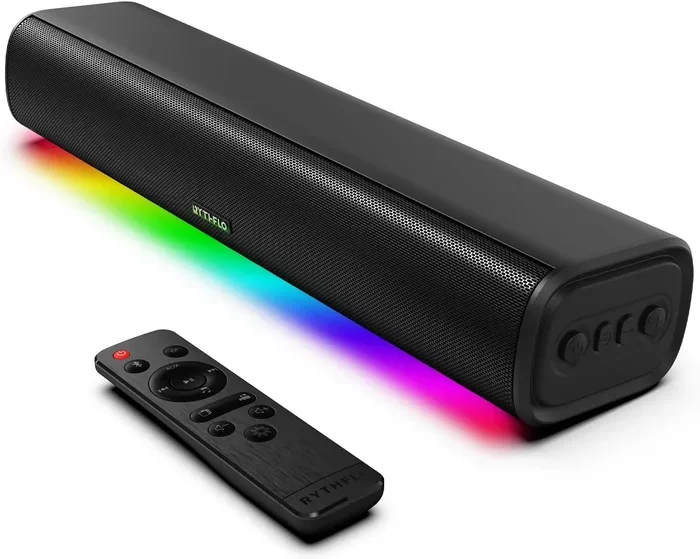
Can I Use A Bluetooth Adapter On My TV For Wireless Sound
Yes, you can use a Bluetooth adapter on your TV to enjoy wireless sound from your speakers, headphones, or soundbar. A Bluetooth adapter is a simple and affordable way to upgrade your TV audio without buying a new TV. Whether you have a smart TV or an older model, this guide walks you through everything you need to know about setup, compatibility, and getting the best wireless audio experience.
Have you ever wanted to listen to your TV without the bulky speakers or tangled cables? The good news is that you can use a Bluetooth adapter on your TV for wireless sound. It is one of the easiest upgrades you can make to your home entertainment setup. Whether you want to connect wireless headphones, a Bluetooth speaker, or a soundbar, an adapter makes it possible.
A Bluetooth adapter bridges the gap between your TV and your wireless audio devices. Most TVs do not come with built-in Bluetooth, especially older models. This is where a small adapter changes everything. You plug it in, pair your device, and enjoy sound without any wires. The process is simple, and the results are fantastic.
In this guide, we will cover everything you need to know. We will look at how Bluetooth adapters work, the different types available, how to set them up, and what to watch out for. By the end, you will feel confident about adding wireless audio to your TV. Let us get started.
Key Takeaways
- A Bluetooth adapter works with most TVs: You can add wireless audio to almost any TV with a 3.5mm jack or optical output.
- There are different types of adapters: Choose between Bluetooth transmitters, receivers, and built-in dongles based on your TV model.
- Setup is simple and quick: Most adapters pair in under two minutes with no technical skills needed.
- Watch out for audio latency: Some adapters may cause a slight delay, but aptX codecs help reduce this issue.
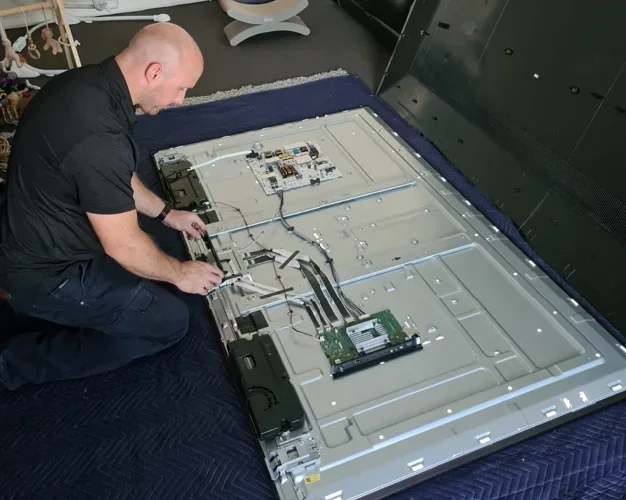
- Your TV’s motherboard handles Bluetooth signals: Understanding how internal TV components work helps you troubleshoot issues.
- Range and interference matter: Keep your adapter close to the TV and away from Wi-Fi routers for best performance.
📑 Table of Contents
- What Is a Bluetooth Adapter for TV?
- How Does a Bluetooth Adapter Work with Your TV?
- Types of Bluetooth Adapters for TVs
- How to Connect a Bluetooth Adapter to Your TV
- Benefits and Limitations of Using a Bluetooth Adapter on Your TV
- Expert Tips and Common Mistakes to Avoid
- Can Any TV Use a Bluetooth Adapter?
- Final Verdict: Should You Use a Bluetooth Adapter on Your TV?
What Is a Bluetooth Adapter for TV?
A Bluetooth adapter is a small device that adds Bluetooth capability to your TV. Think of it as a bridge. Your TV sends audio signals, and the adapter turns those signals into Bluetooth waves. These waves travel to your headphones, speakers, or soundbar wirelessly.
Most TVs rely on internal components to process and send audio signals. The motherboard in your TV handles these tasks, including audio output. When your TV lacks built-in Bluetooth, the adapter steps in to fill that gap. It connects to the TV through a 3.5mm audio jack, an optical port, or sometimes through USB.
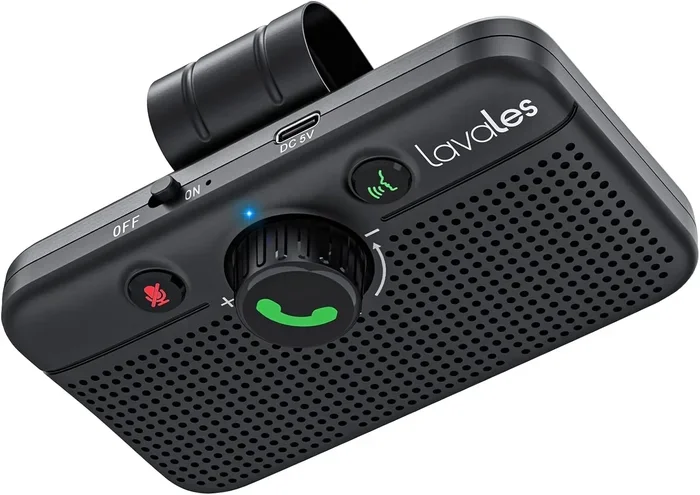
Bluetooth adapters come in different shapes and sizes. Some look like small USB dongles. Others are standalone transmitters that plug into an audio output port. The key job of every adapter is the same. It takes the audio from your TV and sends it wirelessly to your listening device.
Why Do TVs Need Bluetooth Adapters?
Not all TVs have Bluetooth built in. In fact, many budget and mid-range TVs still skip this feature. Here are a few reasons why a Bluetooth adapter is useful:
- Older TV models: TVs made before 2015 often do not have Bluetooth at all.
- Budget TVs: Even some newer TVs leave out Bluetooth to keep costs low.
- Limited connectivity: Some smart TVs only support Bluetooth for phone casting, not for general audio output.
- Better audio quality: A dedicated Bluetooth adapter often gives better sound than built-in Bluetooth on TVs.
A Bluetooth adapter opens up your options. You are no longer stuck with your TV’s built-in speakers. You can use any Bluetooth-enabled audio device you want. This flexibility is a big win for any home setup.
How Does a Bluetooth Adapter Work with Your TV?
Understanding how a Bluetooth adapter works is simple. The adapter receives audio from your TV and transmits it via Bluetooth to your wireless device. Let us break this down step by step.
First, you plug the adapter into your TV. This could be a 3.5mm headphone jack, an optical audio output, or a USB port. Once connected, the adapter picks up the audio signal from your TV.
Next, you put your Bluetooth device into pairing mode. This could be your wireless headphones, a portable speaker, or a soundbar. The adapter searches for nearby Bluetooth devices and finds yours.
Once paired, the audio flows wirelessly. Your TV sends the signal to the adapter, and the adapter beams it to your device. You hear clear sound without any cables. It is that simple.
The Role of Bluetooth Codecs
Bluetooth codecs are the rules that decide how audio is compressed and sent wirelessly. Different codecs offer different levels of sound quality and delay. Here are the most common ones you will encounter:
- SBC: The default Bluetooth codec. It works with almost all devices but offers basic sound quality.
- aptX: A better codec that delivers higher quality audio with less delay. Great for watching videos.
- aptX Low Latency: This codec is perfect for TV watching. It reduces the audio delay to almost zero.
- LDAC: A high-resolution codec used mainly with premium audio devices.
When choosing a Bluetooth adapter, look for one that supports aptX or aptX Low Latency. These codecs make a big difference in your listening experience. You will notice better sound quality and less delay between what you see on screen and what you hear.
Types of Bluetooth Adapters for TVs
Not all Bluetooth adapters are the same. There are a few types to choose from, and each one works a little differently. Let us look at the main options.
Bluetooth Transmitters
A Bluetooth transmitter is the most common type for TV use. It plugs into your TV’s audio output and sends sound to your Bluetooth device. Most transmitters have a 3.5mm cable or an optical cable to connect to the TV.
These transmitters are small and easy to set up. Many come with a built-in microphone so you can also use them for phone calls. They work great with wireless headphones and portable speakers.
One thing to keep in mind. A transmitter only sends audio. It does not receive audio from your phone to play on your TV. It is a one-way connection. But for wireless TV sound, that is all you need.
Bluetooth Receivers
A Bluetooth receiver works the opposite way. It receives Bluetooth audio from your phone or tablet and sends it to your TV through a cable. This is useful if you want to play music from your phone on your TV speakers.
However, a receiver is not what you need for wireless headphones. If your goal is to listen to TV audio on wireless earbuds or headphones, go with a transmitter. The receiver is better suited for a different use case.
Bluetooth Dongles and USB Adapters
Some TVs have USB ports that support Bluetooth dongles. These are small USB devices that add Bluetooth capability directly to your TV. They are very compact and easy to use.
However, not all TV USB ports provide enough power for a Bluetooth dongle. Some TVs only power USB ports for storage devices, not for adapters. Check your TV manual before buying a USB Bluetooth dongle. This small step saves you from frustration later.
| Type | Best For | Connection to TV | Direction |
|---|---|---|---|
| Bluetooth Transmitter | Wireless headphones, speakers | 3.5mm jack or optical out | TV to device |
| Bluetooth Receiver | Phone to TV audio | 3.5mm jack or RCA | Device to TV |
| USB Bluetooth Dongle | Smart TVs with USB ports | USB port | Both ways |
How to Connect a Bluetooth Adapter to Your TV
Setting up a Bluetooth adapter is easier than most people think. You do not need any technical skills. Follow these simple steps, and you will be listening to wireless TV sound in no time.
Step 1: Check Your TV’s Audio Outputs
Before buying an adapter, look at the back of your TV. Find the audio output options. Most TVs have a 3.5mm headphone jack or an optical audio output. Some also have RCA ports (red and white). Knowing what your TV has helps you pick the right adapter.
Take a photo of the back of your TV if you are not sure. This makes it easier to compare with adapter options when you shop. A quick look now saves you from buying the wrong product.
Step 2: Choose the Right Adapter
Match your TV’s output to the adapter’s input. If your TV has a 3.5mm jack, buy an adapter with a 3.5mm input. If your TV has an optical port, get an adapter with an optical input. Some adapters come with multiple cable options, which is very convenient.
Look for adapters that support aptX Low Latency if you watch a lot of videos or movies. This feature keeps the audio in sync with the video. Nothing is more annoying than hearing dialogue a second after you see lips move.
Step 3: Plug In and Power On
Connect the adapter to your TV’s audio output. If you are using a 3.5mm cable, just plug it into the headphone jack. If you are using an optical cable, insert it into the optical port gently. Make sure it clicks into place.
Power on the adapter. Most adapters have a small LED light that blinks when they are ready to pair. If your adapter needs a USB cable for power, plug it into a USB port on your TV or a wall charger.
Step 4: Pair Your Bluetooth Device
Put your Bluetooth headphones or speaker into pairing mode. Usually, you hold down the power button for a few seconds until the LED blinks. Then go to your TV and look for available Bluetooth devices.
Select your device from the list on the adapter or on your TV screen. Wait for the connection to confirm. Once paired, the audio will start flowing wirelessly. That is it. You are done.
Step 5: Adjust the Audio Settings
Go to your TV audio settings and set the output to the Bluetooth adapter. Some TVs call this “Bluetooth Audio Output” or “Audio Device.” If you are not sure, check your TV manual or settings menu.
Adjust the volume on both your TV and your Bluetooth device. Start with the TV volume at about 70% and use your Bluetooth device for the final volume adjustment. This trick helps you get the best sound quality without distortion.
Benefits and Limitations of Using a Bluetooth Adapter on Your TV
Like any tech accessory, a Bluetooth adapter has its pros and cons. Let us look at both sides so you can make an informed decision.
The Benefits
- Wireless freedom: Move around your room without being tied to your TV.
- Easy setup: Most adapters pair in under two minutes.
- Affordable: Good Bluetooth adapters cost between $15 and $50.
- Works with any Bluetooth device: Headphones, speakers, soundbars, and even hearing aids.
- No cables on the floor: Your living room looks cleaner and safer.
- Late-night watching: Use wireless headphones without disturbing anyone in the house.
The Limitations
- Audio latency: Some adapters cause a slight delay between video and audio. Cheap adapters are worse for this.
- Range limits: Bluetooth typically works within 30 feet. Go too far, and the connection drops.
- Battery charging: Your Bluetooth headphones or speaker need to be charged.
- Interference: Wi-Fi routers and other wireless devices can cause audio stuttering.
- One connection at a time: Most adapters can only connect to one device at a time.
Despite these limitations, the benefits far outweigh the downsides for most users. A good Bluetooth adapter transforms your TV watching experience. You get the freedom of wireless sound without spending hundreds on a new TV or sound system.
Expert Tips and Common Mistakes to Avoid
Getting the most out of your Bluetooth adapter is all about a few smart choices. Here are some tips from people who use these devices every day.
Quick Tips for Best Performance
- Keep the adapter close to your TV: Place it on the TV stand, not hidden behind furniture. This reduces signal loss.
- Stay away from Wi-Fi routers: Wireless interference can cause audio dropouts. Keep at least 3 feet between your router and the adapter.
- Use aptX Low Latency: This codec is a game changer for watching videos and movies.
- Keep your adapter updated: Some adapters have firmware updates that improve performance and fix bugs.
- Charge your audio device fully: A low battery can cause audio cuts and poor sound quality.
- Purchase a quality adapter: Spending a little more on a well-known brand saves you from headaches later.
Common Mistakes People Make
Here are some mistakes to avoid when using a Bluetooth adapter with your TV:
- Buying the wrong type: Make sure you get a transmitter, not a receiver. They do different jobs.
- Ignoring the audio output type: Check your TV ports before buying. Buying the wrong cable means you cannot use the adapter.
- Placing the adapter too far from the listening device: Bluetooth range is limited. Keep your headphones close to the TV.
- Forgetting to update firmware: Firmware updates fix bugs and improve Bluetooth connectivity.
- Using a cheap adapter for high-quality audio: Budget adapters often have poor sound quality and high latency. Invest a little more for better results.
Avoiding these simple mistakes ensures you get a smooth and enjoyable wireless audio experience every time you watch TV.
Can Any TV Use a Bluetooth Adapter?
The short answer is yes, most TVs can use a Bluetooth adapter. But let us look at the details so you know what to expect.
Almost any TV with an audio output can work with a Bluetooth adapter. This includes older CRT TVs, flat-screen TVs, and modern smart TVs. The key is having an audio output port. If your TV can send sound to headphones or external speakers, it can work with a Bluetooth adapter.
Smart TVs from brands like Samsung, LG, Sony, and TCL often have Bluetooth built in. But even these TVs sometimes benefit from a dedicated adapter. Built-in Bluetooth on TVs is often weaker and has a shorter range than a standalone adapter. A dedicated adapter gives you stronger and more reliable connectivity.
If you have a very old TV with only RCA audio outputs, you can still use a Bluetooth adapter. Just get one that comes with RCA cables. These adapters are widely available and very affordable.
For TVs that only have HDMI, you can use an HDMI audio extractor. This small device pulls the audio signal from the HDMI cable and sends it to your Bluetooth adapter. It is a simple workaround that works very well.
Some modern TVs have built-in Bluetooth, but it is often limited to connecting to phones for screen mirroring. They may not support general Bluetooth audio output. In these cases, a dedicated adapter is the best solution.
Final Verdict: Should You Use a Bluetooth Adapter on Your TV?
The answer is a clear yes. A Bluetooth adapter is one of the best and most affordable ways to add wireless sound to your TV. It works with almost any TV, costs very little, and takes only minutes to set up.
Whether you want to watch TV late at night with headphones, listen to music through a Bluetooth speaker, or simply get rid of the mess of cables, a Bluetooth adapter solves the problem. It is a small device that makes a big difference.
Choose a good quality adapter that supports aptX Low Latency. Make sure it matches your TV’s audio output. Follow the setup steps in this guide, and you will enjoy wireless TV sound in no time. Your ears will thank you.
Do not let a lack of built-in Bluetooth stop you from upgrading your TV audio experience. A Bluetooth adapter is the simplest and smartest solution. Get one today and enjoy the freedom of wireless sound from your TV.
Frequently Asked Questions
Can I connect any Bluetooth headphones to my TV using an adapter?
Yes, most Bluetooth headphones work with a TV Bluetooth adapter. The adapter creates a Bluetooth connection between your TV and your headphones. Just make sure your headphones are in pairing mode and within range of the adapter for a stable connection.
Does a Bluetooth adapter cause audio delay on TV?
Some Bluetooth adapters can cause a slight delay, but this depends on the codec they support. Adapters with aptX Low Latency have very minimal delay, making them perfect for watching videos and movies without audio lag.
Can I use a Bluetooth adapter with a Samsung Smart TV?
Yes, you can use a Bluetooth adapter with a Samsung Smart TV. Even if your Samsung TV has some built-in Bluetooth, a dedicated adapter often provides better audio quality and a stronger connection for wireless headphones and speakers.
How far can I move away from my TV with a Bluetooth adapter?
Most Bluetooth adapters work within a range of about 30 feet. Stay within this distance for the best connection. Walls and other obstacles can reduce the range, so keeping the adapter and your device in the same room works best.
Do I need any special equipment to set up a Bluetooth adapter on my TV?
No, you do not need any special equipment. Most Bluetooth adapters come with the cables you need, such as a 3.5mm audio cable or an optical cable. Just plug the adapter into your TV, pair your device, and you are ready to go.
Can I use a Bluetooth adapter to connect multiple devices at once?
Most Bluetooth adapters can only connect to one device at a time. Some newer models support multi-point pairing, which allows two devices to connect simultaneously. Check the product specs before buying if this feature is important to you.