Can You Use Echo Dot Without Amazon Account at All
Yes, you can use Echo Dot without an Amazon account, but with major limitations. You can set up a limited local mode or use guest mode for basic functions. However, you will lose access to streaming services, voice purchasing, and most Alexa skills. This guide covers every option, workaround, and limitation so you can decide if ditching your Amazon account is worth it.
Key Takeaways
- Limited functionality without an account: You can still use basic Alexa commands and Bluetooth features, but many core features are disabled.
- Guest Mode exists: Amazon offers a guest mode that lets others use Echo Dot without logging into a personal account.
- No streaming or shopping: Without an Amazon account, you cannot access Amazon Music, Prime Video, or make voice purchases.
- Workarounds are available: You can use Bluetooth speakers, local Wi-Fi tricks, and third-party integrations to extend functionality.
- Privacy benefits exist: Using Echo Dot without an account reduces data collection and Amazon tracking.
- Setup is still simple: The initial Wi-Fi pairing process remains straightforward even without an Amazon account.
- Consider your needs: If you only want a basic smart speaker, going account-free works. For full Alexa power, an account is necessary.
📑 Table of Contents
- Can You Use Echo Dot Without an Amazon Account?
- Setting Up Echo Dot Without an Amazon Account
- Features You Lose Without an Amazon Account
- Privacy Benefits of Using Echo Dot Without an Account
- Workarounds to Extend Echo Dot Functionality Without an Account
- Echo Dot Without Account vs. With Account: A Comparison
- Can You Boost Your Echo Dot Experience Without an Account?
- Is It Worth Skipping the Amazon Account?
- Common Mistakes People Make When Using Echo Dot Without an Account
- Final Thoughts
Can You Use Echo Dot Without an Amazon Account?
The short answer is yes. You can use an Echo Dot without an Amazon account. But the real question is whether you should. The Echo Dot is one of the most popular smart speakers on the market. It relies heavily on the Amazon ecosystem. So removing the account changes what it can do.
Many people want to use an Echo Dot without linking it to their personal Amazon account. Maybe you are concerned about privacy. Maybe you do not want an Amazon account at all. Or maybe you just want a simple Bluetooth speaker with basic voice control. Whatever your reason, this guide covers everything you need to know.
We will walk through every setup option, every limitation, and every workaround. By the end, you will know exactly what to expect. Let us dive in.
What Happens When You Skip the Amazon Account?
When you set up an Echo Dot, Amazon strongly pushes you to create or link an account. This is because the device is designed to work best with one. But you are not completely stuck if you choose not to sign in.
Without an Amazon account, your Echo Dot will still power on. It will connect to Wi-Fi. You can use basic voice commands. You can play music from your phone via Bluetooth. The device will respond to the wake word. But here is the catch. Many features will be locked behind the account requirement.
You will not be able to access Amazon Music. You cannot use Alexa Skills that require account linking. Voice purchasing is turned off. Calendar reminders tied to Amazon services will not work. The device essentially becomes a limited smart speaker with reduced capabilities.
Setting Up Echo Dot Without an Amazon Account
Setting up an Echo Dot without an Amazon account is possible. The process is slightly different from the standard setup. Here is how it works step by step.
Method 1: Use Guest Mode
Amazon introduced Guest Mode for Echo devices. This feature lets someone use the device without signing into their personal account. It is perfect for shared spaces or for people who want to avoid creating an Amazon profile.
To enable Guest Mode, simply say “Alexa, turn on Guest Mode.” The device will switch to a limited profile. You can still play music from supported streaming services. You can ask general questions. You can set basic timers and alarms.
But Guest Mode has its limits. You cannot access your personal library. You cannot make purchases. Some skills will not be available. Think of it as a temporary and restricted way to use the device.
Method 2: Set Up with a New Minimal Account
If Guest Mode does not meet your needs, you can create a brand new Amazon account. Use a separate email address. This keeps your main account private while still giving the Echo Dot full functionality.
This approach gives you access to all Alexa features. You can link music services. You can use voice shopping. You can customize routines and settings. The downside is that you still have an Amazon account, even if it is a minimal one.
Method 3: Use Bluetooth Only
Another option is to skip the full setup entirely. You can connect your phone to the Echo Dot via Bluetooth. This turns the device into a basic wireless speaker. You do not need an Amazon account for this to work.
Just put the Echo Dot in pairing mode. Connect it from your phone’s Bluetooth settings. You can then play music, podcasts, or any audio from your device. The voice assistant features will be limited, but the speaker function works perfectly.
For a similar setup, you might want to check if you can use Alexa as a Bluetooth speaker in different scenarios. This can give you more flexibility with how you use the device.
Features You Lose Without an Amazon Account
Going account-free comes with trade-offs. Here are the major features you will lose access to when you do not link an Amazon account to your Echo Dot.
No Amazon Music or Prime Video
Without an account, you cannot stream Amazon Music. You also lose access to Prime Video audio features. If you rely on these services, you will need an account or an alternative streaming app on your phone.
No Voice Purchasing
One of the most convenient Echo Dot features is the ability to order products with your voice. Without an Amazon account, this feature is completely disabled. You will not be able to add items to your cart or reorder products using voice commands.
Limited Alexa Skills
Alexa Skills are what make the Echo Dot so versatile. Many skills require account linking to work. Without an account, you will only have access to a small subset of built-in skills. Skills like weather, news briefings, and basic trivia will still work. But anything that connects to a third-party service will likely be unavailable.
No Personalized Recommendations
Amazon uses your account data to personalize your experience. Without an account, you get generic responses. The device will not learn your preferences over time. It will not suggest music based on your listening habits. It will not remember your preferred news sources.
No Smart Home Integration
For full smart home control, an Amazon account is almost essential. You need an account to link smart devices through the Alexa app. Without it, you cannot control smart lights, thermostats, or cameras using voice commands through the Echo Dot.
Privacy Benefits of Using Echo Dot Without an Account
One reason people want to use Echo Dot without an Amazon account is privacy. Amazon collects a lot of data from Echo devices. This includes voice recordings, listening habits, and usage patterns.
When you remove the account, you reduce the data Amazon can collect. The device still processes voice commands locally to some degree. But it cannot sync your data to a cloud profile. This means fewer targeted ads and less personal data stored on Amazon servers.
However, keep in mind that the device still connects to the internet. Basic telemetry data is still collected during operation. For maximum privacy, you should also review your Wi-Fi network settings and consider using a VPN router. You can even learn more about whether someone can use your Wi-Fi without you knowing to ensure your network is secure.
Workarounds to Extend Echo Dot Functionality Without an Account
If you decide to go account-free but still want more from your Echo Dot, there are several workarounds. These tips can help you get the most out of your device.
Use Third-Party Music Services
You are not limited to Amazon Music. Many Echo Dot models support Spotify, Pandora, and other streaming services. You can log into these services directly through the device. This gives you access to a huge music library without needing an Amazon account.
Connect External Speakers
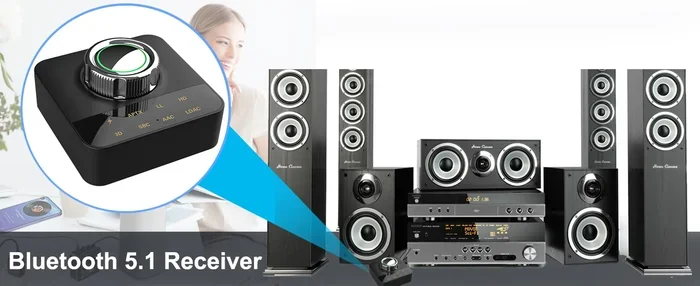
The Echo Dot has a 3.5mm audio output. You can plug it into a larger speaker system. This improves sound quality significantly. You can also use the device as a Bluetooth transmitter by pairing it with external speakers that support Bluetooth input.
If you want to explore Bluetooth connectivity options further, check out whether you can use a Bluetooth adapter on your TV to pair with the Echo Dot for an enhanced audio setup.
Use the Alexa App on a Guest Phone
If someone else has an Alexa app set up, you can sometimes use the Echo Dot through their app in a limited capacity. This is not a full workaround, but it can help with basic setup and control.
Leverage Local Voice Commands
Even without an account, the Echo Dot supports basic local voice commands. You can set timers, alarms, and ask for simple facts. The device processes these requests using its built-in capabilities. No cloud connection is strictly required for these basic functions.
Echo Dot Without Account vs. With Account: A Comparison
To make things clear, here is a side-by-side comparison of what you get with and without an Amazon account.
| Feature | With Account | Without Account |
|---|---|---|
| Basic Voice Commands | Yes | Yes |
| Bluetooth Streaming | Yes | Yes |
| Amazon Music | Yes | No |
| Voice Purchasing | Yes | No |
| Alexa Skills | Full Access | Limited |
| Smart Home Control | Yes | No |
| Personalized Recommendations | Yes | No |
| Guest Mode Available | N/A | Yes |
| Calendar Integration | Yes | No |
| Wi-Fi Setup | Yes | Yes |
As you can see, the account-free experience is functional but limited. If you only need a basic speaker with timer and alarm functions, going without an account works fine. If you want the full Alexa experience, an account is necessary.
Can You Boost Your Echo Dot Experience Without an Account?
Even without an Amazon account, you can improve your Echo Dot experience. Here are a few tips to get the most out of your device.
First, make sure your Wi-Fi signal is strong. A weak connection will cause lag and unresponsive voice commands. If your Wi-Fi signal is weak in the room where you keep your Echo Dot, consider using a Wi-Fi extender. You can even learn how to boost your Wi-Fi signal outside and apply similar principles indoors.
Second, use the 3.5mm cable connection for better audio quality. The built-in speaker on the Echo Dot is decent, but it cannot compete with a proper speaker system. Plugging in an external speaker makes a noticeable difference.
Third, explore the free Alexa skills that do not require account linking. Skills for weather, jokes, trivia, and basic smart home control are available without an account. These can add variety to your daily interactions with the device.
Is It Worth Skipping the Amazon Account?
This is the big question. And the answer depends on what you want from your Echo Dot.
If you are a casual user who just wants to play music and set timers, skipping the account is a reasonable choice. You get the hardware and basic functionality without tying yourself to Amazon’s ecosystem. This can also be a good option for a guest room or a shared office space.
But if you want the full smart speaker experience, you should create an account. The Echo Dot shines when it is fully integrated into the Amazon ecosystem. You get access to thousands of skills, seamless smart home control, and personalized assistance.
For those who use the Echo Dot with other entertainment devices, keep in mind that some setups work better with an account. For example, if you want to integrate your Echo Dot with a projector for movie nights, having a full account makes the process smoother. You can explore whether you can use any projector for Halloween or other events with your Echo Dot as a sound source.
Common Mistakes People Make When Using Echo Dot Without an Account
Here are some mistakes to avoid if you decide to go account-free.
- Assuming all skills work: Many skills require account linking. Do not assume every feature will be available.
- Forgetting to set a PIN: Even in Guest Mode, you should set up some form of voice code to prevent unwanted purchases or actions.
- Ignoring Wi-Fi quality: Without an account, the device relies more heavily on a stable connection for cloud-based features. A poor Wi-Fi signal will degrade the experience.
- Not exploring Bluetooth alternatives: Many people forget that the Echo Dot works great as a Bluetooth speaker even without an account.
- Expecting personalized responses: Without an account, the device cannot learn your preferences. Manage your expectations accordingly.
Final Thoughts
So, can you use Echo Dot without an Amazon account? Absolutely. You just need to accept that the experience will be more limited. You get the core speaker functionality, basic voice commands, and Bluetooth streaming. You lose the deep integration with Amazon services and the full Alexa ecosystem.
For privacy-conscious users, this trade-off might be worth it. For casual users, it might be perfectly fine. But for anyone who wants to unlock the true power of the Echo Dot, linking an Amazon account is the way to go.
Whichever path you choose, the Echo Dot remains a versatile and capable device. It works as a basic speaker, a smart assistant, and a hub for your entertainment needs. The choice is yours.
Before you make your final decision, consider how you plan to use the device. If you want to explore more about smart speaker setups, you might also want to look into whether you can use any Bluetooth headphones with your TV for a similar wireless audio experience that complements your Echo Dot setup.
Enjoy your Echo Dot, with or without an account. The choice is yours, and now you have all the information you need to make it.
Frequently Asked Questions
Can I set up Echo Dot without signing into any Amazon account?
Yes, you can use Guest Mode or set up the device with Bluetooth only. These options let you use the Echo Dot without linking a personal Amazon account. However, you will have access to limited features compared to a full account setup.
What can I do with Echo Dot if I don’t have an Amazon account?
You can play music via Bluetooth, set timers and alarms, ask general questions, and use basic voice commands. You can also enable Guest Mode for shared access. The device will function as a basic smart speaker and wireless audio receiver.
Can I still use Alexa skills without an Amazon account?
Only a limited number of skills work without an account. Skills that require account linking or personal data will not be available. Basic skills like weather, news, and trivia should still function in Guest Mode or without an account.
Is using Echo Dot without an Amazon account more private?
Generally yes. Without an account, Amazon collects less personal data from your device. Your voice recordings are not tied to a profile. However, the device still sends some basic telemetry data while connected to the internet.
Can I use Echo Dot as a Bluetooth speaker without an Amazon account?
Yes, this is one of the best workarounds. You can pair your phone with the Echo Dot via Bluetooth and stream any audio without needing an Amazon account. The speaker function works independently of account status.
Will I lose anything by not linking my Amazon account to Echo Dot?
You will lose access to Amazon Music, Prime Video, voice purchasing, smart home integration, personalized recommendations, and many Alexa Skills. If these features matter to you, linking an account is recommended.